Install
This is the repository archive. It installs, but the folder name will carry the branch suffix and updates will not flow.
Install straight from GitHub with WP-CLI:
wp plugin install https://github.com/spenserhale/open-transposh/archive/refs/heads/main.zipA Translation Filter Plugin for WordPress offers a unique approach to blog translation. It allows your blog to combine automatic and human translation aided by your users with an easy-to-use in-context interface.
Description
The Open Transposh Plugin is an open-source fork of the Transposh Plugin. The fork's existence stemmed from the original Transposh author, who disagreed with security experts and chose not to fix the reported issues. WordPress removed the plugin from their official plugin directory. This plugin resolves the reported issues to allow the WordPress community to continue to use this plugin securely and access to download from the WordPress plugin directory. The plugin is a drop in replacement and uses the same data identifiers for compatibility.
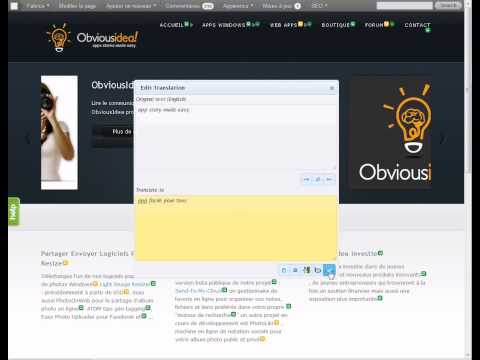
You can watch the video above, made by Fabrice Meuwissen of obviousidea.com which describes basic usage of Transposh. More videos can be found in the changelog.
Features
- Support for any language - including RTL/LTR layouts
- Unique drag/drop interface for choosing viewable/translatable languages
- Multiple options for widget appearances - with pluggable widgets and multiple instances
- Translation of external plugins without a need for .po/.mo files
- Automatic translation mode for all content (including comments!)
- Use either Google, Bing, Yandex or Apertium translation backends - 117 languages supported!
- Automatic translation can be triggered on demand by the readers or on the server side
- RSS feeds are translated too
- Takes care of hidden elements, link tags, meta contents and titles
- Translated languages are searchable
- Buddypress integration
Our goals
- Performance - very fast - using APC cache if available
- Security - we have externally audited the plugin for improved security
- Ease of Use - making translation as fun and as easy as possible
- Flexibility - allowing you to take control of the user experience
- SEO - search engines exposure increase
Technology has been thoroughly tested on a large dynamic site with millions of monthly page views. Feel free to visit Colnect, the best site for collectors.
Installation
- Install and activate the plugin through the Plugins menu in WordPress
- On the Language setting page - choose which languages you would like viewable, translatable and which language is currently used (default) by clicking and dragging
- On the Settings page - select which user roles can translate
- You may also elect to disable/enable the automatic translation mode
- Add the widget to your site, decide which interface you prefer
- You are good to go
Frequently Asked Questions
You can find FAQs on the Transposh site
Screenshots
- This is a screen shot of Transposh home page with the flagged widget on the right sidebar
- This is the same site, translated to Hebrew, take note that automatic RTL kicked in
- A look at the translation interface, in Spanish, viewable is the editor window and the icons used to trigger it in the background
- The settings page, including management of active languages and various other settings
- Widget style selection box, with three basic appearances, flags below (in Hebrew), language selection on the top right and language list on the bottom right.
Credits
Links to original Transposh
Ofer Wald, the original author of Transposh, for creating this awesome plugin and the Transposh community for further its development.
Translation credits
- Dutch - Roland Nieuwendijk
- German - Jenny Beelens
- Hebrew - Amir
- Italian - MacItaly
- Persian - Sushyant Zavarzadeh
- Portuguese (Brazil) - Amilton Junior
- Russian - Romans Matusevics
- Serbian - Borisa Djuraskovic
- Spanish - Angel Torregrosa, Ignacio
- Turkish - Ömer Faruk Karabulut and Semih Yeşilyurt
- French - Michel Chaussée
Libraries
- SimpleHtmlDom
- PSR\Log from PHP Framework Interoperability Group
Releases
14 releases.
These releases are tags only. The author does not attach a packaged zip, so there are no download counts to report.