Exposure Meter
Privacy-first visitor statistics for WordPress, made for musicians and record labels. Stores no IP addresses, loads nothing from other servers, and draws a world map of where your listeners are.
by Soheil Soheili · github.com/soheil-soheili/exposure-meter · website
Install
No release zip yet. The repository archive installs, but the folder name will carry the branch suffix and updates will not flow:
wp plugin install https://github.com/soheil-soheili/exposure-meter/archive/refs/heads/main.zipPrivacy-first visitor statistics for WordPress, made for musicians and record labels. It stores no IP addresses, sets no cookies, loads nothing from other servers in the dashboard, and draws a world map of where your listeners are.
Built for and in use on anoise.org, the website of the Noise à Noise label.
What it shows
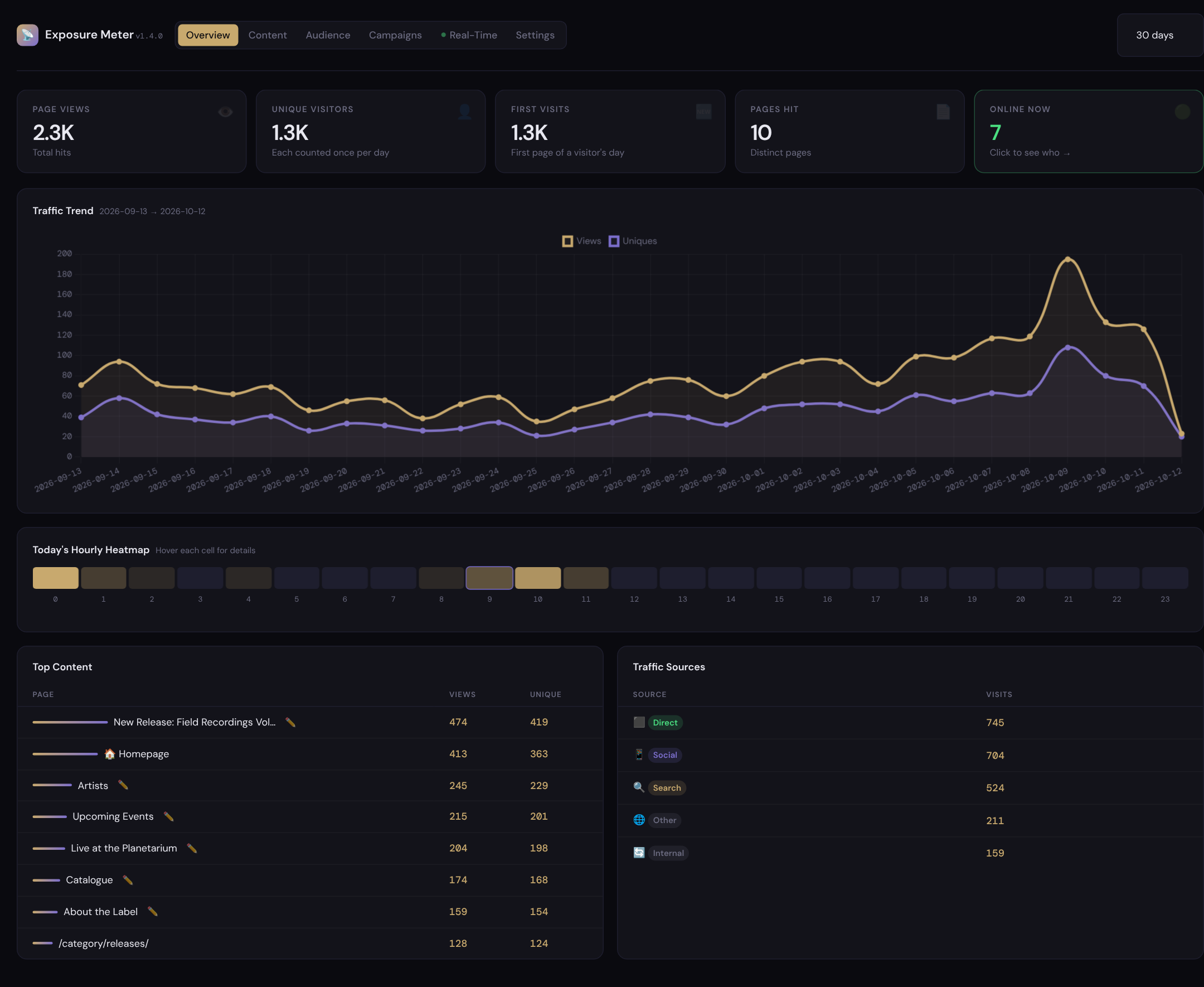
- Overview: page views, visitors, first visits, pages hit, who is online now, a 30-day trend, today's activity by hour, top content and where visitors came from (direct, search, social, other sites).
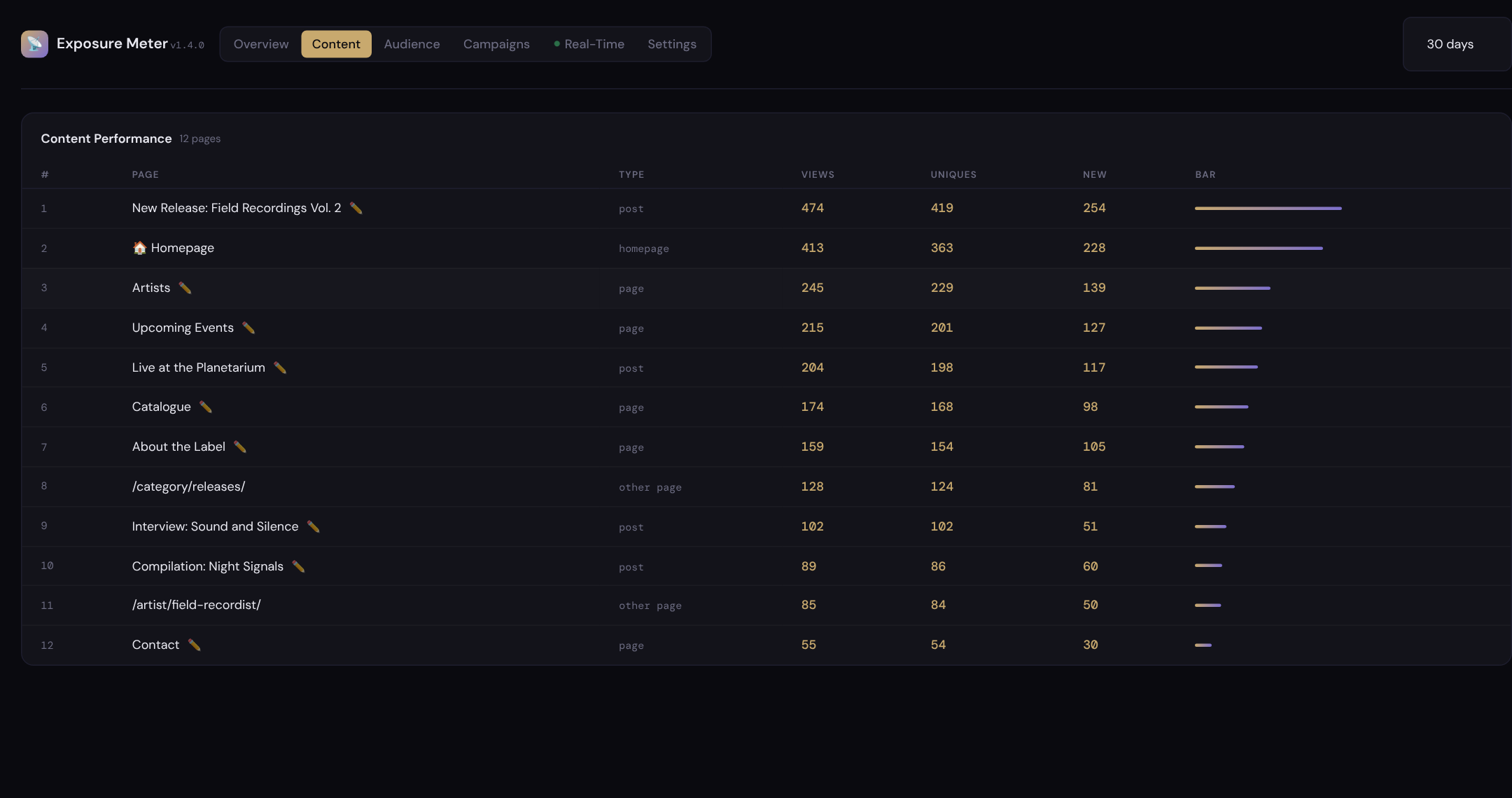
- Content: every post and page with views and visitors. Archives, the front page and other pages are listed by their address.
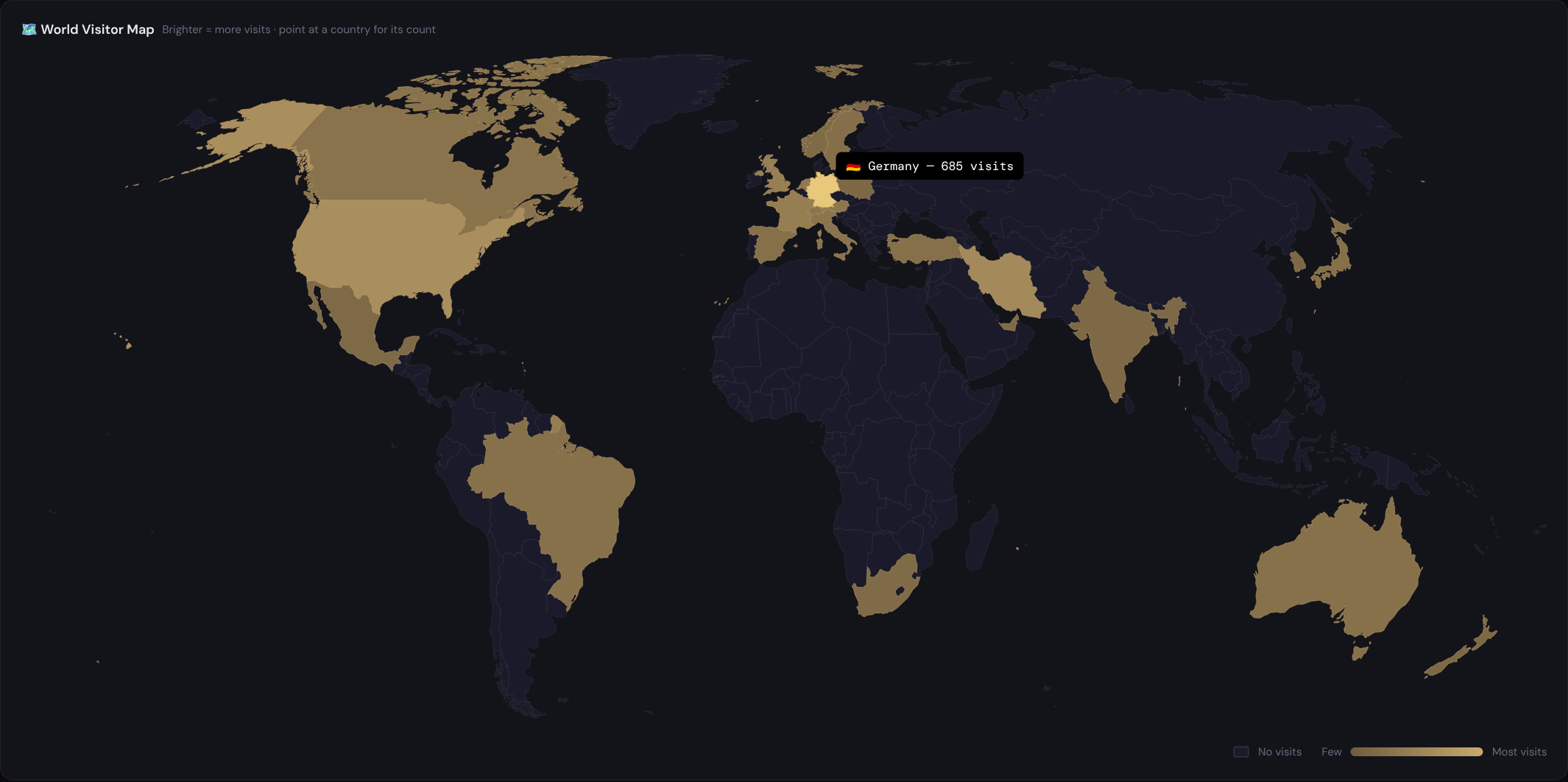
- Audience: a world map and table of countries, plus devices, browsers and operating systems.
- Campaigns: links tagged with
utm_campaign,utm_sourceandutm_medium, so you can see which announcement, newsletter or post brought people in, and which sites link to you. - Real-time: who is on the site right now and which pages they are reading.
- A statistics box on each post's editing screen, a 30-day sparkline in the post lists, a dashboard widget, and an optional daily or weekly email report.
| Content | Real-time |
|---|---|
 |
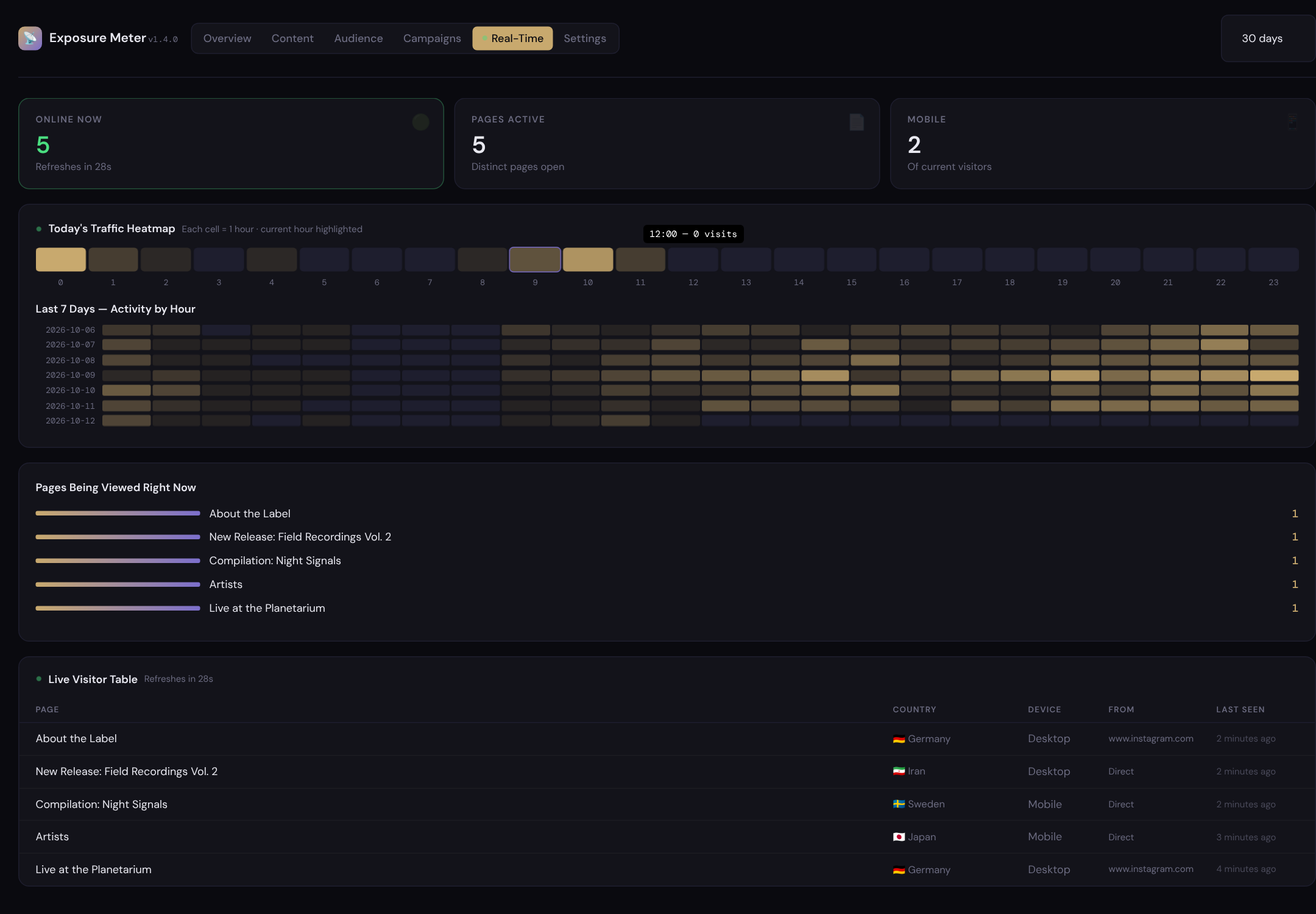 |
The screenshots use invented demo data.
Privacy
- No IP addresses are stored. A visitor's address is shortened the moment it arrives (the last part of an IPv4 address is set to 0; of an IPv6 address only the network part is kept), and only the shortened form is ever used.
- Visitors are recognised for one day only. A one-way code is made from the shortened address, the browser's name, the date and a secret of your site. It changes every day, so the same person is counted once per day and cannot be followed from one day to the next.
- No cookies are set, and nothing in the visitor's browser is read or stored.
- Country lookup. To know a visitor's country, the shortened address (for example
203.0.113.0) is sent to ip-api.com and the answer is cached for a day. Their free service is for non-commercial use and works over plain HTTP; please read their terms before using this plugin on a commercial site. Looking countries up inside the plugin is planned (see below). - The dashboard loads nothing from other servers. The chart library and the fonts come with the plugin.
- Chosen user roles (administrators and editors by default) and known bots are not counted.
This describes what the plugin does; it is not legal advice about your obligations.
Requirements
- WordPress 6.0 or later
- PHP 8.0 or later
- MySQL or MariaDB (as WordPress itself)
Installation
- Download
exposure-meter.zipfrom the latest release. - In WordPress, go to Plugins → Add New → Upload Plugin, choose the file and activate it.
- Open Exposure Meter → Settings:
- If your site uses a page cache (LiteSpeed Cache, WP Rocket, W3 Total Cache, WP Super Cache…), turn on Cache-Compatible Mode. Cached pages are then counted by a small script in the page; without it, most visits to cached pages are missed. The settings page tells you when it finds one of these plugins.
- Choose which user roles are not counted, how long detailed visits are kept, and whether you want an email report.
Statistics use your site's time zone (Settings → General).
Planned improvements
- Look up countries inside the plugin, so no address leaves your server.
- Keep long-term history: daily totals are already saved but not yet shown, so visits older than the retention period disappear from the charts.
- A setting for sites behind a proxy or Cloudflare, so the visitor's address is read from the right place and cannot be faked.
- Translations, and the changes needed for the WordPress.org plugin directory.
How it is built
- One PHP file,
exposure-meter.php, plusworld-map.jsonandassets/. - The world map is drawn in advance by
tools/build-world-map.mjsfrom Natural Earth data, so the browser only colours finished shapes. tests/exposure-meter.phpchecks the parts that need no WordPress:php tests/exposure-meter.php. It runs on every push (see.github/workflows/test.yml).- Changes are listed in CHANGELOG.md.
Credits
- Chart.js 4.4.0, MIT License (
assets/LICENSE-chartjs.txt) - DM Sans and DM Mono, SIL Open Font License 1.1 (
assets/fonts/LICENSE-fonts.txt) - Country shapes from Natural Earth (public domain) via world-atlas, drawn with d3-geo when the map is built
Licence
GNU General Public License, version 2 or (at your option) any later version. See LICENSE.
Made by Soheil Soheili.