ZigaForm - Wordpress Calculator & Cost Estimation Form Builder Lite WP Registry grade D+. High-severity findings · 2 findingsWP RegistryHigh-severity findings · 2 findingsOpen the reportD+
The ZigaForm Cost Estimation makes you build estimation forms in few steps.
Install
This is the repository archive. It installs, but the folder name will carry the branch suffix and updates will not flow.
Install straight from GitHub with WP-CLI:
wp plugin install https://github.com/softdiscover/zigaform-wp-cost-estimator-lite/archive/refs/heads/master.zipZigaform - WordPress Calculator & Cost Estimation Form Builder is a powerful, real-time drag-and-drop form builder. It allows you to create detailed estimation forms in just a few easy steps. Estimate any service for your clients, and enable checkout through integrated payment gateways. With an advanced grid system, skin customizer, and a robust admin section, Zigaform offers extensive customization options without requiring any programming skills.
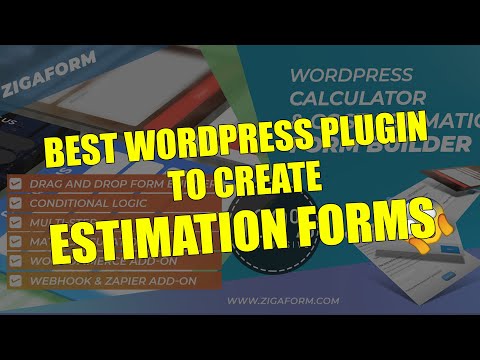
Learn more at Zigaform WP Cost Estimator Lite.
Support Development
You can support the continued development of Zigaform by donating via PayPal:

Installation
Download the latest version of the Zigaform plugin ZIP file from this link.
Installation via FTP
- Unzip the
Zigaform - Calculator & Cost Estimation Form BuilderZIP file. - Open your FTP client.
- Upload the
Zigaform Estimator Litefolder to the/wp-content/plugins/directory on your server. - Activate the plugin through the 'Plugins' menu in WordPress.
- Configure the plugin via the
Zigaform - Calculator & Cost Estimation Form Builder Litemenu in your admin panel.
Installation via WordPress Backend
- Log in to your WordPress backend.
- Go to Plugins > Add New.
- Click the Upload Plugin button.
- Browse for the downloaded ZIP file and click Install Now.
- Once installed, click Activate Plugin.
- The
Zigaformmenu item will appear on the left-hand navigation.
For installation assistance, refer to the documentation.
Features
- Real-time Drag & Drop Builder: Create estimation forms with ease.
- Cost Estimation & Calculation: Supports complex math formulas.
- Offline Payment Gateway: Integrated for seamless transactions.
- 42+ Form Elements: Ready to use, fully customizable.
- Advanced Grid System: Build professional, responsive forms.
- Dynamic Validation: Ensures data integrity (e.g., email, letters, numbers).
- Advanced Summary Estimate Box: Includes sticky feature.
- Skin Customizer: Customize forms with a live preview.
- Multiple Form Templates: Choose from a variety of templates.
- 650+ Custom Fonts & 769+ Icons: For rich form customization.
- Detailed Entries Report: Track and analyze form submissions.
- AJAX-powered Forms: No page reloads on form submission.
- Responsive Design: Fully optimized for all devices.
- Multi-Language Support: Includes Spanish, Italian, French, Russian, German, Portuguese, and Chinese.
- No Programming Skills Required: Simple setup and management.
- Translation Ready: Easy to translate into any language.
Field Types
Zigaform offers a wide range of field types:
- Text input (single line)
- Textarea (multiple lines)
- Checkbox
- Radio (multiple choice)
- Select dropdown
- HTML
- File Upload
- Image Upload
- Password
- Slider
- Range
- Spinner
- CAPTCHA
- reCAPTCHA
- Hidden field
- Star rating
- Color picker
- Date picker
- Time picker
- Date and Time picker
- Prepended/Appended textbox
- Panel
- Divider
- Heading
- Wizard buttons
- Switch
- Dynamic Checkboxes
- Dynamic Radiobuttons
All these field types are included in the free version!
Entries Management
- Dashboard Integration: Manage submitted entries from the WordPress dashboard.
- Export/Import: Bulk export to CSV, bulk delete, advanced filtering, and search across entries.
- Custom Confirmation Messages: Customize what users see after form submission, or redirect them to a custom URL.
- Notification Emails: Send customized email notifications after form submission, including user entries and additional information.
Additional Premium Features
Upgrade to Zigaform - Cost Estimation & Payment Form Builder Premium for advanced functionalities:
- PayPal Integration
- Advanced Conditional Logic
- Wizard Forms with Live Preview
- Invoicing Features
- CSV Export for Submissions
- Extended Documentation and Priority Support
Try Zigaform Premium for more details.
Support
For support, visit our contact page.
Frequently Asked Questions
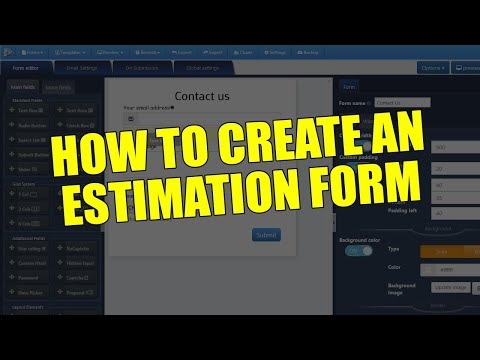
How do I create an estimation form?
- Go to
Zigaform Estimator Litein the menu. - Click on the Add New Form button.
- Enter the form title in the pop-up window.
- Drag and drop or click to add form elements.
- Configure your options and click Save.
- A shortcode will be generated. Copy and paste it into your post/page.
What Makes Zigaform Great?
- Unlimited Forms & Fields: No restrictions on the number of forms, fields, or submissions.
- Highly Customizable: Easily fine-tune every aspect of your forms, including CSS and HTML.
- Developer-Friendly: Extensive options for developers to customize forms.
- Responsive & Optimized: All forms are mobile-friendly and optimized for speed.
- Easy Integration: Add forms to your site via shortcode, widget, or template function.
- Comprehensive Documentation: Extensive guides and support available.
For more information, visit Zigaform's official site.
License
WordPress is free software, and is released under the terms of the GNU General Public License version 3 or (at your option) any later version. See LICENSE.md for complete license details.

Releases
20 releases.
These releases are tags only. The author does not attach a packaged zip, so there are no download counts to report.