Editor Can Manage Privacy Options WP Registry grade A. No security issues foundWP RegistryNo security issues foundOpen the reportA
A lightweight WordPress plugin that grants the Editor role access to manage site Privacy Settings — capabilities normally restricted to Administrators.
Install
Upload it under Plugins → Add New Plugin → Upload Plugin, then activate.
Install straight from GitHub with WP-CLI:
wp plugin install https://github.com/soderlind/editor-can-manage-privacy-options/releases/download/1.3.1/editor-can-manage-privacy-options.zipOn Packagist as soderlind/editor-can-manage-privacy-options:
composer require soderlind/editor-can-manage-privacy-optionsA lightweight WordPress plugin that grants the Editor role access to manage site Privacy Settings — capabilities normally restricted to Administrators.
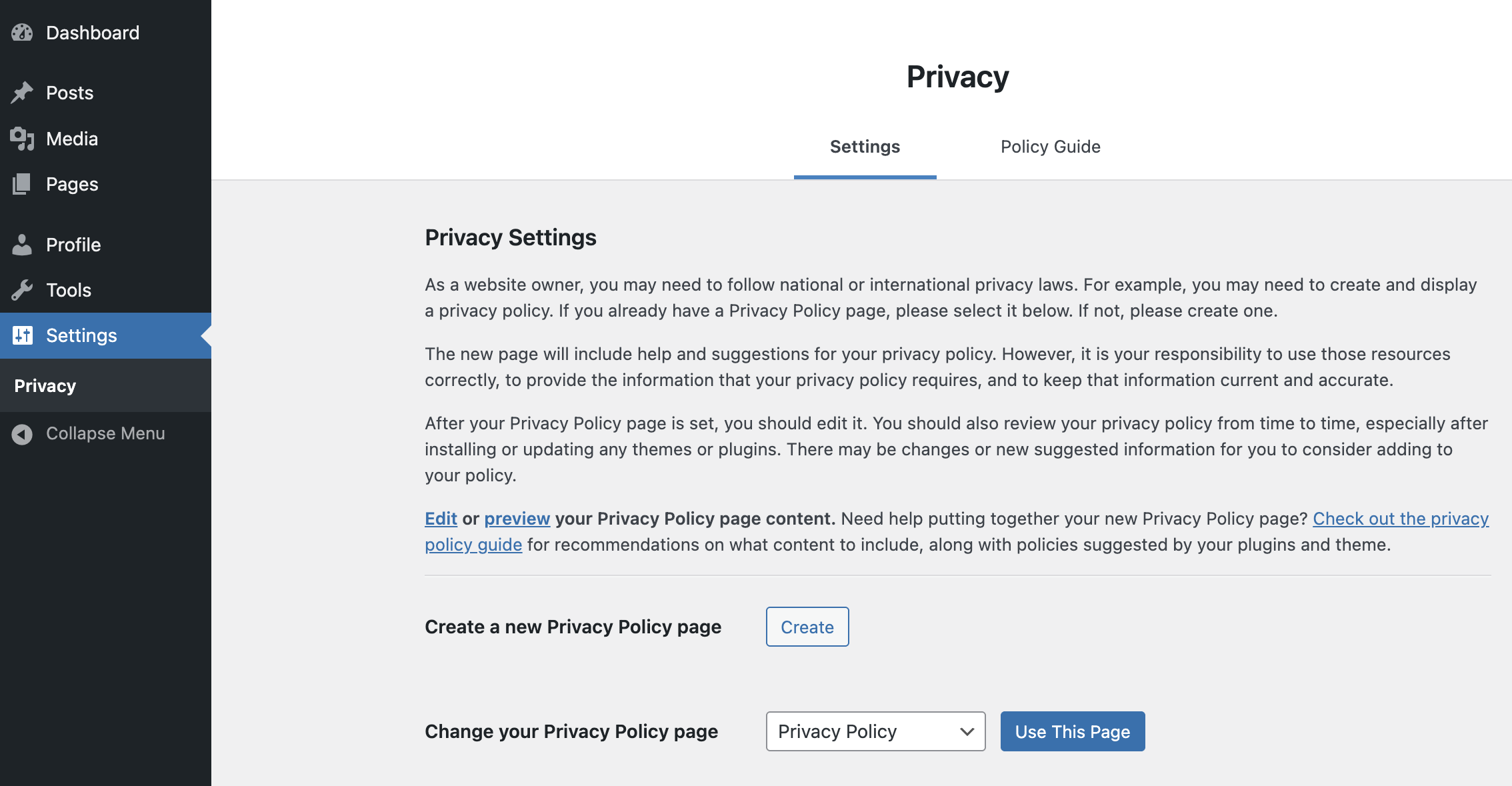
Why This Plugin?
By default, only Administrators can configure the site's privacy policy settings (selecting the Privacy Policy page, accessing the privacy guide, etc.). This plugin safely extends that access to trusted Editors without broadly elevating their administrative capabilities.
Features
- Maps the core
manage_privacy_optionsmeta capability to an Editor-level base capability (edit_pages, filterable) - Adds the Privacy submenu under Settings for Editors (only if core hasn’t already exposed it)
- Guarantees exactly one "Privacy" menu entry via a single idempotent registration
- Hides WordPress's render-time duplicate Privacy item (shown when Privacy is an editor's only Settings submenu)
- Request‑scoped temporary elevation only on privacy-related pages
- Avoids granting unrelated high-risk capabilities like
manage_options - Heuristic admin detection (treats users with high-level caps as admins)
How It Works (Technical)
Hooks used:
map_meta_cap– remapsmanage_privacy_optionsto a safer base capabilityadmin_menu(priority 999) – ensures exactly one Privacy submenu entry, adding it only if core hasn’tadmin_init– sets up request-scoped access if viewing privacy pagesuser_has_cap– temporarily grantsmanage_optionsonly when core checks it on privacy pagesadmin_enqueue_scripts– enqueues a small stylesheet that hides WordPress's render-time duplicate Privacy item
All decisions live in a pure Privacy_Access_Policy module behind a WP_Environment seam, so the logic is testable without a running WordPress.
Capability Mapping Filter
You can customize the base capability via the epm_privacy_base_cap filter:
add_filter( 'epm_privacy_base_cap', function( $default ) {
    return 'edit_others_posts'; // or another appropriate capability
} );
Installation
-
Quick Install
- Download
editor-can-manage-privacy-options.zip - Upload via Plugins > Add New > Upload Plugin
- Activate the plugin.
- Download
-
Composer Install
composer require soderlind/editor-can-manage-privacy-options -
Updates
- Plugin updates are handled automatically via GitHub. No need to manually download and install updates.
Requirements
- WordPress 6.5+
- PHP 8.2+
Security Notes
- Scope limited strictly to privacy-related pages
- No persistent role modification; all adjustments are dynamic
- Defensive checks prevent privilege creep into unrelated admin areas
FAQ
Does this let Editors change other site-wide admin options?
No. Only privacy-related access is facilitated.
Can I change which role gets access?
Yes, by mapping to a different capability using the epm_privacy_base_cap filter.
How are duplicate Privacy menu entries avoided?
Two cases. Duplicate $submenu array entries are removed by an idempotent registration on a late admin_menu pass. Separately, when Privacy is the only Settings submenu an editor can reach, WordPress renders it twice at output time (a wp-first-item clone); a small CSS rule hides the duplicate.
Does it work in multisite?
Yes in principle; network-level elevated capabilities mark a user as effectively admin and bypass the editor logic.
Development
Pull requests and issues welcome. Run the acceptance test suite with composer test.
License
GPL-2.0-or-later — see LICENSE file.
Author
Releases
5 releases. Each count is every asset in that release; expand a row for the breakdown.