Install
This is the repository archive. It installs, but the folder name will carry the branch suffix and updates will not flow.
Install straight from GitHub with WP-CLI:
wp plugin install https://github.com/soderlind/date-range-ninja-forms/archive/refs/heads/master.zipOn Packagist as soderlind/date-range-ninja-forms:
composer require soderlind/date-range-ninja-formsDescription | Installation | Screenshots | Filters | Changelog | Credits | Copyright and License
Description
Add a Date Range field to your Ninja Forms.
Installation
- Upload the plugin files to the
/wp-content/plugins/data-range-ninja-formsdirectory, or install the plugin through the WordPress plugins screen directly. - Activate the plugin through the 'Plugins' screen in WordPress
- Use Ninja Forms to add the Date Range field.
Screenshots
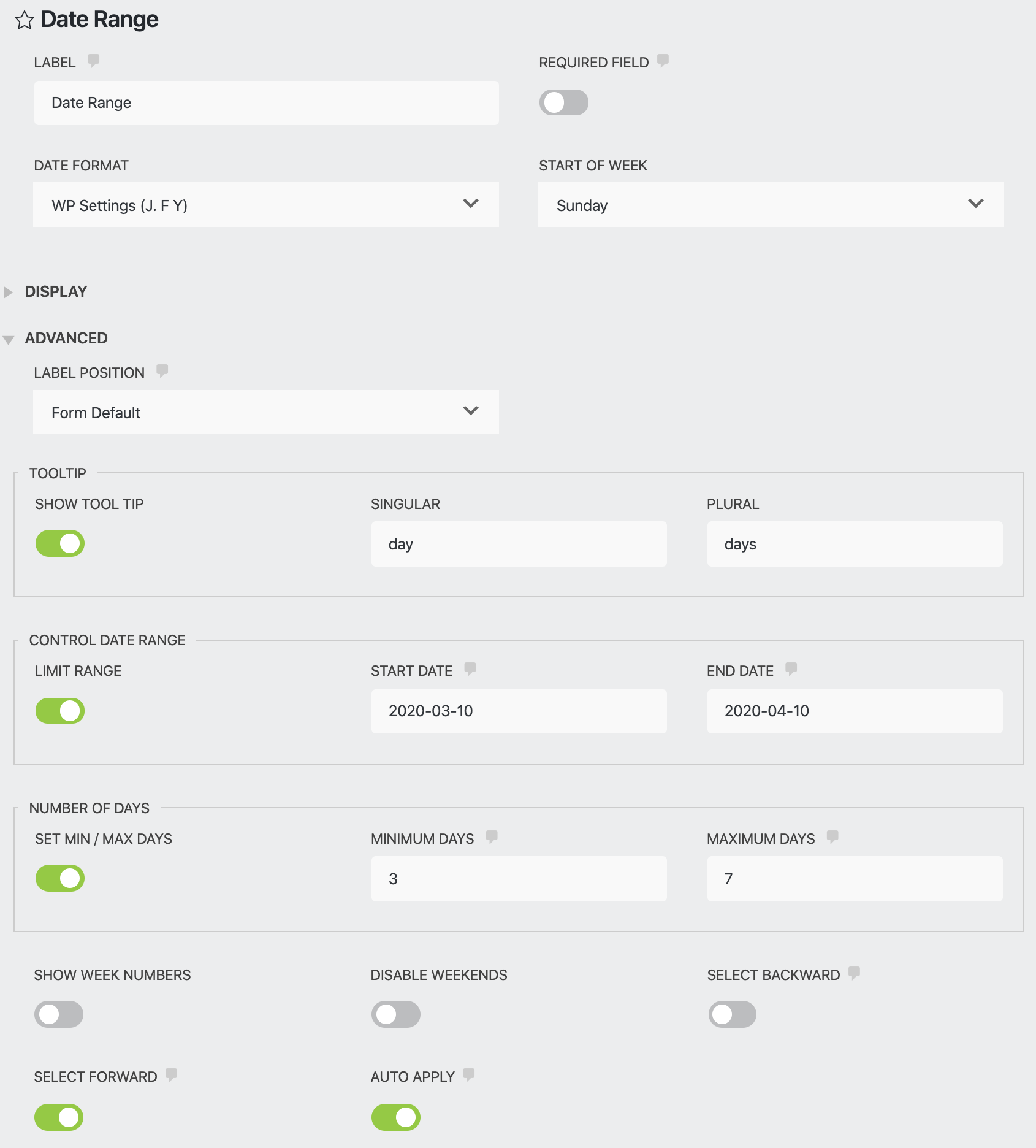
1. Settings
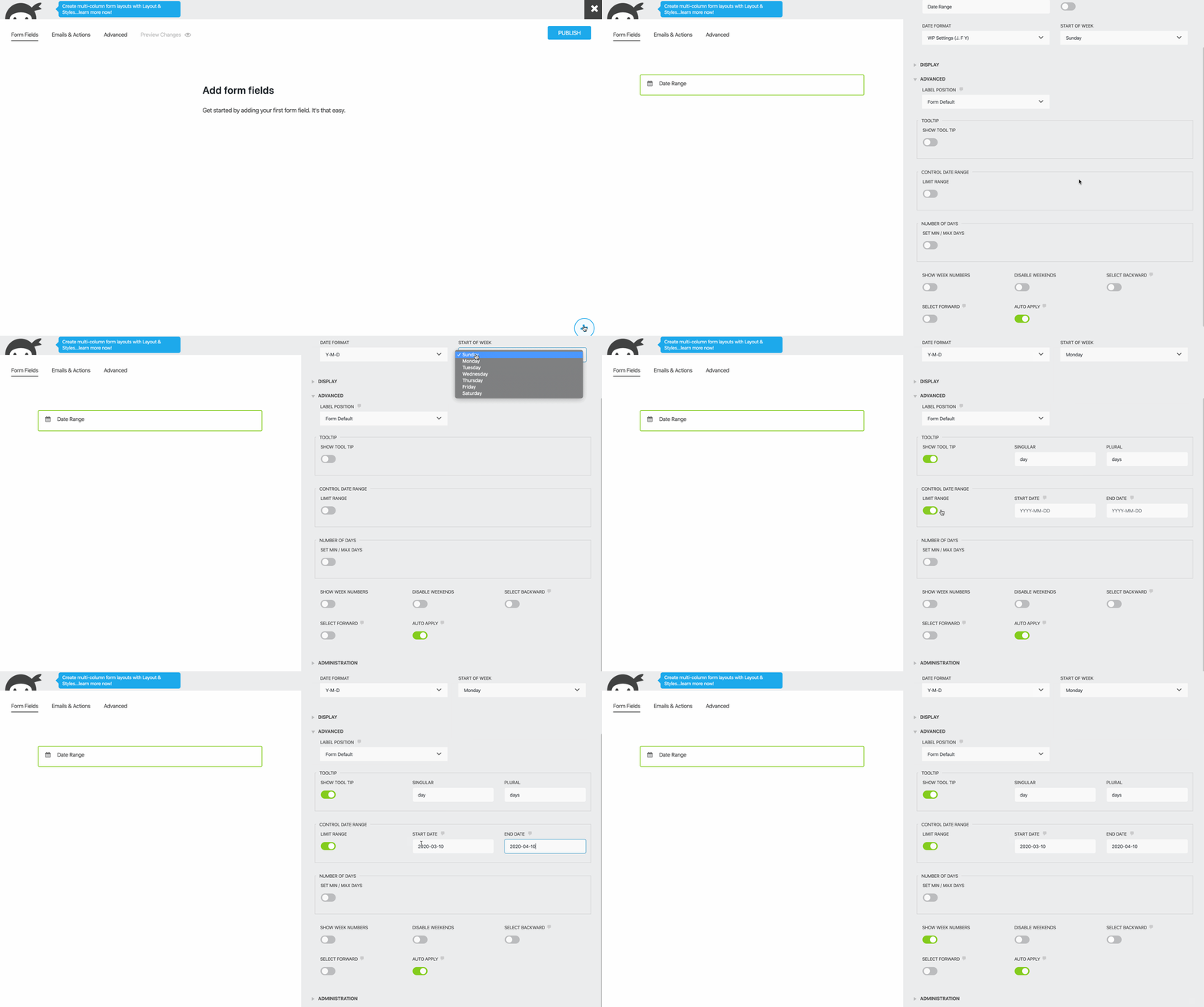
2. Using Ninja Forms to add the Date Range field.
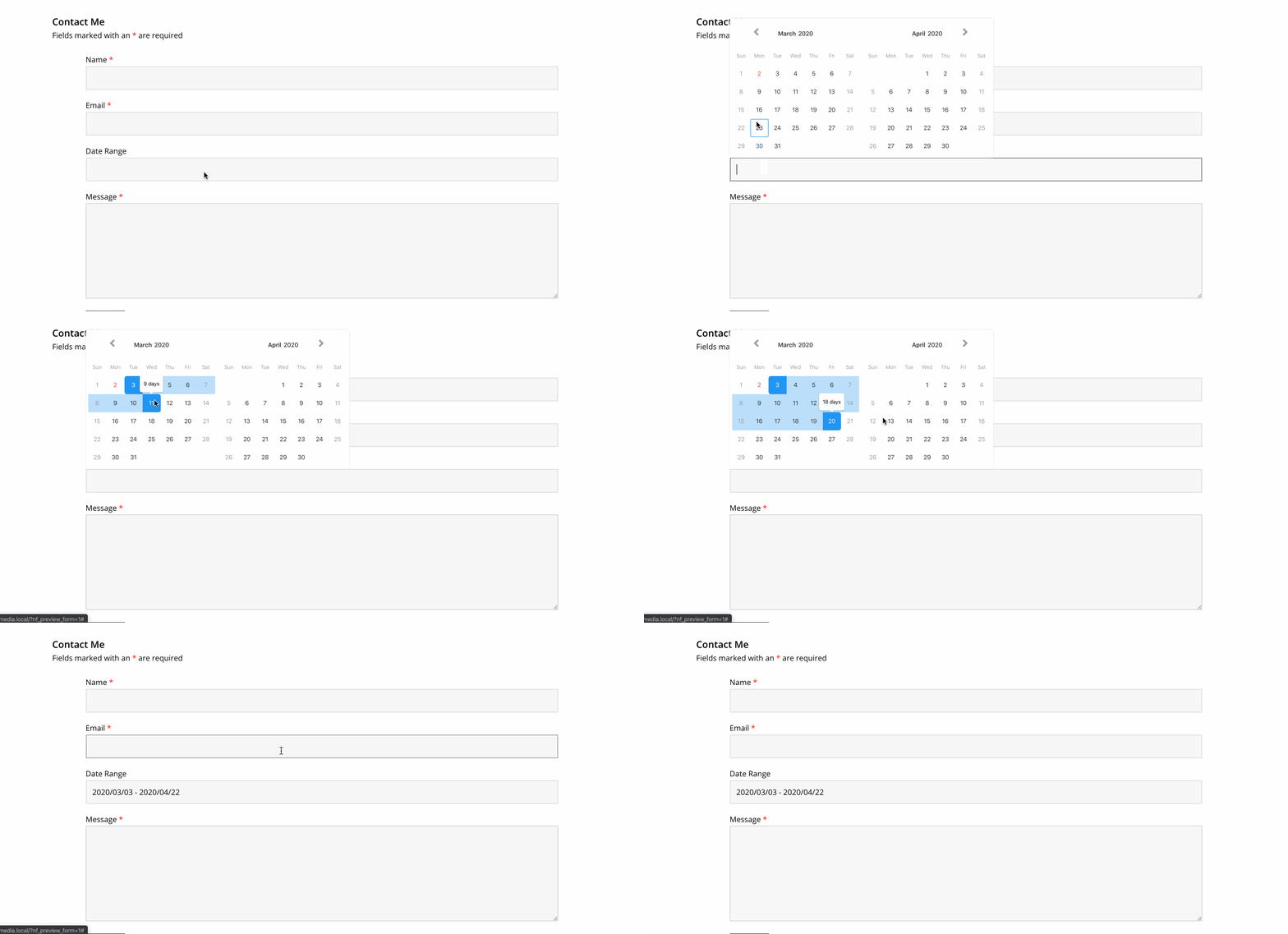
3. Date Range at the front-end.
Filters
Add the filters to your child theme functions.php
date_range_lang
Override the value returned from get_locale().
E.g. if using Polylang, add:
add_filter( 'date_range_lang', function( $locale ) {
    if ( function_exists( 'pll_current_language' ) ) {
        $locale = pll_current_language( 'locale' );
    }
    return $locale;
} );
date_range_dropdowns
Enable dropdowns for months, years.
If maxYear is null then maxYear will be equal to (new Date()).getFullYear().
add_filter( 'date_range_dropdowns', function( $dropdowns ) {

    $dropdowns = [
        'minYear' => 2020,
        'maxYear' => 2030,
        'months'  => false,
        'years'   => true, // show dropdown for years.
    ];

    return $dropdowns;
} );
date_range_buttontext
Text for buttons.
add_filter( 'date_range_buttontext', function( $buttontext ) {

    $buttontext = [
        'apply'         => 'Apply',
        'cancel'        => 'Cancel',
        'previousMonth' => '<svg .../></svg>',
        'nextMonth'     => '<svg .../></svg>',
    ];

    return $buttontext;
} );
See also
I've created an iCalendar add-on for Ninja Forms.
Changelog
1.1.0
- Update to latest version of Litepicker
1.0.2
- Lint source code using PHP CodeSniffer and Rome.
1.0.1
- Add date setting field
1.0.0
- Refactor
0.1.0
- Custom validation for required fields
- Add moment.js
- Refactor code, using ES2019 Class Fields.
0.0.7
- Refactor JavaScript to ES6.
0.0.6
- Fix breaking bug
0.0.5
- Add more settings.
- Add filters:
date_range_lang,date_range_dropdownsanddate_range_buttontext. - Add
languages/date-range-ninja-forms.pot
0.0.4
- Replace Lightpick, no longer maintained, with Litepicker
0.0.3
- In Ninja Forms builder, select WP Settings date.
0.0.2
- Set date format in Ninja Form builder
0.0.1
- Initial release.
Credits
Date Range field for Ninja Forms uses Litepicker. The Litepicker has a MIT licence and is Copyright 2019 Rinat G.
Copyright and License
Date Range field for Ninja Forms is copyright 2020 Per Soderlind
Date Range field for Ninja Forms is free software: you can redistribute it and/or modify it under the terms of the GNU General Public License as published by the Free Software Foundation, either version 2 of the License, or (at your option) any later version.
Date Range field for Ninja Forms is distributed in the hope that it will be useful, but WITHOUT ANY WARRANTY; without even the implied warranty of MERCHANTABILITY or FITNESS FOR A PARTICULAR PURPOSE. See the GNU General Public License for more details.
You should have received a copy of the GNU Lesser General Public License along with the Extension. If not, see http://www.gnu.org/licenses/.