Install
This is the repository archive. It installs, but the folder name will carry the branch suffix and updates will not flow.
Install straight from GitHub with WP-CLI:
wp plugin install https://github.com/snakeo/jmvc/archive/refs/heads/master.zipA WordPress MVC Framework for Building Structured Applications
JMVC brings the Model-View-Controller pattern to WordPress, enabling developers to build organized, maintainable applications with clean separation of concerns. Built with support for AJAX routing, Advanced Custom Fields integration, and hierarchical modular architecture (HMVC).
Why JMVC?
Traditional WordPress development often leads to:
| Problem | Traditional WordPress | With JMVC |
|---|---|---|
| Code Organization | Logic scattered across functions.php, templates, random includes | Controllers, Models, Views in designated directories |
| Routing | Tied to permalink structure or manual rewrites | Clean URLs: /controller/pub/Task/show/42 |
| Business Logic | Mixed into theme templates | Isolated in Controllers and Models |
| Data Access | Direct database calls or scattered queries | Models with built-in WordPress post type integration |
| API Development | Repetitive REST API boilerplate | APIController with api_success() / api_die() |
| Testability | Tightly coupled to WordPress globals | Isolated classes, mockable dependencies |
| Onboarding | Every project organized differently | Standard MVC structure developers already know |
JMVC gives you Laravel-like structure while keeping everything WordPress:
- Custom Post Types become Models with magic property access
- ACF fields accessible as
$model->field_name - WordPress hooks, filters, and APIs still available
- Theme header/footer integration via Page Controllers
- Gutenberg blocks powered by PHP controllers
Table of Contents
- Why JMVC?
- Features
- Requirements
- Installation
- Admin Dashboard
- Quick Start
- Architecture Overview
- Core Components
- Routing
- Page Controllers
- Gutenberg Blocks
- REST API
- Security Features
- Environment Configuration
- Sample Application: Task Manager
- Developer Tools
- HMVC Modules
- API Reference
- Testing
- Contributing
- License
Features
- MVC Architecture - Clean separation of Models, Views, and Controllers
- WordPress Plugin - Install once, use in any theme
- Admin Dashboard - Initialize, configure, and manage via WordPress admin
- WordPress Integration - Native support for custom post types and WordPress APIs
- ACF Integration - Seamless Advanced Custom Fields support via traits
- AJAX Routing - Built-in URL routing through WordPress AJAX handlers
- REST API Support - Modern REST API endpoints alongside AJAX routing
- HMVC Support - Build modular, self-contained components
- API Development - Ready-to-use base controller for JSON APIs
- Developer Tools - Logging (JLog) and error alerting (DevAlert) built-in
- Key-Value Store - Redis or SQLite backend for caching and sessions
- Flexible Configuration - GUI-based config management with nested access
- Security Built-in - Nonce verification, CSRF protection, input sanitization, and output escaping
Requirements
- PHP 8.0 or higher (8.1+ recommended)
- WordPress 6.0 or higher
- Composer for dependency management
Dependencies
- Predis ^2.0 - Redis client (optional)
Optional (Recommended)
- Advanced Custom Fields (ACF) - For model field management
- Redis or SQLite - For kvstore backend
Installation
1. Install the Plugin
Option A: Download
- Download the latest release from GitHub
- Extract to
/wp-content/plugins/jmvc/
Option B: Clone
cd /path/to/wordpress/wp-content/plugins/
git clone https://github.com/your-repo/jmvc.git
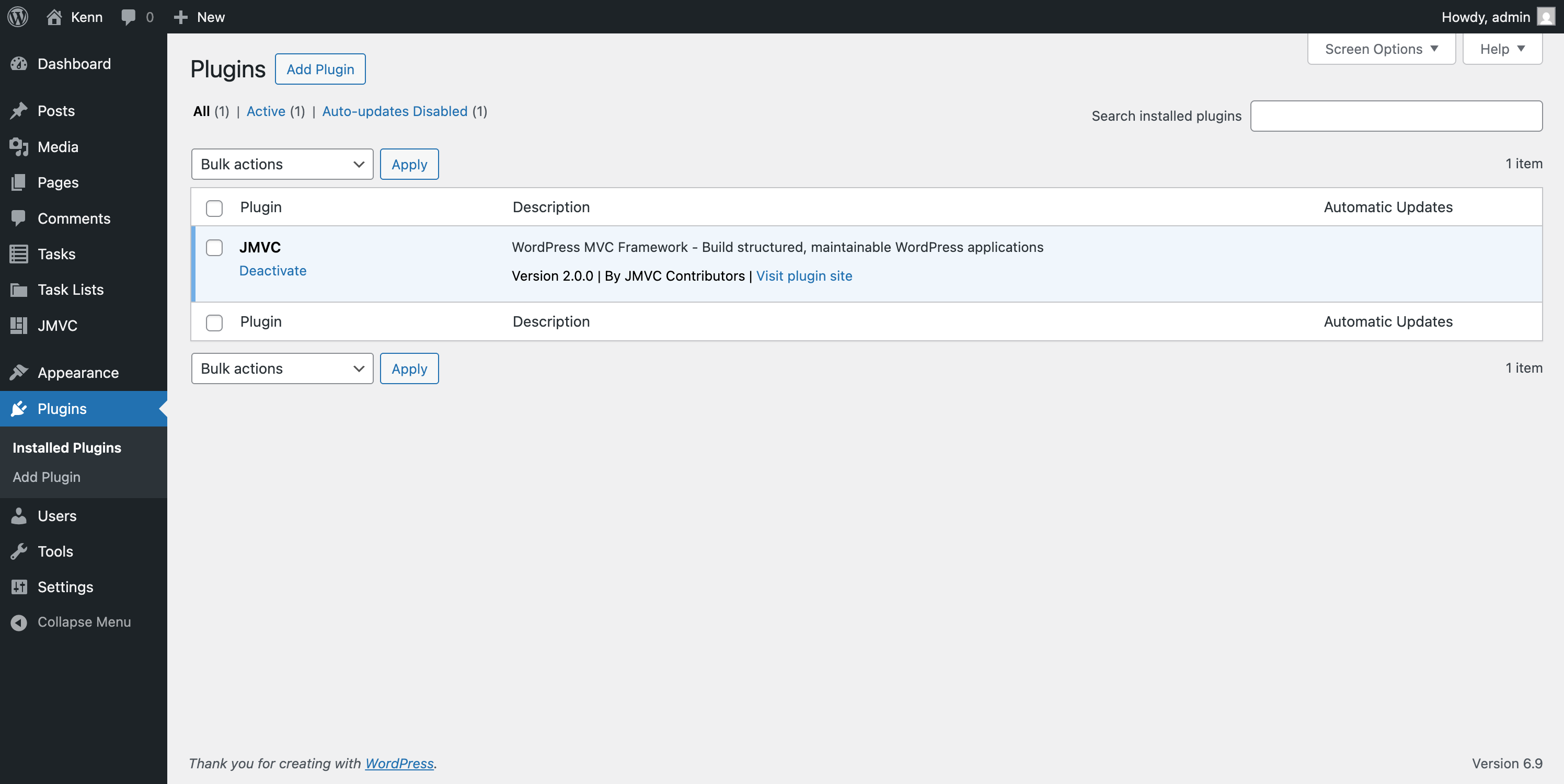
2. Activate the Plugin
- Go to Plugins in WordPress admin
- Find "JMVC" and click Activate
3. Initialize JMVC in Your Theme
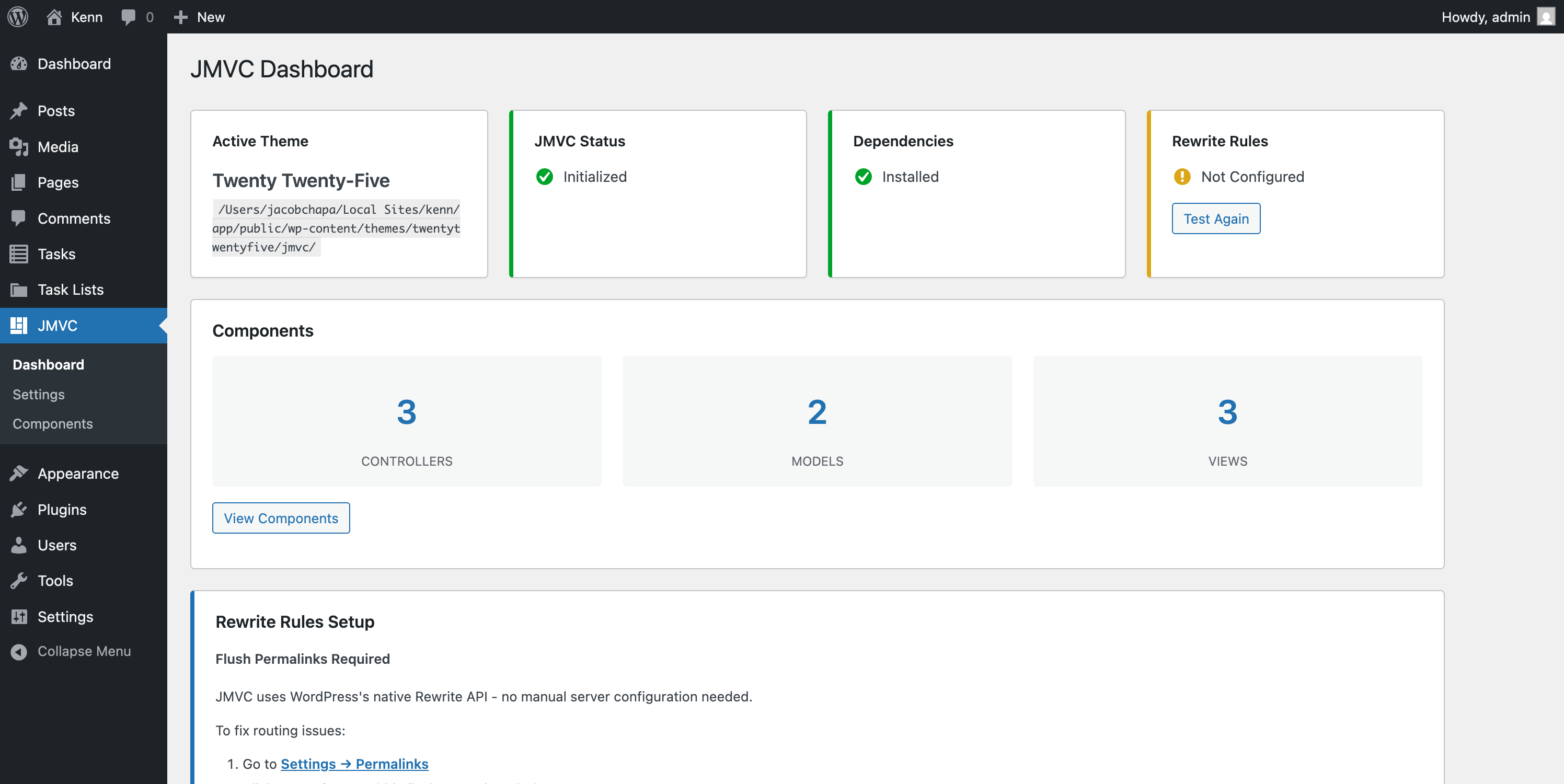
- Go to JMVC > Dashboard in the admin menu
- Click Initialize JMVC to create the scaffolding in your active theme
- Click Install Dependencies to run Composer (or follow manual instructions if shell access is unavailable)
4. Flush Permalinks
JMVC uses WordPress's native Rewrite API - no manual server configuration needed.
If routes aren't working after activation:
- Go to Settings > Permalinks
- Click Save Changes (this flushes rewrite rules)
That's it! Routes like /controller/pub/Task/index will work automatically on any server.
Admin Dashboard
JMVC provides a full admin interface for managing your application.
Dashboard (JMVC > Dashboard)
The main dashboard shows:
- Theme Status - Active theme name and JMVC initialization status
- Dependencies - Composer vendor folder status with install button
- Rewrite Rules - Auto-test with link to flush permalinks if needed
- Component Counts - Number of controllers, models, and views
Actions:
- Initialize JMVC - Creates scaffolding directories in your theme
- Install Dependencies - Runs
composer install(or shows manual instructions) - Test Rewrite - Re-checks if WordPress rewrite rules are active
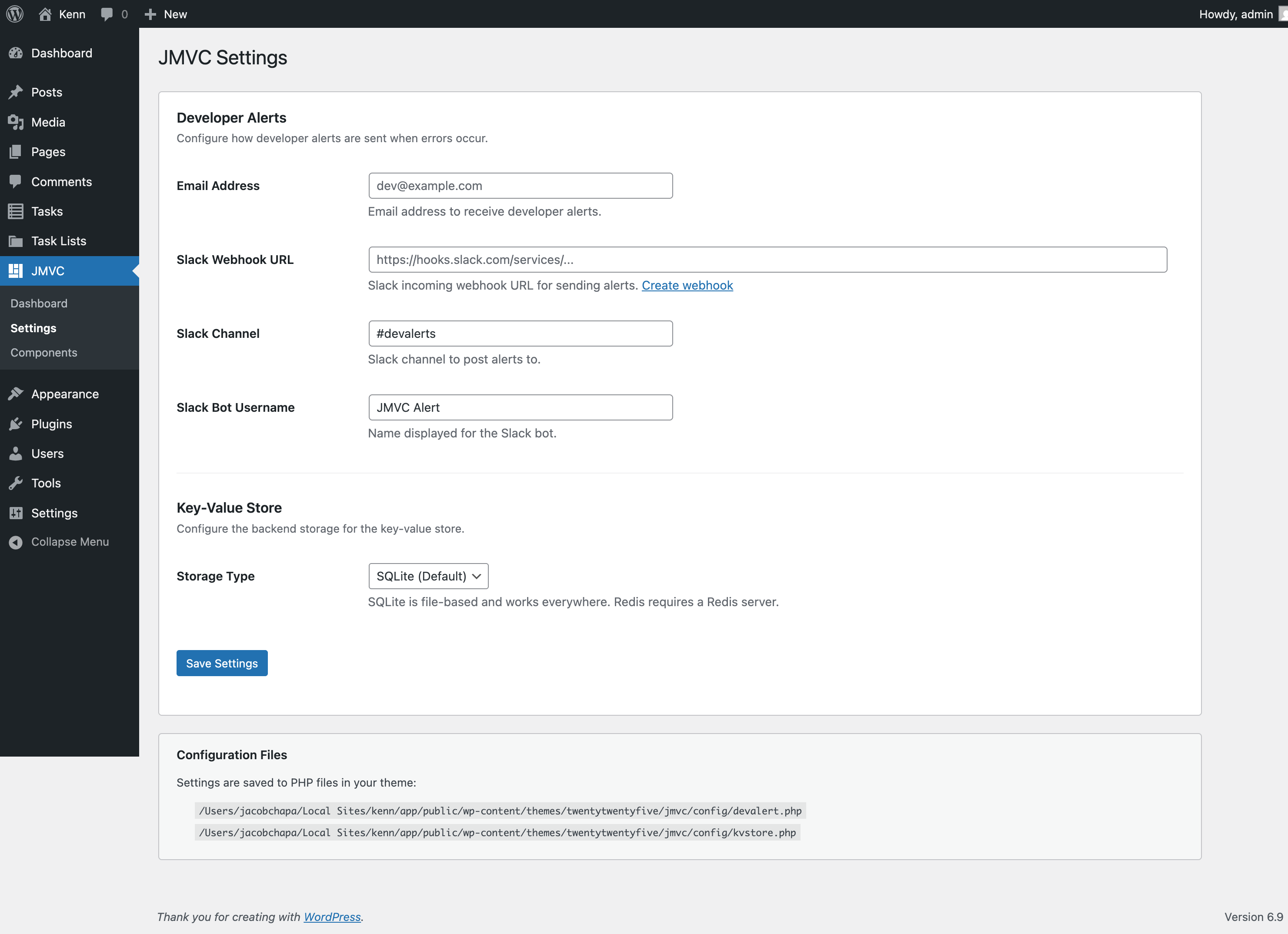
Settings (JMVC > Settings)
Configure JMVC options via UI:
Developer Alerts
- Email address for error notifications
- Slack webhook URL, channel, and bot username
Key-Value Store
- Storage type (SQLite or Redis)
Settings are saved to PHP config files in your theme's jmvc/config/ directory.
Components Browser (JMVC > Components)
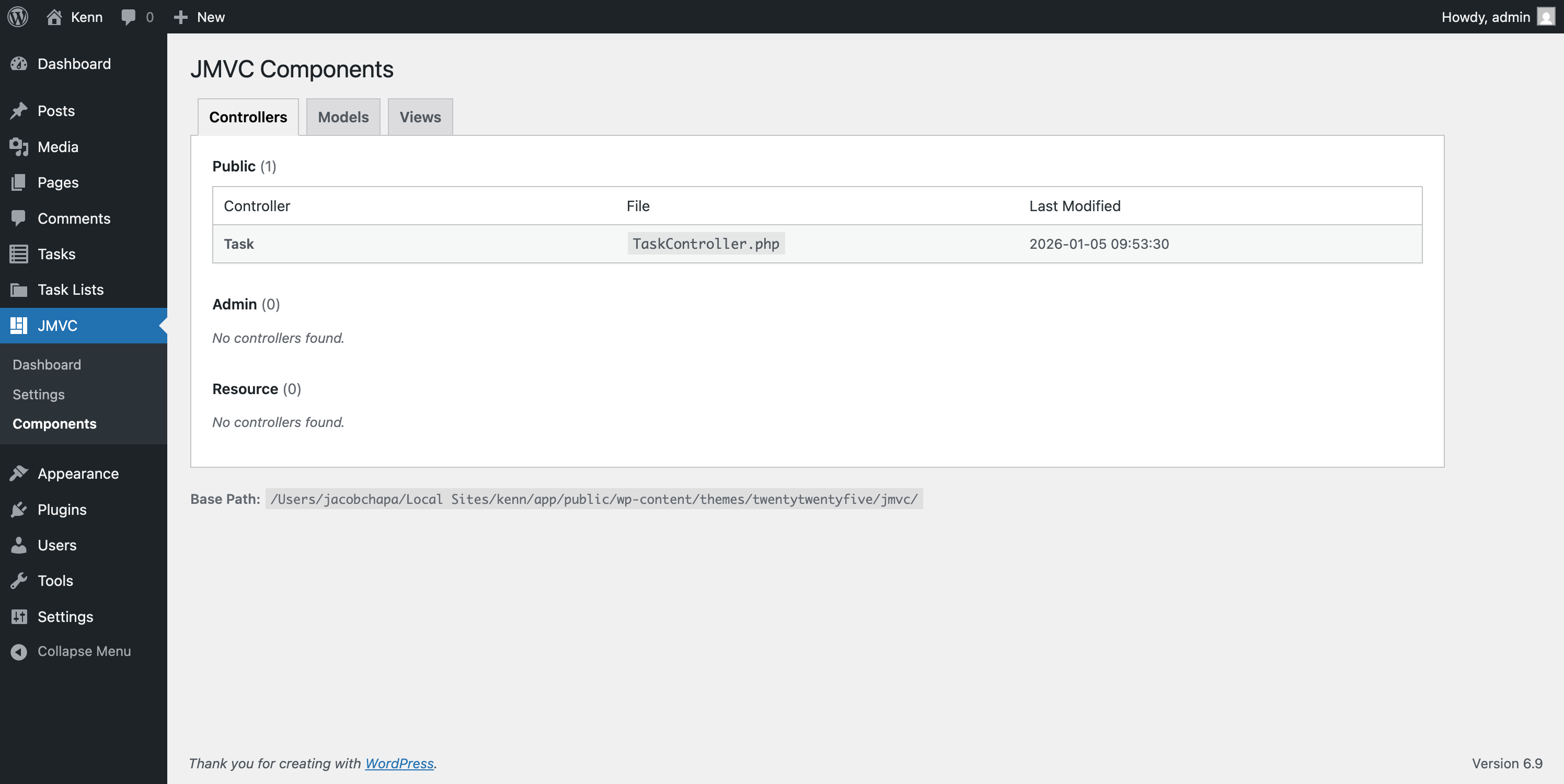
Browse all your MVC components:
- Controllers Tab - View public, admin, and resource controllers
- Models Tab - View all models
- Views Tab - Browse view templates in a tree structure
Quick Start
Create Your First Controller
After initializing JMVC, create a controller in your theme:
<?php
// {theme}/jmvc/controllers/pub/HelloController.php

class HelloController {

    /**
     * Basic action - outputs text
     * URL: /controller/pub/Hello/index
     */
    public function index() {
        echo "Hello, JMVC!";
    }

    /**
     * Action with parameter
     * URL: /controller/pub/Hello/greet/John
     */
    public function greet($name) {
        echo "Hello, " . esc_html($name) . "!";
    }

    /**
     * Render a view
     * URL: /controller/pub/Hello/welcome
     */
    public function welcome() {
        $data = [
            'title' => 'Welcome to JMVC',
            'message' => 'Build WordPress apps with MVC!'
        ];
        JView::show('hello/welcome', $data);
    }
}
Create a View
<?php // {theme}/jmvc/views/hello/welcome.php ?>
<!DOCTYPE html>
<html>
<head>
    <title><?= esc_html($title) ?></title>
</head>
<body>
    <h1><?= esc_html($title) ?></h1>
    <p><?= esc_html($message) ?></p>
</body>
</html>
Access Your Controller
Visit these URLs (adjust domain as needed):
https://yoursite.com/controller/pub/Hello/indexhttps://yoursite.com/controller/pub/Hello/greet/Worldhttps://yoursite.com/controller/pub/Hello/welcome
Or use the REST API:
https://yoursite.com/wp-json/jmvc/v1/pub/Hello/index
Architecture Overview
Directory Structure
JMVC splits between the plugin (framework core) and your theme (application code):
/wp-content/plugins/jmvc/           # Framework Core (Plugin)
├── jmvc.php                        # Plugin entry point
├── system/                         # Core framework classes
│   ├── boot.php                    # Bootstrap
│   ├── JBag.php                    # Service locator
│   ├── config/JConfig.php          # Configuration manager
│   ├── controller/
│   │   ├── JController.php         # Controller loader
│   │   └── JControllerAjax.php     # AJAX routing
│   ├── model/
│   │   ├── JModel.php              # Model loader
│   │   ├── JModelBase.php          # Base model class
│   │   └── ACFModelTrait.php       # ACF integration
│   ├── view/JView.php              # View renderer
│   ├── routing/                    # WordPress Rewrite API routing
│   │   ├── JRouter.php             # Rewrite rule registration
│   │   └── JPageController.php     # Page controller base class
│   ├── blocks/                     # Gutenberg block system
│   │   ├── JBlock.php              # Block registration
│   │   └── JBlockController.php    # Block controller base class
│   └── app/dev/
│       ├── JLog.php                # Logging
│       └── DevAlert.php            # Error alerts
├── admin/                          # Admin panel
│   ├── Admin.php                   # Menu & AJAX handlers
│   ├── Installer.php               # Scaffolding installer
│   ├── ConfigWriter.php            # Config file generator
│   ├── Browser.php                 # Component scanner
│   ├── RewriteTest.php             # Rewrite tester
│   ├── views/                      # Admin templates
│   └── assets/                     # Admin CSS/JS
├── controllers/pub/
│   └── JmvcController.php          # Health check endpoint
└── assets/js/global.js.php         # JavaScript helpers

/wp-content/themes/{your-theme}/jmvc/   # Your Application (Theme)
├── controllers/                    # MVC Controllers
│   ├── pub/                        # Public/frontend controllers
│   ├── admin/                      # Admin-only controllers
│   └── resource/                   # Resource/API controllers
├── models/                         # MVC Models
├── views/                          # MVC Views (templates)
│   └── blocks/                     # Block view templates
├── libraries/                      # Reusable service classes
├── modules/                        # HMVC modules (optional)
├── config/                         # Configuration files
│   ├── devalert.php                # Alert settings
│   ├── kvstore.php                 # Key-value store config
│   └── blocks.php                  # Gutenberg block registrations
├── templates/                      # Page templates (for JView::showPage)
├── composer.json                   # Dependencies
└── vendor/                         # Composer packages
Request Flow
┌─────────────────────────────────────────────────────────────────┐
│                        HTTP Request                              │
│         /controller/pub/Task/show/123                           │
└─────────────────────────────────────────────────────────────────┘
                              │
                              ▼
┌─────────────────────────────────────────────────────────────────┐
│                    WordPress AJAX Handler                        │
│              wp_ajax_pub_controller                              │
└─────────────────────────────────────────────────────────────────┘
                              │
                              ▼
┌─────────────────────────────────────────────────────────────────┐
│                      JControllerAjax                             │
│           Parses URL: env=pub, controller=Task,                  │
│                    function=show, params=[123]                   │
└─────────────────────────────────────────────────────────────────┘
                              │
                              ▼
┌─────────────────────────────────────────────────────────────────┐
│                        JController                               │
│     Loads {theme}/jmvc/controllers/pub/TaskController.php       │
│              Instantiates TaskController                         │
└─────────────────────────────────────────────────────────────────┘
                              │
                              ▼
┌─────────────────────────────────────────────────────────────────┐
│                      TaskController                              │
│                    $controller->show(123)                        │
│                                                                  │
│    ┌──────────────┐    ┌──────────────┐    ┌──────────────┐    │
│    │    JModel    │    │    JView     │    │   Response   │    │
│    │  Load Task   │───▶│  Render HTML │───▶│   Output     │    │
│    │   Model      │    │  or JSON     │    │              │    │
│    └──────────────┘    └──────────────┘    └──────────────┘    │
└─────────────────────────────────────────────────────────────────┘
Core Components
Controllers
Controllers handle incoming requests and coordinate between models and views.
Loading Controllers
// Load a controller manually (rarely needed - routing handles this)
$controller = JController::load('Task', 'pub');
$controller->index();

// With HMVC module
$controller = JController::load('Task', 'pub', 'mymodule');
Controller Environments
| Environment | Directory | WordPress Hook | Use Case |
|---|---|---|---|
pub |
controllers/pub/ |
wp_ajax_pub_controller, wp_ajax_nopriv_pub_controller |
Public endpoints (logged in or not) |
admin |
controllers/admin/ |
wp_ajax_admin_controller |
Admin-only endpoints |
resource |
controllers/resource/ |
wp_ajax_resource_controller, wp_ajax_nopriv_resource_controller |
Static resources, files |
APIController
Extend APIController for JSON API endpoints:
<?php
// controllers/pub/ProductAPIController.php

class ProductAPIController extends APIController {

    /**
     * Return JSON success response
     */
    public function list() {
        $products = Product::find(['posts_per_page' => 10]);

        $this->api_success([
            'products' => $products,
            'count' => count($products)
        ]);
    }

    /**
     * Return JSON error response
     */
    public function show($id) {
        $product = new Product($id);

        if (!$product->ID) {
            $this->api_die('Product not found', ['id' => $id]);
        }

        $this->api_success(['product' => $product]);
    }
}
APIController Methods:
| Method | Description |
|---|---|
api_success($result) |
Output {"success": true, "result": ...} |
api_die($message, $data) |
Output {"success": false, "error": ...} and exit |
api_result($success, $result) |
Output custom success/fail response |
extractFields($data, $fields) |
Filter response to specific fields |
cleanParams($params) |
Convert string booleans, parse field lists |
Models
Models represent your data and business logic, with built-in WordPress post type integration.
Basic Model
<?php
// models/Product.php

class Product extends JModelBase {
    use ACFModelTrait;

    // Link to WordPress custom post type
    public static $post_type = 'product';

    /**
     * Custom business logic
     */
    public function isOnSale() {
        return $this->sale_price && $this->sale_price < $this->regular_price;
    }

    /**
     * Calculate discount percentage
     */
    public function getDiscountPercent() {
        if (!$this->isOnSale()) return 0;
        return round((1 - $this->sale_price / $this->regular_price) * 100);
    }
}
Loading Models
// Load model class
JModel::load('Product');

// Create new instance
$product = new Product();

// Load existing by ID
$product = new Product(123);

// Get singleton instance
$product = JModel::load('Product', null, true);
Querying Records
// Find all products
$products = Product::find();

// With WordPress query args
$products = Product::find([
    'posts_per_page' => 10,
    'orderby' => 'date',
    'order' => 'DESC',
    'meta_query' => [
        [
            'key' => 'featured',
            'value' => '1'
        ]
    ]
]);
Creating & Updating Records
// Create new record
$product = new Product();
$product->post_title = 'New Product';
$product->post_content = 'Description here';
$product->regular_price = 99.99;
$product->sale_price = 79.99;
$id = $product->add();

// Update existing record
$product = new Product(123);
$product->regular_price = 89.99;
$product->save();

// Update specific fields
$product->update(['regular_price' => 89.99]);
Magic Properties
Models automatically map to WordPress post attributes and ACF fields:
$product = new Product(123);

// WordPress post attributes
echo $product->post_title;      // Post title
echo $product->post_content;    // Post content
echo $product->post_date;       // Created date
echo $product->ID;              // Post ID

// ACF fields (via ACFModelTrait)
echo $product->regular_price;   // get_field('regular_price', 123)
echo $product->sale_price;      // get_field('sale_price', 123)
echo $product->product_image;   // get_field('product_image', 123)
Views
Views are PHP templates for rendering HTML output.
Rendering Views
// Output view directly
JView::show('products/list', [
    'products' => $products,
    'title' => 'Our Products'
]);

// Get view as string (for emails, AJAX, etc.)
$html = JView::get('emails/order-confirmation', [
    'order' => $order,
    'customer' => $customer
]);
View Template
<?php // views/products/list.php ?>
<div class="product-listing">
    <h1><?= esc_html($title) ?></h1>

    <?php if (empty($products)): ?>
        <p>No products found.</p>
    <?php else: ?>
        <div class="products-grid">
            <?php foreach ($products as $product): ?>
                <?php JView::show('products/partials/card', ['product' => $product]); ?>
            <?php endforeach; ?>
        </div>
    <?php endif; ?>
</div>
View Partials
<?php // views/products/partials/card.php ?>
<div class="product-card">
    <h3><?= esc_html($product->post_title) ?></h3>

    <?php if ($product->isOnSale()): ?>
        <span class="badge sale">Save <?= $product->getDiscountPercent() ?>%</span>
        <p class="price">
            <del>$<?= number_format($product->regular_price, 2) ?></del>
            <strong>$<?= number_format($product->sale_price, 2) ?></strong>
        </p>
    <?php else: ?>
        <p class="price">$<?= number_format($product->regular_price, 2) ?></p>
    <?php endif; ?>

    <a href="<?= get_permalink($product->ID) ?>">View Details</a>
</div>
Libraries
Libraries are reusable service classes for shared functionality.
Creating a Library
<?php
// libraries/EmailService.php

class EmailService {

    private $from_email;
    private $from_name;

    public function __construct() {
        $this->from_email = JConfig::get('email/from_address');
        $this->from_name = JConfig::get('email/from_name');
    }

    public function send($to, $subject, $template, $data = []) {
        $body = JView::get('emails/' . $template, $data);

        $headers = [
            'Content-Type: text/html; charset=UTF-8',
            "From: {$this->from_name} <{$this->from_email}>"
        ];

        return wp_mail($to, $subject, $body, $headers);
    }

    public function sendOrderConfirmation($order) {
        return $this->send(
            $order->customer_email,
            'Order Confirmation #' . $order->ID,
            'order-confirmation',
            ['order' => $order]
        );
    }
}
Loading Libraries
// Load library (returns singleton)
$email = JLib::load('EmailService');
$email->sendOrderConfirmation($order);

// Load from subdirectory
$payment = JLib::load('payments/StripeService');

// Load from HMVC module
$service = JLib::load('CustomService', 'mymodule');
Configuration
Configuration can be managed via the admin UI (JMVC > Settings) or by editing config files directly.
Config File Structure
<?php
// config/app.php

return [
    'name' => 'My Application',
    'version' => '1.0.0',
    'debug' => WP_DEBUG,

    'email' => [
        'from_address' => 'noreply@example.com',
        'from_name' => 'My App'
    ],

    'pagination' => [
        'per_page' => 20,
        'max_per_page' => 100
    ]
];
Accessing Configuration
// Get single value
$appName = JConfig::get('app/name');

// Get nested value
$fromEmail = JConfig::get('app/email/from_address');

// Get with default
$perPage = JConfig::get('app/pagination/per_page') ?: 10;

// Set value at runtime
JConfig::set('app/debug', true);
Global Storage (JBag)
For runtime service storage:
// Store a service
JBag::set('current_user', wp_get_current_user());

// Retrieve service
$user = JBag::get('current_user');

// Store kvstore instance
JBag::set('kvstore', new KVStore());
Routing
URL Structure
/controller/{env}/{controller}/{function}/{param1}/{param2}/...| Segment | Description |
|---|---|
env |
Environment: pub, admin, or resource |
controller |
Controller name (without "Controller" suffix) |
function |
Method name to call |
param1, param2, ... |
Method parameters |
Examples
| URL | Controller | Method | Parameters |
|---|---|---|---|
/controller/pub/Task/index |
TaskController |
index() |
none |
/controller/pub/Task/show/42 |
TaskController |
show(42) |
$id = 42 |
/controller/pub/Task/list/pending/10 |
TaskController |
list('pending', 10) |
$status, $limit |
/controller/admin/User/edit/5 |
UserController |
edit(5) |
$id = 5 |
Generating URLs in PHP
// Use the helper function
$url = controller_url('pub', 'Task', 'show', 42);
// Returns: /wp-admin/admin-ajax.php?action=pub_controller&path=Task/show/42

// With multiple parameters
$url = controller_url('pub', 'Task', 'list', 'pending', 10);
JavaScript Helpers (JMVC Object)
The JMVC JavaScript helper is automatically enqueued on the frontend:
// Site URL
JMVC.siteUrl('about-us')
// https://example.com/about-us

// Controller URL (legacy AJAX)
JMVC.controllerUrl('pub', 'Task', 'show', 42)
// https://example.com/controller/pub/Task/show/42

// REST API URL (recommended)
JMVC.restApiUrl('pub', 'Task', 'index')
// https://example.com/wp-json/jmvc/v1/pub/Task/index
AJAX with Automatic Nonce
// GET request (nonce included automatically)
const response = await JMVC.get(JMVC.restApiUrl('pub', 'Task', 'index'));
const data = await response.json();

// POST JSON data
await JMVC.post(JMVC.restApiUrl('pub', 'Task', 'create'), {
    title: 'New Task',
    list_id: 1
});

// POST form data
await JMVC.postForm(JMVC.controllerUrl('pub', 'Task', 'create'), {
    title: 'New Task'
});
Security Helpers
// Get current nonce
const nonce = JMVC.getNonce();

// Refresh nonce (for long-lived pages)
const newNonce = await JMVC.refreshNonce();
Query String Parser
// URL: https://example.com/?page=2&sort=date
JMVC.qs('page')  // '2'
JMVC.qs('sort')  // 'date'
HMVC Module Routes
For modules, use the HMVC route pattern:
/hmvc_controller/{env}/{module}/{controller}/{function}/{params}Example:
/hmvc_controller/pub/blog/Post/show/42This loads modules/blog/controllers/pub/PostController.php and calls show(42).
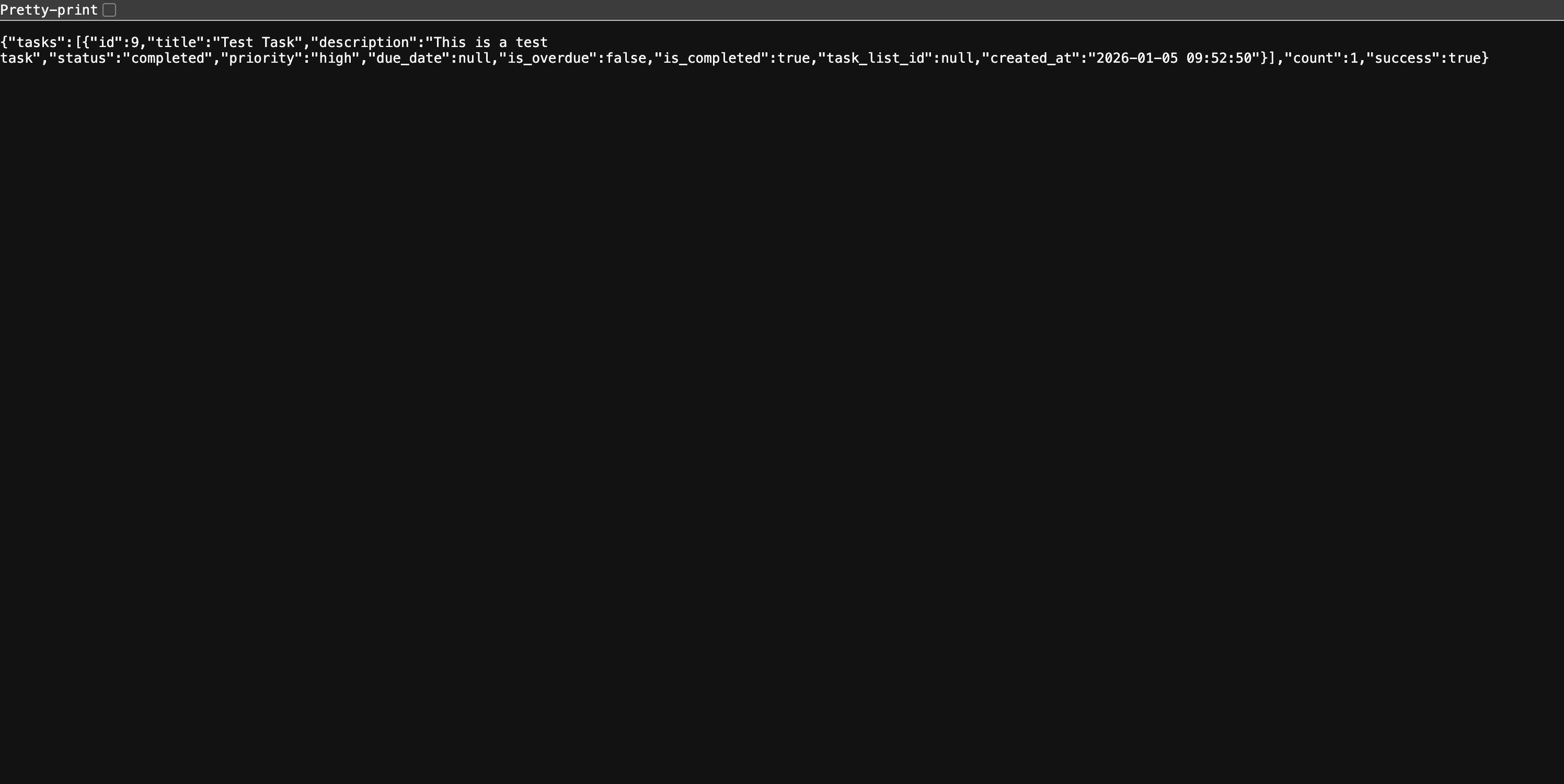
WordPress Native Routing
JMVC supports native WordPress Rewrite API routing, which works automatically without manual server configuration. When you flush permalinks (Settings > Permalinks > Save Changes), JMVC registers URL rewrite rules directly with WordPress.
Native URL Patterns:
| Pattern | Description | Example |
|---|---|---|
/controller/{env}/{controller}/{action} |
Controller routes | /controller/pub/Task/index |
/page/{controller}/{action} |
Page routes (theme-wrapped) | /page/Demo/index |
Benefits:
- No
.htaccessor NGINX configuration needed - Works on all hosting environments
- Automatic activation on plugin enable
- Falls back to REST API if needed
Flush permalinks after installing or updating JMVC to register the rewrite rules:
- Go to Settings > Permalinks
- Click Save Changes (no changes needed)
Page Controllers
Page Controllers render full WordPress pages with theme integration (header/footer). This is ideal for building custom pages that feel native to WordPress.
Creating a Page Controller
<?php
// {theme}/jmvc/controllers/pub/ProductPageController.php

class ProductPageController extends JPageController
{
    /**
     * Product listing page
     * URL: /page/ProductPage/index
     */
    public function index(): void
    {
        JModel::load('Product');
        $products = Product::find(['posts_per_page' => 12]);

        $this->setTitle('Our Products');
        $this->addClass('products-page');
        $this->view('products/listing', [
            'products' => $products
        ]);
    }

    /**
     * Single product page
     * URL: /page/ProductPage/show/42
     */
    public function show(int $id): void
    {
        JModel::load('Product');
        $product = new Product($id);

        if (!$product->ID) {
            $this->setTitle('Product Not Found');
            $this->view('errors/404');
            return;
        }

        $this->setTitle($product->post_title);
        $this->addClass('single-product');
        $this->view('products/single', [
            'product' => $product
        ]);
    }
}
Page View Template
<?php // {theme}/jmvc/views/products/listing.php ?>
<div class="products-container">
    <h1>Our Products</h1>

    <div class="products-grid">
        <?php foreach ($products as $product): ?>
            <div class="product-card">
                <h3><?= esc_html($product->post_title) ?></h3>
                <p><?= esc_html($product->excerpt) ?></p>
                <a href="/page/ProductPage/show/<?= $product->ID ?>">View Details</a>
            </div>
        <?php endforeach; ?>
    </div>
</div>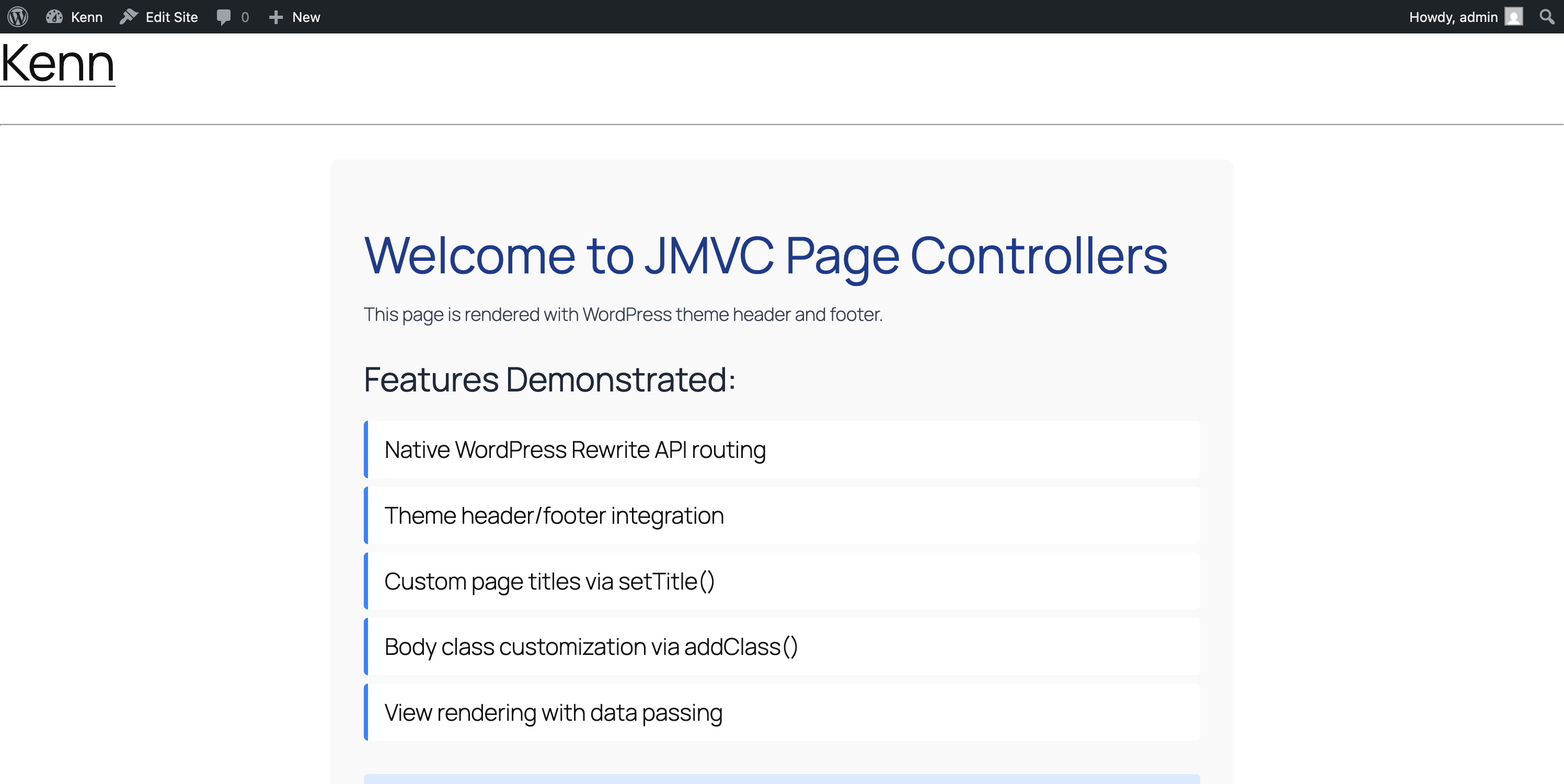
JPageController Methods
| Method | Description |
|---|---|
setTitle($title) |
Set the page <title> |
addClass($class) |
Add CSS class to <body> |
view($name, $data) |
Render view with theme wrapper |
render($name, $data) |
Get view HTML as string |
JView::showPage()
For more control, use JView::showPage() directly:
JView::showPage('products/listing', $data, [
    'title' => 'Our Products',
    'body_class' => ['products-page', 'full-width'],
    'template' => 'full-width'  // Uses templates/full-width.php
]);
Gutenberg Blocks
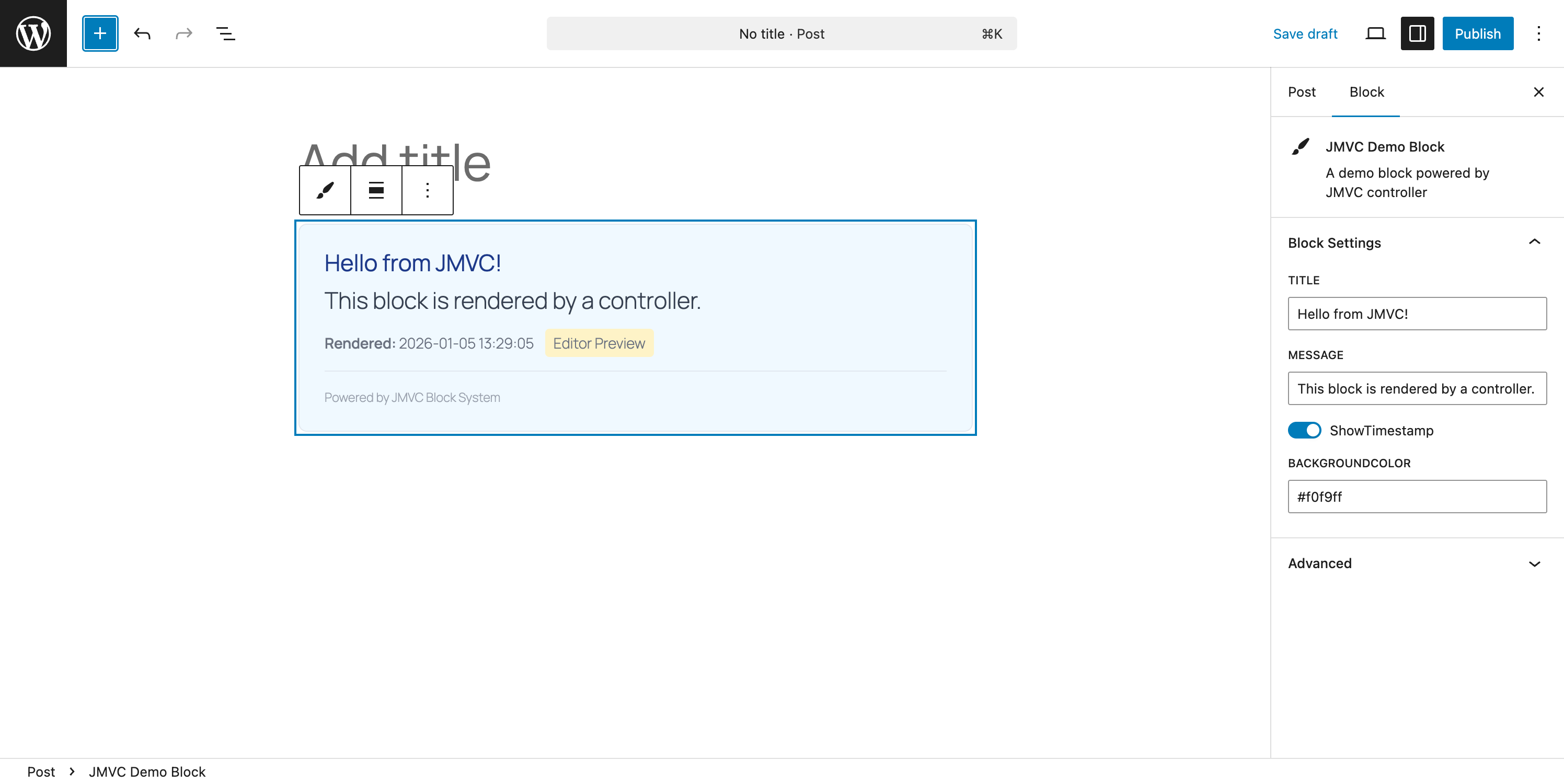
Create dynamic Gutenberg blocks powered by JMVC controllers. Blocks render server-side using ServerSideRender, providing live previews in the editor.
Registering Blocks
Create config/blocks.php in your theme's jmvc directory:
<?php
// {theme}/jmvc/config/blocks.php

if (!defined('ABSPATH')) {
    exit;
}

// Featured Products Block
JBlock::register('jmvc/featured-products', [
    'controller' => 'ProductBlock',
    'action' => 'featured',
    'title' => 'Featured Products',
    'description' => 'Display featured products in a grid',
    'category' => 'widgets',
    'icon' => 'products',
    'attributes' => [
        'count' => [
            'type' => 'number',
            'default' => 4
        ],
        'columns' => [
            'type' => 'number',
            'default' => 2
        ],
        'showPrice' => [
            'type' => 'boolean',
            'default' => true
        ]
    ]
]);

// Call to Action Block
JBlock::register('jmvc/cta', [
    'controller' => 'CTABlock',
    'action' => 'render',
    'title' => 'Call to Action',
    'description' => 'A customizable CTA section',
    'category' => 'design',
    'icon' => 'megaphone',
    'attributes' => [
        'heading' => [
            'type' => 'string',
            'default' => 'Get Started Today'
        ],
        'buttonText' => [
            'type' => 'string',
            'default' => 'Learn More'
        ],
        'buttonUrl' => [
            'type' => 'string',
            'default' => '#'
        ],
        'backgroundColor' => [
            'type' => 'string',
            'default' => '#0073aa'
        ]
    ]
]);
Block Controllers
Extend JBlockController for block-specific functionality:
<?php
// {theme}/jmvc/controllers/pub/ProductBlockController.php

class ProductBlockController extends JBlockController
{
    /**
     * Render featured products block
     */
    public function featured(): string
    {
        $count = $this->attr('count', 4);
        $columns = $this->attr('columns', 2);
        $showPrice = $this->attr('showPrice', true);

        JModel::load('Product');
        $products = Product::find([
            'posts_per_page' => $count,
            'meta_query' => [
                ['key' => 'featured', 'value' => '1']
            ]
        ]);

        if (empty($products)) {
            return $this->placeholder(
                'No featured products found. Mark some products as featured.',
                'products'
            );
        }

        return $this->blockView('blocks/featured-products', [
            'products' => $products,
            'columns' => $columns,
            'showPrice' => $showPrice
        ]);
    }
}
Block View Template
<?php // {theme}/jmvc/views/blocks/featured-products.php ?>
<div class="jmvc-featured-products columns-<?= esc_attr($columns) ?>">
    <?php foreach ($products as $product): ?>
        <div class="product-item">
            <?php if ($product->thumbnail): ?>
                <img src="<?= esc_url($product->thumbnail) ?>"
                     alt="<?= esc_attr($product->post_title) ?>">
            <?php endif; ?>

            <h3><?= esc_html($product->post_title) ?></h3>

            <?php if ($showPrice && $product->price): ?>
                <p class="price">$<?= esc_html(number_format($product->price, 2)) ?></p>
            <?php endif; ?>
        </div>
    <?php endforeach; ?>

    <?php if ($isEditor): ?>
        <p class="editor-note">Block preview - <?= count($products) ?> products shown</p>
    <?php endif; ?>
</div>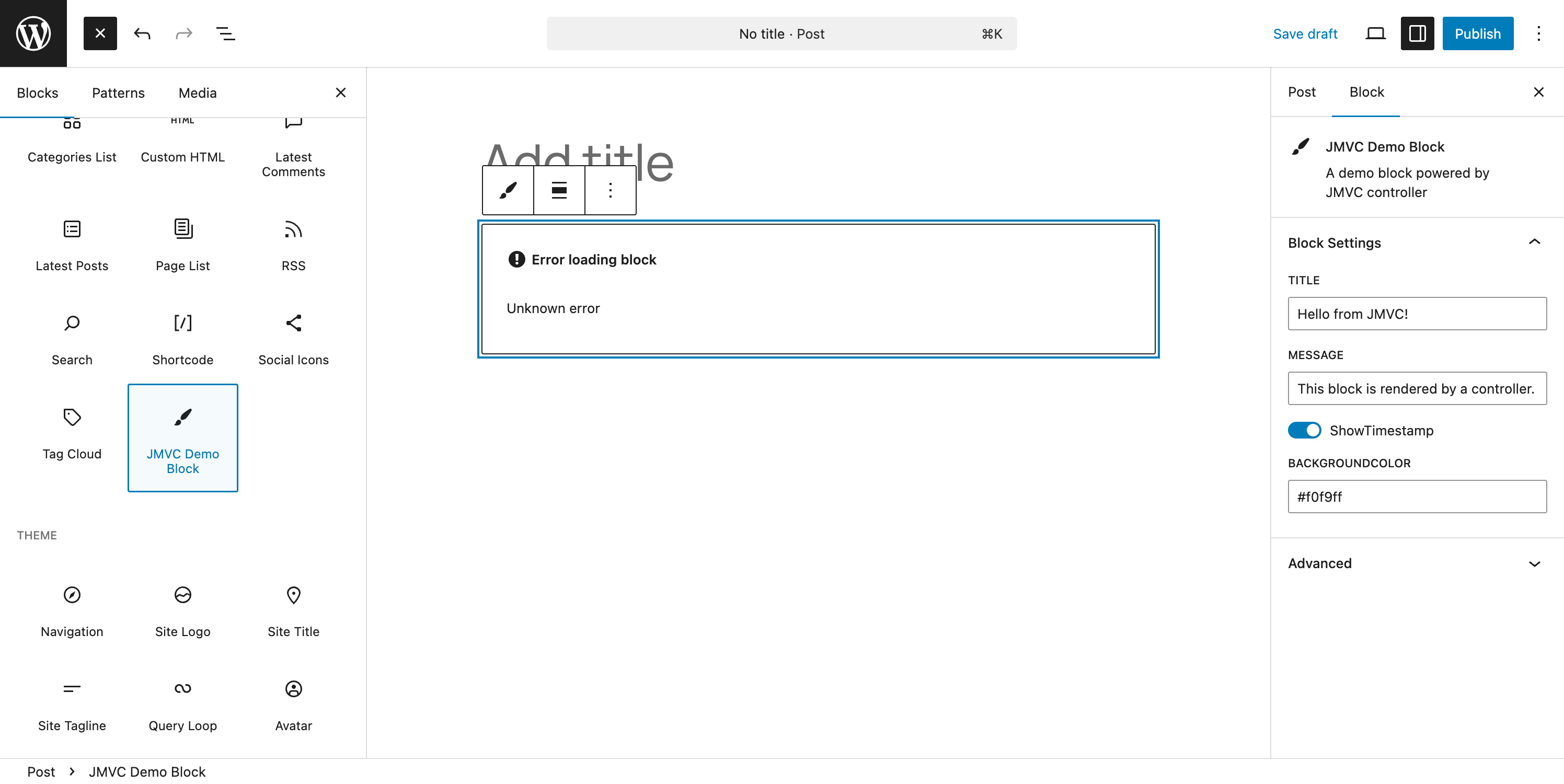
JBlockController Methods
| Method | Description |
|---|---|
attr($key, $default) |
Get block attribute value |
attrs() |
Get all block attributes |
hasAttr($key) |
Check if attribute exists and is not empty |
content() |
Get inner block content |
hasContent() |
Check if inner content exists |
inEditor() |
Check if rendering in editor |
onFrontend() |
Check if rendering on frontend |
blockView($view, $data) |
Render a view with block context |
placeholder($message, $icon) |
Render editor placeholder |
loading($message) |
Render loading state |
error($message) |
Render error message |
wrap($content, $attrs) |
Wrap content with standard wrapper |
Block Registration Options
| Option | Type | Description |
|---|---|---|
controller |
string | Controller name (without "Controller" suffix) |
action |
string | Method to call for rendering |
title |
string | Block title in inserter |
description |
string | Block description |
category |
string | Block category (text, media, design, widgets, theme, embed) |
icon |
string | Dashicon name or SVG |
attributes |
array | Block attributes with types and defaults |
supports |
array | WordPress block supports (align, html, etc.) |
REST API
JMVC provides a modern REST API alongside the traditional AJAX routing system.
Endpoint Format
/wp-json/jmvc/v1/{env}/{controller}/{action}/{params}Examples
| Method | URL | Description |
|---|---|---|
| GET | /wp-json/jmvc/v1/pub/Task/index |
List all tasks |
| GET | /wp-json/jmvc/v1/pub/Task/show/42 |
Get task by ID |
| POST | /wp-json/jmvc/v1/pub/Task/create |
Create a task |
| POST | /wp-json/jmvc/v1/admin/User/update/5 |
Update user (admin only) |
Authentication
For admin endpoints, requests require authentication. Use JMVC.get() or JMVC.post() which automatically include the nonce:
// Automatic nonce handling with JMVC helpers
const response = await JMVC.get(JMVC.restApiUrl('admin', 'User', 'list'));
const users = await response.json();

// Or manual nonce with fetch
fetch('/wp-json/jmvc/v1/admin/User/list', {
    headers: {
        'X-WP-Nonce': JMVC.getNonce()
    }
});
Using Both AJAX and REST API
The REST API uses the same controllers as AJAX routing:
// controllers/pub/TaskController.php works for both:
// - AJAX: /wp-admin/admin-ajax.php?action=pub_controller&path=Task/index
// - REST: /wp-json/jmvc/v1/pub/Task/index
Security Features
JMVC includes comprehensive security features to protect your application.
Nonce Verification
All AJAX and REST requests can be protected with nonces:
// In your controller
class TaskController extends APIController {

    public function create() {
        // Verify nonce for form submissions
        $nonce = sanitize_text_field($_REQUEST['_jmvc_nonce'] ?? '');
        if (!wp_verify_nonce($nonce, 'jmvc_ajax_nonce')) {
            $this->api_die('Security check failed');
        }

        // ... create task
    }
}
Generate nonces in your forms:
<form method="POST">
    <input type="hidden" name="_jmvc_nonce" value="<?php echo wp_create_nonce('jmvc_ajax_nonce'); ?>">
    <!-- form fields -->
</form>
Capability Checks
Always verify user capabilities before performing actions:
public function delete($id) {
    if (!current_user_can('delete_posts')) {
        $this->api_die('Permission denied');
    }

    // ... delete logic
}
Input Sanitization
JMVC automatically sanitizes path parameters. Always sanitize user input:
// Text input
$title = sanitize_text_field($_POST['title']);

// Email
$email = sanitize_email($_POST['email']);

// File names
$filename = sanitize_file_name($_POST['filename']);

// Integer values
$id = absint($_POST['id']);

// Textarea/multiline
$content = sanitize_textarea_field($_POST['content']);
Output Escaping
Always escape output to prevent XSS attacks:
// In views
<h1><?php echo esc_html($title); ?></h1>
<a href="<?php echo esc_url($link); ?>">Link</a>
<input value="<?php echo esc_attr($value); ?>">
<?php echo wp_kses_post($html_content); ?>
JSONP Callback Sanitization
JSONP callbacks are automatically sanitized to prevent injection:
// Callback is sanitized to alphanumeric + $ + _ only
$callback = preg_replace('/[^a-zA-Z0-9_\$]/', '', $_REQUEST['callback']);
Path Traversal Prevention
All file paths are validated to prevent directory traversal attacks:
// Paths are validated using realpath()
$real_path = realpath($path);
$real_base = realpath($base_dir);

if ($real_path === false || strpos($real_path, $real_base) !== 0) {
    throw new Exception('Invalid path');
}
Environment Configuration
JMVC supports environment variables for sensitive configuration.
Available Variables
| Variable | Description | Default |
|---|---|---|
JMVC_SLACK_WEBHOOK |
Slack webhook URL for DevAlert | (none) |
JMVC_DEVALERT_EMAIL |
Email address for DevAlert | (none) |
JMVC_SLACK_CHANNEL |
Slack channel for alerts | #errors |
JMVC_SLACK_USERNAME |
Slack bot username | JMVC Alert |
Setting Environment Variables
Using .env file (with vlucas/phpdotenv):
JMVC_SLACK_WEBHOOK=https://hooks.slack.com/services/YOUR/WEBHOOK/URL
JMVC_DEVALERT_EMAIL=developer@example.com
JMVC_SLACK_CHANNEL=#alerts
Using wp-config.php:
define('JMVC_SLACK_WEBHOOK', 'https://hooks.slack.com/services/...');
define('JMVC_DEVALERT_EMAIL', 'developer@example.com');
Using server environment:
export JMVC_SLACK_WEBHOOK="https://hooks.slack.com/services/..."Accessing Configuration
// Get config with fallback
$webhook = jmvc_get_config('JMVC_SLACK_WEBHOOK', 'default_value');

// Check if configured
if ($webhook = jmvc_get_config('JMVC_SLACK_WEBHOOK')) {
    // Send alert
}
Sample Application: Task Manager
This complete example demonstrates all JMVC features: models, controllers, views, configuration, and JavaScript integration.
What We're Building
A task management system with:
- Create, read, update, delete tasks
- Task lists/projects for organization
- Priority levels (low, medium, high)
- Due dates with overdue detection
- Status tracking (pending, in progress, completed)
- JSON API for frontend integration
Data Model
Task
├── ID (WordPress post ID)
├── title (post_title)
├── description (post_content)
├── status: pending | in_progress | completed
├── priority: low | medium | high
├── due_date: date
├── task_list_id: int (reference to TaskList)
├── completed_at: datetime
└── created_at (post_date)

TaskList
├── ID (WordPress post ID)
├── name (post_title)
├── description (post_content)
└── color: hex color string
Step 1: Register Post Types
<?php
// In functions.php or a plugin file

add_action('init', function() {
    // Task post type
    register_post_type('task', [
        'label' => 'Tasks',
        'public' => false,
        'show_ui' => true,
        'show_in_menu' => true,
        'supports' => ['title', 'editor'],
        'menu_icon' => 'dashicons-list-view',
        'capability_type' => 'post'
    ]);

    // Task List post type
    register_post_type('task_list', [
        'label' => 'Task Lists',
        'public' => false,
        'show_ui' => true,
        'show_in_menu' => true,
        'supports' => ['title', 'editor'],
        'menu_icon' => 'dashicons-category',
        'capability_type' => 'post'
    ]);
});
Step 2: Create the Task Model
<?php
// {theme}/jmvc/models/Task.php

class Task extends JModelBase {
    use ACFModelTrait;

    public static $post_type = 'task';

    const STATUS_PENDING = 'pending';
    const STATUS_IN_PROGRESS = 'in_progress';
    const STATUS_COMPLETED = 'completed';

    const PRIORITY_LOW = 'low';
    const PRIORITY_MEDIUM = 'medium';
    const PRIORITY_HIGH = 'high';

    public static function getStatuses(): array {
        return [
            self::STATUS_PENDING => 'Pending',
            self::STATUS_IN_PROGRESS => 'In Progress',
            self::STATUS_COMPLETED => 'Completed'
        ];
    }

    public static function getPriorities(): array {
        return [
            self::PRIORITY_LOW => ['label' => 'Low', 'color' => '#28a745'],
            self::PRIORITY_MEDIUM => ['label' => 'Medium', 'color' => '#ffc107'],
            self::PRIORITY_HIGH => ['label' => 'High', 'color' => '#dc3545']
        ];
    }

    public function isOverdue(): bool {
        if (!$this->due_date) {
            return false;
        }
        return strtotime($this->due_date) < strtotime('today')
            && $this->status !== self::STATUS_COMPLETED;
    }

    public function isCompleted(): bool {
        return $this->status === self::STATUS_COMPLETED;
    }

    public function markComplete(): int|false {
        $this->status = self::STATUS_COMPLETED;
        $this->completed_at = current_time('mysql');
        return $this->save(
This README is longer than the copy stored here. Read the rest on GitHub →