SmartPack - WMS Data Integration WP Registry grade D+. High-severity findings · 2 findingsWP RegistryHigh-severity findings · 2 findingsOpen the reportD+
WordPress SmartPack plugin to WooCommerce with full integration to smartpack.dk system.
Install
This is the repository archive. It installs, but the folder name will carry the branch suffix and updates will not flow.
Install straight from GitHub with WP-CLI:
wp plugin install https://github.com/smartpackwms/wms-data-transfer-wordpress-woocommerce-addon/archive/refs/heads/main.zipOn Packagist as smartpack/wordpress-woocommerce-plugin:
composer require smartpack/wordpress-woocommerce-pluginwms-data-transfer-wordpress-plugin-woocommerce
Webhook rules
Hooks Smartpack WMS need endpoints to update different data for product, stock and order there will be some REST API endpoints for that. remeber to add a webhook key in the settings area else its have disabled security and all can sending webhook to your store.
Stock changed webhook
{domain-path}/wp-json/smartpack-wms/v1/stock-changed
Order changed webhook
{domain-path}/wp-json/smartpack-wms/v1/order-changed
Crontab
All data between SmartPack WMS and Woocommerce will be synced. We are using WordPress built-in cron-scheduler for processing order and product data, if you disabled the built-in cron-scheduler in WordPress, you need to run add custom-cronjob inside your crontab file and be sure to install the WP CLI on your system.
* * * * * wp cron event run wms_cron_product_hook
* * * * * wp cron event run wms_cron_order_hook
You can also use WP CLI to trigger cron events manually or delete existing cron events if something goes wrong.
wp cron event run --due-now --allow-root
wp cron event delete wms_cron_product_hook --allow-root
Product hint:
- Simple product use its own SKU
- Product variations need there own SKU else its used parent SKU.
Module Featuers
WMS
- Product
- CLI: Full sync of products from shop to WMS integration
- Order
- CLI: Sync all with shipment status
- Stock
- Hook: update product stock on hook signals
- CLI: Full stock sync to be ajour from WMS into Woo
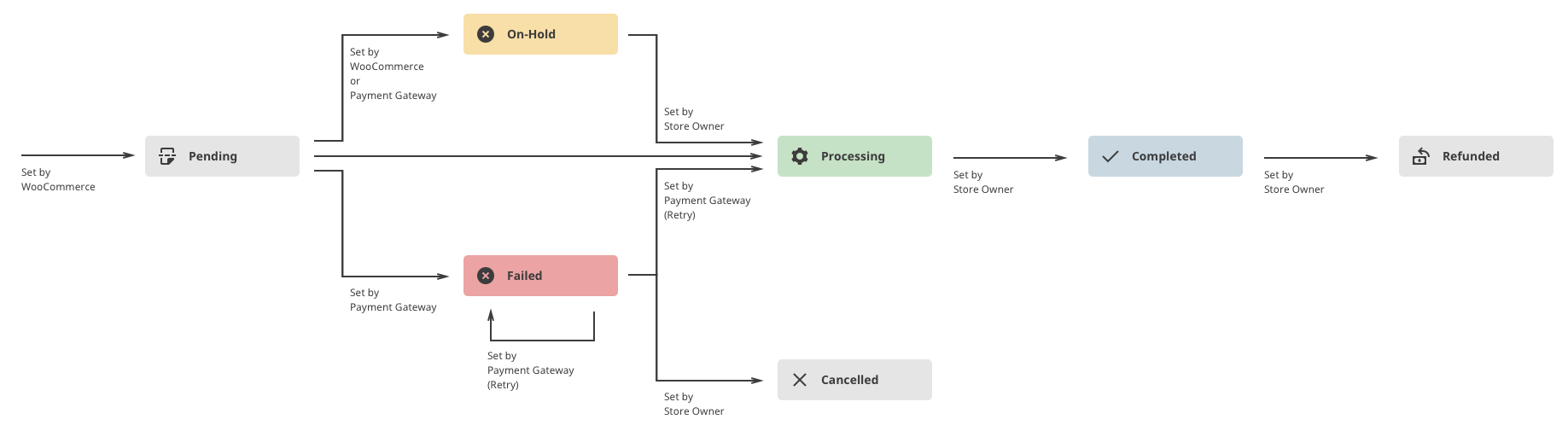
Woocommerce order process
Custom orders will not be automatically transfered to the WMS integration.
Releases
3 releases.
These releases are tags only. The author does not attach a packaged zip, so there are no download counts to report.