Snapshoter: Free Unlimited Backup and Restore
Free WordPress backup and migration plugin. Create local .smartin backups, restore or migrate WordPress and WooCommerce sites, and export database (.sql) or files (.zip). An All-in-One WP Migration alternative.
by Snapshoter · github.com/smartinjos/snapshoter-wordpress-backup · website
Install
No release zip yet. The repository archive installs, but the folder name will carry the branch suffix and updates will not flow:
wp plugin install https://github.com/smartinjos/snapshoter-wordpress-backup/archive/refs/heads/main.zipSnapshoter: WordPress Backup and Migration (Free)
Free WordPress backup and restore. Your site (database + files) goes into one .smartin archive: keep it on the server, move hosts, or work locally and restore when ready.
Works with Elementor, Divi, WooCommerce, and typical shared hosting. Restore updates URLs when the domain changes. Limits are your host's memory, time, and disk, not a plugin quota.
| WordPress | 6.0 or newer |
| PHP | 7.4 or newer (8.0 to 8.3 is fine) |
| Site type | Single-site only (not Multisite) |
| Server | Apache, Nginx, or LiteSpeed with MySQL or MariaDB |
| Platforms | Normal Linux hosts, Local, and similar. Windows IIS if WordPress already runs there |

How to use Snapshoter Free
1. Install
- Install from a zip, or copy the
snapshoterfolder intowp-content/plugins/. - Activate under Plugins.
- Open Snapshoter in the admin menu.
You get the Backup & Restore screen: create backups, restore, and list files on the server.
2. Create a backup
Pick one:
- Full backup: database, uploads, plugins, and themes in a
.smartinfile (best for migration) - Database only:
.sqlfile - Files only:
.zipofwp-content(no database)
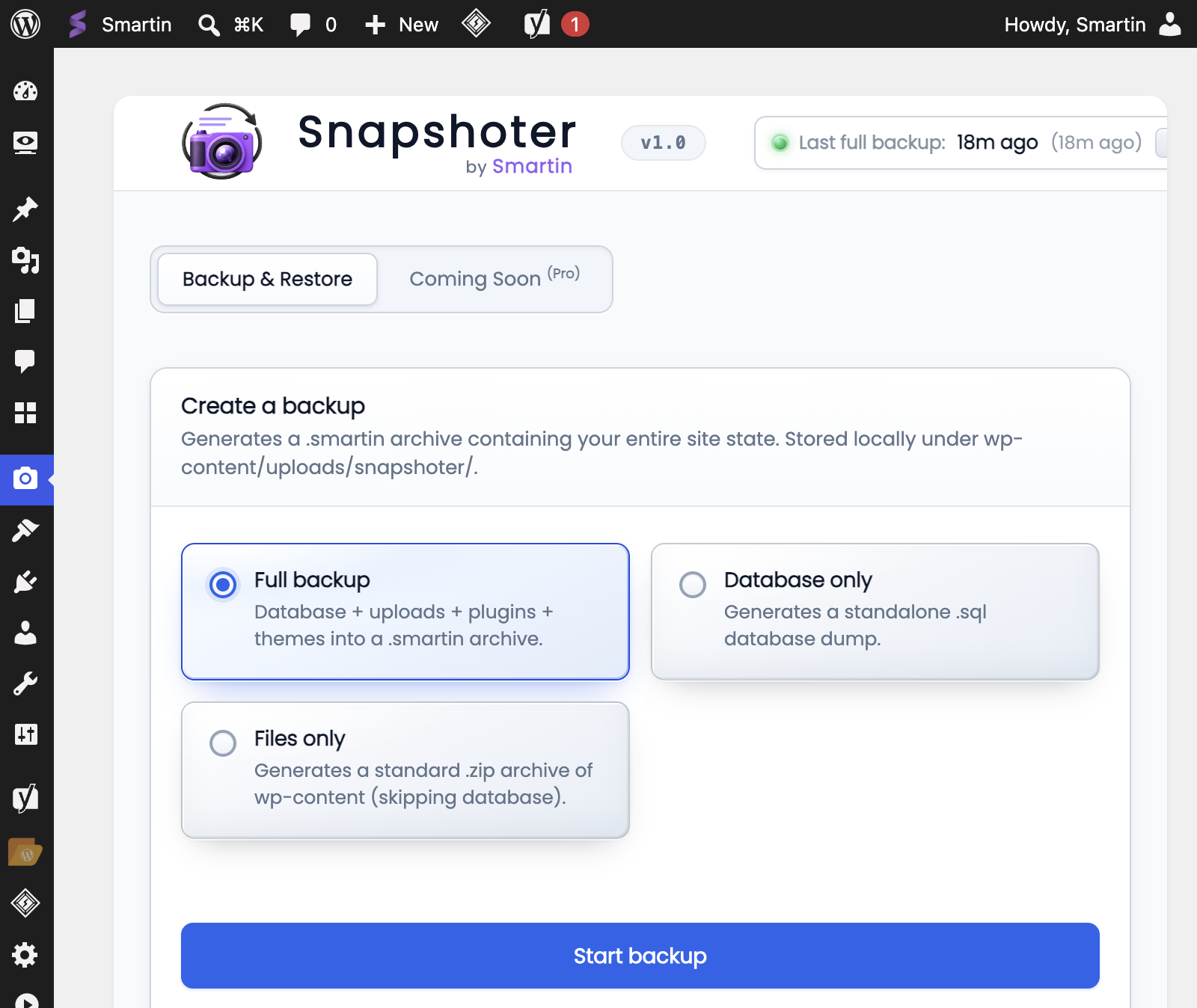
Leave Full backup selected and click Start backup.
- The archive is built in chunks so small hosts can finish.
- The file is saved under
wp-content/uploads/snapshoter/(or a custom path if you set one inwp-config.php). - It shows up under Stored snapshots.
If a backup fails, check PHP memory, max_execution_time, free disk space, or security plugins that block long admin requests.
Do a full backup before big updates or a host move. Use database-only for content-only rollbacks.
3. Stored snapshots
Stored snapshots lists name, date, and size for each archive on this server.
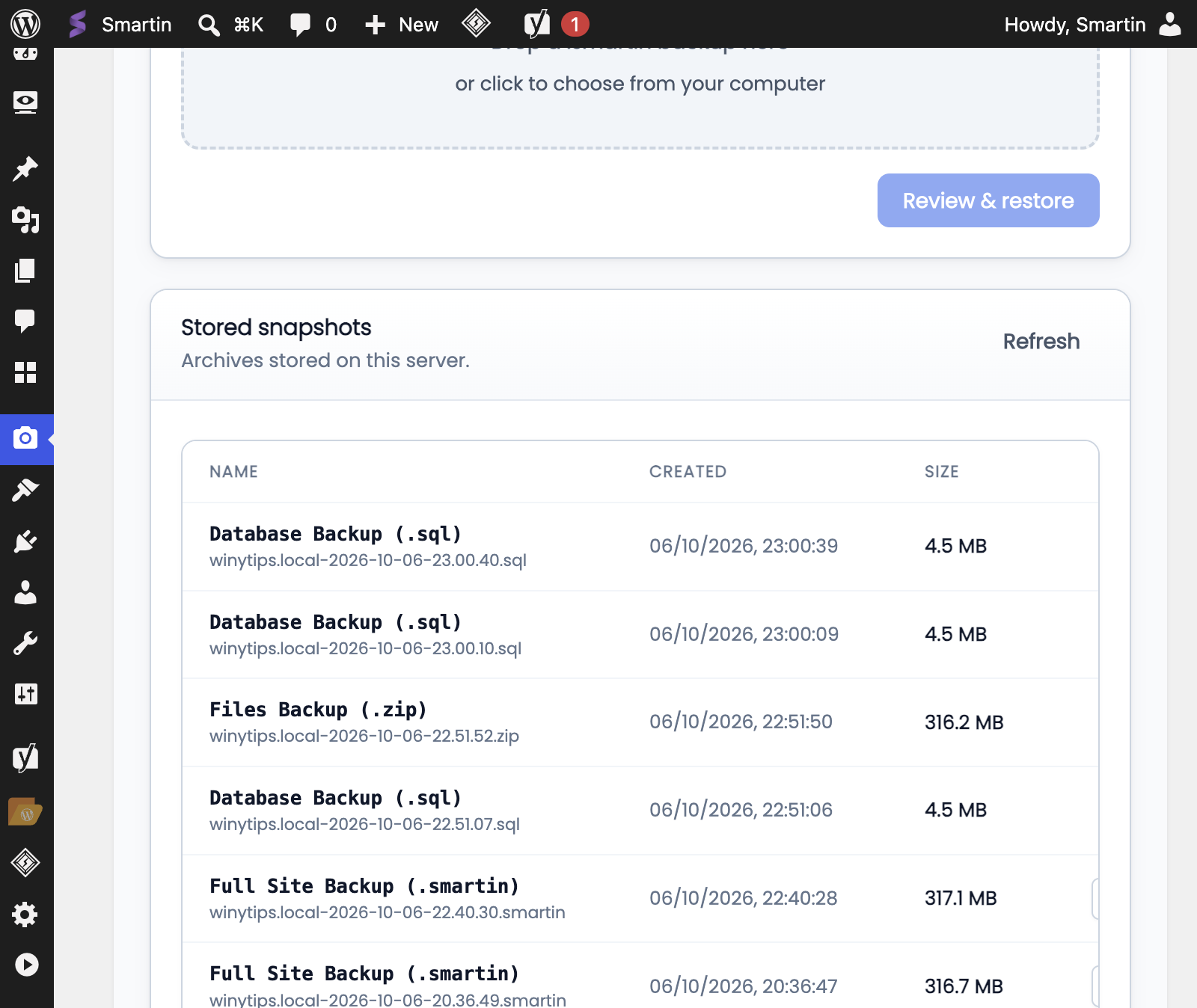
- Check the size looks normal (not a few KB).
- Download a copy before you restore or wipe the server.
.smartin= full site,.sql= database,.zip= files.
Click Refresh if the list is outdated. Keep a copy off this server too.
4. Restore or migrate
On the site you want to restore into:
- Activate Snapshoter Free.
- Under Restore from a backup, drop a
.smartinfile (or choose one). - Click Review & restore and confirm.
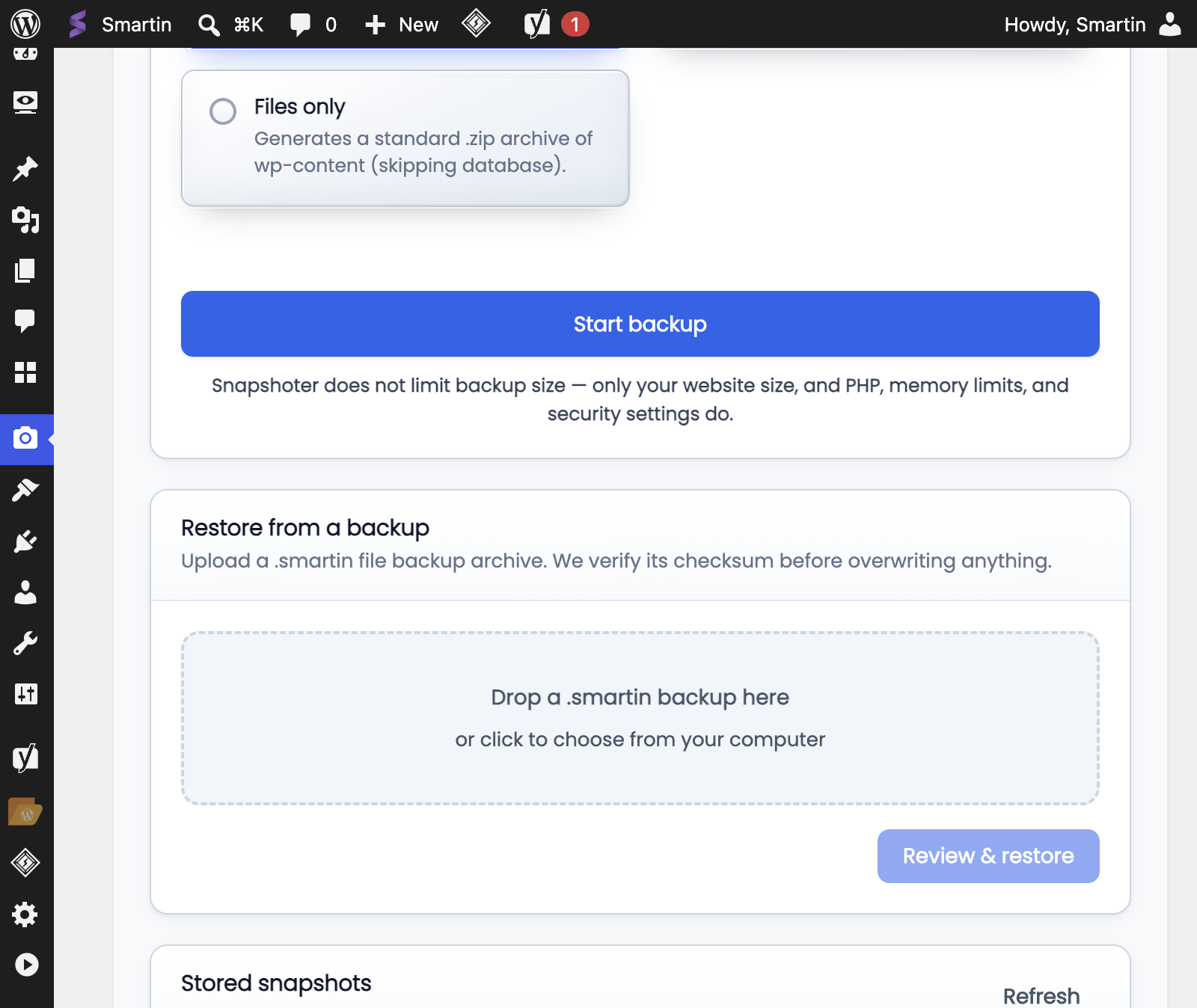
The plugin checks the file before it overwrites anything. On a new domain it updates URLs in the database.
Stay on this screen until it finishes. Do not open the site front end during restore.
When it is done, log in again if asked, check a few pages and the media library, and clear any page or CDN cache.
5. Move to another domain
- On the old site: full backup, then download the
.smartin. - On the new host: install WordPress and Snapshoter Free.
- Upload the
.smartinand run Review & restore. - If links look wrong: Settings → Permalinks → Save.
You usually do not need a separate search-replace plugin.
Common problems
| Problem | Likely cause |
|---|---|
| Backup stops halfway | Host PHP timeout or low memory |
| Cannot activate on Multisite | Free is single-site only |
| Site shows maintenance after restore | Wait until restore finishes |
| Upload is slow | Large file and host limits; leave the tab open |
| Cannot find the file | Look in wp-content/uploads/snapshoter/ on the server that made it |
Privacy
Backups are stored on your server. A .smartin file contains a complete copy of your site and may include personal or sensitive data. Treat it like any other database or full-site backup and store it securely.
Source
https://github.com/smartinjos/snapshoter-wordpress-backup
License
GPL v2 or later. See license.txt.