Sitepilot WP Registry grade A. No security issues foundWP RegistryNo security issues foundOpen the reportA
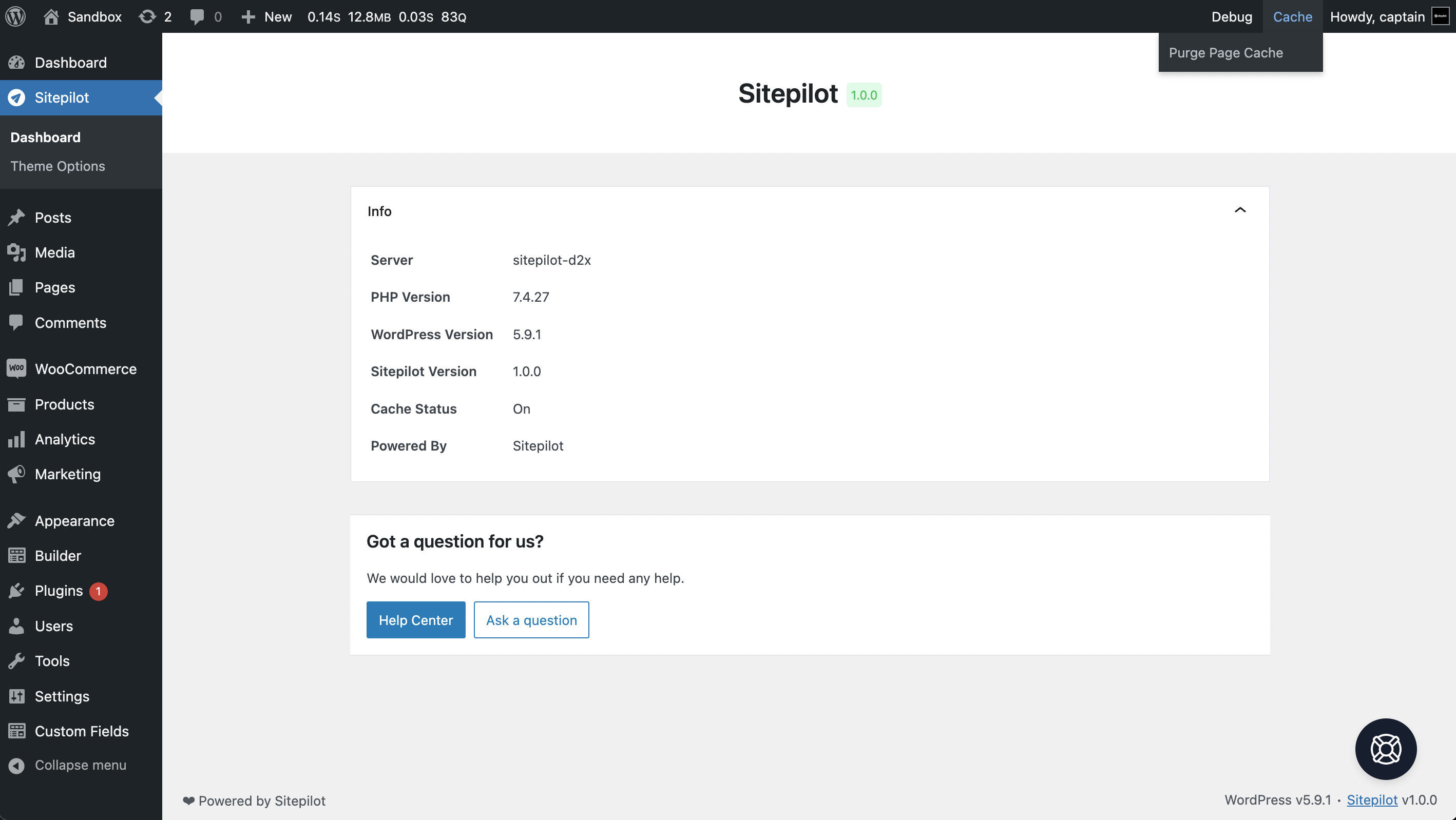
Brings the powers of Sitepilot directly to your WordPress website. It will revolutionize the way you use, manage and develop WordPress sites.
Install
Upload it under Plugins → Add New Plugin → Upload Plugin, then activate.
Install straight from GitHub with WP-CLI:
wp plugin install https://github.com/sitepilot/sitepilot-plugin/releases/download/v1.0.8/sitepilot.zip



Brings the powers of Sitepilot directly to your WordPress website. It will revolutionize the way you use, manage and develop WordPress sites. This plugin is optimized for use on the Sitepilot managed WordPress hosting platform but should also work on other platforms.
🚀 Download the latest release here.
Plugin & Theme Development
This plugin implements the Laravel 8 service container. The service container is a powerful tool for managing class dependencies and performing dependency injection. Dependency injection is a fancy phrase that essentially means this: class dependencies are "injected" into the class via the constructor or, in some cases, "setter" methods.
You can use this container in your plugin or theme development workflow by creating a new Application instance and registering Service Providers.
use Sitepilot\Framework\Foundation\Application;

new Application('<namespace>', __FILE__, [
    \Sitepilot\Plugin\Providers\BrandingServiceProvider::class,
]);
A full example of how to implement the service container in your plugin can be found in sitepilot.php and the app folder of this plugin. An example of the implementation in a theme can be found here.
Namespace
Each application runs in its own unique namespace to prevent conflicts with other registered applications. The namespace is a required parameter of the class constructor and must be the same as the theme or plugin name.
Service Providers
Service providers are the central place of all application bootstrapping. Your own plugin or theme, as well as all of Sitepilot's core services, are bootstrapped via service providers.
All service providers extend the Sitepilot\Framework\Support\ServiceProvider class. Most service providers contain a register and a boot method. Within the register method, you should only bind things into the service container. You should never attempt to register any other piece of functionality within the register method. Otherwise, you may accidentally use a service that is provided by a service provider which has not loaded yet.
The register method
Let's take a look at a basic service provider. Within any of your service provider methods, you always have access to the $app property which provides access to the service container:
namespace Sitepilot\Plugin\Branding;

use Sitepilot\Plugin\Services\BrandingService;
use Sitepilot\Framework\Support\ServiceProvider;

class BrandingServiceProvider extends ServiceProvider
{
    public function register(): void
    {
        $this->app->alias(BrandingService::class, 'branding');
    }
}
This service provider only defines a register method, and uses that method to define an alias for Sitepilot\Plugin\Services\BrandingService in the service container. Now you can access this service using the branding property on the application instance. If you're not familiar with Laravel's service container, check out its documentation.
The boot method
So, what if we need to register WordPress hooks, filters and shortcodes within our service provider? This should be done within the boot method. This method is called after all other service providers have been registered, meaning you have access to all other services that have been registered by the framework. You may type-hint dependencies for your service provider's boot method. The service container will automatically inject any dependencies you need.
namespace Sitepilot\Plugin\Providers;

use Sitepilot\Plugin\Services\BrandingService;
use Sitepilot\Framework\Support\ServiceProvider;

class BrandingServiceProvider extends ServiceProvider
{
    protected BrandingService $branding;

    public function boot(BrandingService $branding): void
    {
        $this->branding = $branding;
    }
}
Also the branding service automatically receives it's dependencies using constructor dependency injection.
Hooks & Shortcodes
Each service provider can register WordPress hooks and shortcodes. The hook and shortcode names are automatically namespaced within the application's namespace and the callbacks are bound the instance of the service provider.
Actions
class UpdateServiceProvider extends ServiceProvider
{
    public function boot(): void
    {
        $this->add_action('init', '@build_update_checker', 99);

        $this->app->action('update/booted');
    }

    public function build_update_checker(UpdateService $update): void
    {
        //
    }
}
This service provider registers an action to the WordPress init action hook. The build_update_checker method automatically recieves it's dependencies because the action callback is prefixed with an @ sign.
After all booting methods are executed the service provider runs all callbacks registered to the <app-namespace>/update/booted action hook.
Note: prefixing action callback with an @ sign only works for actions without arguments. The service container does not know how to resolve these arguments.
Filters
class BrandingServiceProvider extends ServiceProvider
{
    public function boot(BrandingService $branding): void
    {
        $website = $this->app->filter('branding/website', 'https://sitepilot.io');

        $this->add_filter('update_footer', 'filter_admin_footer_version', 11);
        $this->add_filter_value('login_headerurl', $website);
    }

    public function filter_admin_footer_version(): string
    {
        //
    }
}
This service provider registers a filter to the WordPress update_footer and login_headerurl filter hook. The <app-namespace>/branding/website filter is applied to the value of $website and the login_headerurl filter automatically receives the value of $website instead of running a callback.
Shortcodes
class BrandingServiceProvider extends ServiceProvider
{
    public function boot(): void
    {
        $this->add_shortcode('copyright', 'copyright_shortcode');
    }

    public function copyright_shortcode($atts): string
    {
        $atts = shortcode_atts([
            // defaults
        ], $atts);

        return sprintf('© %s %s', get_bloginfo('name'), date('Y'));
    }
}
This service provider registers the shortcode <app-namespace>_copyright and the provider's copyright_shortcode method is called when the shortcode is rendered.
Releases
9 releases. Each count is every asset in that release; expand a row for the breakdown.
Active-site estimate ≈10 comes from the median of recent superseded releases. Method.