WF Current Year Shortcode
By Weng Fei Fung (Weng). Current Year Shortcode adds a simple shortcode to display the current year. This is useful for copyright notices, footers, or any content where you want to automatically display the current year without manually updating it every year.
by Weng Fei Fung · github.com/siphon880gh/wordpress-current-year-shortcode · website
Install
No release zip yet. The repository archive installs, but the folder name will carry the branch suffix and updates will not flow:
wp plugin install https://github.com/siphon880gh/wordpress-current-year-shortcode/archive/refs/heads/main.zipCurrent Year Shortcode
By Weng Fei Fung (Weng).


Current Year Shortcode adds a simple shortcode to display the current year. This is useful for copyright notices, footers, or any content where you want to automatically display the current year without manually updating it every year.
Features
- Simple
[WF_YEAR]shortcode - Automatically displays the current year
- Lightweight and fast
- No configuration needed
- Developer-friendly with filter hooks
Usage
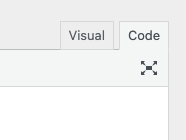
Simply add [WF_YEAR] anywhere in your posts, pages, or widgets, and it will be replaced with the current year (e.g., 2025). You may want to switch to Code tab:
Example:
Copyright © [WF_YEAR] Your Company NameWill display as (if the current year is 2025):
Copyright © 2025 Your Company NameInstallation
- Upload the plugin files to the
/wp-content/plugins/wf-year-shortcodedirectory, or install the plugin through the WordPress plugins screen directly. - Activate the plugin through the 'Plugins' screen in WordPress.
- Use the
[WF_YEAR]shortcode in your posts, pages, or widgets.
Developer Information
Hooks:
wf_year_shortcode_year- Filter to modify the year output
Functions:
WF_Year_Shortcode::get_current_year()- Static method to get current year
For more information and support, please visit the plugin's repository or contact the developer.
Frequently Asked Questions
Q: How do I use the shortcode?
A: Simply type [WF_YEAR] anywhere in your content where you want the current year to appear.
Q: Does the year update automatically? A: Yes! The shortcode will always display the current year based on your server's time zone.
Q: Can I customize the output?
A: Developers can use the wf_year_shortcode_year filter to customize the output:
add_filter('wf_year_shortcode_year', function($year) {
    return 'Copyright © ' .  $year . ' Your Company. All rights reserved.';
});Q: Is this plugin compatible with page builders? A: Yes, the shortcode works with most page builders that support WordPress shortcodes.