Install
This is the repository archive. It installs, but the folder name will carry the branch suffix and updates will not flow.
Install straight from GitHub with WP-CLI:
wp plugin install https://github.com/shzstone/wordpress-onekey-backup-restore/archive/refs/heads/main.zip🔄 WP One-Click Backup & Restore (WP-Res)
WordPress 迁移、备份与修复的“全能瑞士军刀”
🌍 English
🚀 Why choose WP-Res?
Most WordPress migration tools struggle with large databases or complex serialized data (like Elementor or Slider Revolution settings). Changing a domain often breaks these configurations. WP-Res is built with a "Migration First" philosophy—ensuring your site looks and works exactly the same on a new server, while providing industrial-grade upload stability.
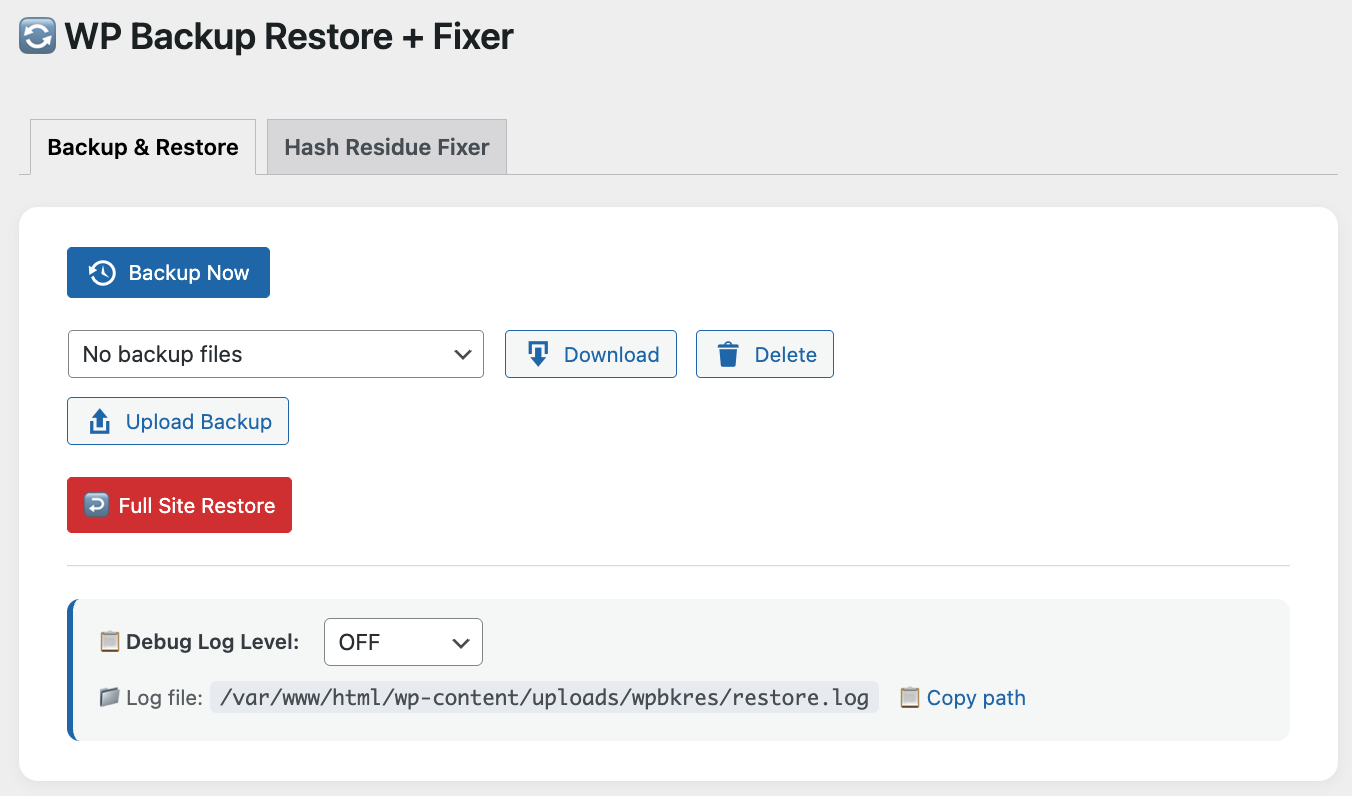
✨ Key Features
- 📦 One-Click Full Snapshot: Encapsulate all files and the database into a secure
.bgbkarchive. - 🛡️ Recursive Domain Replacement: Deep-scans serialized arrays and objects. No more broken layouts or missing images after changing URLs.
- ⚡ Pro-Grade Chunked Upload: Supports Dynamic Sizing, Breakpoint Resuming, and Exponential Backoff.
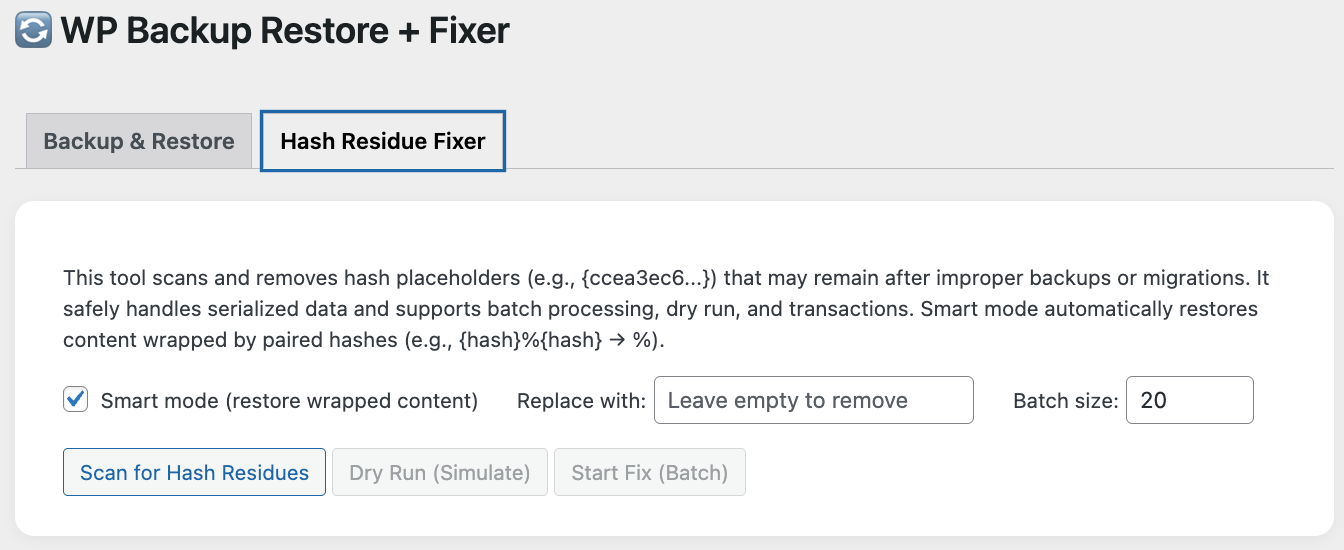
- 🛠️ Exclusive: Hash Residue Fixer: Repair
{hash}placeholders (e.g.,{ccea3...}) left behind by other failed migration plugins. Includes a Smart Mode to restore paired-hash content. - 🔑 Session Preservation: Automatically keeps your admin session active after a restore.
🛠 Technical Highlights
- Streaming DB Engine: Uses stream I/O to handle massive SQL files without hitting PHP
memory_limit. - Disk Intelligence: Pre-checks available space and ZIP64 compatibility before starting.
- Atomic Table Swap: Uses temporary table prefixing and RENAME logic to ensure zero-downtime database updates.
📖 How to Use
- Backup: Go to
Tools -> WP Backup Restore, click Backup Now. - Transfer: Download the file or use the Upload feature on the destination site.
- Restore: Select the backup and click Full Site Restore.
🏮 简体中文
🚀 为什么选择 WP-Res?
市面上大多数 WordPress 迁移工具在处理超大数据库或复杂的序列化数据(如 Elementor、高级幻灯片插件配置)时经常会失效。更换域名后,这些配置往往会损坏。WP-Res 专为“深度迁移”而生——它不仅保证站点在目标服务器上完美还原,还提供了工业级的上传稳定性。
✨ 核心亮点
- 📦 全量快照: 一键将全站文件与数据库封装为加密的
.bgbk存档,简单可靠。 - 🛡️ 递归式域名替换: 深度扫描数据库中的序列化数组与对象。彻底告别换域名后布局错乱或图片丢失的烦恼。
- ⚡ 工业级分片上传: 自动根据网络环境调整分片大小,支持断点续传与智能指数退避重试。
- 🛠️ 独家:哈希残留修复工具: 专门清理其他迁移插件失败后留下的
{hash}占位符(如{ccea3...}),支持智能模式自动还原内容。 - 🔑 Session 保持技术: 还原后自动同步登录状态,无需重新登录。
🛠 技术特色
- 流式数据库引擎: 采用流式 I/O 处理,支持超大数据库,不受 PHP
memory_limit限制。 - 磁盘智能预检: 启动前自动计算所需空间,并检测环境对 4GB 以上大文件的 (ZIP64) 兼容性。
- 原子化表交换: 采用临时表导入机制,确保在数据完全就绪前不影响原站运行。
📖 使用说明
- 备份: 进入
工具 -> WP Backup Restore,点击 立即备份。 - 传输: 下载生成的备份文件,或在目标站使用 上传备份 功能。
- 还原: 选择备份文件并点击 全量还原站点,程序会自动处理域名映射、序列化修复及登录态同步。
🖼️ 界面预览 (Quick Preview)
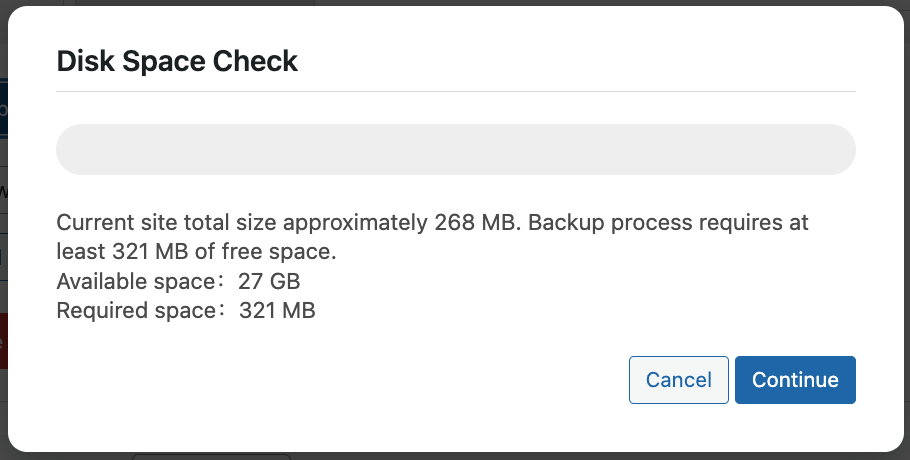
磁盘空间预检
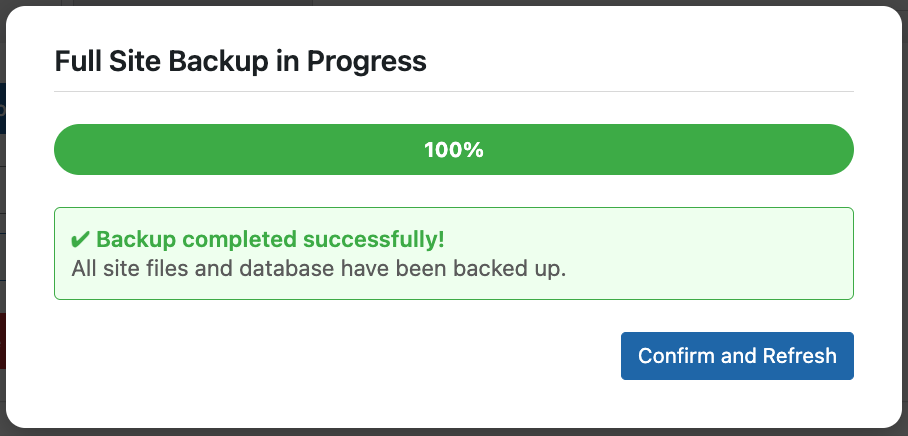
立即备份
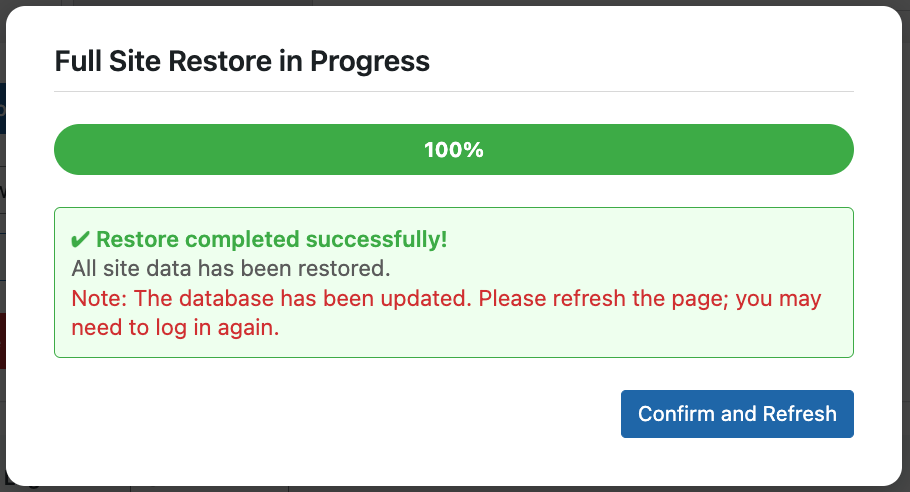
还原全站
⚙️ Requirements / 系统要求
- PHP 7.0+ (7.4+ recommended)
- WordPress 5.0+
- PHP
ZipArchiveextension enabled.
📄 License & Author
- Author: Stone
- Project: WordPress-OneKey-Backup-Restore
- License: GPL-2.0
Notice: Always perform a manual database backup before any major migration. 注意: 在执行重大迁移操作前,请务必养成手动备份数据库的良好习惯。
Releases
3 releases.
These releases are tags only. The author does not attach a packaged zip, so there are no download counts to report.