manifest / performance / api-plugin
Product API Plugin
WordPress plugin that fetches product data from an external API and displays it in a responsive UI with category filtering.
★ 0stars
Install
This is the repository archive. It installs, but the folder name will carry the branch suffix and updates will not flow.
Install straight from GitHub with WP-CLI:
wp plugin install https://github.com/shobhit-singhal/api-plugin/archive/refs/heads/main.zipNo built-in updater. New versions won't appear under Dashboard → Updates. Install new releases yourself, or let Git Updater track the repository.
🛍️ WordPress Product API Plugin
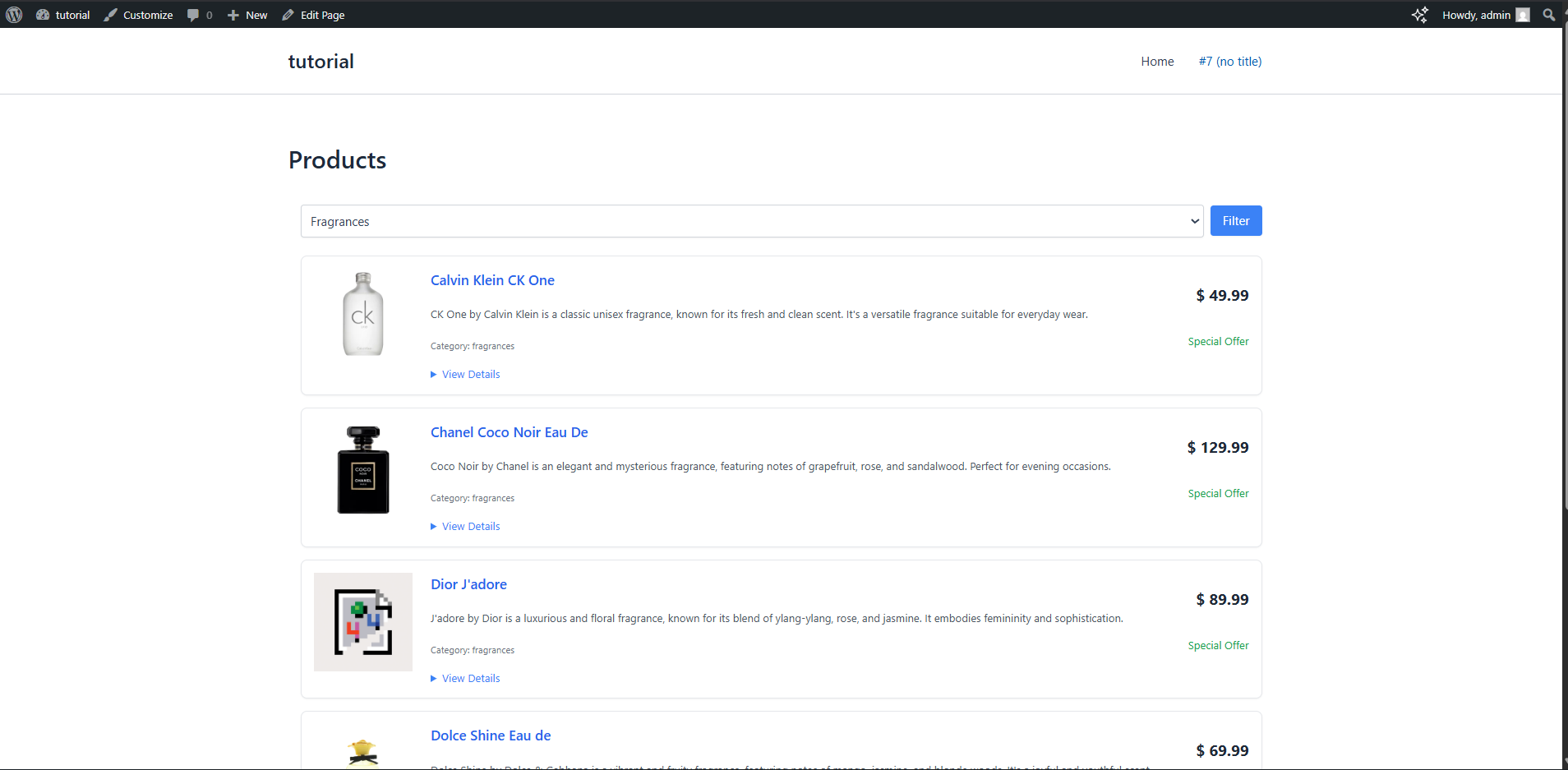
A simple WordPress plugin that fetches product data from an external API and displays it in a clean, responsive UI with category-based filtering.
🚀 Features
- Fetches product data from an external API (DummyJSON)
- Displays products in a responsive card layout
- Category-based filtering using URL parameters
- Styled using Tailwind CSS (via CDN)
- Built using WordPress hooks and shortcodes
🧠 What I Learned
- WordPress plugin structure
- Using hooks (
add_action,add_shortcode) - Fetching API data using
wp_remote_get() - Handling JSON using
json_decode() - Rendering dynamic UI with PHP loops
- Handling GET requests for filtering
- Basic UI styling with Tailwind CSS
⚙️ Installation
- Download or clone this repository
- Place the plugin folder inside:
wp-content/plugins/ - Go to WordPress Admin → Plugins
- Activate API Plugin
📌 Usage
Add this shortcode to any page or post:
[products]🔍 Filter Example
You can filter products by category using:
?category=beauty📸 Screenshot
🛠️ Tech Stack
- PHP
- WordPress
- Tailwind CSS (CDN)
- DummyJSON API