Map Based Hotel Booking
A PHP-based map-driven hotel booking system using Google Maps API to display hotels and simulate bookings.
by Shishir Mathur · github.com/shishir-21/map-based-hotel-booking
Install
No release zip yet. The repository archive installs, but the folder name will carry the branch suffix and updates will not flow:
wp plugin install https://github.com/shishir-21/map-based-hotel-booking/archive/refs/heads/main.zip🏨 Map Based Hotel Booking – WordPress Plugin
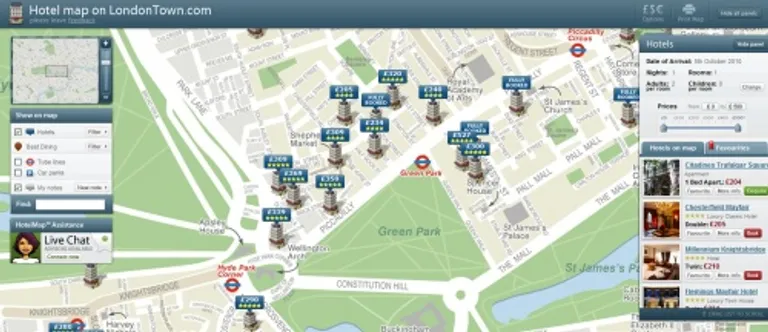
This project displays hotel locations on an interactive Google Map with dynamic markers. When a user clicks on a marker, detailed information about the hotel is shown, including price, images, and basic details.
The system allows users to easily evaluate:
📍 The exact location of the hotel
🚉 Distance from railway stations, metro stations, or bus stops
🏨 Hotel interior preview through images
⭐ Overall hotel rating
Location plays a crucial role in hotel booking decisions. This platform helps users visually analyze the surroundings before booking, ensuring better decision-making.
The interface is designed to be clean, simple, and user-friendly, allowing users to explore hotel locations and details effortlessly.
🚀 Features
- 📍 Google Maps integration with hotel location pins
- 🏨 Nearby hotel listing below the map
- 💰 Price display for each hotel
- 🖼️ Hotel image preview
- 📖 Basic booking simulation page
- 🔌 WordPress plugin-based architecture
🛠️ Tech Stack
- WordPress
- PHP
- JavaScript
- Google Maps JavaScript API
- MySQL
📸 Screenshots
🗺️ Map View

🏨 Nearby Hotels Listing

📖 Booking Page

📂 Project Structure
map-based-hotel-booking/
│
├── api/                # Backend API endpoints (e.g., get_hotels.php)
├── config/             # Database configuration (db.php)
├── public/             # Booking page (book.php)
├── assets/             # CSS, JS, images
├── map-based-hotel-booking.php   # Main plugin file
└── README.md
⚙️ Installation Guide
1️⃣ Clone the Repository
git clone https://github.com/shishir-21/map-based-hotel-booking.git2️⃣ Move Plugin to WordPress
Copy the project folder into:
wp-content/plugins/3️⃣ Activate Plugin
- Go to WordPress Admin Panel
- Navigate to Plugins
- Activate Map Based Hotel Booking
🔑 Google Maps API Setup
- Go to Google Cloud Console
- Enable Maps JavaScript API
- Generate an API Key
- Replace
YOUR_API_KEYin the JavaScript file where Google Maps is initialized
Example:
<script src="https://maps.googleapis.com/maps/api/js?key=YOUR_API_KEY"></script>🗄️ Database Configuration
Open:
config/db.phpUpdate your database credentials:
$host = "localhost";
$username = "your_db_username";
$password = "your_db_password";
$database = "your_database_name";
Make sure your MySQL server is running.
📌 How It Works
- Hotels are fetched from the backend API.
- Locations are plotted on Google Maps as markers.
- Clicking a marker displays hotel information.
- A list of nearby hotels is shown below the map.
- Users can navigate to the booking page.
🚀 Future Enhancements
- ✅ Payment gateway integration
- ✅ User authentication & login system
- ✅ Admin dashboard for hotel management
- ✅ Ratings & reviews system
- ✅ Real-time availability tracking
- ✅ Distance-based hotel sorting
🤝 Contributing
Contributions are welcome!
If you'd like to improve this project:
- Fork the repository
- Create a new branch
- Make your changes
- Submit a Pull Request
📌 About
This project was built as a practical implementation of a map-driven hotel booking system to simulate real-world travel platforms like OYO.
It showcases:
- API integration
- Backend & frontend connection
- WordPress plugin development
- Google Maps integration
📄 License
This project is open-source and available for educational purposes.
Demo