Install
Upload it under Plugins → Add New Plugin → Upload Plugin, then activate.
Install straight from GitHub with WP-CLI:
wp plugin install https://github.com/shipwebdotjp/wpcountrytag/releases/download/v1.0.0/wpcountrytag.zipNo built-in updater. New versions won't appear under Dashboard → Updates. Install new releases yourself, or let Git Updater track the repository.
This is a Wordpress plugin which can show/hide content by country.
Features
- Detect which country visitors are coming from based on IP address.
- Add a shortcode that shows or hides content by country.
- You can use the free database GeoLite2 or the paid database GeoIP2 provided by Maxmind.
- Auto updates database
Requirement
- Wordpress
- License key of GeoLite2 or GeoIP2.
Install
- Install this plugin for your website.
Setting
- Get a Maxmind license key.
- Open Settings -> Country Tag settings page.
- Choose a plan based on your plan.
- Input your license key.
- Save settings.
- Update DB now.
Usage
[country_text in="Country code ex US,JP" altsc="Shortcoder name for the alternative.(Option)"]This content will be shown to visitors from countries listed as "in" property. [/country_text]
[country_text not_in="Country code ex US,JP" altsc="Shortcoder name for the alternative.(Option)"]This content will be hidden to visitors from countries listed as "not_in" property[/country_text]
Note
To auto-update, make sure wp-cron is running normally.
Screenshot
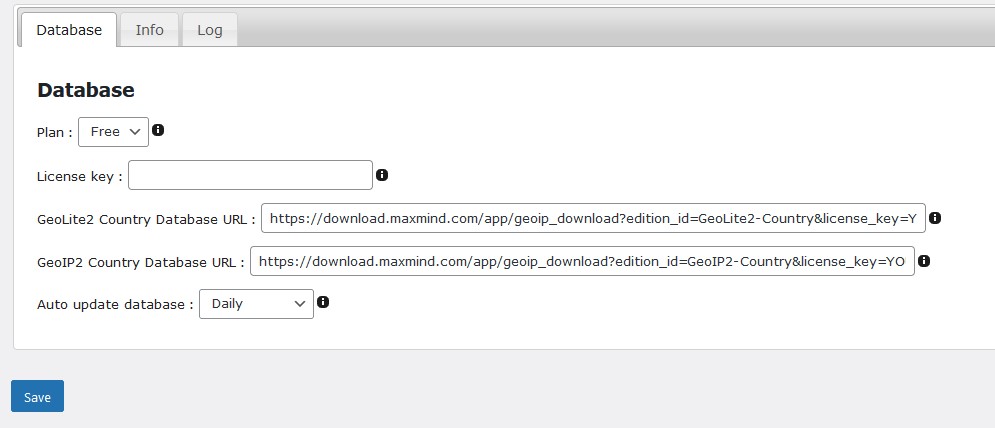
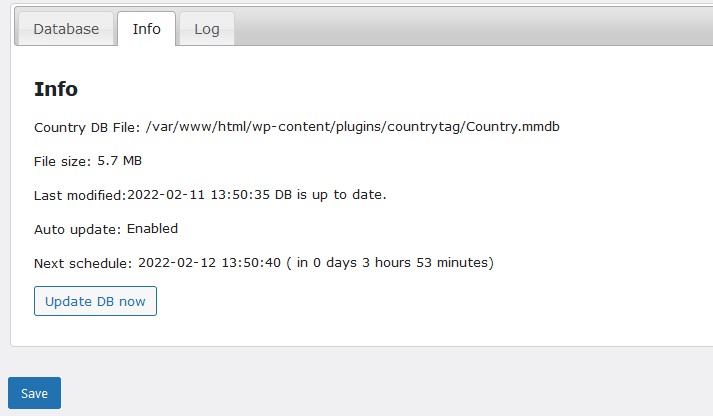
Author
- ship blog
License
GPLv3
Releases
1 release. Each count is every asset in that release; expand a row for the breakdown.
Tag
Published
Assets
Downloads