Install
Upload it under Plugins → Add New Plugin → Upload Plugin, then activate.
Install straight from GitHub with WP-CLI:
wp plugin install https://github.com/sherjanmirza/uncheck-all-product-categories-for-woocommerce/releases/download/v1.0.0/uncheck-all-product-categories-1.0.0.zipNo built-in updater. New versions won't appear under Dashboard → Updates. Install new releases yourself, or let Git Updater track the repository.
A small plugin, this one-click "Uncheck all" one will add a button on WooCommerce product category checklists. Works for Edit, Quick Edit, and Bulk Edit screens.
🖼️ Demo
✨ Features
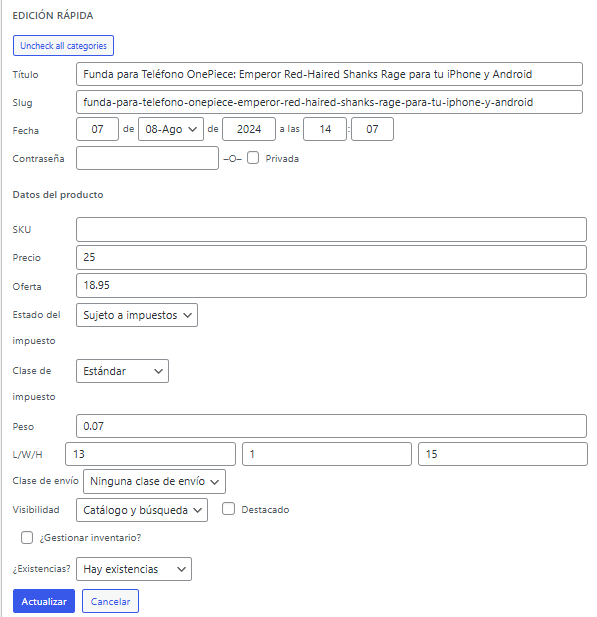
- Adds "Uncheck All" to the Product Categories meta box on the product edit screen.
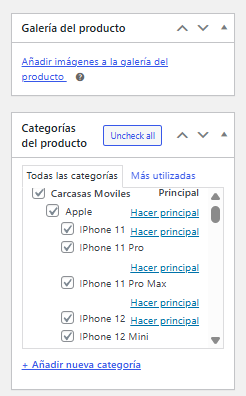
- Works on Quick Edit and Bulk Edit for multiple products.
- Lightweight: it will load only on WooCommerce product admin pages.
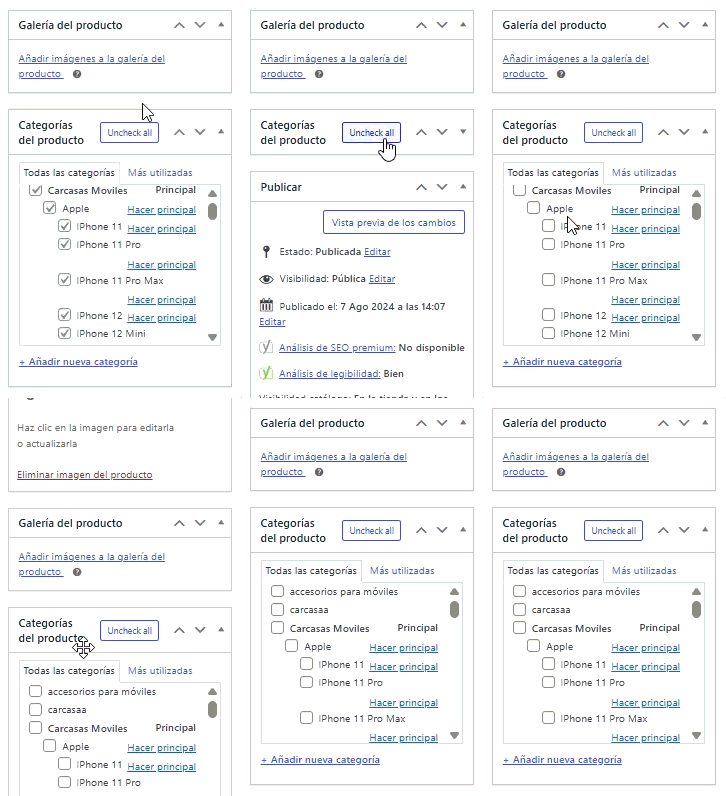
- No settings, no clutter; just one clean productivity booster. Here’s a quick preview in action 👇
📦 Installation
- Download the latest release ZIP from the Releases page.
- In WordPress admin, go to Plugins → Add New → Upload Plugin.
- Upload the ZIP and click Activate.
- Go to any Product Edit Page, where the new "Uncheck all" button will be visible in the Product Categories box.
🧰 Requirements
- WordPress 5.8 or newer
- PHP 7.4 or newer
- WooCommerce (for product post type)
🐛 Issues and Feedback
Found any bugs or want to request features?
Open an issue here: GitHub Issues
🗺 Roadmap
- [ ] An optional "Uncheck all" for product tags.
- [ ] A toggle between "Check all" and "Uncheck all" modes.
🔖 Changelog
1.0.0—Initial public release
Adds Uncheck all buttons to product edit, quick edit, and bulk edit.
📄 License
MIT © 2025 Sherjan Mirza
Releases
1 release. Each count is every asset in that release; expand a row for the breakdown.
Tag
Published
Assets
Downloads