Install
This is the repository archive. It installs, but the folder name will carry the branch suffix and updates will not flow.
Install straight from GitHub with WP-CLI:
wp plugin install https://github.com/shanto-w3dev/point-payment/archive/refs/heads/main.zipNo built-in updater. New versions won't appear under Dashboard → Updates. Install new releases yourself, or let Git Updater track the repository.
Point Payment for WooCommerce
A simple, modern WooCommerce extension that allows customers to pay for orders using points. Admins can manage user points, view history, and set conversion rates.
Features
- Customers can pay for orders using points
- Admin can add or reduce user points
- User point history and balance shown in My Account
- Custom WooCommerce My Account menu item ("My Points")
- Conversion rate configurable in WooCommerce settings
- Modern, elegant admin UI
- Secure backend logic for point management
Installation
- Upload the plugin folder to
wp-content/plugins/point-payment - Activate the plugin from the WordPress admin dashboard
- Ensure WooCommerce is installed and activated
Usage
For Customers
- Earn points as configured by the store owner
- Use points to pay for orders at checkout
- View current points and history in My Account > My Points
For Admins
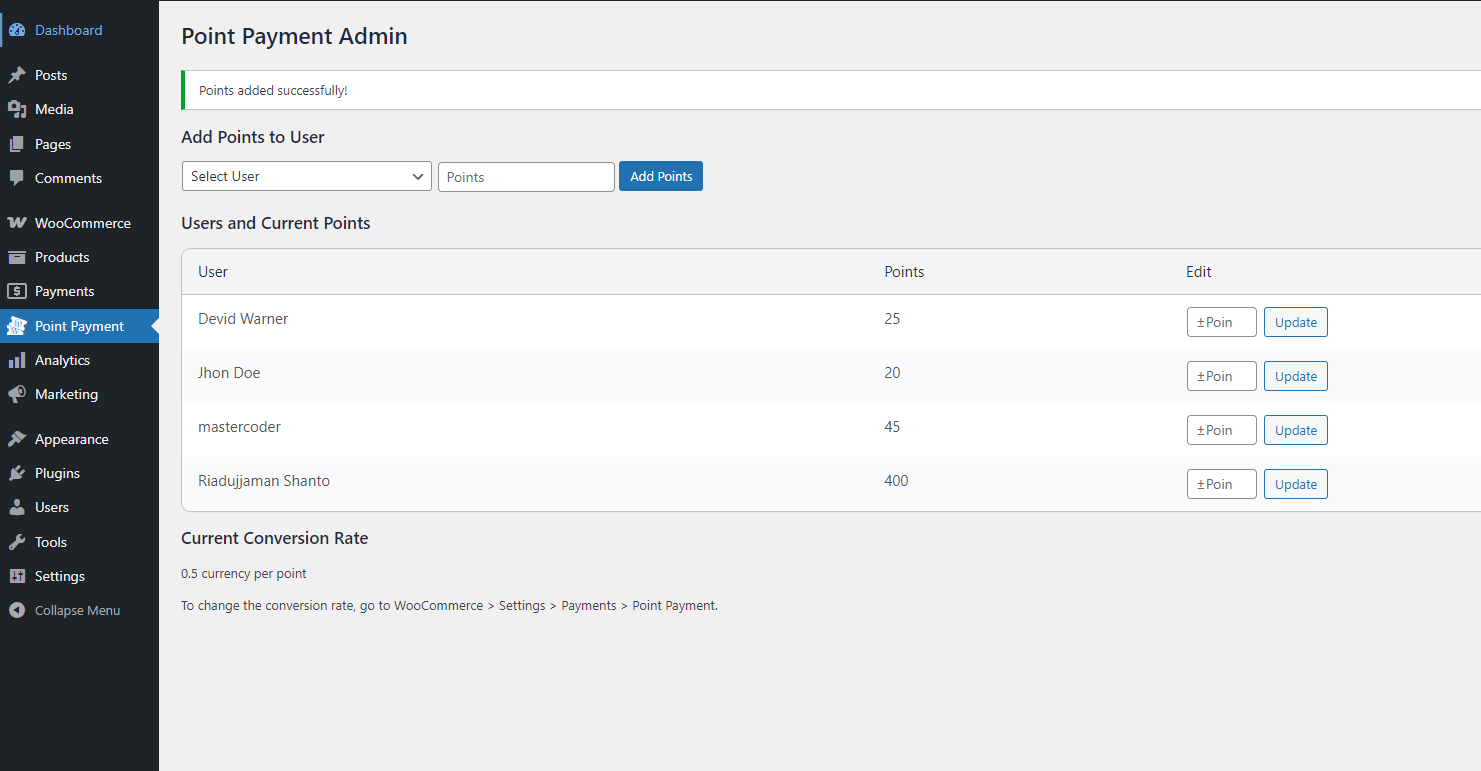
- Go to Point Payment in the WordPress admin menu
- Add or reduce points for any user
- View all users and their current points
- Set the conversion rate in WooCommerce > Settings > Payments > Point Payment
File Structure
point-payment/
├── point-payment.php
├── admin/
│   └── class-point-payment-admin.php
├── assets/
│   ├── css/
│   │   └── admin.css
│   ├── js/
│   └── media/
├── frontend/
│   └── class-point-payment-frontend.php
├── includes/
│   └── class-point-payment-gateway.php
How It Works
- Checkout: If enabled and user has enough points, "Pay with Points" appears as a payment option.
- My Account: Users see "My Points" menu item, showing balance and transaction history.
- Admin Panel: Admins can add or subtract points for users, and view all balances.
- Conversion Rate: Set how much each point is worth in store currency.
Security
- All point management actions require admin permissions and nonce verification.
- Points cannot be reduced below zero.
Customization
- CSS for admin and frontend can be customized in
assets/css/ - Menu item position and labels can be changed in
frontend/class-point-payment-frontend.php
Support
For issues or feature requests, contact the author:
- Author: Riadujjaman Shanto
- Website: https://shanto.net
License
GPL2 - See license.txt for details.