Install
This is the repository archive. It installs, but the folder name will carry the branch suffix and updates will not flow.
Install straight from GitHub with WP-CLI:
wp plugin install https://github.com/shameemreza/upload-unlocker-for-aiam/archive/refs/heads/main.zipRemoves the upload file-size restriction on All-in-One WP Migration imports, enables one-click backup restore, and raises PHP runtime limits. No core files are modified.
What It Does
| Feature | How |
|---|---|
| Unlimited import size | Removes the client-side file-size gate that blocks large .wpress uploads |
| One-click backup restore | The "Restore" button on the Backups page just works |
| Higher PHP memory | Calls wp_raise_memory_limit() on migration screens |
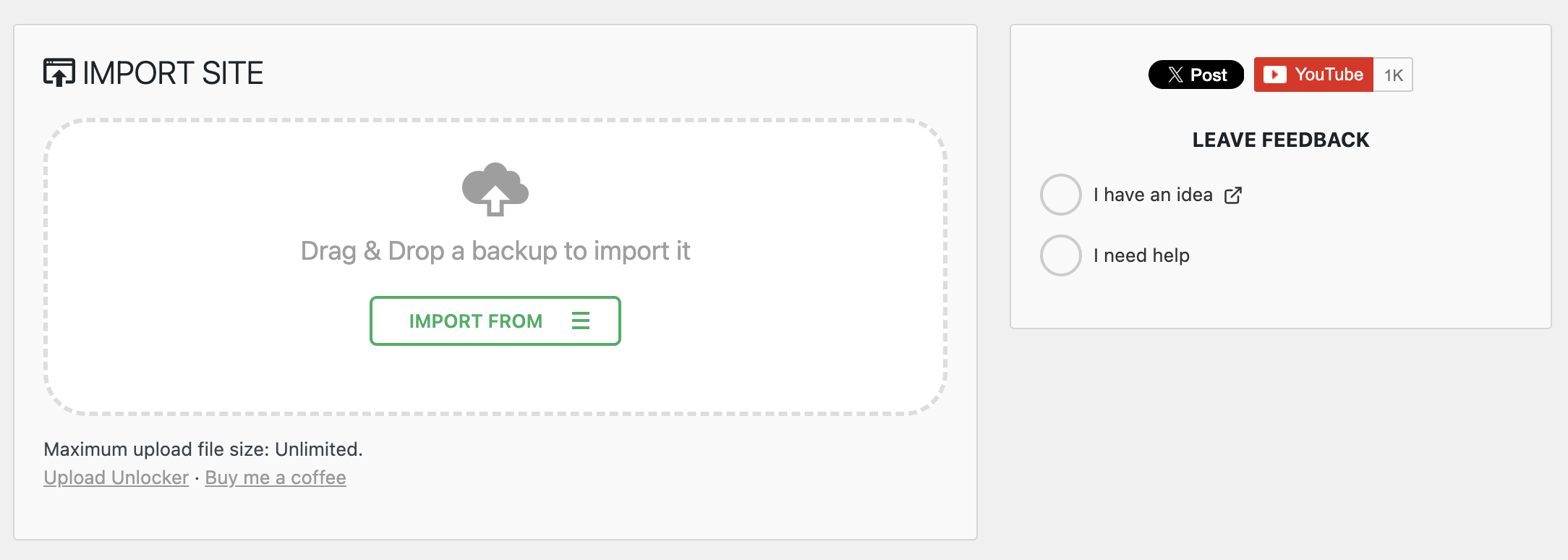
| Clean UI | Replaces the upsell notice with a simple "Unlimited" confirmation |
| Hides promo menus | Removes the "Schedules" and "Reset Hub" upsell submenus |
How It Works
All-in-One WP Migration already uploads files in 5 MB chunks, so any server can handle that. The only thing stopping large imports is a JavaScript check that compares the total file size against the server's reported limit. This plugin removes that check using standard WordPress hooks:
upload_size_limitfilterwp_add_inline_script()wp_raise_memory_limit()
No migration plugin files are touched. Everything is scoped to migration admin screens only.
Requirements
- WordPress 5.0+
- PHP 7.4+
- All-in-One WP Migration (free version) installed and active
Installation
As a Plugin
- Download the latest release.
- Upload the
upload-unlocker-for-aiamfolder to/wp-content/plugins/. - Activate Upload Unlocker for All in All Migration from the Plugins screen.
- Go to All-in-One WP Migration > Import and the file size limit is gone.
As a Code Snippet
If you prefer not to install a plugin, add this to your theme's functions.php or use a code-snippets plugin like SnipDrop:
// Raise the WordPress-reported upload limit on migration pages.
add_filter( 'upload_size_limit', function ( $limit ) {
    $page = isset( $_GET['page'] ) ? sanitize_text_field( wp_unslash( $_GET['page'] ) ) : '';
    if ( str_starts_with( $page, 'ai1wm_' ) ) {
        return 9007199254740991; // Effectively unlimited
    }
    return $limit;
} );

// Replace the upsell text with a simple confirmation.
add_filter( 'ai1wm_pro', function () {
    return '<p class="max-upload-size">Maximum upload file size: Unlimited.</p>';
}, 20 );

// Override the client-side file-size gate and enable backup restore.
add_action( 'admin_enqueue_scripts', function () {
    if ( wp_script_is( 'ai1wm_import', 'enqueued' ) || wp_script_is( 'ai1wm_import', 'registered' ) ) {
        wp_add_inline_script(
            'ai1wm_import',
            'if(typeof ai1wm_uploader!=="undefined"){ai1wm_uploader.max_file_size=Math.max(ai1wm_uploader.max_file_size,9007199254740991);}',
            'after'
        );
    }
    if ( wp_script_is( 'ai1wm_backups', 'enqueued' ) || wp_script_is( 'ai1wm_backups', 'registered' ) ) {
        $js = '(function(){if(typeof Ai1wm==="undefined"||typeof Ai1wm.Import==="undefined")return;'
            . 'Ai1wm.FreeExtensionRestore=function(a,s){'
            . 'var m=new Ai1wm.Import();'
            . 'm.setParams([{name:"storage",value:Date.now().toString()},{name:"archive",value:a},{name:"ai1wm_manual_restore",value:"1"}]);'
            . 'm.start([{name:"priority",value:10}]);};})();';
        wp_add_inline_script( 'ai1wm_backups', $js, 'after' );
    }
}, 99 );

// Raise PHP memory limit on migration pages.
add_action( 'admin_init', function () {
    $page = isset( $_GET['page'] ) ? sanitize_text_field( wp_unslash( $_GET['page'] ) ) : '';
    if ( str_starts_with( $page, 'ai1wm_' ) ) {
        wp_raise_memory_limit( 'admin' );
    }
} );
FAQ
Will this work if my hosting has a low upload_max_filesize?
Yes. All-in-One WP Migration splits every file into 5 MB chunks, so each HTTP request stays well within typical PHP limits. The only thing blocking large imports was a JavaScript check, and this plugin removes it.
Do I still need to change php.ini or .htaccess?
Usually not. Since uploads happen in 5 MB chunks, upload_max_filesize and post_max_size only need to be above 5 MB, which almost every host already has. If your host is unusually restrictive, see the readme.txt for manual overrides.
Support
License
GPL-2.0-or-later. See LICENSE for details.
Releases
1 release.
These releases are tags only. The author does not attach a packaged zip, so there are no download counts to report.