Install
This is the repository archive. It installs, but the folder name will carry the branch suffix and updates will not flow.
Install straight from GitHub with WP-CLI:
wp plugin install https://github.com/shameemreza/kiosko-accordion-mobile-menu/archive/refs/heads/main.zipAdds accordion-style collapsed submenus to the Kiosko WooCommerce theme's mobile navigation overlay.
The Problem
The Kiosko theme (by Automattic) uses the WordPress core navigation block for its mobile menu. By default, the core block displays all submenus expanded and flat in the mobile overlay — there is no way for visitors to collapse or toggle them. This creates a long, cumbersome menu on sites with nested navigation items.
The Solution
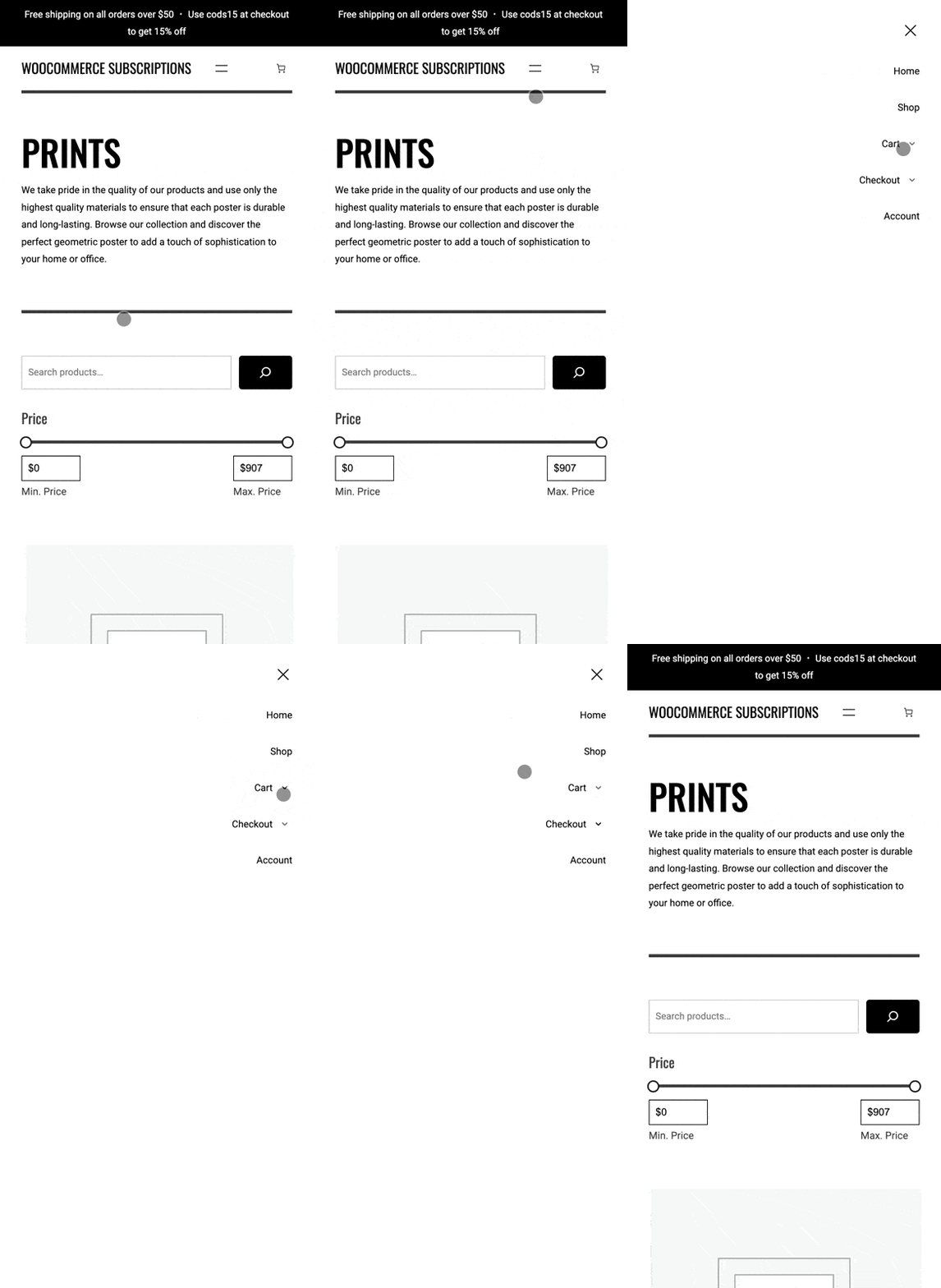
This lightweight plugin overrides the default behavior and turns the mobile submenus into clean, collapsible accordions:
- Submenus are collapsed by default when the mobile menu opens.
- A subtle chevron toggle appears next to each parent item that has children.
- Tapping the toggle expands/collapses the submenu with a smooth animation.
- Accordion behavior — opening one submenu closes any other open sibling.
- Proper
aria-expandedattributes for accessibility. - Desktop navigation is completely unaffected.
Demo
Requirements
| Requirement | Version |
|---|---|
| WordPress | 6.3+ |
| PHP | 7.4+ |
| Theme | Kiosko (or a child theme of Kiosko) |
The plugin automatically detects the active theme and only loads its assets when Kiosko (or a child of it) is active.
Installation
- Download the latest release
.zipfrom the Releases page. - In your WordPress admin, go to Plugins → Add New → Upload Plugin.
- Upload the
.zipfile and click Install Now. - Activate the plugin.
That's it — no configuration needed. The accordion menu is active immediately on mobile.
How It Works
The plugin enqueues a small CSS file and a vanilla JavaScript file on the front end:
accordion-menu.css: Overrides the core navigation block CSS (scoped to.is-menu-open) to hide submenus by default and style the toggle buttons.accordion-menu.js: Injects toggle buttons next to parent menu items and handles the expand/collapse animation with proper height transitions.
Both files are loaded with defer strategy and only in the footer, so they have zero impact on page load performance.
Frequently Asked Questions
Does this work with child themes of Kiosko?
Yes. The plugin checks wp_get_theme()->get_template() which returns the parent theme slug, so it works with any child theme built on Kiosko.
Does this affect the desktop navigation?
No. All CSS is scoped to .wp-block-navigation__responsive-container.is-menu-open which only applies when the mobile overlay is active. The toggle buttons are hidden by default (display: none) and only shown inside the overlay.
Can I customize the toggle icon or spacing?
Yes, you can override the CSS in your child theme or via the WordPress Customizer's Additional CSS. The key classes are:
.kiosko-submenu-togglethe toggle button..submenu-is-openadded to the parent.has-childitem when its submenu is expanded.
Changelog
1.0.0
- Initial release.
- Accordion-style collapsed submenus for Kiosko mobile overlay.
- Smooth height transitions with proper
aria-expandedmanagement. - Accordion behavior (opening one closes siblings).
License
GPL-2.0-or-later. See LICENSE for details.
Releases
1 release.
These releases are tags only. The author does not attach a packaged zip, so there are no download counts to report.