Install
This is the repository archive. It installs, but the folder name will carry the branch suffix and updates will not flow.
Install straight from GitHub with WP-CLI:
wp plugin install https://github.com/shameemreza/happy-local-plugin-updater/archive/refs/heads/main.zipA WordPress plugin that allows you to update plugins from your local repository, specifically designed for WordPress/WooCommerce support engineers and developers who need to maintain multiple local testing environments.
Purpose
This plugin was created for personal use to solve a common challenge faced by WordPress support engineers and developers: keeping multiple local test sites updated with the latest versions of plugins being supported.
Perfect for:
- WooCommerce Happiness Engineers maintaining local test environments.
- WordPress plugin developers testing compatibility across multiple sites.
- Support teams needing to quickly update testing environments.
- Anyone who maintains multiple WordPress installations and needs to keep plugins in sync.
Instead of manually downloading and installing plugin updates across multiple sites, this plugin allows you to maintain a single local repository of plugin zip files and easily update any WordPress installation from that repository.
1. Plugin Installation
- Clone or download this repository to your computer.
- Copy the
happy-local-plugin-updaterfolder to your WordPress plugins directory. - Activate the plugin through the WordPress admin interface.
2. Plugin Configuration
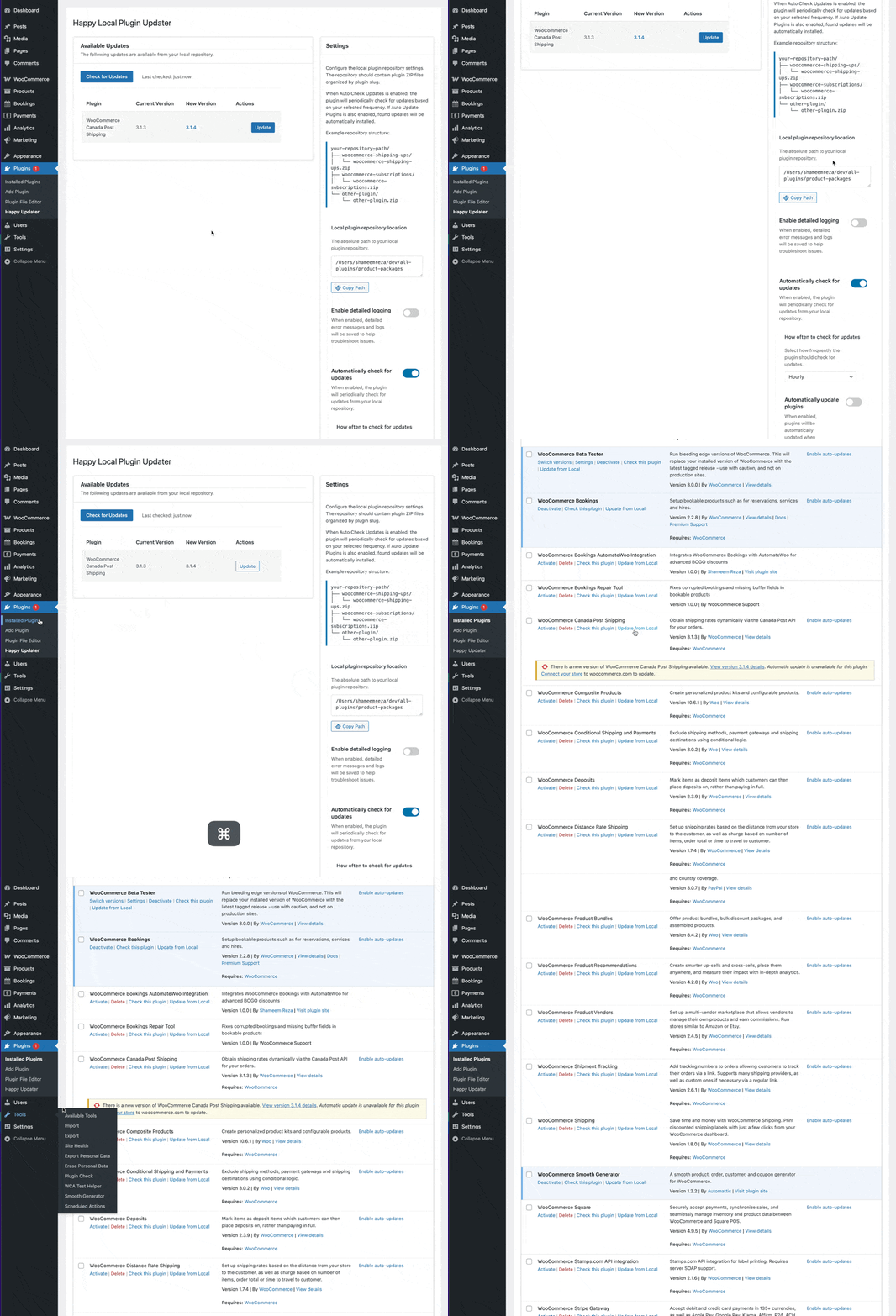
- Go to Plugins > Happy Updater in the WordPress admin menu.
- Set the path to the repository:
/Users/username/dev/all-plugins. - Enable automatic update checks if desired.
- Optionally enable automatic updates.
- Enable debug mode if you need detailed logs for troubleshooting.
- Click "Check for Updates" to see available updates.
Repository Structure
Your local plugins repository should have the correct structure, like:
/Users/username/dev/all-plugins/
├── plugin-folder-name/
│   └── plugin-folder-name.zip
├── another-plugin/
│   └── another-plugin.zip
└── other-plugin/
    └── other-plugin.zip
Each plugin should have its own folder matching the plugin's slug, and contain a ZIP file with the same name.
Usage
Updating Plugins
There are two ways to update plugins:
-
From the Plugins > Happy Updater page:
- Click
Check for Updatesto see available updates. - Click
Updatenext to any plugin you want to update.
- Click
-
From the Plugins page:
- Look for the "Update from Local" link next to any plugin.
- Click the link to update the plugin from your local repository.
Automatic Updates
If you enable both Auto Check Updates and Auto Update Plugins in the settings, the plugin will:
- Automatically check for updates at your chosen frequency (hourly, twice daily, or daily)
- Automatically install any available updates from your local repository
This is particularly useful for:
- Maintaining multiple test sites with the latest plugin versions.
- Ensuring consistency across different development environments.
- Automating routine updates to focus on actual testing and development.
Debug Mode
Enable Debug Mode in the plugin settings to:
- Create detailed logs of update operations in the debug.log file.
- Troubleshoot issues with plugin updates.
- Monitor automatic update activities.
Requirements
- WordPress 5.0 or higher.
- PHP 7.4 or higher.
- Local file system access to your WordPress installation.
- A properly structured local plugin repository.
License
This plugin is licensed under the GPL v2 or later.
Credits
Created by Shameem Reza for personal use in local test workflows. Feel free to adapt it to your own needs!