Install
This is the repository archive. It installs, but the folder name will carry the branch suffix and updates will not flow.
Install straight from GitHub with WP-CLI:
wp plugin install https://github.com/shahmir-dev7/content-decay-auditor/archive/refs/heads/main.zipFinds old, thin or stale posts and builds a prioritised refresh queue, with one-click "mark reviewed". No external services.
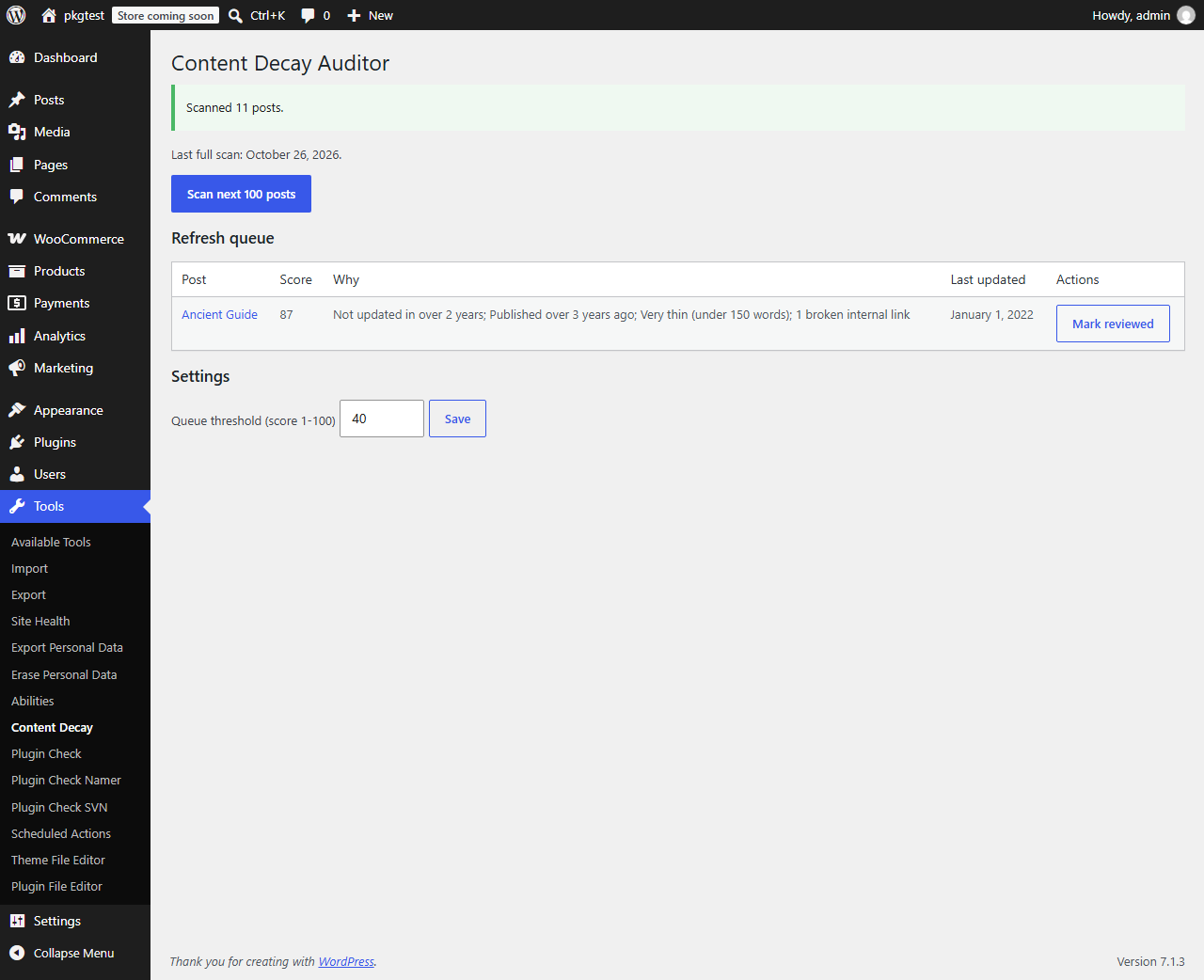
Features
- Decay score 0-100 from last update, age, word count and broken internal links.
- Ranked refresh queue above a configurable threshold.
- One-click Mark reviewed: counts as an update for scoring, without touching the post.
- Batch scanning (100 posts per run) that resumes where it stopped, weekly via WP-Cron or on demand.
- WP-CLI:
wp decay scan,wp decay report,wp decay review <id>. - Nothing runs on the front end.
Installation
Zip: download the release zip, then Plugins > Add New > Upload. Manual: copy content-decay-auditor to wp-content/plugins/.
Usage
Tools > Content Decay. Click Scan next 100 posts (repeat for large sites, or run wp decay scan). Work down the queue; click Mark reviewed when a post is fine as it is.
WP-CLI
wp decay scan
wp decay report --limit=20
wp decay review 123
Hooks
See docs/hooks.md for the filters and the scoring table.
FAQ
Does it check external links? No. Only internal links, by matching them to posts, files, terms and authors. It makes no HTTP requests, so it can miss or misjudge unusual URLs. Does "Mark reviewed" change my post? No. It stores a timestamp in post meta. Word counts for Chinese, Japanese or Korean? Words are split on whitespace, so those languages are undercounted and may look thin.
Development
composer install
composer lint && composer stan && composer test:unit
npx @wordpress/env start
See TESTING.md for the WordPress suite.
Roadmap
Search Console import, per-post-type thresholds, email digest.
Contributing
See CONTRIBUTING.md. Security: SECURITY.md.
License
GPL-2.0-or-later.