Install
This is the repository archive. It installs, but the folder name will carry the branch suffix and updates will not flow.
Install straight from GitHub with WP-CLI:
wp plugin install https://github.com/shaheryar-ahmed/my-all-in-one-reviews-plugin/archive/refs/heads/main.zipNo built-in updater. New versions won't appear under Dashboard → Updates. Install new releases yourself, or let Git Updater track the repository.
# My All-in-One Reviews Plugin
A comprehensive WordPress plugin to display reviews from multiple sources (Google, App Store, Manual) with flexible layouts, tabs, and responsive design. Inspired by platforms like Elfsight, this plugin lets you showcase customer feedback in grid, carousel, or badge formats, with a modern UI and easy admin controls.
Features
- Multi-source reviews: Fetches and displays reviews from Google Business Profile, App Store, and manual entries.
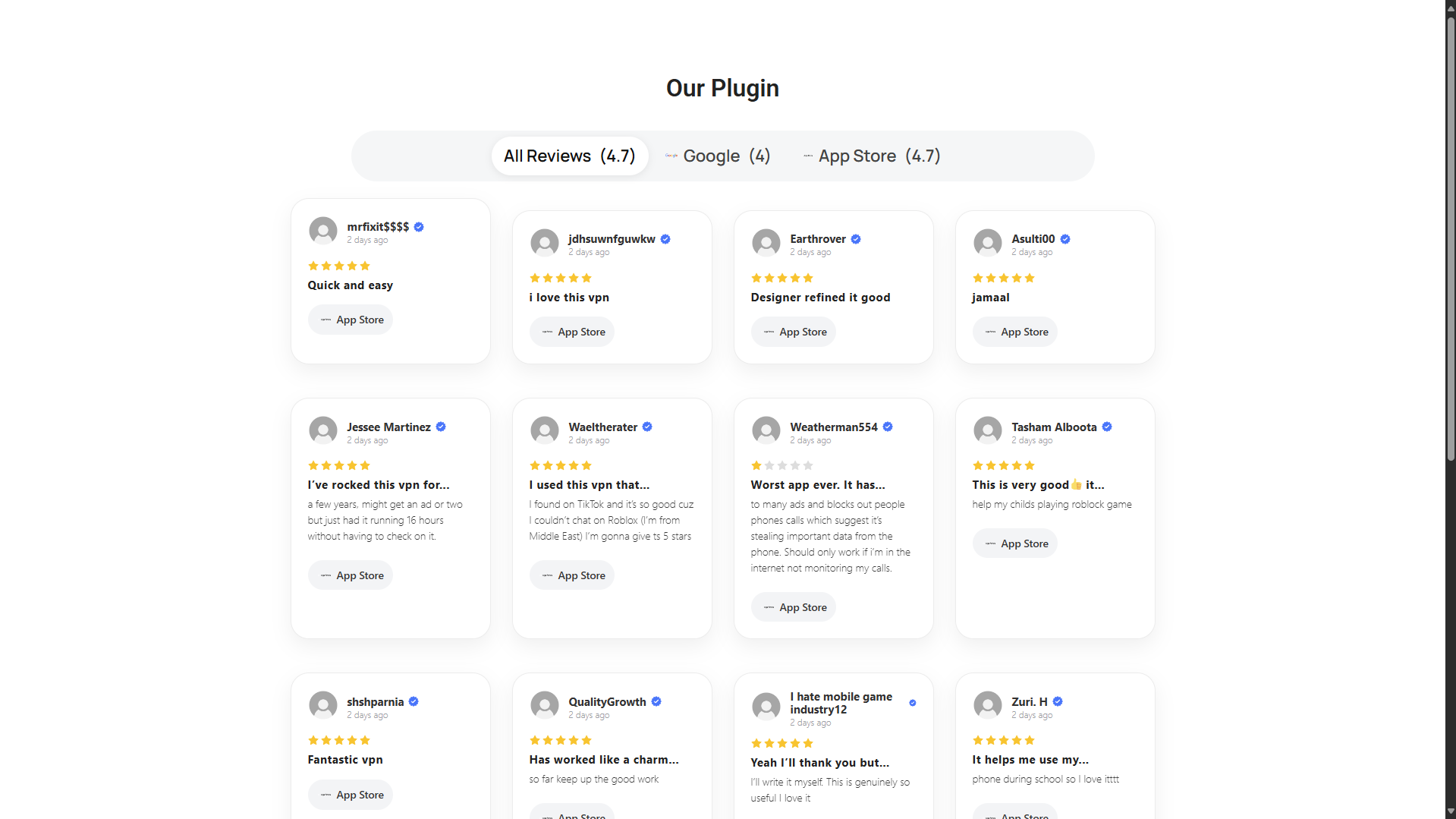
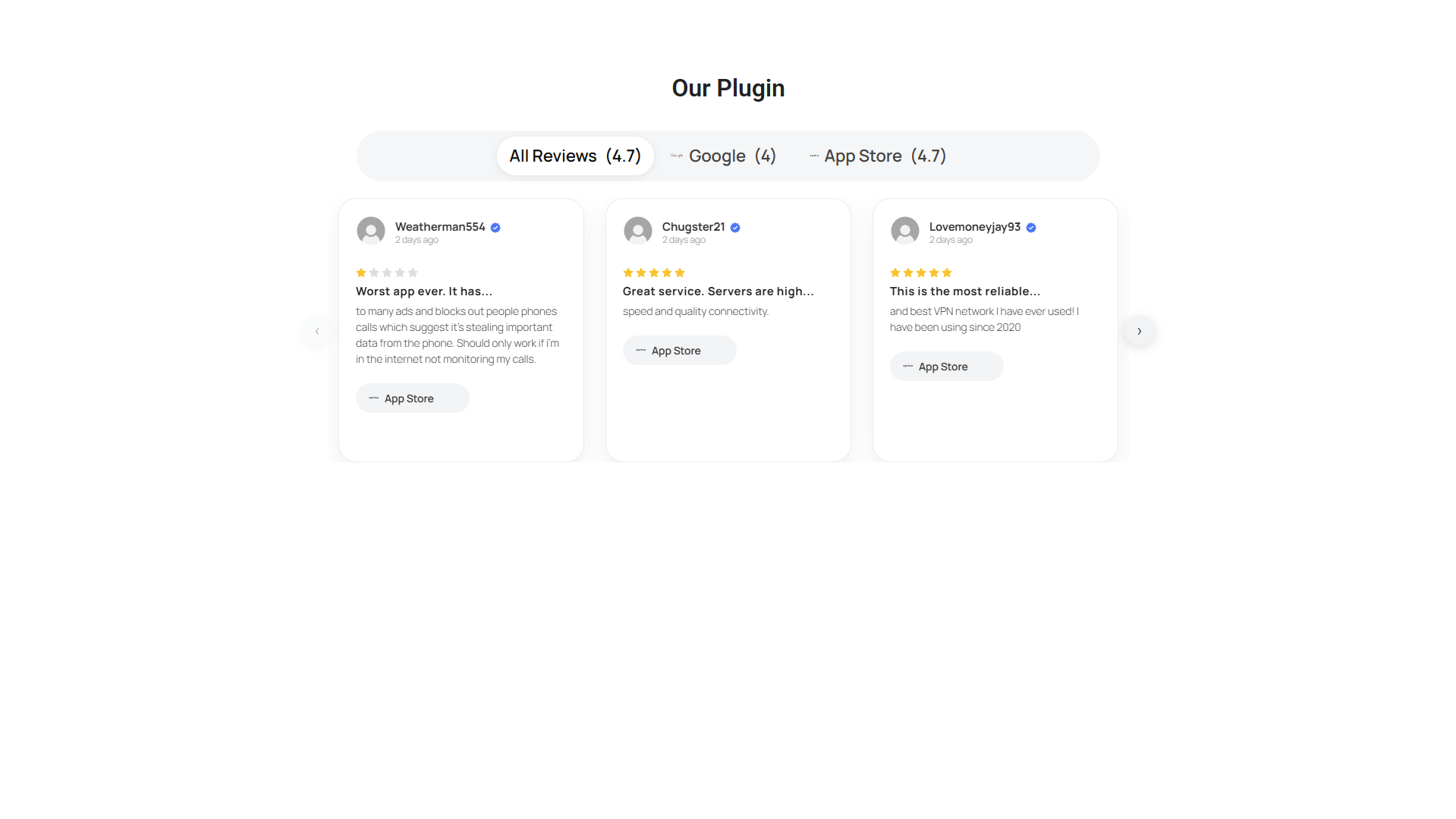
- Flexible layouts: Choose between grid, carousel, or badge summary cards.
- Tabbed navigation: Filter reviews by source with interactive tabs.
- Responsive design: Adapts to all devices, with mobile-friendly layouts.
- Drawer view: Clickable badge opens a detailed one-per-line review drawer.
- Customizable display: Toggle avatars, dates, sources, and review limits.
- Admin preview: Instantly preview layout changes in the WordPress admin.
- AJAX loading: "Load more" button for seamless review pagination.
- Cache management: Easily clear cached reviews from the admin panel.
Screenshots
Installation
-
Download or clone this repository:
git clone https://github.com/shaheryar-ahmed/my-all-in-one-reviews-plugin -
Copy the plugin folder to your WordPress
wp-content/pluginsdirectory. -
Activate My All-in-One Reviews from the WordPress admin plugins page.
Usage
- Go to Reviews in your WordPress admin menu.
- Enter your Google API key, Place ID, App Store App ID, or add manual reviews in JSON format.
- Choose your preferred layout and display options.
- Use the shortcode
[my_tabbed_reviews]or[my_reviews]in posts/pages or add the widget to your sidebar.
Shortcodes
[my_tabbed_reviews]— Tabbed multi-source reviews with layout options.[my_reviews limit="5" layout="grid" source="all"]— Display reviews with custom parameters.
Customization
- Layouts: Grid, Carousel, Badge
- Options: Show/hide avatars, dates, sources, review limits
- Manual reviews: Add custom reviews in JSON format
Development
- CSS styles:
css/maor-style.css - JS scripts:
js/maor-ajax.js,js/maor-carousel.js - PHP logic:
my-all-in-one-reviews.php - Templates:
templates/default-layout.php,templates/badge-layout.php
Inspired by Elfsight, but fully open-source and customizable.