LC Claude Bridge
Unofficial WordPress plugin that connects the LiveCanvas page builder to Claude Code on your Mac. Chat with Claude, or use a full terminal, right inside the LiveCanvas code editor. Claude edits your page, Global CSS and Global JS live, with one-click rollback. Local development only.
Install
Upload it under Plugins → Add New Plugin → Upload Plugin, then activate.
Install straight from GitHub with WP-CLI:
wp plugin install https://github.com/scbudgetweb/livecanvas-claude-bridge/releases/download/v1.0.2/lc-claude-bridge-1.0.2.zipUnofficial WordPress plugin that connects the LiveCanvas page builder to Claude Code on your Mac. Chat with Claude, or use a full terminal, right inside the LiveCanvas code editor. Claude edits your page, Global CSS and Global JS live, with one-click rollback.
Local development only. The plugin refuses to run anywhere that isn't a local Mac install, so it's safe to leave in a site you later migrate (see Safety).
Not affiliated with, endorsed by or supported by Anthropic or LiveCanvas. "Claude" and "Claude Code" are trademarks of Anthropic. "LiveCanvas" is a trademark of its owners.
What you get
- CC Chat tab: a chat panel in the LiveCanvas code editor, similar to the Claude Code extension for VS Code.
- Replies stream in as Markdown.
- Every action is shown as a tool row, with diffs for edits.
- Allow or Deny Claude's actions right in the row.
- Stop a reply with the Stop button or Esc.
- Pick the model and permission mode.
- Images: paste, drag and drop, 📎, or 📷 to capture the LiveCanvas preview (the visible area, the whole page, or a pixel-exact Chrome capture).
- Point at it: turn on Ask mode (⌖) and click an element in the preview, or drag a box around an area, or Alt+click at any time. Claude gets a cropped screenshot, the element's builder selector and its rendered HTML, so "make this tighter on mobile" just works.
- History: resume any earlier conversation for the site, including ones started in VS Code or a terminal.
- A context meter, a prompt-cache countdown, per-reply token and cache stats, and your plan's 5-hour and weekly usage.
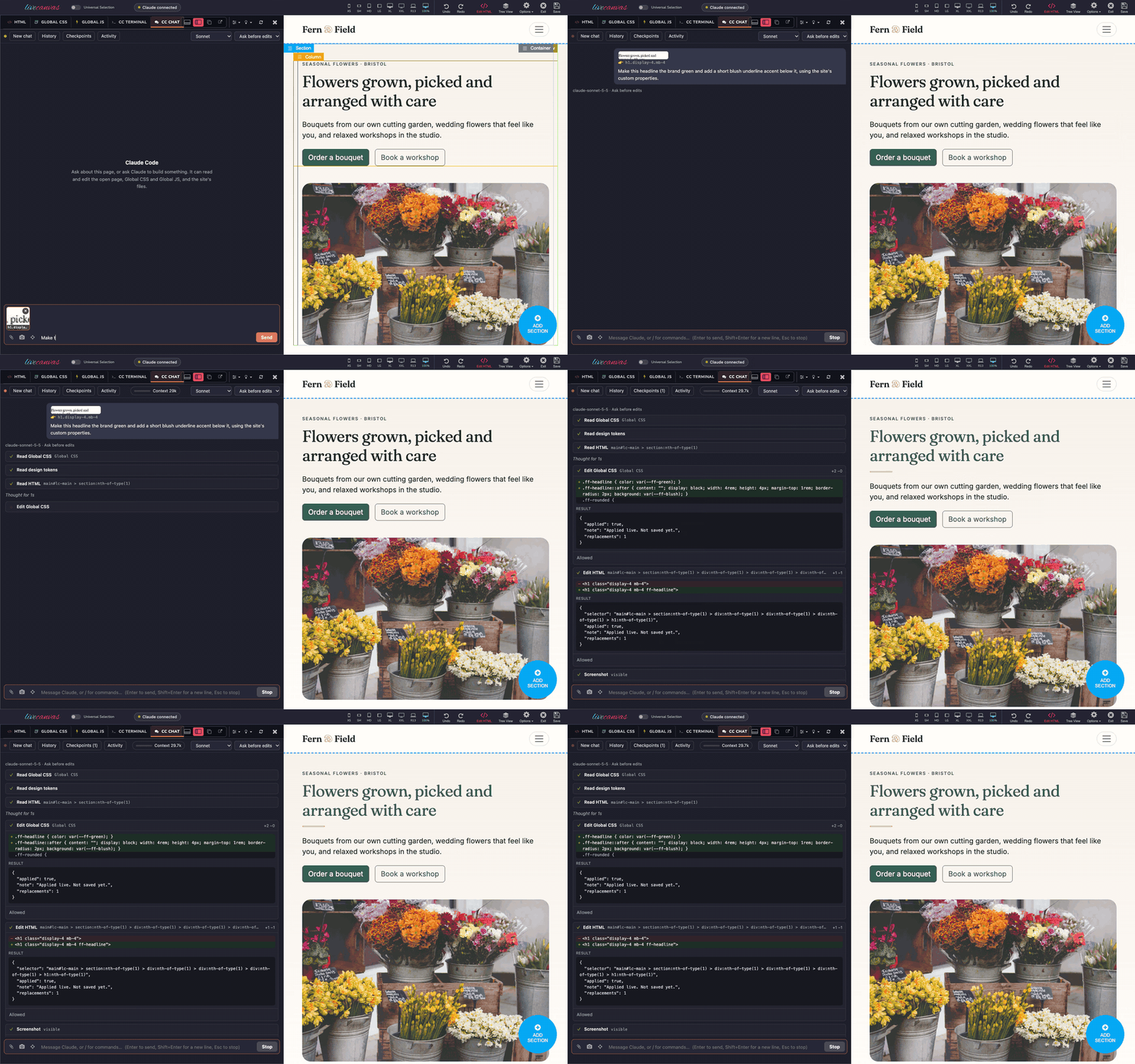
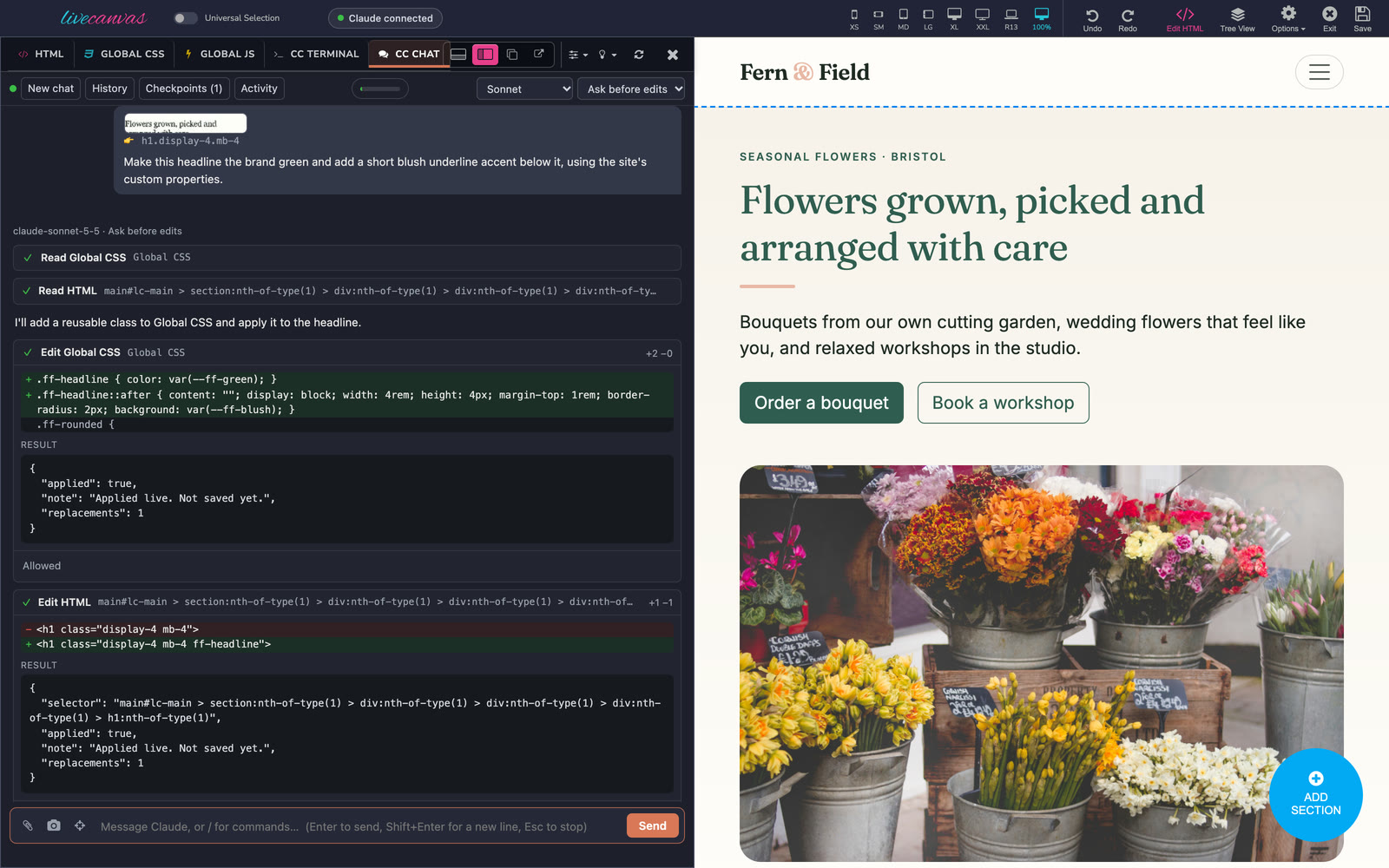 CC Chat beside the preview: point at an element, ask, and see the CSS and HTML diffs as the page updates.
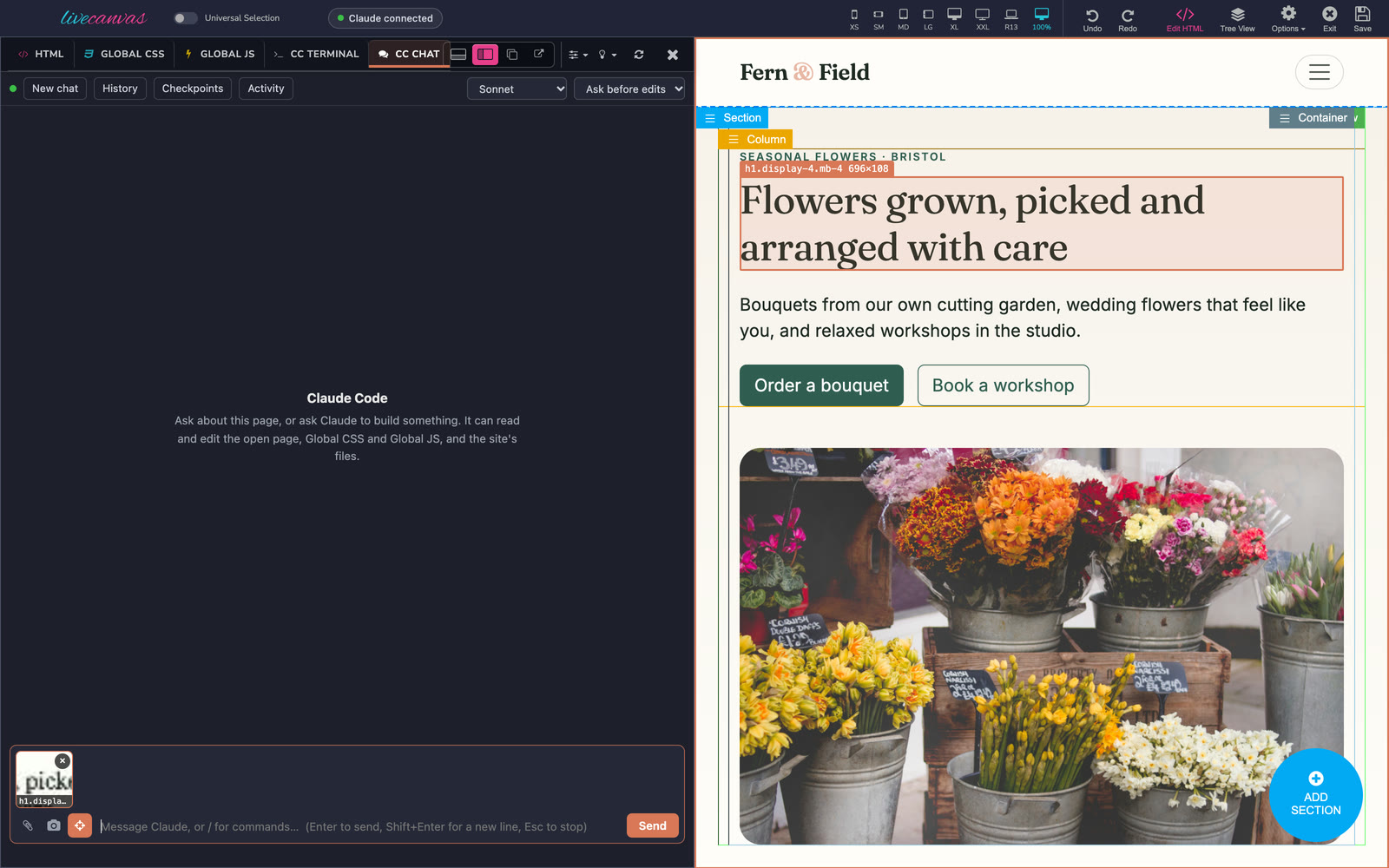 Ask mode: click anything in the preview (or drag a box) to attach it to your message.
- CC Terminal tab: the full, interactive Claude Code terminal, next to Global JS. The session keeps running when you reload the page.
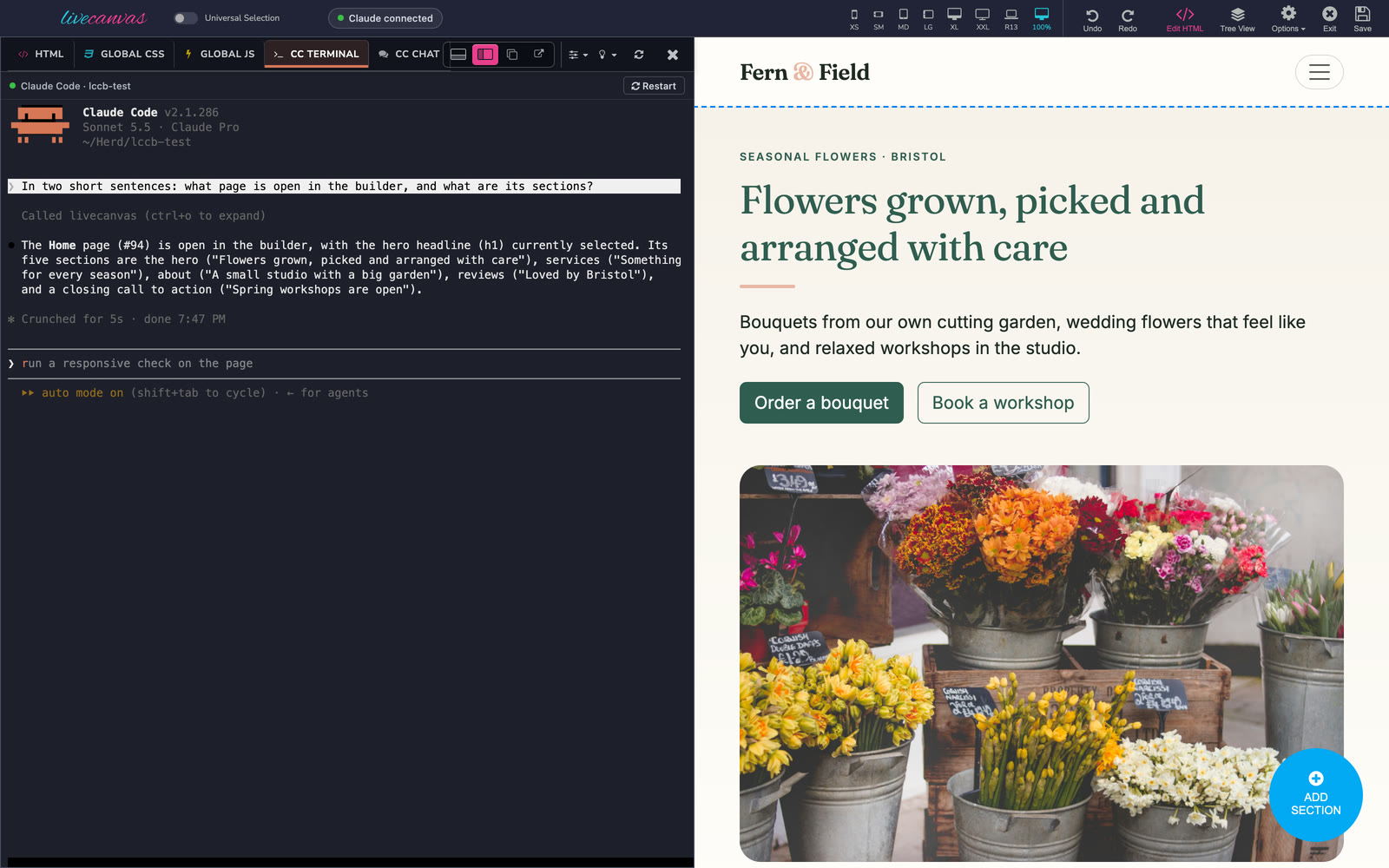 CC Terminal: the full Claude Code terminal, inside the builder.
- livecanvas tools for Claude: Claude reads and edits the open, unsaved builder:
- page HTML, scoped to the element you've selected
- Global CSS and Global JS
- changes go through LiveCanvas's own editor, so the preview updates live and LiveCanvas's undo and History panel keep working
- nothing is saved until you click Save, or ask Claude to save
- Claude sees and understands the site:
lc_site_context: versions, theme and Picostrap design tokens, the site's own class and custom-property conventions, pages, header and footer, templates and menus, in one call, even without the builder open.lc_screenshot: Claude screenshots the preview at any width (e.g. 412px for mobile) to check its own work.lc_inspect: rendered HTML, computed styles and the CSS rules that actually match, including shortcode and plugin output such as Forminator forms.
- Claude checks its own work:
lc_responsive_check: renders the page at 390, 768, 1200 and 1440px and runs layout detectors: sideways scrolling and its cause, elements wider than the screen, overlapping text, small tap targets (WCAG 2.5.8 and a 44px touch target on phones), text under 12px, images overflowing or missing their size, and clipped content. It returns one side-by-side image with the problems outlined and numbered.lc_lint: checks the selection, a page or the whole site against the site's own design system: inline styles (with the Bootstrap utility that does the same), colours that aren't your tokens (with the matchingvar()), spacing off Bootstrap's scale, heading order, missing alt text and image sizes, empty links, duplicate ids, and classes that are defined nowhere (typos).- An auto-generated site brief in the site's
CLAUDE.md(a managed block that never touches your own notes), so every Claude Code session starts out knowing the stack.
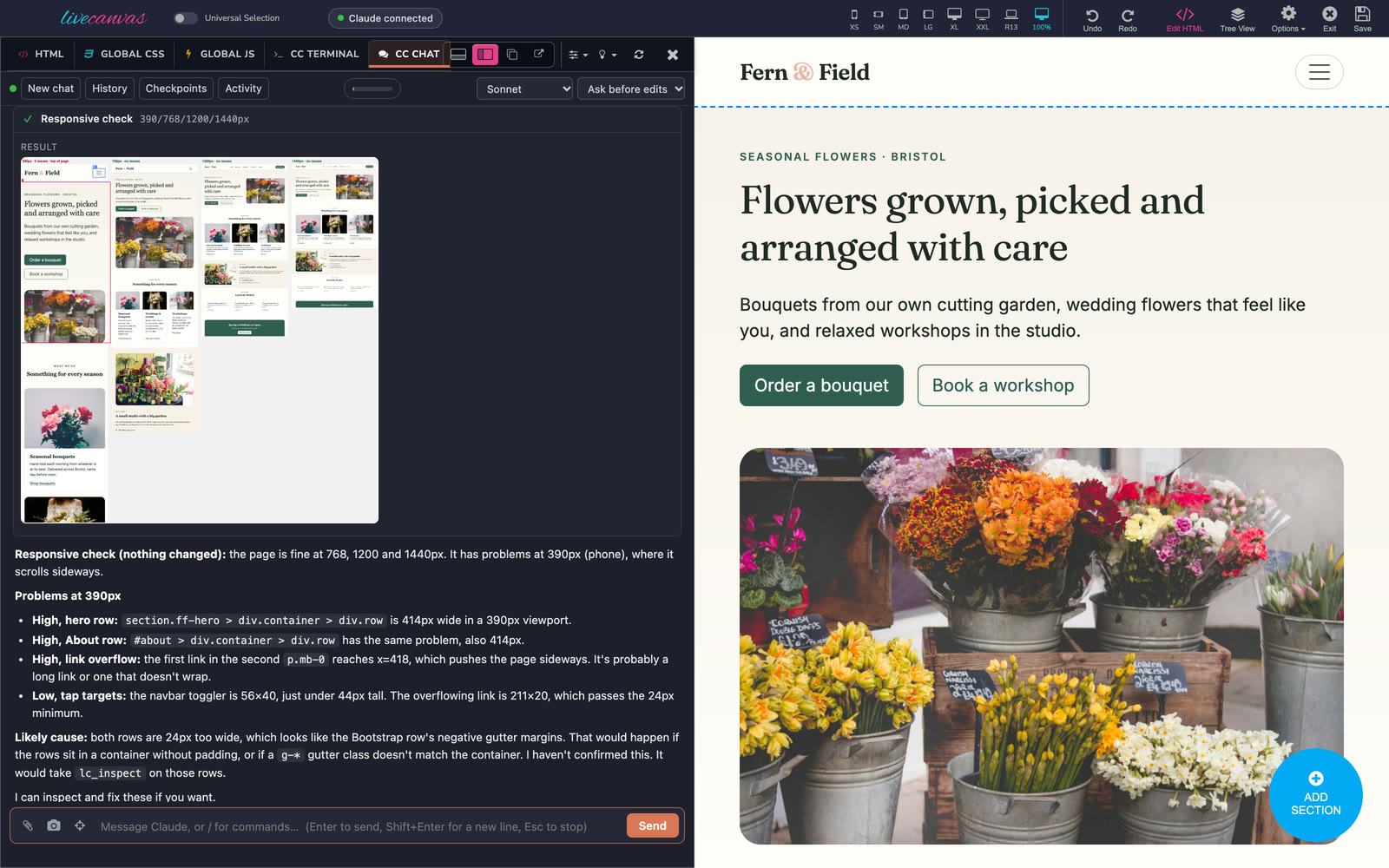
lc_responsive_check: every width in one image, problems outlined and numbered.
-
Site building, with preview then apply: Claude can work on the rest of the site, even without the builder open:
- pages: list, read, create drafts, update, move to the bin, open in the builder
- the site-wide header, footer and saved Global JS
- LiveCanvas dynamic templates and their display conditions
Every change is a preview first: you see a diff and nothing is written. Only
lc_apply_changewrites, and Claude Code asks you to approve it. It refuses if the target changed since the preview, or if the page is open in a builder. -
Start from an HTML template (a bought or downloaded template, as a folder or .zip on your Mac; it's never modified):
- Template library: in Tools › Claude Code, list the folders where you keep templates. Claude then knows them by name and can search their pages (
lc_html_templates {find: "beauty salon"}), so "rebuild the beauty-salon demo's About section" just works. lc_html_template_scanfinds the framework (Bootstrap and its version, Tailwind, Bulma, Foundation, UIkit or hand-written CSS, with evidence), the pages (grouped, so an 800-page template is navigable), the shared header and footer, the libraries, the fonts and the likely design tokens to map onto Picostrap.lc_html_template_readreturns any section as LiveCanvas-ready HTML. It strips scripts, renames Bootstrap 4 classes to Bootstrap 5, and maps Tailwind, Bulma and Foundation classes to Bootstrap 5 where that's mechanical, listing what's left for Claude to finish.lc_html_template_assetscopies the template's own CSS, JS and fonts into the child theme, with a managed enqueue block infunctions.php, and imports its images into the media library. Undo removes exactly what it added. You can scope the template's CSS under.tpl-<name>so it can't clash with Bootstrap.lc_html_template_previewandlc_comparerender the original template next to the rebuilt section at 1200 and 390px, with the differences highlighted and a pixel-difference score.- Everything imported lives in the theme and media library, so the site keeps working after you delete this plugin.
- Template library: in Tools › Claude Code, list the folders where you keep templates. Claude then knows them by name and can search their pages (
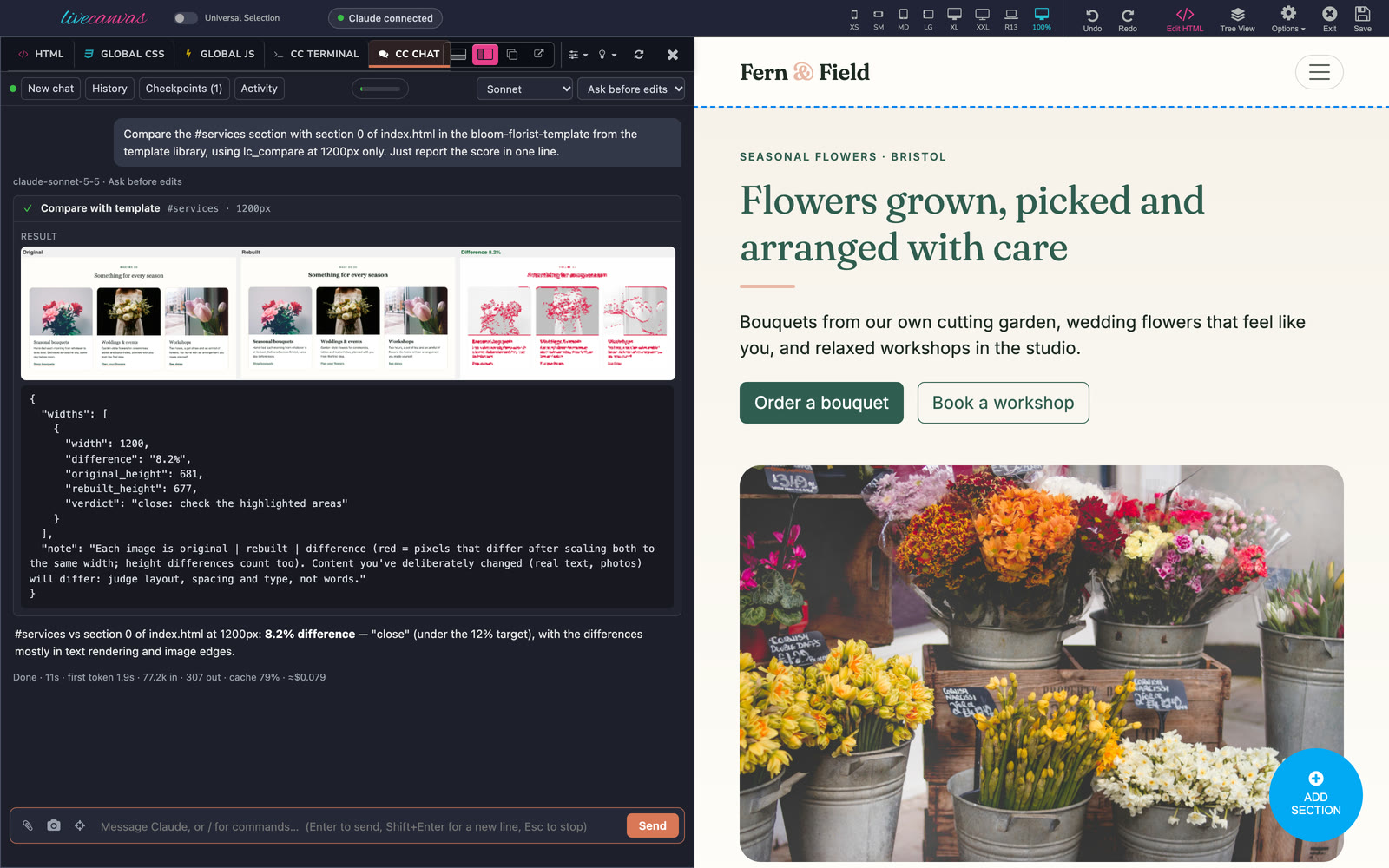
lc_compare: the original template section, the rebuilt one and the differences, with a score.
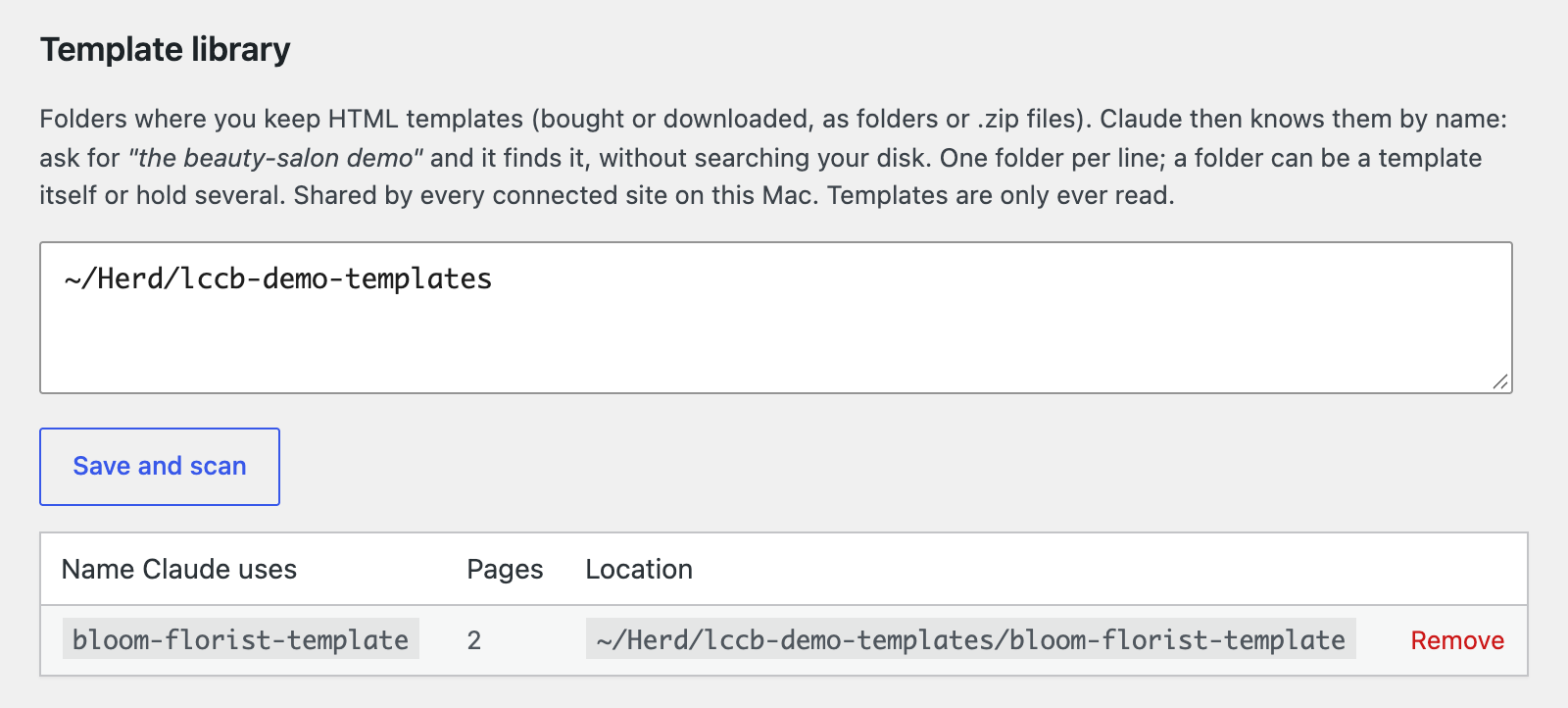 The template library: register your template folders once, and Claude finds templates by name.
- Migrate from an old site:
lc_migrate_scancrawls the old site politely: sitemap first,robots.txthonoured, one request at a time. It stores the crawl locally, and a big site continues over several calls.- Per page it captures:
- the SEO title, description, canonical and Open Graph tags
- the heading outline
- the main content as clean blocks, without the header, footer, menus or cookie bars
- images with their alt text, forms and their fields, and schema.org data
lc_migrate_sitegives the overview: a page tree with a guessed type for each page, the menu, contact details and social links.lc_media_import_batchimports images in bulk, de-duplicated, with the old site's alt text. Undo deletes the whole batch.lc_redirect_mappairs old URLs with new pages (same path, then same slug, then a similar title, plus your own choices). It writes a Redirection plugin CSV,.htaccessrules or nginx rules to the site root, ready for the live site.
- Images:
lc_image_auditchecks every image on a page or the whole site: file size, real dimensions against the size it's actually displayed at (measured in the builder at 1440 and 390px), format, alt text, width/height and lazy-loading.lc_image_optimiseconverts images to WebP or AVIF and resizes them, as new media items. It rewrites every reference in pages, partials, sections and Global CSS (including srcset andwp-image-IDclasses). The originals are kept, so undo is exact.lc_image_cropmakes a cropped copy at an aspect ratio around a focus point, and shows Claude a preview first.lc_media_readlets Claude look at an image.lc_media_updatesaves the alt text it writes and fills it into pages where it's missing.lc_stock_searchsearches Openverse for openly licensed photos and returns one numbered contact sheet.lc_stock_importadds the chosen photo with its licence credit in the caption.
- Quality pass and launch checklist:
lc_qachecks the open page or the whole site and returns one prioritised fix list (critical, should fix, nice to have). Issues that repeat across pages are grouped. It covers:- Accessibility: axe-core runs in the real rendered pages (contrast, alt text, labels, landmarks, ARIA, touch targets).
- SEO: titles and descriptions (including duplicates), h1, canonical, stray
noindex, Open Graph, sitemap,robots.txt, and whether an SEO plugin is installed. - Performance: page weight and the largest files, render-blocking CSS/JS, lazy-loading, image dimensions, fonts, caching.
- Links: broken internal and external links, missing
#anchors, malformedmailto:andtel:links. - Forms: which form plugin each uses and who its notifications go to (a developer or test address gets flagged).
- Basics: favicon, 404 page, privacy policy page, cookie consent versus analytics,
WP_DEBUG, WordPress's default content, permalinks. - Launch mode (
launch: true) adds a go-live checklist and writeslaunch-report.mdto the site root.
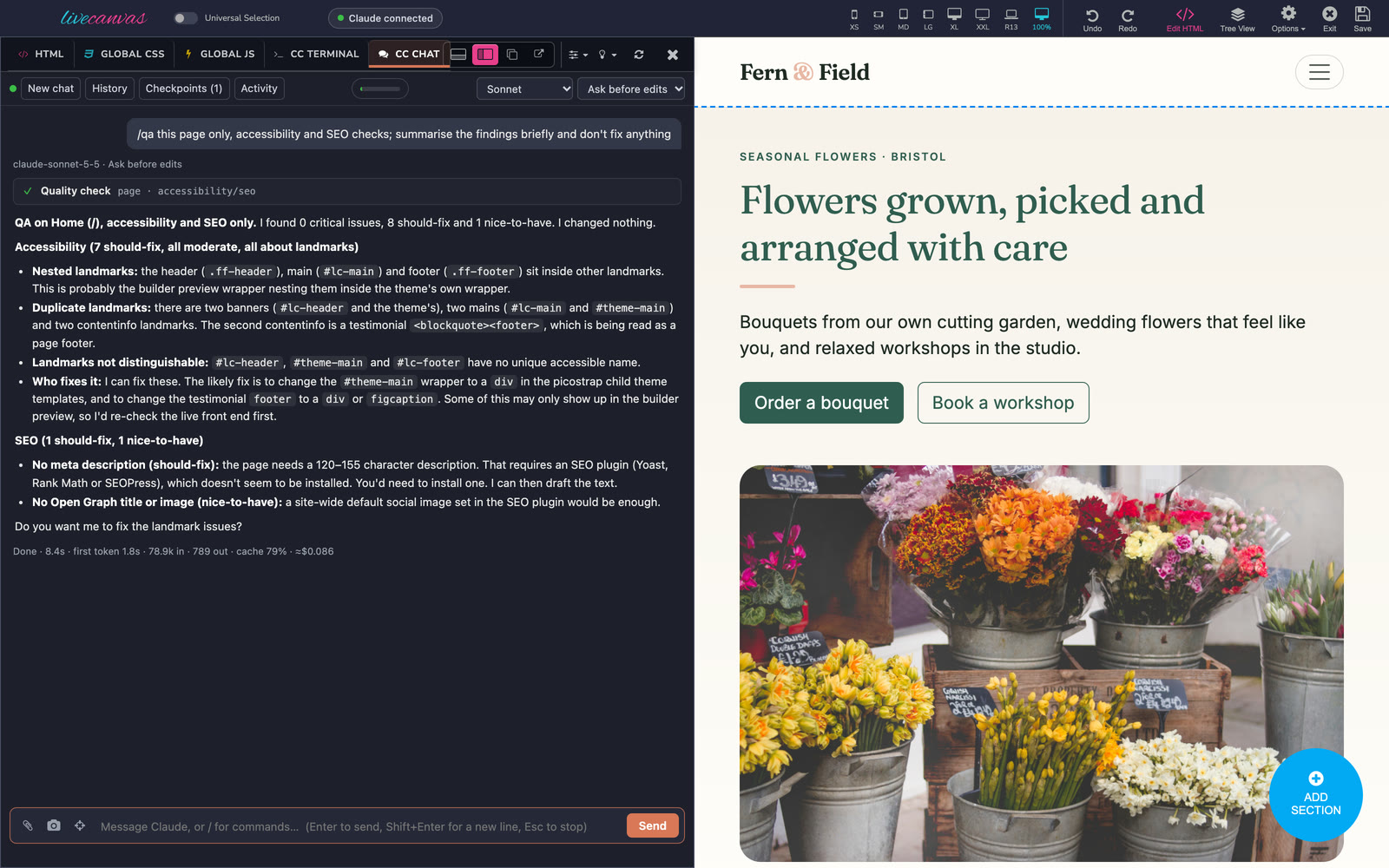
/qa: a prioritised fix list from axe-core and the site checks.
- Section library: list, read, create and update LiveCanvas's reusable sections, see where each is used, and swap inline copies on pages for the section's shortcode (
lc_section_replace_inline). - Design tokens (Picostrap):
- Claude reads and changes the theme's SCSS variables (colours, fonts, sizes,
$enable-*switches) and web-font links, with a preview first. lc_css_recompilerebuilds the theme CSS with Picostrap's own compiler, from inside your builder tab, and refreshes the preview.- The previous CSS bundle is backed up when a change is applied, so undo is instant and exact.
- Claude reads and changes the theme's SCSS variables (colours, fonts, sizes,
- Media library:
lc_media_importadds images from a URL, or from images you drop into CC Chat (they're saved to a protected inbox Claude can reach), with alt text. It returns ready-to-use responsive<img>HTML.- Imports ask for your approval and can be undone.
- Change history with undo:
- Every applied site-level change is stored in an audit log with its before-copy.
- Browse it in Tools › Claude Code › Activity, where each change has a before/after diff, or from the Activity button in CC Chat.
- Undo any change with one click, or ask Claude (
lc_audit_restore). Undos are themselves undoable, and Claude is told when you undo something.
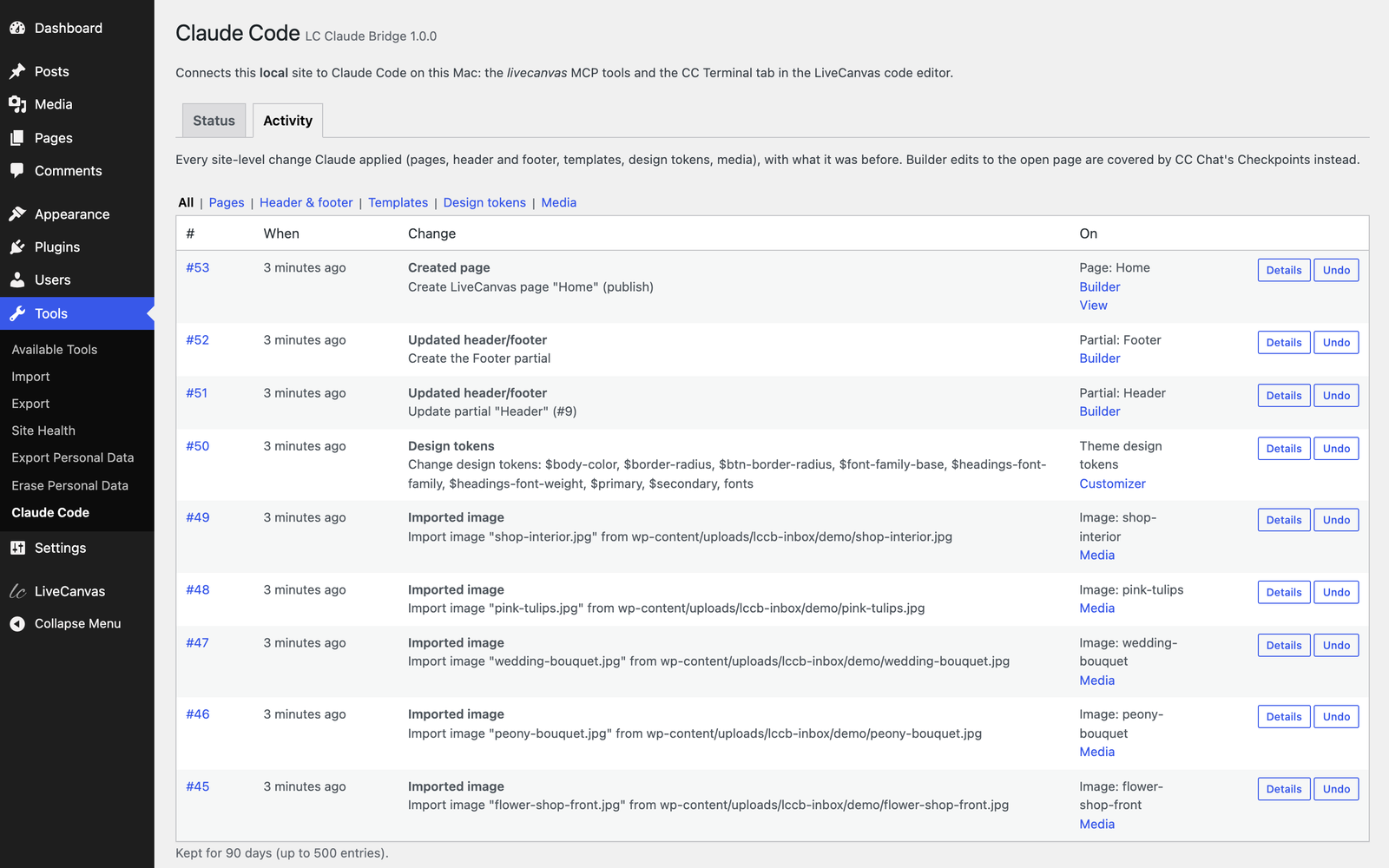 Activity: every site-level change Claude applied, with one-click undo.
- Rollback: before Claude's first change in each reply, the plugin saves a checkpoint of the page HTML, Global CSS and Global JS. "↺ Restore to before this" on your messages puts everything back. It also rewinds files Claude edited, such as theme files, using Claude Code's own file checkpoints.
- Works across sites: one shared background service on your Mac serves every connected site. Each site only ever reaches its own builder.
It uses your own Claude Code installation and login. There's no API key, and the plugin never sees your credentials.
Commands and workflows
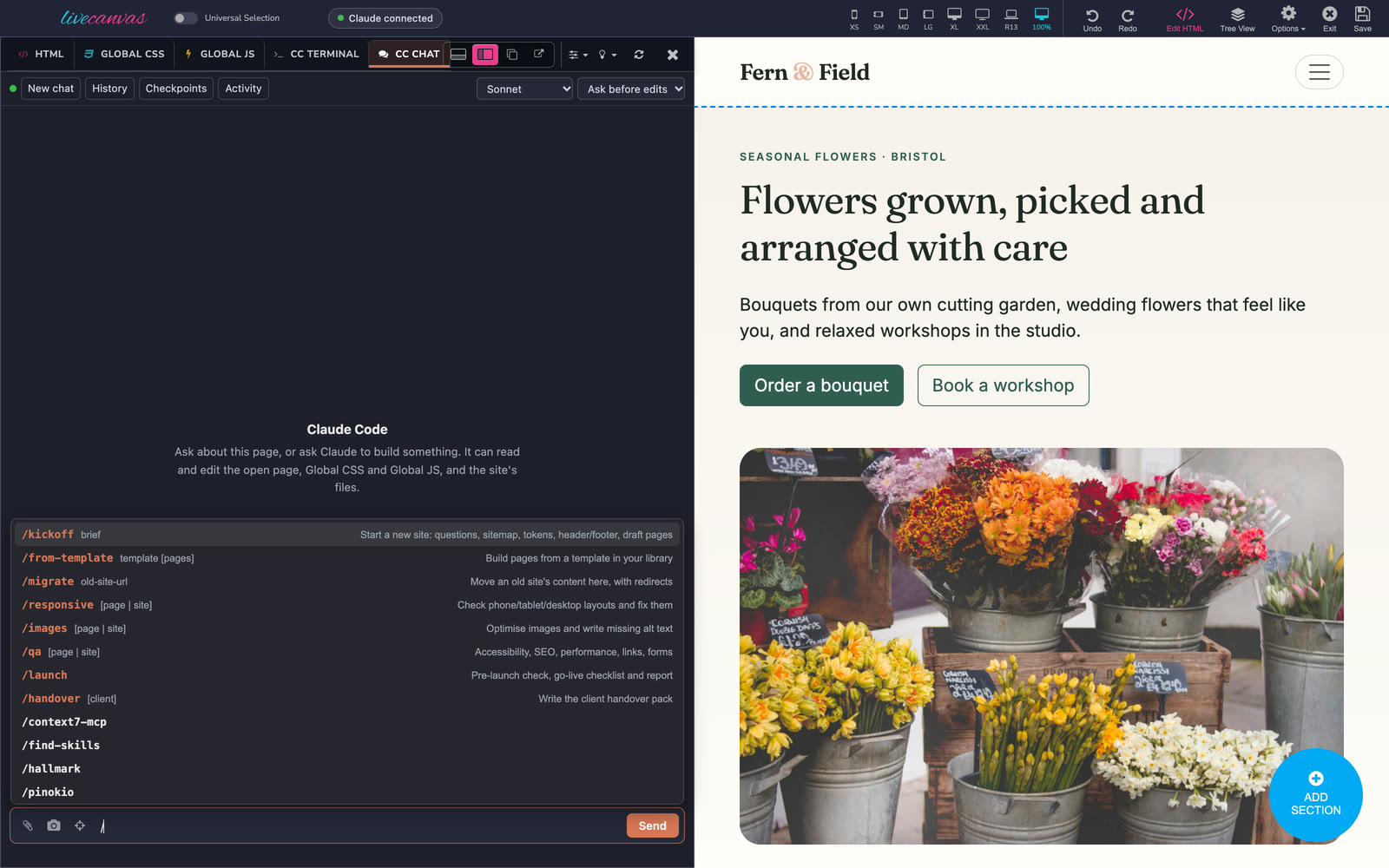
Connect installs eight Claude Code commands in the site's .claude/skills/. They work in CC Chat (type / for the menu) and in CC Terminal, VS Code or any terminal opened in the site folder. They're refreshed on every Connect and removed on Disconnect; a skill of your own with the same name is never touched.
 Type
Type / in CC Chat for the commands.
| Command | What it does |
|---|---|
/kickoff <brief> |
Questions → sitemap → design tokens → header and footer → draft pages, with your approval at each step |
| `/from-template |
Releases
4 releases. Each count is every asset in that release; expand a row for the breakdown.