Install
This is the repository archive. It installs, but the folder name will carry the branch suffix and updates will not flow.
Install straight from GitHub with WP-CLI:
wp plugin install https://github.com/sayalimahale352003-hash/wordpress-recent-posts-grid/archive/refs/heads/main.zipA simple custom WordPress plugin that displays recent WordPress posts in a responsive grid using a shortcode.
Screenshot
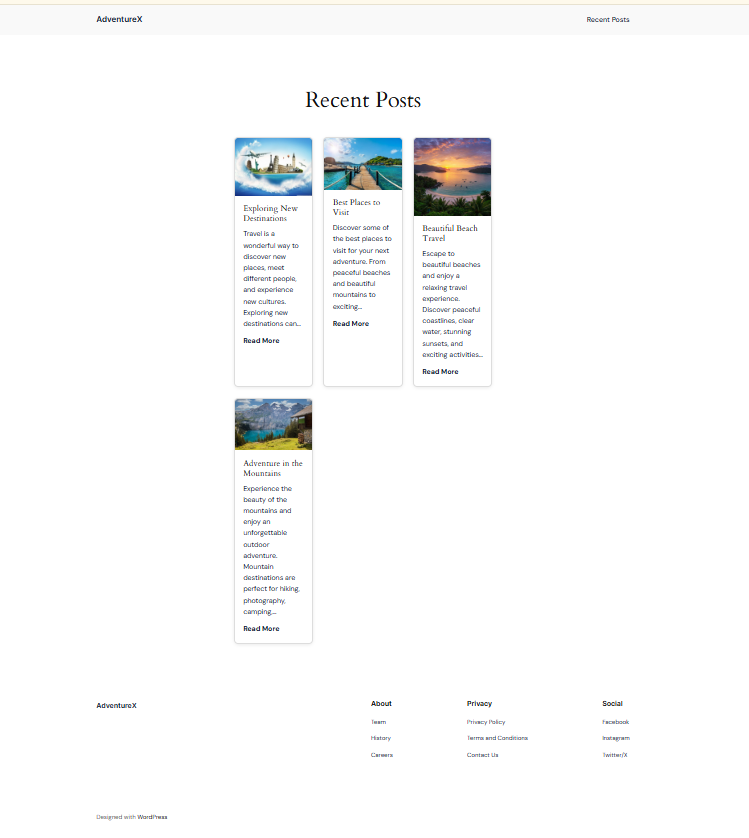
Features
- Displays recent WordPress posts
- Responsive grid layout
- Customizable number of posts
- Supports featured images
- Includes post title and excerpt
- Includes a Read More link
- Uses WordPress escaping functions for security
- Lightweight and easy to use
Installation
-
Download or clone this repository.
-
Copy the
recent-posts-gridfolder. -
Upload it to:
wp-content/plugins/ -
Go to WordPress Admin → Plugins → Installed Plugins.
-
Find Recent Posts Grid.
-
Click Activate.
Shortcode Usage
Default
Use:
[recent_posts_grid]
The default number of posts displayed is 3.
Custom Number of Posts
Use:
[recent_posts_grid count="6"]
This displays 6 recent posts.
You can change the number:
[recent_posts_grid count="4"]
Requirements
- WordPress 5.0 or higher
- PHP 7.4 or higher
Testing
The plugin was developed and tested on a local WordPress installation using LocalWP.
Project
Internship: Valentius Kryptix
📄 License
This project was created for educational and internship purposes.