Install
Upload it under Plugins → Add New Plugin → Upload Plugin, then activate.
Install straight from GitHub with WP-CLI:
wp plugin install https://github.com/sajjadfaraj-dev/editorial-notices/releases/download/v0.1.0/editorial-notices-0.1.0.zipEditorial Notices is a compact, public AI-native WordPress product proof by Sajjad Farajollahi. It provides reusable editorial notices that editors can create once and place through a shortcode or a dynamic Gutenberg block.
The project exists to make the resulting product, implementation, validation, and release evidence independently reviewable without implying that its AI-assisted implementation was independently hand-authored or exposing proprietary Cafe Menu RTL Pro source code.
Visual walkthrough
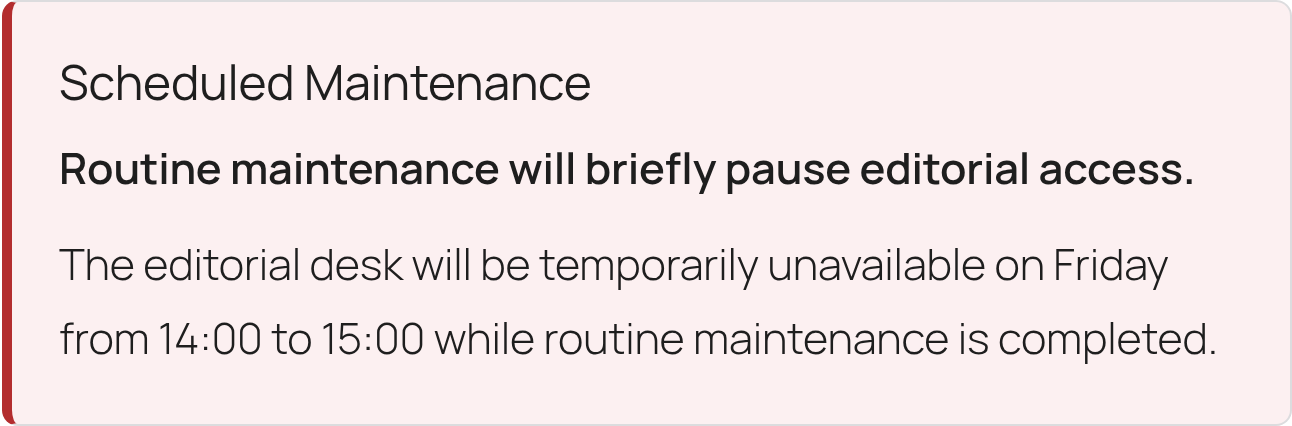
Frontend component
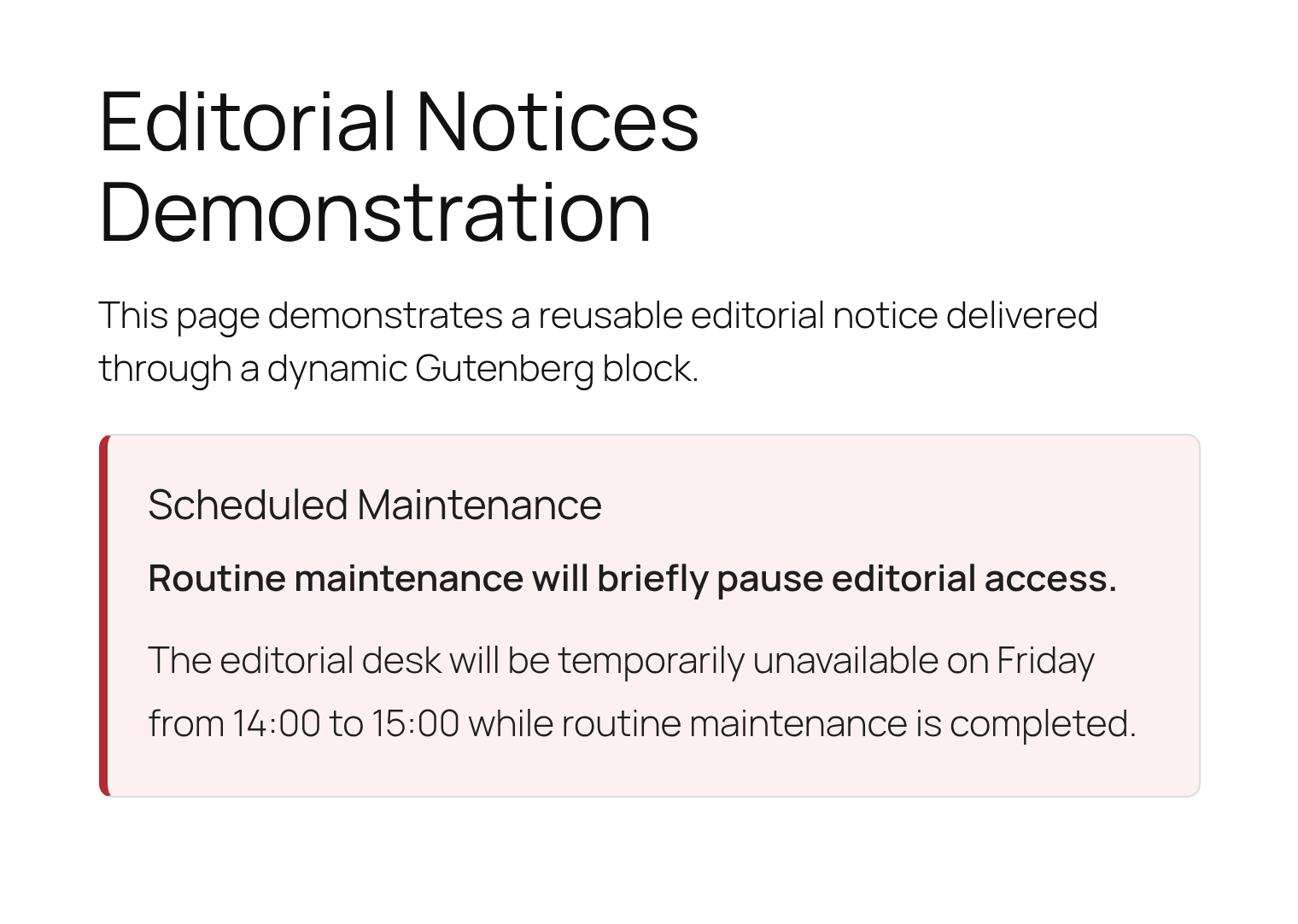
The shortcode and dynamic block share the same accessible, server-rendered notice component.
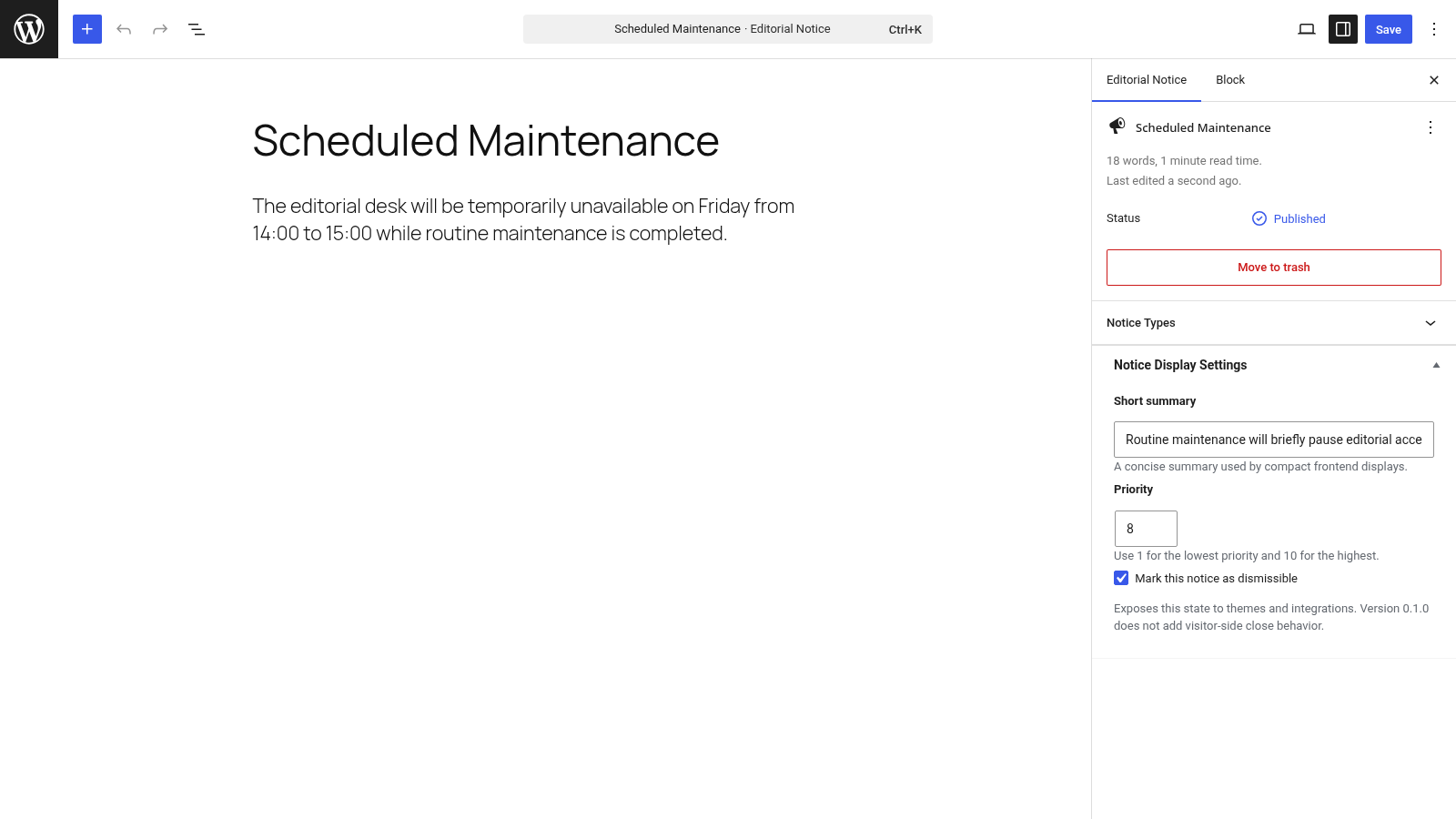
Editorial workflow
1. Create and configure a reusable notice
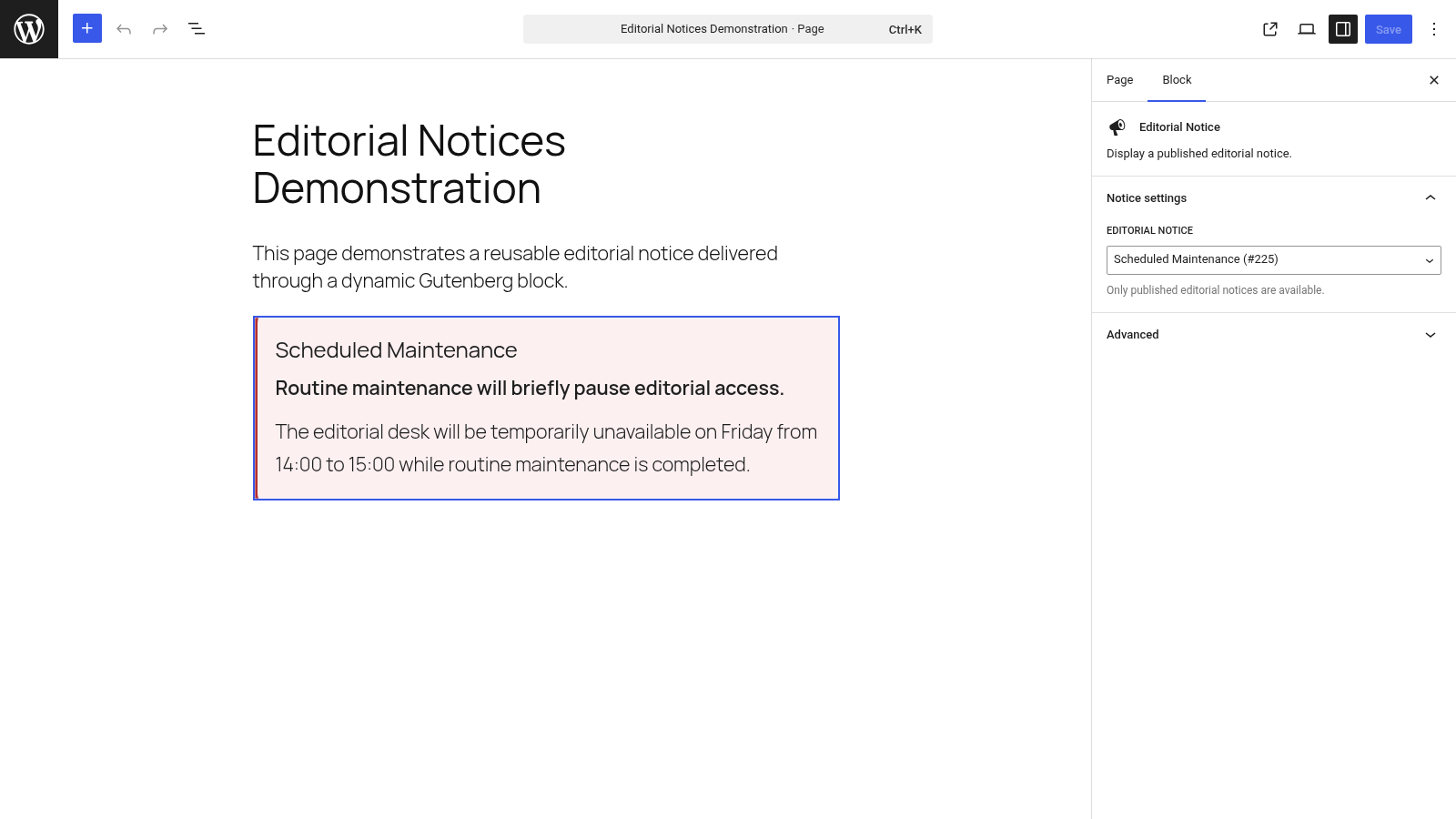
2. Select the published notice in the Gutenberg block
3. Review the public frontend result
Release status
- Version:
0.1.0 - Stage: Initial public release
- Published:
2026-07-31 - Minimum WordPress:
6.6 - Tested through WordPress:
7.0 - Minimum PHP:
8.0 - CI matrix: PHP
8.0,8.2,8.4, and8.5 - Installable package:
editorial-notices-0.1.0.zip - ZIP SHA-256:
b92cf0768312b17c8a38f2dac39f787d4c3b0faa8b09a17b1e818034bec99004
This repository is intentionally scoped as a public product-and-validation sample rather than a full notice-management platform.
What it demonstrates
- Object-oriented PHP with Composer PSR-4 autoloading
- WordPress custom post types and hierarchical taxonomies
- Nonce and capability enforcement for administration writes
- Sanitization, normalization, and context-appropriate escaping
- Published-only
WP_Queryretrieval - Accessible, reusable frontend rendering
- Protected editor-only REST integrations
- A metadata-registered dynamic Gutenberg block
- Conditional frontend asset delivery
- Automated source, runtime, security, REST, and block smoke tests
- Reproducible source and release-package validation
- Small, reviewable Git milestones
Features
- Reusable Editorial Notice content type
- Hierarchical Notice Type classification
- Plain-text summary, priority from 1–10, and integration-ready dismissible state
[editorial_notice id="123"]shortcode- Editorial Notice dynamic block with a published-notice selector
- Server-rendered output shared by shortcode and block integrations
- Editor-only REST collection for block selection
- Protected core REST reads for notice records
- Accessible
asidemarkup with unique title relationships - Frontend styles loaded only when a notice integration is used
The dismissible setting is exposed to themes and integrations as normalized data. Version 0.1.0 does not add visitor-side close-button behavior.
Installation
Installable release ZIP
- Download the release ZIP from GitHub Releases.
- In WordPress, open Plugins → Add New Plugin → Upload Plugin.
- Upload the ZIP and activate Editorial Notices.
The release ZIP includes the production Composer autoloader; users do not need Composer.
Source checkout
composer install
bash tools/validate.sh
Place the repository at wp-content/plugins/editorial-notices, then activate it in WordPress.
Usage
- Open Editorial Notices → Add New.
- Add a title and notice content.
- Optionally assign a notice type and configure the display metadata.
- Publish the notice.
- Insert the Editorial Notice block and select the published notice, or use:
[editorial_notice id="123"]Draft, private, missing, and invalid notice IDs are not rendered.
Architecture
The plugin uses a small coordinator and focused services:
Plugin
├── Content model
│   ├── NoticePostType
│   └── NoticeTypeTaxonomy
├── Secure administration
│   └── NoticeDetailsMetaBox
├── Frontend delivery
│   ├── NoticeRepository
│   ├── NoticeRenderer
│   ├── NoticeShortcode
│   └── FrontendAssets
└── Integration surface
    ├── NoticeData
    ├── NoticePostRestController
    ├── NoticeRestController
    ├── NoticeRestFields
    └── NoticeBlock
See documentation/ARCHITECTURE.md for the boundaries and data flow.
Validation
Source validation:
bash tools/validate.shLocal WordPress runtime validation:
wp --path=/path/to/wordpress eval-file tools/runtime-smoke.php
wp --path=/path/to/wordpress eval-file tools/notice-model-smoke.php
wp --path=/path/to/wordpress eval-file tools/secure-admin-smoke.php
wp --path=/path/to/wordpress eval-file tools/frontend-delivery-smoke.php
wp --path=/path/to/wordpress eval-file tools/integration-surface-smoke.php
Release packaging after an approved, clean commit:
bash tools/build-release.shSee documentation/VALIDATION.md for the complete test model.
Security model
- Administration metadata changes require the expected nonce and post-editing capability.
- Stored settings are sanitized and normalized before persistence.
- Stored values are escaped for their output context.
- Frontend delivery accepts only strict positive IDs and published notice records.
- Core and custom notice REST reads require notice-editor access.
- Dynamic block rendering reuses the same published-only repository and escaped renderer.
- Cross-entry recursive rendering is bounded centrally.
Security reports should follow SECURITY.md.
Development process and AI use
AI is central to this project's implementation workflow and generates a substantial share of the code and implementation proposals. My role is defining requirements and acceptance criteria, directing iterations, evaluating outputs, testing behavior, enforcing product and architectural constraints, and owning validation, documentation, and release decisions.
I do not present the AI-assisted implementation as independently hand-authored engineering expertise. The purpose of this repository is to make the resulting product and validation evidence inspectable.
Every milestone follows this boundary:
inspect → smallest safe change → validate → review → explicit commit approvalProject boundary
This repository is an independent public AI-native product and validation sample. It does not contain Cafe Menu RTL Pro source code, copied proprietary components, customer information, or private commercial implementation details.
Documentation
- Project scope
- Architecture
- Notice model
- Secure administration
- Frontend delivery
- Integration surface
- Validation model
- Public-release checklist
- Changelog
License
Editorial Notices is licensed under the GNU General Public License v2.0 or later. See LICENSE.
Releases
1 release. Each count is every asset in that release; expand a row for the breakdown.