Latest Comments Extended WP Registry grade A. No security issues foundWP RegistryNo security issues foundOpen the reportA
Extends the Latest Comments block with additional features.
Install
Upload it under Plugins → Add New Plugin → Upload Plugin, then activate.
Install straight from GitHub with WP-CLI:
wp plugin install https://github.com/s3rgiosan/latest-comments-extended/releases/download/1.7.1/latest-comments-extended-1.7.1.zipOn Packagist as s3rgiosan/latest-comments-extended:
composer require s3rgiosan/latest-comments-extendedExtends the Latest Comments block with additional features.
Description
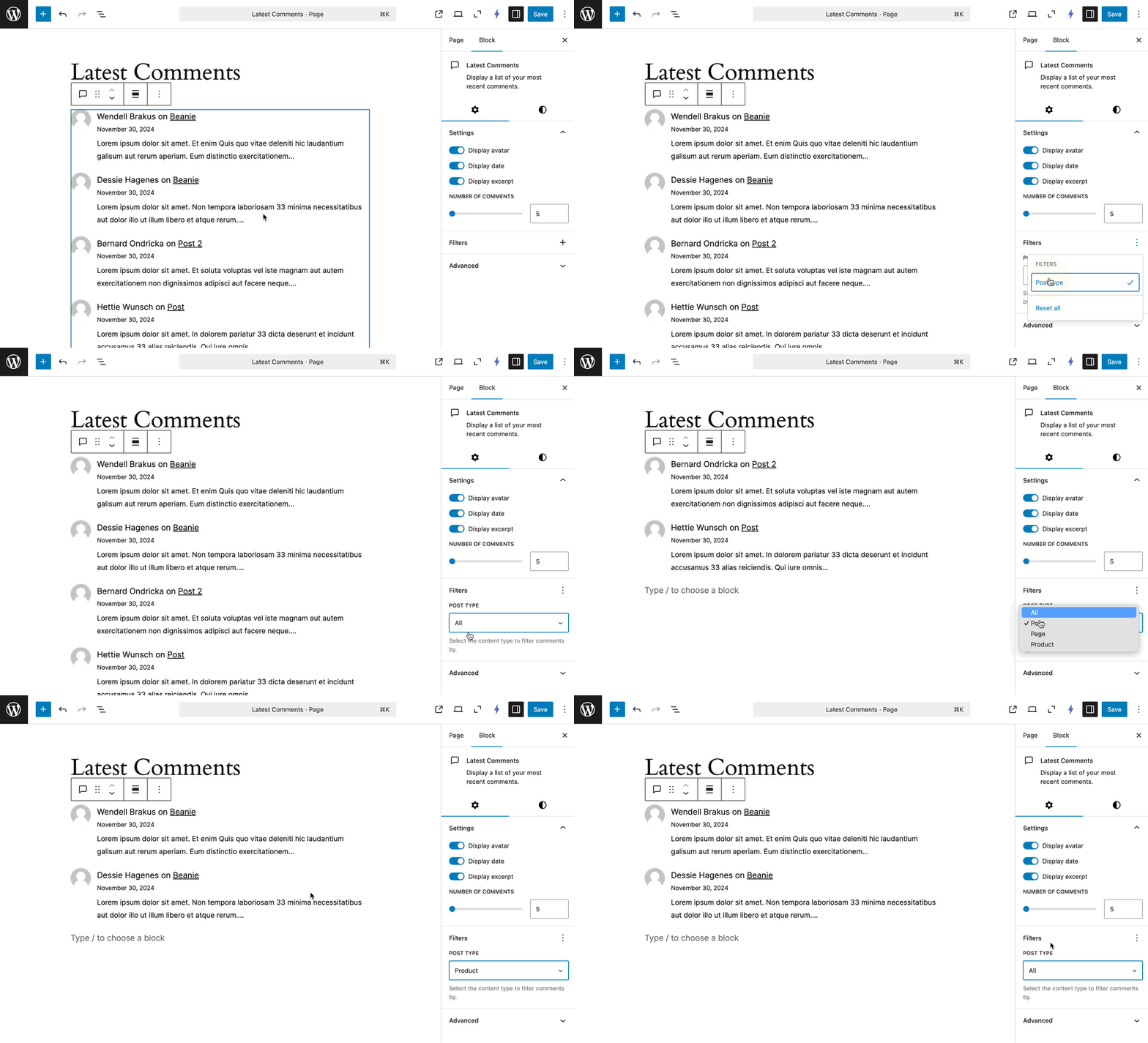
Enhances the WordPress core Latest Comments block by adding a post type filter. By default, the Latest Comments block displays comments from all post types — this plugin lets you narrow it down to a specific one.
Requirements
- WordPress 6.7 or later
- PHP 7.4 or later
Features
- Filter comments by post type using a new control in the block inspector sidebar
- Automatically detects all public post types registered on your site
- Adapts the UI based on the number of available post types (dropdown for many, toggle buttons for few)
- Reset the filter to show comments from all post types
Usage
- Add or select a Latest Comments block in the editor.
- Open the block settings sidebar.
- Under Filters, choose a post type to display comments from.
- To show comments from all post types again, choose "All" or click Reset All.
Installation
Manual Installation
- Download the latest release ZIP from the Releases page.
- Go to Plugins > Add New > Upload Plugin in your WordPress admin area.
- Upload the ZIP file and click Install Now.
- Activate the plugin.
Install with Composer
To include this plugin as a dependency in your Composer-managed WordPress project:
- Add the plugin to your project using the following command:
composer require s3rgiosan/latest-comments-extended- Run
composer install. - Activate the plugin from your WordPress admin area or using WP-CLI.
Changelog
A complete listing of all notable changes to this project are documented in CHANGELOG.md.
Releases
10 releases. Each count is every asset in that release; expand a row for the breakdown.