OneSearch WP Registry grade D+. High-severity findings · 2 findingsWP RegistryHigh-severity findings · 2 findingsOpen the reportD+
OneSearch is a WordPress plugin that allows users to search content across multiple brand sites.
Install
Upload it under Plugins → Add New Plugin → Upload Plugin, then activate.
Install straight from GitHub with WP-CLI:
wp plugin install https://github.com/rtcamp/onesearch/releases/download/v1.1.2/onesearch.zip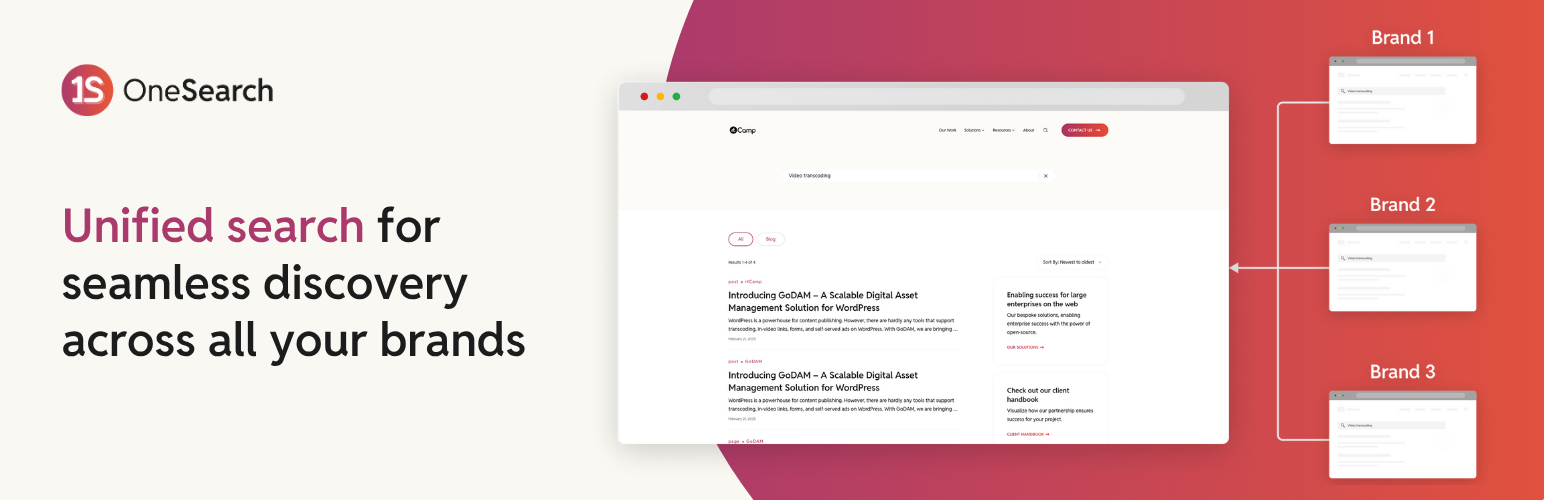
OneSearch 
Contributors: rtcamp, shreya0204, danish17, vishalkakadiya, rishavjeet, vishal4669, up1512001, justlevine, aviral-mittal
Tags: OnePress, OneSearch, Cross-site search, Multi-brand network, WordPress multisite, Federated search, Algolia
License: GPL v2 or later
OneSearch is a OnePress ecosystem plugin that enables cross-site, brand-aware search across a multi-brand WordPress network. It powers unified discovery across sites, powered by Algolia.
🧠 What is OneSearch?
OneSearch is part of the OnePress ecosystem, designed to enable cross-site search across multi-brand WordPress networks. It centralizes the discovery process, allowing users to search and retrieve relevant content from multiple connected sites from whichever site(s) in your brand network you choose to make searchable.
This plugin acts as the backend engine that powers the indexing, querying, brand network management, and filtering logic needed for federated search.
💡 Why OneSearch?
Managing content across multiple brands, regions, or business units often results in disconnected search experiences. This can lead to broken user journeys and lost discovery opportunities.
OneSearch solves this by enabling a federated search layer that bridges multiple sites, powered by Algolia delivering a consistent and brand-respecting experience across the network.
Benefits
- Unified Search Layer: Execute a single search query across multiple connected sites.
- Brand Awareness: Show source brand site and redirect user to the respective site.
- Governance & Control: Control visibility and indexing scope at the site or post-type level.
- Developer Extensibility: Easily register post types, taxonomies, and metadata for indexing.
- Performance Optimized: Lightweight REST architecture with cache-friendly responses.
- Modular Design: Extend and customize indexing and search behavior without core overrides.
🪄 Key Features
- Cross-Site (Federated) Search: Aggregate search results across multisite or standalone installations.
- Configurable Indexing: Register which post types, taxonomies, or meta fields are searchable on a per-site basis.
- Custom Blocks: Gutenberg-ready blocks for search interfaces.
- Bring Your Own Key: Connect it with your Algolia instance for improved data sovereignty and reduced vendor lock-in.
🧾 Requirements
| Requirement | Version |
|---|---|
| WordPress | >= 6.8 |
| PHP | >= 8.2 |
🧰 Installation
- Download the latest OneSearch plugin from the GitHub releases and install it on your WordPress sites.
- Activate the plugin.
For multisite installations, make sure to
Network Activatethe plugin. - Visit the
Dashboard > OneSearch > Settingspage to configure the Governing and Brand sites.Setting Up OneSearch
Plugin Setup
- Install and activate the OneSearch plugin on the governing site and brand sites.
- From the
Dashboard > OneSearch > Settingspage or the plugin activation modal, set the Site Type to either 'Governing Site' or 'Brand Site'.- Governing Site: The central site that manages the brand network and search configurations. There should be only one governing site in the network.
- Brand Site: The individual sites that will be connected to the governing site for cross-site search.
- On the brand site, navigate to
Dashboard > OneSearch > Settingsto get the API key. - On the governing site, navigate to
Dashboard > OneSearch > Settings, and add the brand site by entering the Site name, URL and the API Key obtained from the brand site.
Setting up Algolia
To connect your site with Algolia, follow these simple steps:
- Visit Algolia and create an account (if you don't already have one).
- Go to your API Keys dashboard.
- Copy the
Application IDandWrite APIKey. - Paste both keys into the
Dashboard > OneSearch > Settingspage under the 'Algolia Credentials' section.
Configuring Indices and Search Scope
Indices: The data (post types) stored to make site content searchable. Search Scope: Defines which sites can search or access other sites' indexed data.
Configuring Indices
- Head to OneSearch > Indices and Search.
- Against each connected site, choose the post types you wish to index.
- Click on 'Save' which will also index the data.
Configuring Search Scopes:
- Go to OneSearch > Indices and Search and scroll to 'Site Search Configuration' section.
- Turn on the toggle for the sites on which you want to enable OneSearch.
- In the 'Search from' section, configure which sites can be searched from.
Development & Contributing
OneSearch is under active development and maintained by rtCamp.
Contributions are welcome and encouraged! To learn more about contributing to OneSearch, please read the Contributing Guide.
For development guidelines, please refer to our Development Guide.
Frequently Asked Questions
Does OneSearch support CPTs (custom post types)?
Yes. For each brand site, you can select which built-in and custom post types to index from the Indices and Search settings.
Do I need to manually index a newly published post?
No. Posts are automatically indexed when they are published, and removed when they are deleted or otherwise unpublished (e.g. trashed, changed to draft, etc.).
Are updates to an already indexed post automatically handled?
Yes. Any updates made to a post are automatically synced with the Algolia index.
How are the search results ranked?
Search results are ranked by Algolia's relevance algorithm. However, OneSearch boosts results from the current site you're searching on, ensuring more relevant local content appears first. You can further customize ranking and relevance through Algolia's dashboard.
Get Involved
You can join the development and discussions on GitHub. Feel free to report issues, suggest features, or contribute code.
Releases
7 releases. Each count is every asset in that release; expand a row for the breakdown.