Install
This is the repository archive. It installs, but the folder name will carry the branch suffix and updates will not flow.
Install straight from GitHub with WP-CLI:
wp plugin install https://github.com/roseg43/wordpress-linked-group-blocks/archive/refs/heads/main.zipWarning! This block extension has not been extensively tested across all use cases. If you encounter a bug, please open an issue and I'll take a look when I have time.
Adds link functionality to the core WordPress Group block.
Features
- Link any Group block to an internal page or post, searched and selected directly from the editor
- Set an external URL instead of an internal page
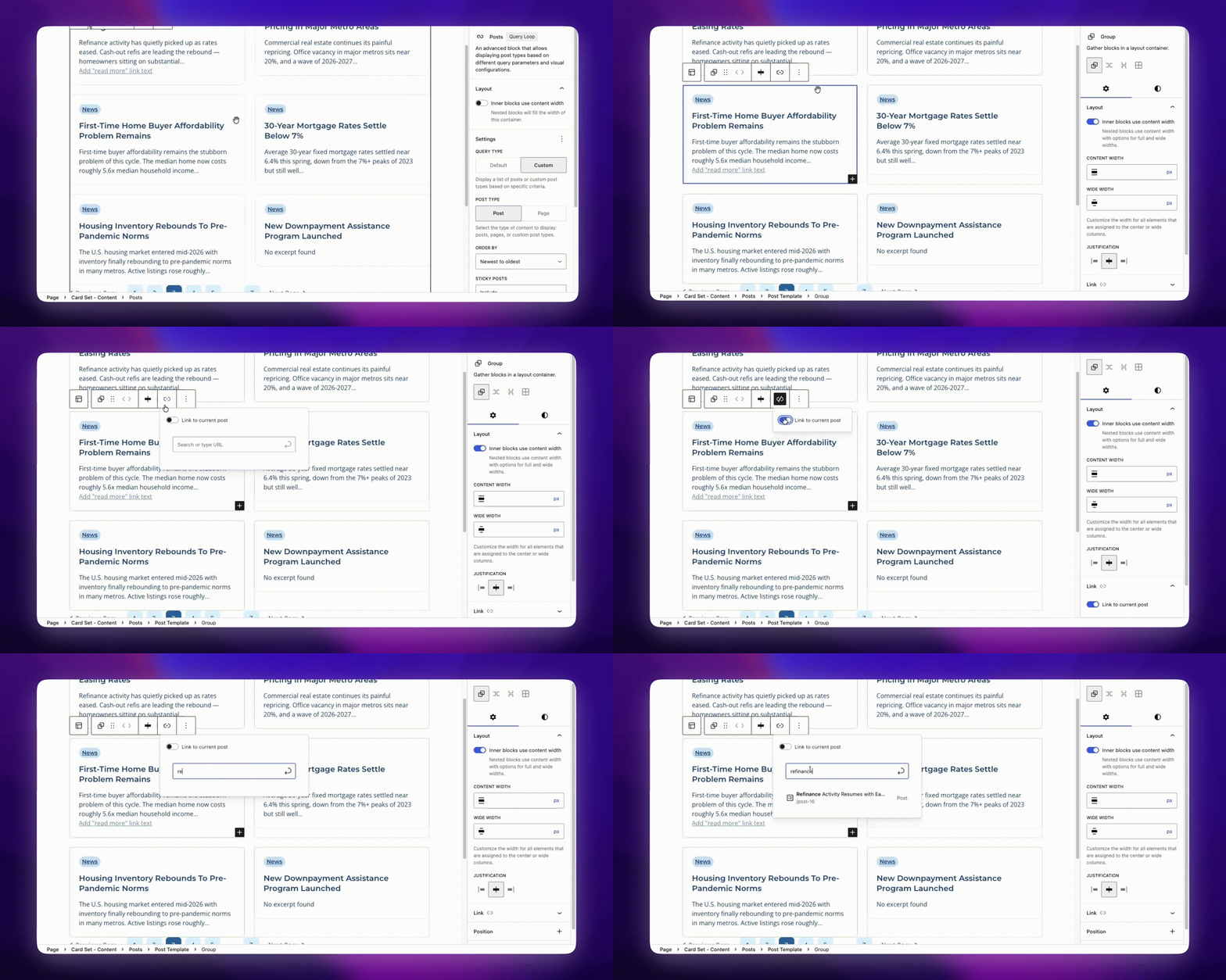
- When a Group block is inside a Query Loop, a "Link to current post" toggle automatically links the group to the current post in the loop — no URL required
- Link control available in both the block toolbar (popover) and the Inspector sidebar panel
- Overlay anchor approach keeps the group markup valid and allows child links and buttons to remain independently clickable
How it works
On the frontend the plugin injects an absolutely-positioned <a> element as the first child of any linked Group block. The group gains a has-group-link class that sets position: relative, making the overlay fill the entire card. Child interactive elements (a, button) are automatically lifted above the overlay via z-index so they remain independently clickable.
Usage
Linking to a page or post
- Select a Group block in the editor
- Click the link icon in the block toolbar, or open the Link panel in the Inspector sidebar
- Search for and select an existing page or post, or type a full URL
Linking to the current post in a Query Loop
- Place a Group block inside a Query Loop → Post Template block
- A Link to current post toggle appears in the Link panel and toolbar popover
- Enable the toggle — the URL field is hidden and the group automatically links to each post as the loop iterates
Installation
As an mu-plugin
Copy or clone the repository into wp-content/mu-plugins/ and run:
composer install
npm install
npm run build
Then, add the following line to your plugin loader file:
require_once __DIR__ . '/linked-group-blocks/linked-group-blocks.php';As a standard plugin
Copy or clone the repository into wp-content/plugins and run:
composer install
npm install
npm run build
Then activate the plugin like you would any other plugin.
Development
From the root plugin directory:
# Install dependencies
npm install

# Watch for changes
npm run watch

# Production build
npm run build
CSS classes
| Class | Element | Description |
|---|---|---|
has-group-link |
Group block wrapper | Added when a link is set |
wp-block-group__link-overlay |
Injected <a> |
The invisible clickable overlay |