Install
Upload it under Plugins → Add New Plugin → Upload Plugin, then activate.
Install straight from GitHub with WP-CLI:
wp plugin install https://github.com/ropi-llc/no404-wordpress/releases/download/v1.0.0/no404-auto-404-redirect-1.0.0.zipAutomatically recover the traffic your broken URLs are still getting.
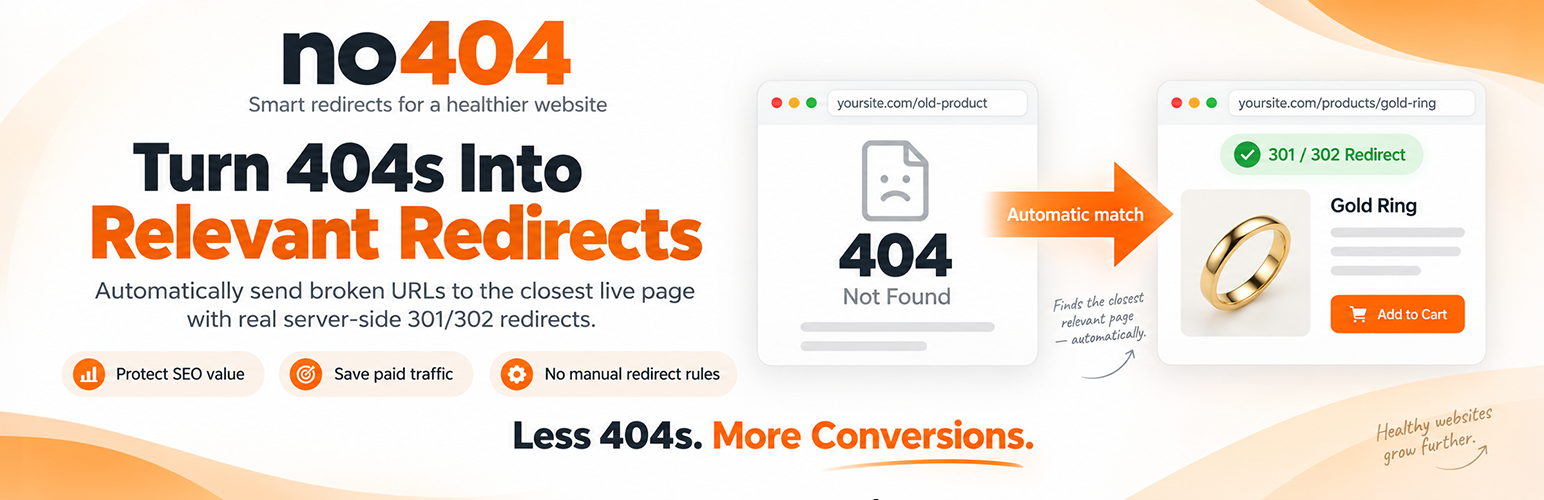
no404 detects WordPress 404s and sends the visitor to the closest relevant live page on your site — with a real server-side 301, and without you maintaining hundreds of redirect rules.
Built especially for WooCommerce stores whose catalogue changes often, and for any site that has been migrated or re-permalinked.
Try no404 free → · Free plan: 1,000 lookups per month, no card.
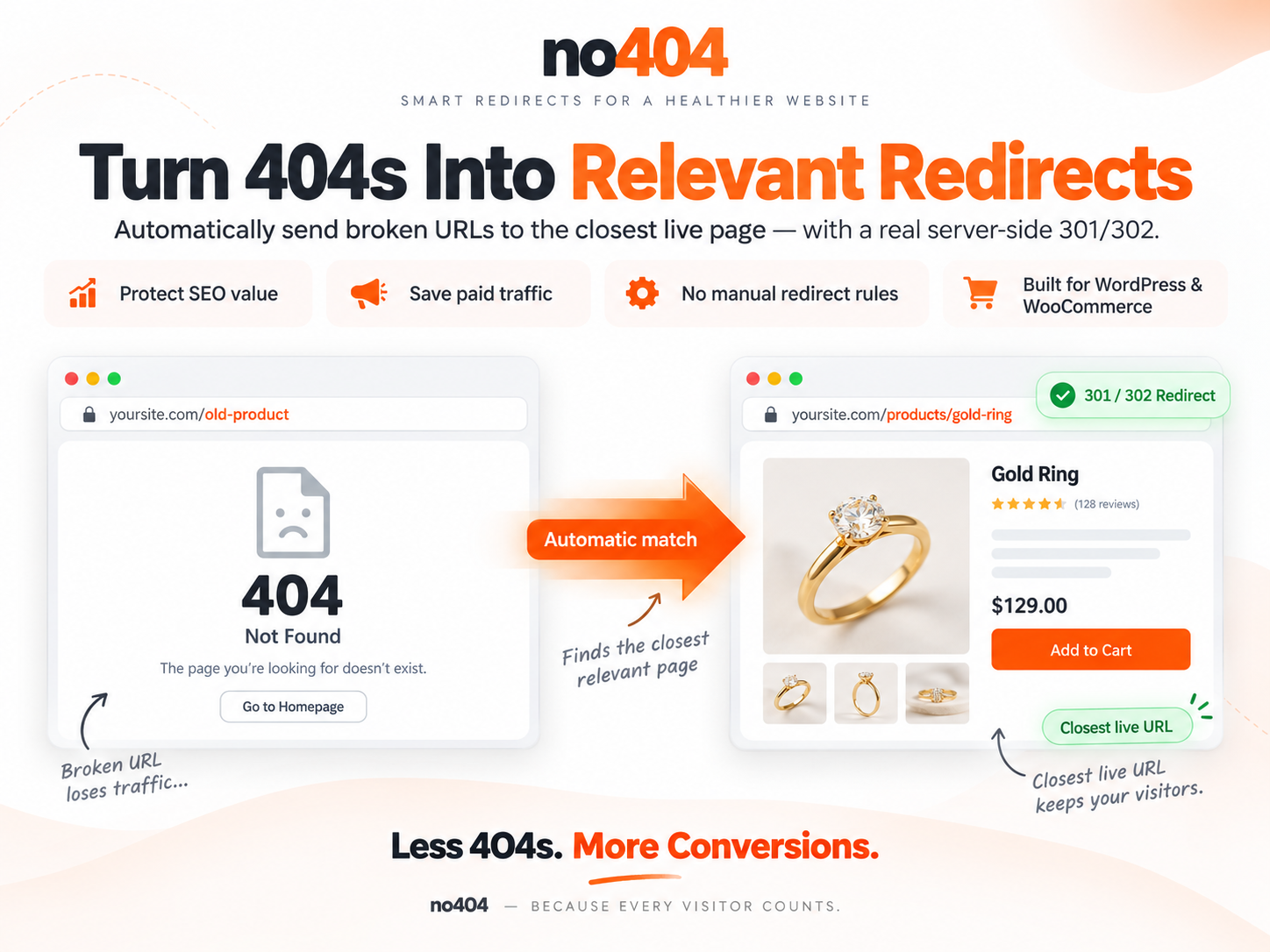
Before / After
Before                              With no404

/products/gold-ring-2024            /products/gold-ring-2024
        │                                   │
        ▼                                   ▼
404 Not Found                       301 Moved Permanently
                                            │
                                            ▼
                                    /products/gold-ring
No redirect rule was created by hand. The match came from your own live URL index.
Quick start
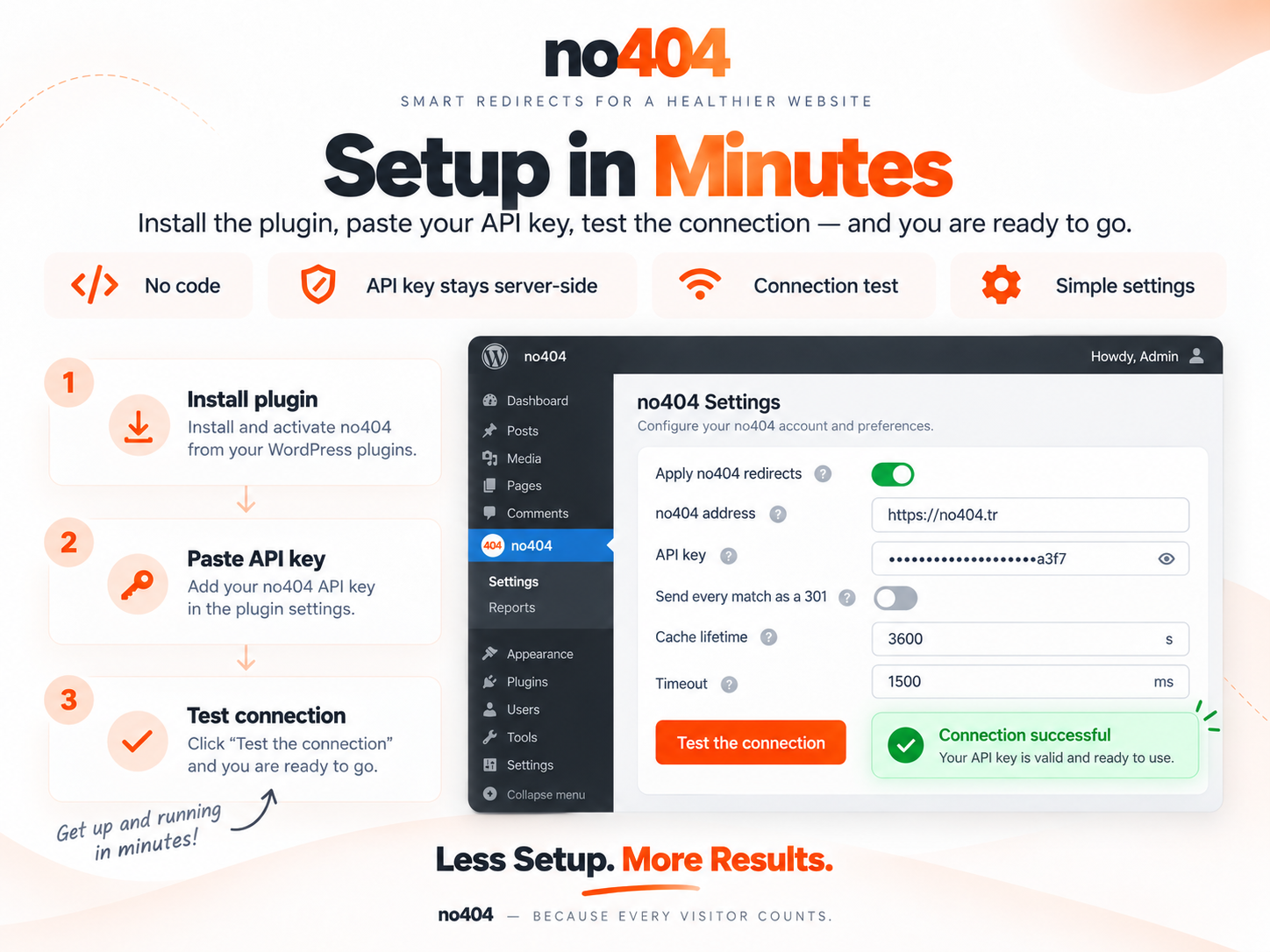
- Install the plugin (WordPress.org search, or upload the release ZIP).
- Create a free account at no404.tr.
- Add your site in the dashboard and copy its API key.
- Paste the key into Settings → no404 and press Test the connection.
- Done — the next 404 on your site is resolved automatically.
Nothing is added to your theme. Detailed installation is further down.
Use cases
| Situation | What no404 does |
|---|---|
| Google Ads / Meta Ads landing page removed or renamed | Paid clicks land on a live, relevant page instead of a 404 |
| WooCommerce products deleted or out of catalogue | The old product URL resolves to its closest surviving equivalent |
| SEO backlinks pointing at old URLs | Visitors from those links reach a real page, and the 301 passes the link on |
| Site migrations | The long tail of old URLs is covered without a rule per URL |
| Changed permalink structure | Old-format URLs keep working while the index catches up |
Paid and organic traffic
Clicks from an ad campaign, a search result or an old backlink are the most expensive 404s you can serve — the visit is already paid for by the time the page fails.

WooCommerce and changing catalogues
Deleted product URLs are the case this plugin was built for. Renamed slugs, ended seasonal pages and restructured categories behave the same way.

Why it is different from a redirect table
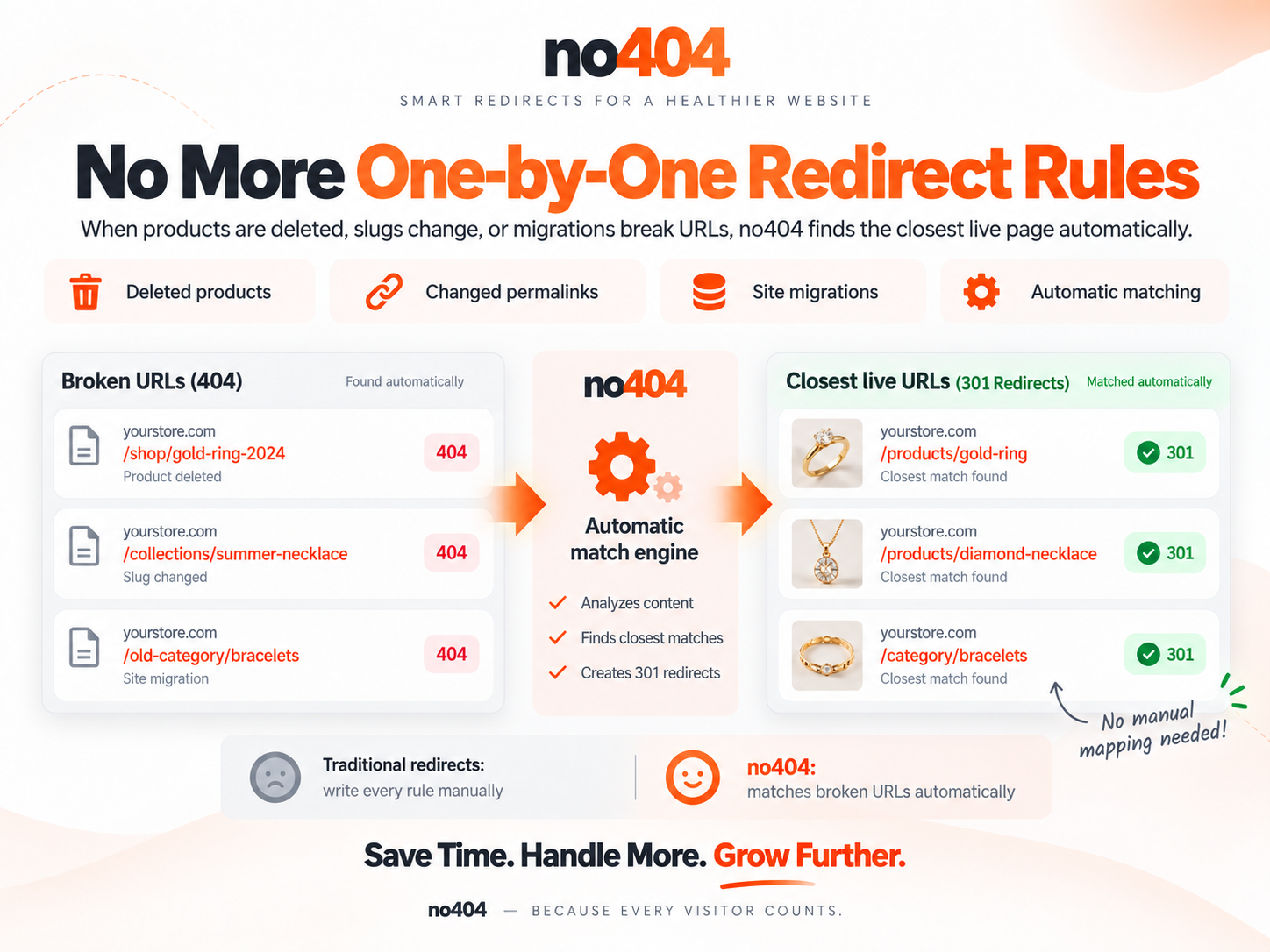
Most redirect plugins ask you to fix this by hand: one rule per broken URL. That does not scale past a few dozen. no404 works the other way around — it keeps a synchronised index of the URLs your site actually has, and when a request 404s it finds the closest match automatically.
| Traditional redirects | no404 | |
|---|---|---|
| Manual rules | Required, one per URL | Not required |
| Deleted products | Fixed individually | Matched automatically |
| Hundreds of old URLs | Time-consuming | Handled by the index |
| Existing redirect plugins | — | Runs after them, alongside them |
| Server-side redirect | Yes | Yes |
- WordPress.org: wordpress.org/plugins/no404-auto-404-redirect
- Source & releases: github.com/RoPi-LLC/no404-wordpress · latest release
- Service & account: no404.tr
Why a plugin, and not a JavaScript snippet
no404 can also be wired up with a snippet in your 404 template. That works everywhere, but it cannot do the one thing that actually matters:
| JS snippet | This plugin | |
|---|---|---|
| Redirect type | location.replace — the HTTP status stays 404 |
A real 301 / 302 |
| SEO | Google still sees a 404 | The 301 passes the old URL's signals on to the target |
| Crawlers | Bots that do not run JS are never redirected | Redirected |
| Setup | Paste code into your theme | Install, paste your key |
| API key | Visible in the page source | Server-side only |
The reason this plugin exists is the 301. If it were not done server-side, there would be no point writing it.
Requirements
| WordPress | 6.0 or newer |
| PHP | 7.4 or newer |
| Account | A free no404 account and an API key |
The matching engine runs as a hosted service, so an account is required. The free plan covers 1,000 lookups per month. See What is sent to the service for exactly what leaves your server.
Installation
From WordPress.org Plugins → Add New → search for no404, then Install and Activate.
From the ZIP
- Download the latest release ZIP.
- Plugins → Add New → Upload Plugin → choose the file → Install → Activate.
Then, in either case
- Go to Settings → no404.
- Paste the API key from the site settings page of your no404 dashboard.
- Leave Apply no404 redirects on pages that are not found ticked.
- Press Test the connection to confirm it works.
That is the whole setup. There is nothing to add to your theme.
How it works
Visitor requests /old-product
        │
        ▼
WordPress decides the request is a 404
        │
        ▼
template_redirect (priority 9999 — after Yoast, Rank Math, Redirection)
        │
        ├─ Static file or admin path?  ──────────────► do nothing
        ├─ Not a GET/HEAD request?     ──────────────► do nothing
        ├─ Already in the local cache? ──────────────► use the cached answer
        │
        ▼
Ask no404: GET /api/v1/resolve/{key}?path=/old-product
        │  (1.5 s timeout, failures are swallowed)
        ▼
Validate the target: same-site host, no loop, no control characters
        │
        ▼
wp_safe_redirect( $target, 301|302 )  +  X-Redirect-By: no404
If anything goes wrong at any step — the service is slow, down, or returns something unexpected — the plugin does nothing and WordPress renders your own 404 page as usual.
301 or 302?
Not every match deserves a permanent redirect. 301s may be cached aggressively by browsers and search engines, so an incorrect permanent redirect can be hard to reverse quickly.
| Match source | Score | Status |
|---|---|---|
REDIRECT — a rule you defined by hand |
— | 301 |
CATALOG — matched against your URL index |
≥ 0.5 | 301 |
CATALOG |
< 0.5 | 302 |
FALLBACK — a guess |
— | 302 |
There is a Send every match as a 301 option in the settings. It is off by default, and you should only turn it on if you are confident your catalogue is complete.
Your site never waits
The lookup has a 1.5 second timeout and every failure is swallowed. On top of that there is a circuit breaker: after a transport error or a 5xx the plugin stops asking for 60 seconds; after a 429 (quota) or a 403/404 (configuration) it stops for 300 seconds. So an outage on our side never puts a timeout cost on every 404 your site serves.
Quota friendly by design
Plan limits are based on monthly event count, so this is your bill.
- Results are cached locally for one hour, including no match found — a bot hammering the same dead URL 200 times a day costs you one lookup, not 200.
- Query strings are stripped. Keeping
?utm_source=…would turn one page into dozens of separate cache entries and dozens of billed events. - Static files (
.css,.js,.png…) and admin paths (/wp-admin,/wp-json…) are never sent to the service.
Settings
Settings → no404
| Setting | Default | What it does |
|---|---|---|
| Apply no404 redirects | On | The master switch. |
| no404 address | https://www.no404.tr |
Only change this if you host no404 yourself. |
| API key | — | Stored server-side; shown masked after saving. |
| Send every match as a 301 | Off | Turns speculative 302s into permanent 301s. |
| Cache lifetime | 3600 s | Min 60, max 604800 (7 days). Shorter means more quota used. |
| Timeout | 1500 ms | After this the request is dropped and your 404 page is shown. |
| Excluded paths | — | One path prefix per line; never sent to the service. |
Connection test. The settings page sends a real request using your saved settings and tells you precisely what is wrong: an invalid key (404), an inactive subscription (403), and an exhausted quota (429) each produce their own message rather than a generic failure.
Works alongside your SEO plugin
The redirect hook runs at template_redirect priority 9999, so Yoast SEO, Rank Math and Redirection get to apply their own rules first. If one of them handles the URL, no404 is never consulted. no404 is the last resort, not the first.
Multisite
Each site keeps its own key, settings and cache. The client is rebuilt after switch_to_blog(), and uninstalling cleans up every site in the network.
Languages
The plugin is written in English and ships with seven translations. It follows your WordPress language setting — there is nothing to configure.
| Locale | Language | Locale | Language | |
|---|---|---|---|---|
tr_TR |
Türkçe | ru_RU |
Русский | |
de_DE |
Deutsch | hi_IN |
हिन्दी | |
fr_FR |
Français | ar |
العربية (right-to-left) | |
es_ES |
Español |
If your language is not on the list, the plugin falls back to English rather than showing untranslated placeholders. Translations for every string are complete — the build refuses to produce a package with a missing or empty entry.
Want to add your language? See CONTRIBUTING.md.
Privacy and security
What is sent to the service
A request is made only when a visitor hits a 404 page, and only when the answer is not already cached.
Sent: the path that 404'd (query string stripped, e.g. /old-product) · the Referer header when the browser supplies one · your site's home URL and the plugin version, in the User-Agent · your API key.
Not sent: the visitor's IP address, their user agent, cookies, session data, form contents, or any other personal data.
The service is operated by no404 — Terms · Privacy Policy.
Security measures
- Your API key is never printed to the page. The settings field is a password input, and after saving only a mask (
••••••••+ last 4 characters) is shown. Submitting the field empty or masked keeps the stored key. - Open-redirect protection. The target host must be on the allow-list built from
home_urlandsite_url(including www / non-www), and it is additionally run through WordPress's ownwp_validate_redirect().//evil.com,javascript:anddata:targets are rejected. - Header injection. Targets containing control characters are rejected.
- Loop protection. A target that normalises to the current path is not followed. There are no chains — one redirect per request, then
exit.
Hooks
| Filter | Signature |
|---|---|
no404_skip_request |
( bool $skip, string $path ) — skip this request entirely. |
no404_redirect_target |
( string $target, int $status, array $result, string $path ) |
no404_redirect_status |
( int $status, array $result, string $path ) |
no404_allowed_hosts |
( string[] $hosts ) — the open-redirect allow-list. |
no404_client_config |
( array $config ) — the core client configuration. |
Example — never redirect anything under /shop/archive/:
add_filter( 'no404_skip_request', function ( $skip, $path ) {
    return $skip || 0 === strpos( $path, '/shop/archive/' );
}, 10, 2 );
Frequently asked
Does every 404 use up part of my quota? No. Cached paths, static files, admin paths and non-GET requests are never sent.
What happens if the no404 service goes down? Nothing visible. The lookup fails silently, your own 404 page is shown, and the circuit breaker stops further attempts for a while.
It redirected someone to the wrong page. How do I fix that? Add a manual rule in your no404 dashboard. Manual rules always win over automatic matches, and always produce a 301.
How can I tell a redirect came from this plugin?
Every redirect carries an X-Redirect-By: no404 header.
Does it slow down my site? Normal pages are untouched — the plugin only runs after WordPress has already decided the request is a 404.
Development
Architecture, the behaviour contract, tests, the translation workflow and packaging are documented in CONTRIBUTING.md.
php tests/test-core.php        # core behaviour, no WordPress needed
php tests/test-wordpress.php   # integration against stubbed WordPress
bash bin/build.sh              # → dist/no404-auto-404-redirect-<version>.zip
License
Releases
1 release. Each count is every asset in that release; expand a row for the breakdown.