Post Content to Markdown WP Registry grade C-. High-severity findings · 1 findingWP RegistryHigh-severity findings · 1 findingOpen the reportC- #8 in Integrations & APIs
A WordPress plugin that serves post content as Markdown via Accept headers and .md URLs
Install
Upload it under Plugins → Add New Plugin → Upload Plugin, then activate.
Install straight from GitHub with WP-CLI:
wp plugin install https://github.com/roots/post-content-to-markdown/releases/download/v1.7.1/post-content-to-markdown.zipOn Packagist as roots/post-content-to-markdown:
composer require roots/post-content-to-markdownA WordPress plugin that returns post content in Markdown format when requested with an Accept header set to text/markdown, a .md URL suffix (e.g. /hello-world.md), or a ?format=markdown query parameter.
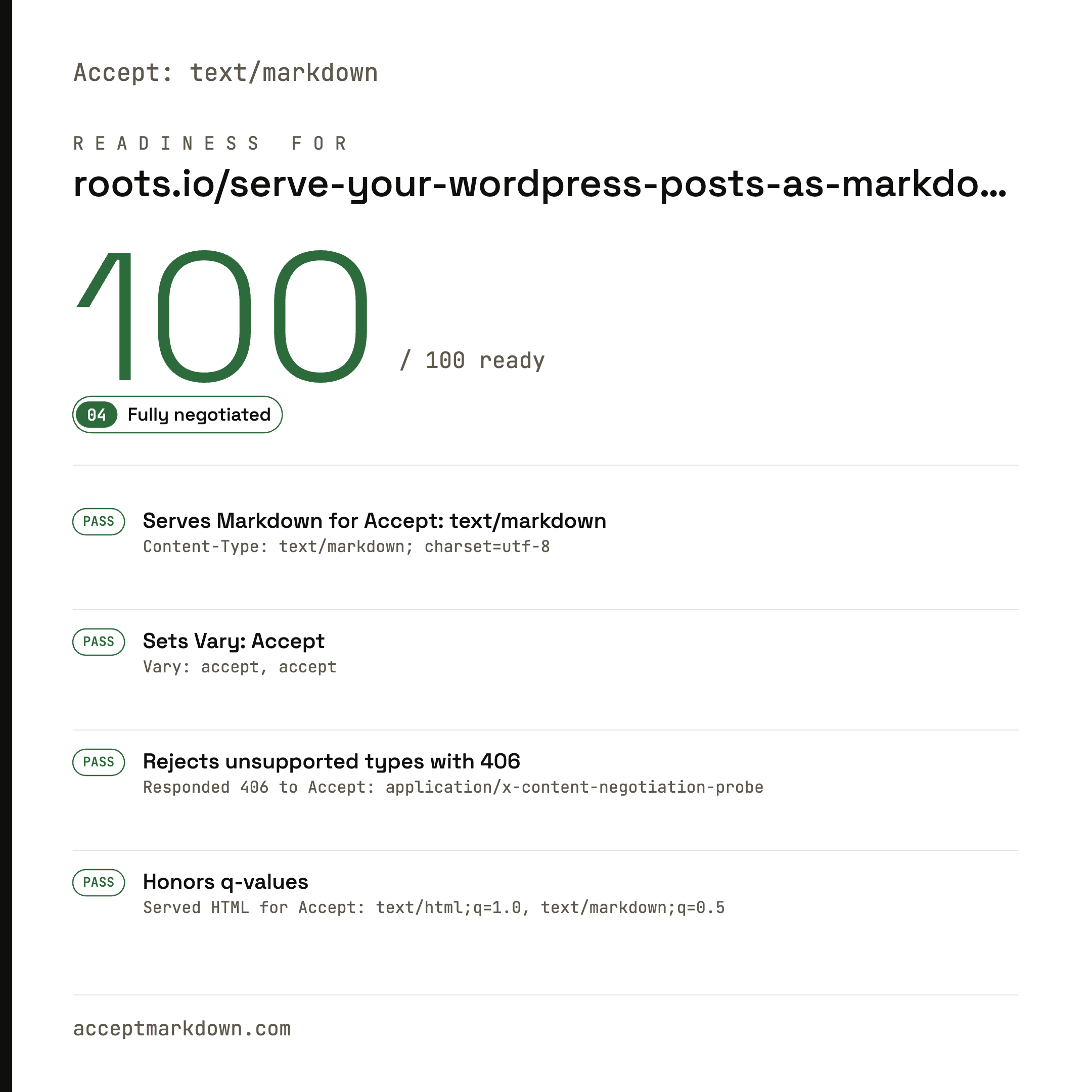
[!TIP] Learn more about serving Markdown to AI agents and check your site's AI-readiness at acceptmarkdown.com.
See the acceptmarkdown.com score when using this plugin
.md URL / Query Parameter |
text/markdown Accept header |
|---|---|
 |
 |
Support us
Roots is an independent open source org, supported only by developers like you. Your sponsorship funds WP Packages and the entire Roots ecosystem, and keeps them independent. Support us by purchasing Radicle or sponsoring us on GitHub — sponsors get access to our private Discord.
Requirements
PHP 8.1+
Installation
via Composer
composer require roots/post-content-to-markdownManual
- Download the latest release
- Place in
wp-content/plugins/post-content-to-markdown/ - Activate via wp-admin or WP-CLI
Usage
Accept headers (ideal for AI agents)
Send an Accept: text/markdown header to any of these URLs:
- Single post:
https://example.com/post-slug/→ Returns post content as Markdown - Single post with comments:
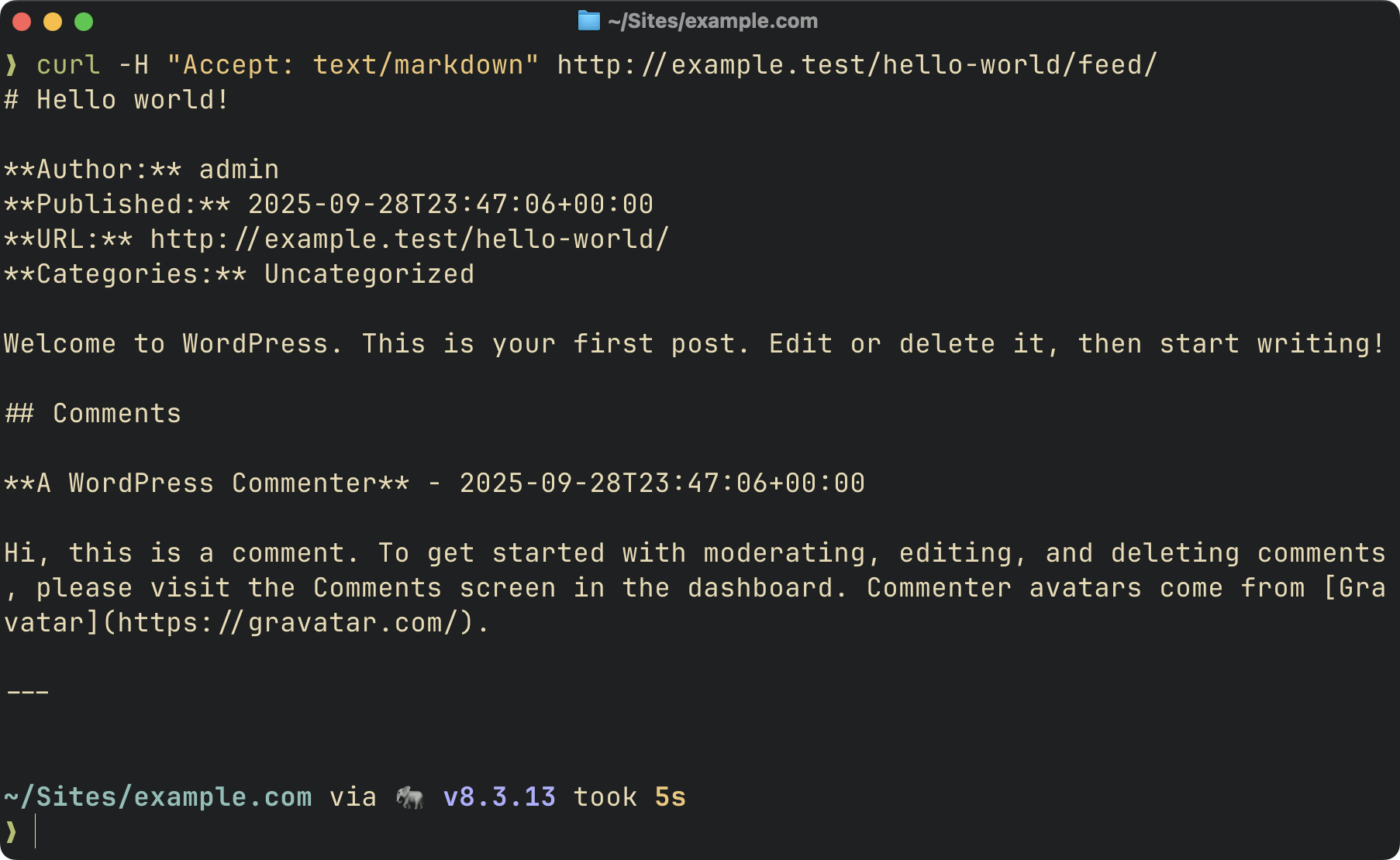
https://example.com/post-slug/feed/→ Returns post + all comments - Main feed:
https://example.com/feed/→ Returns latest posts as Markdown
Examples:
# Single post
curl -H "Accept: text/markdown" https://example.com/my-awesome-post/

# Single post with comments
curl -H "Accept: text/markdown" https://example.com/my-awesome-post/feed/

# Main feed
curl -H "Accept: text/markdown" https://example.com/feed/
.md URL suffix
Appending .md to any permalink returns the same Markdown representation and is a first-class, shareable URL.
# Equivalent to Accept: text/markdown
curl https://example.com/my-awesome-post.md
.md URL responses include X-Robots-Tag: noindex, nofollow so search engines don't index the Markdown alias alongside the canonical HTML page. Disable this feature with the post_content_to_markdown/md_url_enabled filter.
HTML responses advertise the Markdown representation two ways so both RFC 8288-aware crawlers and HTML-parsing clients can discover it without sending Accept: text/markdown:
Link: <https://example.com/my-awesome-post.md>; rel="alternate"; type="text/markdown"<link rel="alternate" type="text/markdown" href="https://example.com/my-awesome-post.md">Query parameter
For browsers and sharing, use the ?format=markdown query parameter:
- Single post:
https://example.com/post-slug/?format=markdown - Single post with comments:
https://example.com/post-slug/feed/?format=markdown - Main feed:
https://example.com/feed/?format=markdown
Examples:
# View in browser
https://example.com/my-awesome-post/?format=markdown

# Get post with comments
https://example.com/my-awesome-post/feed/?format=markdown

# Get main feed
https://example.com/feed/?format=markdown
Response headers
Markdown responses carry:
Content-Type: text/markdown; charset=utf-8Vary: Accept— tells caches to key byAcceptso the HTML and Markdown representations don't cross-serve.X-Markdown-Source: accept | md-url | query— identifies how the client asked for Markdown. Useful for inspecting agent traffic in access logs.
Dedicated Markdown feed
A dedicated Markdown feed is also available at /feed/markdown/:
curl https://example.com/feed/markdown/The feed includes:
- Feed metadata (site name, description, last updated, feed URL)
- Post title, author, publication date (ISO 8601), and permalink
- Post categories and tags
- Post content converted to Markdown
- Optional excerpt support
- Optional comment support
Example Output:
# My WordPress Site - Markdown Feed

**Description:** Just another WordPress site
**Last Updated:** 2025-10-03T19:45:00+00:00
**Feed URL:** https://example.com/feed/markdown/

---

# Hello World!

**Author:** John Doe
**Published:** 2025-10-03T12:00:00+00:00
**URL:** https://example.com/hello-world/
**Categories:** News, Updates
**Tags:** announcement, wordpress

Welcome to WordPress. This is your first post. Edit or delete it, then start writing!

---
Feed URL structure:
Markdown feeds are accessible via:
/feed/markdown/- Dedicated Markdown feed/feed/?format=markdownor/feed/withAccept: text/markdown- Main feed as Markdown/post-slug/feed/?format=markdownor/post-slug/feed/withAccept: text/markdown- Single post with comments
Note that WordPress requires pretty permalinks to be enabled (Settings → Permalinks must be set to anything other than "Plain").
Autodiscovery:
The plugin automatically adds a <atom:link> element to your site's RSS feed, allowing feed readers and AI agents to discover the Markdown version:
<atom:link href="https://example.com/feed/markdown/" rel="alternate" type="text/markdown" />Filters
The plugin provides several filters for customization:
Single post filters
post_content_to_markdown/post_types
Filter the post types that can be served as Markdown for single posts.
add_filter('post_content_to_markdown/post_types', function ($post_types) {
    // Add support for pages and custom post types
    return ['post', 'page', 'product'];
});
Default: ['post']
post_content_to_markdown/post_allowed
Filter whether a specific post is allowed to be served as Markdown. Runs after the post type check, so it only receives posts whose type is already allowed. Returning false short-circuits the Markdown response and falls through to the normal HTML render.
add_filter('post_content_to_markdown/post_allowed', function ($allowed, $post) {
    // Only serve Markdown for specific page slugs
    if ($post->post_type === 'page') {
        return in_array($post->post_name, ['example', 'example-2'], true);
    }

    return $allowed;
}, 10, 2);
Or restrict by post ID:
add_filter('post_content_to_markdown/post_allowed', function ($allowed, $post) {
    if ($post->post_type === 'page') {
        return in_array($post->ID, [1, 2, 3], true);
    }

    return $allowed;
}, 10, 2);
Default: true
post_content_to_markdown/md_url_enabled
Controls whether .md URL suffixes (e.g. /about.md) are treated as a Markdown request. Enabled by default so consumers get shareable Markdown URLs automatically. Disable if you'd rather only accept Markdown requests via the Accept header or ?format=markdown query parameter.
add_filter('post_content_to_markdown/md_url_enabled', '__return_false');Default: true
post_content_to_markdown/strict_accept
Controls whether the plugin returns 406 Not Acceptable when the client's Accept header rules out every representation the site can serve (i.e. neither text/html nor text/markdown is acceptable). Enabled by default for spec-correct content negotiation. Disable if you'd rather always fall back to HTML for any Accept value.
add_filter('post_content_to_markdown/strict_accept', '__return_false');Default: true
post_content_to_markdown/emit_vary
Controls whether the plugin appends Vary: Accept to every front-end response. Enabled by default so that downstream caches (browsers, proxies, CDNs) key on the Accept header and don't cross-serve an HTML response to a Markdown request (or vice versa). Disable if you don't want the plugin touching HTML response headers — Markdown responses will still include Vary: Accept regardless, so content negotiation stays correct for direct Markdown hits.
add_filter('post_content_to_markdown/emit_vary', '__return_false');Default: true
post_content_to_markdown/cache_md_urls
By default the plugin sets DONOTCACHEPAGE for every Markdown request so WordPress page caches (WP Super Cache, Batcache, etc.) don't cross-serve a Markdown body to an HTML client. .md URLs are a distinct URL key and safe to cache in principle, but WP page caches can transform response bodies assuming HTML (gzip, footer injection, cache-comment insertion), so caching them is opt-in. Enable if your page cache passes non-HTML bodies through untouched.
add_filter('post_content_to_markdown/cache_md_urls', '__return_true');Default: false
Feed filters
post_content_to_markdown/feed_post_types
Filter the post types included in the Markdown feed.
add_filter('post_content_to_markdown/feed_post_types', function ($post_types) {
    return ['post', 'page'];
});
Default: ['post']
post_content_to_markdown/feed_posts_per_page
Filter the number of posts included in the Markdown feed.
add_filter('post_content_to_markdown/feed_posts_per_page', function ($count) {
    return 20;
});
Default: 10
post_content_to_markdown/feed_include_comments
Enable or disable comments in the Markdown feed.
add_filter('post_content_to_markdown/feed_include_comments', function () {
    return true;
});
Default: false
post_content_to_markdown/feed_include_excerpt
Enable or disable post excerpts in the Markdown feed.
add_filter('post_content_to_markdown/feed_include_excerpt', function () {
    return true;
});
Default: false
post_content_to_markdown/feed_cache_duration
Filter the cache duration for the Markdown feed in seconds.
add_filter('post_content_to_markdown/feed_cache_duration', function ($duration) {
    return 2 * HOUR_IN_SECONDS; // Cache for 2 hours
});
Default: HOUR_IN_SECONDS (1 hour)
Conversion filters
post_content_to_markdown/conversion_cache_duration
Filter the cache duration for the HTML → Markdown conversion result in seconds. The conversion is memoized per content hash in the object cache; shorten this TTL if your content renders dynamically (e.g. dynamic blocks, request-aware shortcodes) and you want fresher output.
add_filter('post_content_to_markdown/conversion_cache_duration', function ($duration) {
    return 5 * MINUTE_IN_SECONDS;
});
Default: HOUR_IN_SECONDS (1 hour)
post_content_to_markdown/converter_options
Filter the HTML to Markdown converter options.
add_filter('post_content_to_markdown/converter_options', function ($options) {
    return [
        'header_style' => 'setext',           // Use underline style for H1/H2
        'strip_tags' => false,                // Keep HTML tags without markdown equivalents
        'remove_nodes' => 'script style img', // Remove script, style, and img elements
        'hard_break' => false,                // Convert <br> to two spaces + newline
    ];
});
Available options:
header_style:'atx'(default) or'setext'strip_tags: Remove HTML tags without Markdown equivalents (default:true)remove_nodes: Space-separated list of DOM nodes to remove (default:'script style')hard_break: Convert<br>to newlines (default:true)
post_content_to_markdown/markdown_output
Filter the final Markdown output after conversion.
add_filter('post_content_to_markdown/markdown_output', function ($markdown, $original_html) {
    // Add a footer to all Markdown output
    return $markdown . "\n\n---\nConverted from HTML to Markdown";
}, 10, 2);
Parameters:
$markdown: The converted Markdown text$original_html: The original HTML content
Performance
The HTML → Markdown conversion is cached at the object-cache layer (wp_cache_get / wp_cache_set) keyed on a content hash. Sites with a persistent object cache like Redis or Memcached avoid re-running block rendering, shortcode expansion, and the league/html-to-markdown conversion on repeat hits. Cache entries expire after an hour (filterable via post_content_to_markdown/conversion_cache_duration); content changes produce a new hash and a fresh entry, so no explicit invalidation is needed.
The cache assumes that rendering the same post content produces the same output. If you use dynamic blocks or shortcodes whose output varies by request context (e.g. current user, current time, site option that changes mid-TTL), the first render is frozen for the TTL window. Shorten the TTL via the filter above for content where that matters. The post_content_to_markdown/markdown_output filter runs on every request (after the cache lookup), so per-request customization there works without fighting the cache.
The Markdown feed is cached for 1 hour by default via a transient. The cache is automatically cleared when:
- A post is published or updated
- A post is deleted
- Comments are added, edited, or deleted (when comments are included in feed)
You can customize the cache duration using the post_content_to_markdown/feed_cache_duration filter.
Resources
- acceptmarkdown.com — serving Markdown to AI agents via content negotiation, plus a readiness check for your site
- RFC 9110 §12.5.1 — Proactive Negotiation
- RFC 7763 — The
text/markdownMedia Type - RFC 8288 — Web Linking (the
Linkheader andrel="alternate") - MDN — Content negotiation
Community
Keep track of development and community news.
- Join us on Discord by sponsoring us on GitHub
- Join us on Roots Discourse
- Follow @rootswp on Twitter
- Follow the Roots Blog
- Subscribe to the Roots Newsletter
Releases
12 releases. Each count is every asset in that release; expand a row for the breakdown.