Install
This is the repository archive. It installs, but the folder name will carry the branch suffix and updates will not flow.
Install straight from GitHub with WP-CLI:
wp plugin install https://github.com/robertandrews/cwp-disable-version/archive/refs/heads/master.zipNo built-in updater. New versions won't appear under Dashboard → Updates. Install new releases yourself, or let Git Updater track the repository.
Context WP Disable Version
Description
Improve security and file caching issues by disabling display of WordPress version.
1. Disable 'generator' meta
WordPress shows its version number in mark-up.
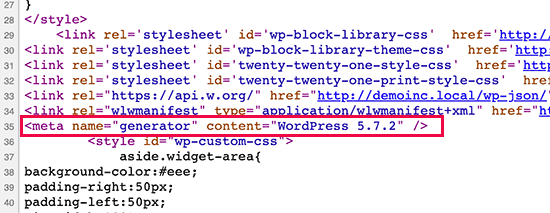
Many believe that removing the WordPress version number from your website’s source code can prevent some common online attacks. -- WPBeginner
The plugin stops this version number being displayed.
2. Disable version for style.css
WordPress appends its version number to stylesheets.
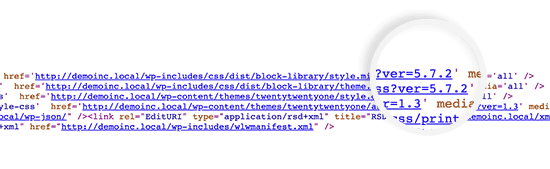
This may make caching and reload of style.css problematic.
The plugin stops this version number being added.
Installation
Add the plugin via Plugins > Add New > Add Plugins > Upload Plugin.