Advanced Custom Fields: Typography WP Registry grade F. Critical findings · 2 findingsWP RegistryCritical findings · 2 findingsOpen the reportF
Google Fonts ACF Field
Install
This is the repository archive. It installs, but the folder name will carry the branch suffix and updates will not flow.
Install straight from GitHub with WP-CLI:
wp plugin install https://github.com/reyhoun/acf-typography/archive/refs/heads/master.zipACF Typography Field
Typography with Google Fonts Field for Advanced Custom Fields
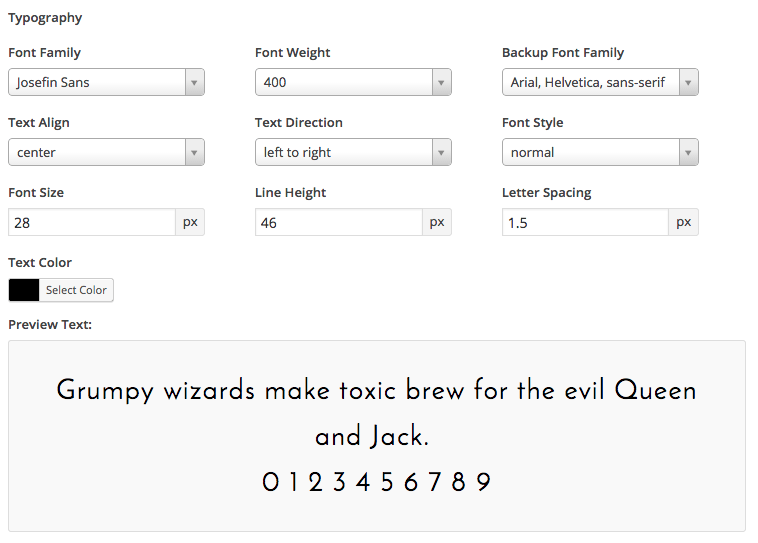
Subfields
- Google Font Family
- Google Font Weight
- Backup Font Family
- Text Align
- Text Direction
- Font Style
- Font Size
- Line Height
- Letter Spacing
- Text Color
- and Live Preview Fonts
Compatibility
This ACF field type is compatible with:
- ACF 5
Installation
-
Copy the
acf-typographyfolder into yourwp-content/pluginsfolder -
Activate the Advanced Custom Field: Typography plugin via the plugins admin page
-
Create a new field via ACF and select the Typography type
-
Please refer to the description for more info regarding the field type settings
-
If you would like the list to be pulled from the Google API you will need to define your API key. You can do this in the theme's function file for example.
define( 'YOUR_API_KEY', '**your_google_api_key**' );just head on over to the Google API Console, create a new project and get a browser api key.
Changelog
See changelog on CHANGELOG.md file.
Releases
5 releases.
These releases are tags only. The author does not attach a packaged zip, so there are no download counts to report.