Recess for OpenStation releases
A little room to play. WordPress Playground, at home in OpenStation.
by regionallyfamous · github.com/regionallyfamous/recess-for-openstation
Install
The author publishes release zips, so WP-CLI can install straight from GitHub:
wp plugin install https://github.com/regionallyfamous/recess-for-openstation/releases/download/v0.2.0/recess-for-openstation-0.2.0.zipReadme
Recess for OpenStation
Your next WordPress idea deserves a little room to play.
Try a theme. Tinker with a plugin. Start a blog just to see where it goes. Recess brings WordPress Playground into OpenStation, giving every experiment a home right on your desktop.
Download Recess · Get started · Explore the wiki
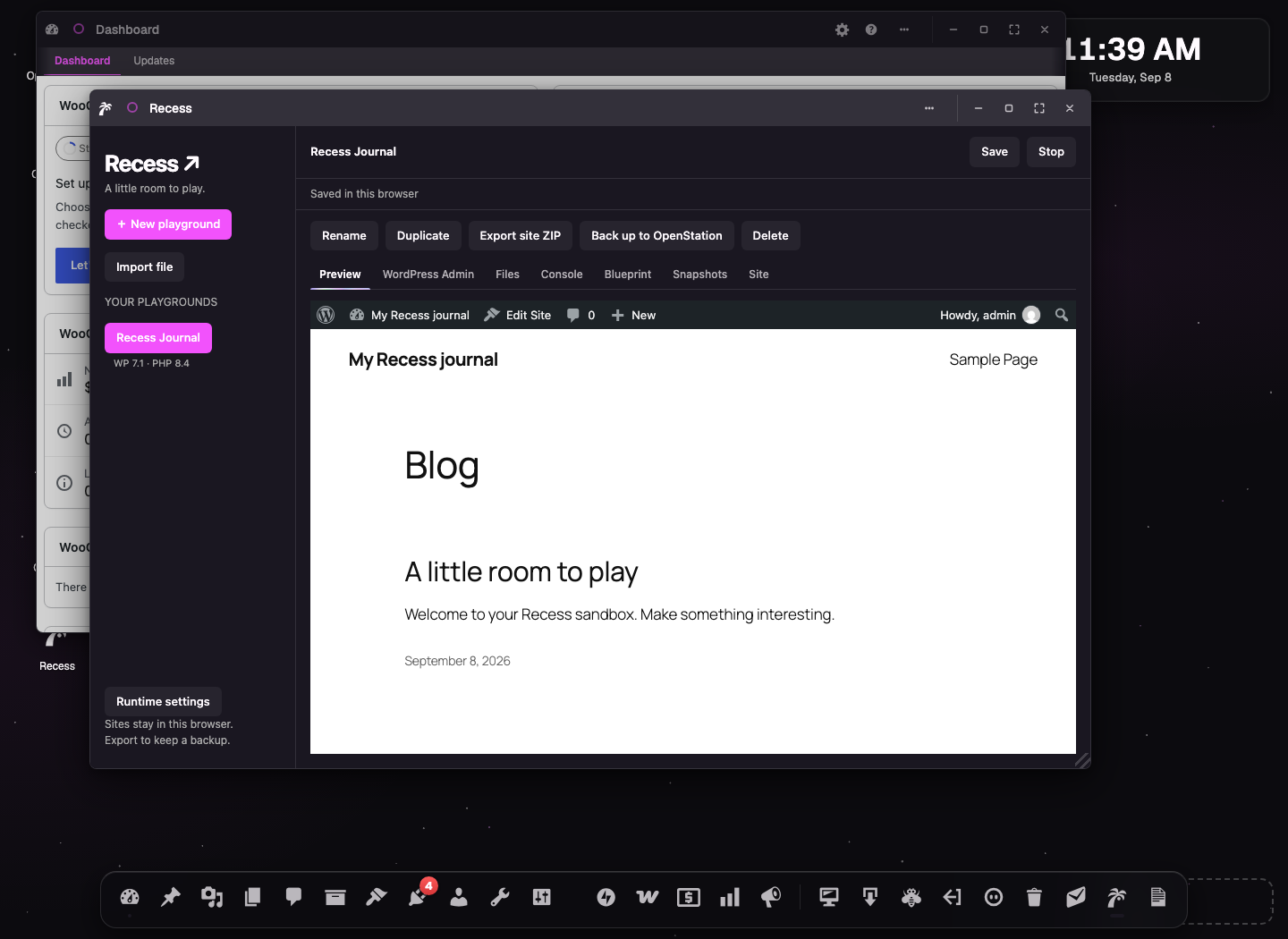
Big ideas. Small consequences.
Each Recess site is its own WordPress sandbox. Try that wild redesign, install something interesting, or pull an idea apart to see how it works. Your experiments run separately from the WordPress site hosting OpenStation.
- Start with a purpose. Try a theme, test your plugin, learn WordPress, start a blog, or make a theme of your own.
- Try what’s on your desktop. Open a plugin or theme ZIP with Try in Recess to launch a fresh experiment with it installed.
- Pick up where you left off. Give your sites names, keep a library of experiments, and reopen them later in the same browser.
- Give yourself a do-over. Recess saves a checkpoint before it installs a package or restores a checkpoint. You can make your own checkpoints anytime and recover them as new sites.
- Make a copy and get curious. Duplicate a site to compare ideas.
- Bring a recipe. Import a Playground Blueprint—a reusable set of setup instructions—to get an experiment ready faster.
- Take your work with you. Download a whole site, export just a theme or plugin’s files as an installable ZIP, or save a backup to OpenStation’s files.
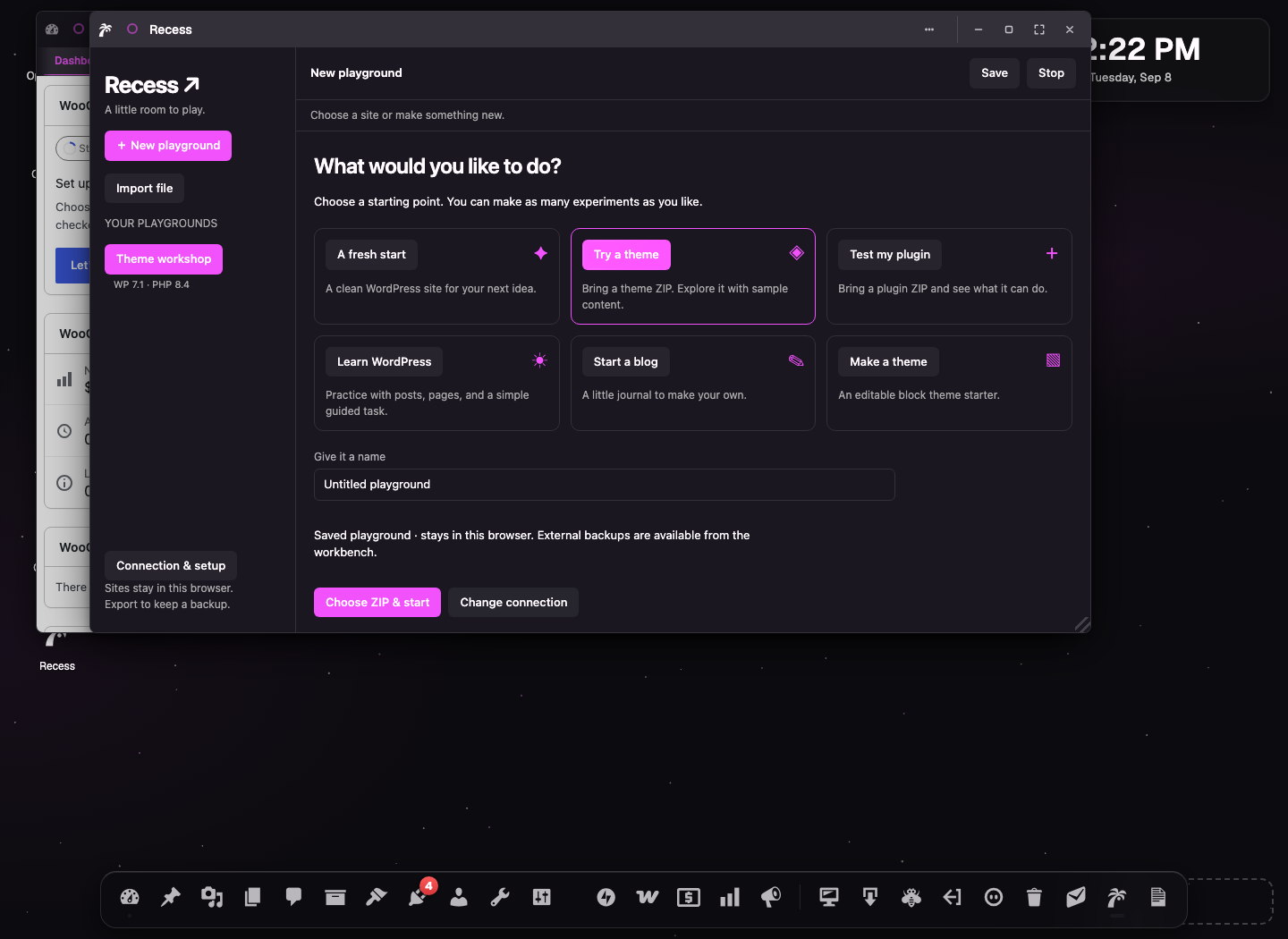
It feels at home
Recess is built with the OpenStation app framework. Open it from your dock, work in a native window, and switch between your site and WordPress Admin without leaving the app. When you want to dig deeper, files, a code editor, and developer tools are close at hand.
Ready for recess?
Download the plugin and follow the setup guide. Instant Playground gets you started with no runtime setup. These sessions are temporary: download your work or save a browser checkpoint before closing. For saved sites that reopen automatically, your administrator can connect a Recess runtime.
Your saved sites and checkpoints live in your browser. Recess shows when a site was saved and when its last OpenStation backup succeeded. Download a backup of anything you want to keep; clearing browser data can remove saved sites, and sites do not automatically sync between devices.
All the setup, hosting, and developer details are in the wiki.
Free and open source, under the GPL. Built for OpenStation. Powered by WordPress Playground.
Read the full README on GitHub →