Install
This is the repository archive. It installs, but the folder name will carry the branch suffix and updates will not flow.
Install straight from GitHub with WP-CLI:
wp plugin install https://github.com/radgh/soulflags-events/archive/refs/heads/master.zipAdds an integration between The Events Calendar and WooCommerce allowing you to enable registrations for an event, requiring you to purchase a WooCommerce product.
Required Plugins
How to Use
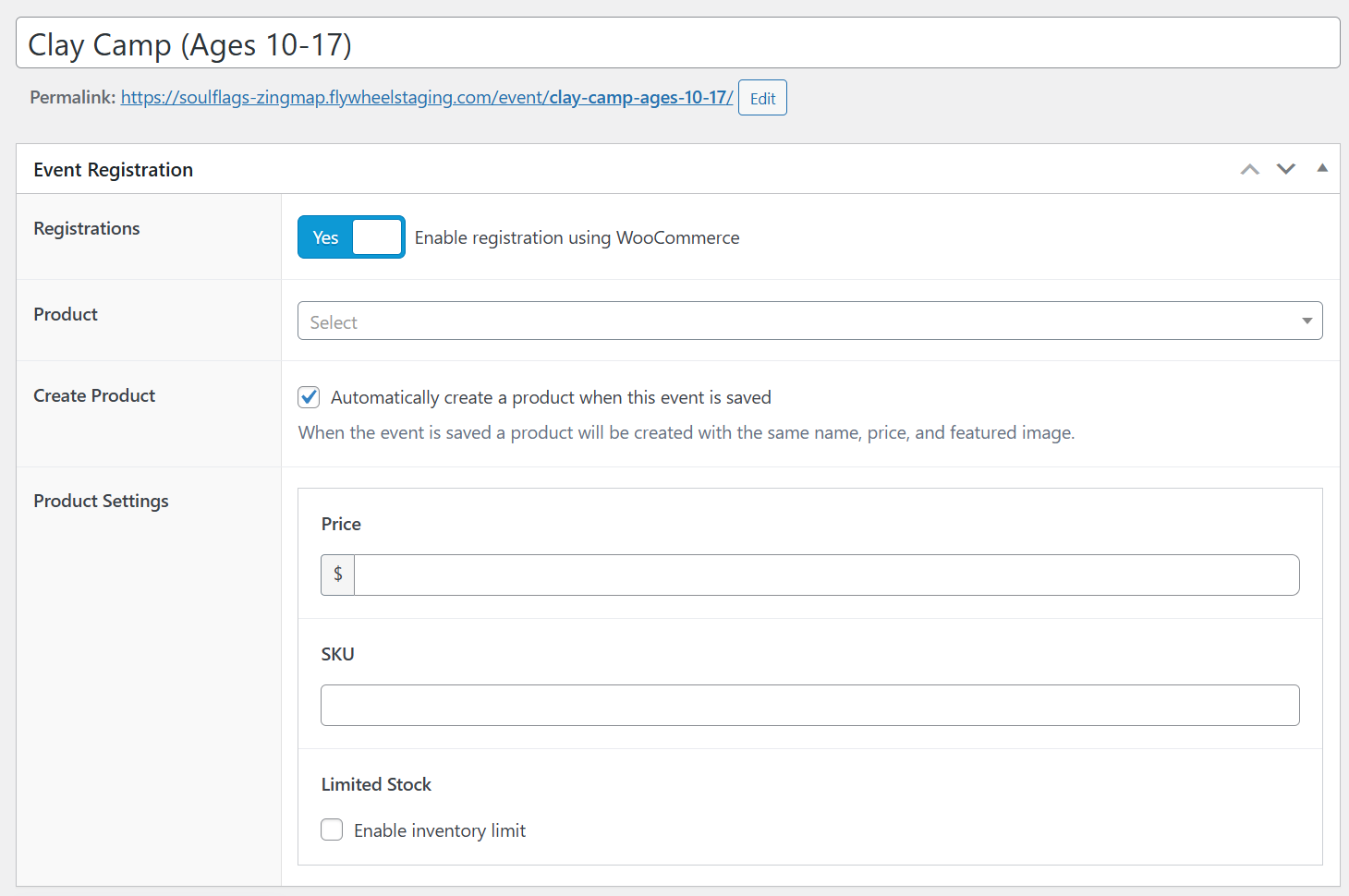
When creating or editing an event, you will see a new "Event Registration" section. Here you can select a WooCommerce product that will be required to register for the event.
You can also automatically create a product which will use the event title and featured image from the event. You can also provide the price, SKU, and enable stock management.
Available Shortcodes
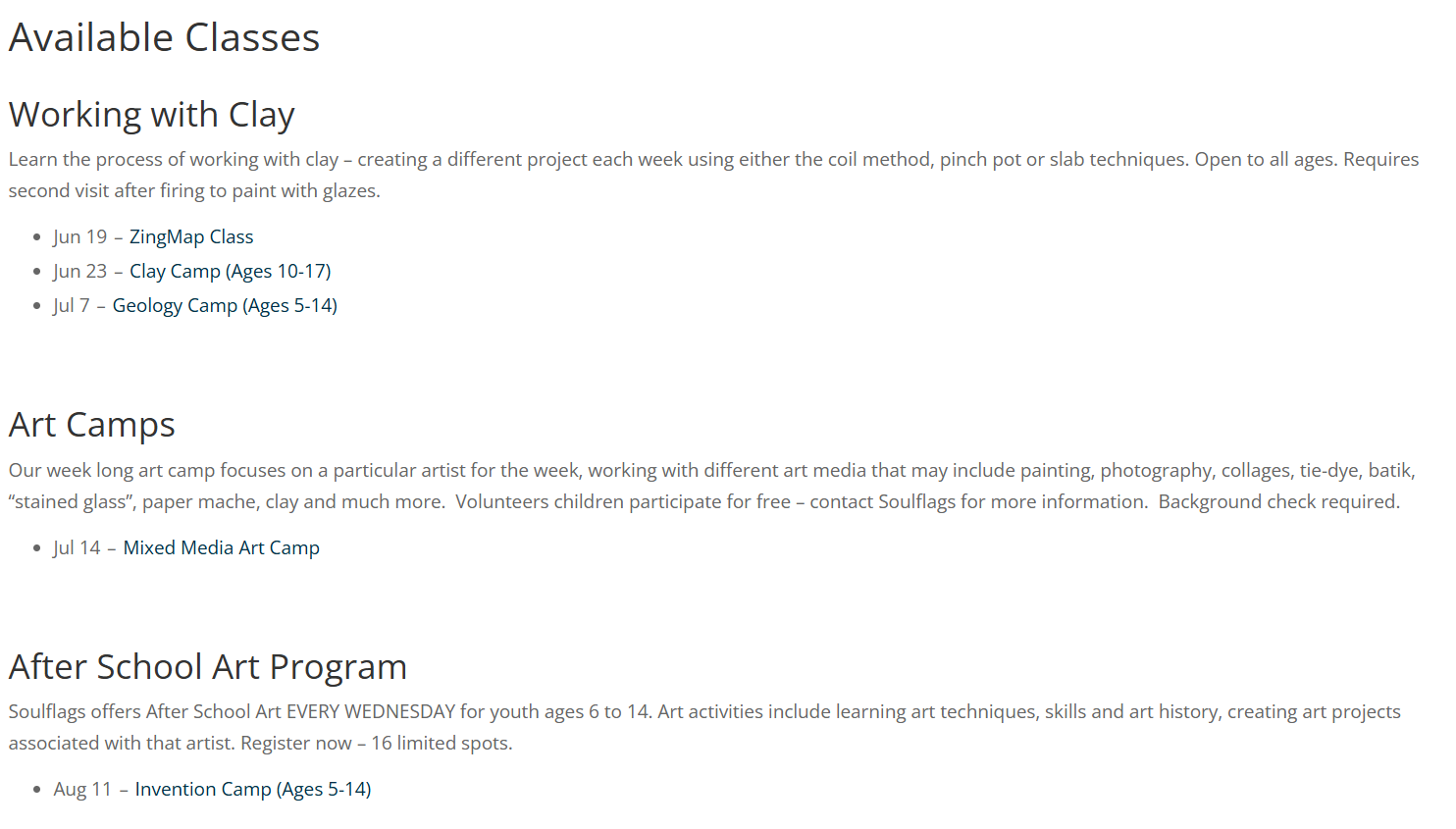
Use the shortcode [souflags_list_classes] to display a list of classes organized by Class Type.
Note that Class Type is a custom taxonomy associated with Events and is provided by this plugin.
Classes displayed using this shortcode are ordered by the next event and grouped by term.
Changelog
1.3.0
- Fixed a problem where a user could buy more tickets than stock available. It will now reduce stock in cart or remove the product entirely.
1.2.9
- Updated Class Report page to be visible if you have the capability
read_tec_attendees(previously set tomanage_options) - Added a new method to get ticket details from an order:
SFE_Orders::get_ticket_details_from_order( $order_id, $event_post_id ) - Updated order meta to use new method
SFE_Orders::get_ticket_details_from_order, and support multiple events within a single order. - Fixed a bug on the Class Report screen if no events match date filters, the date filters disappeared. Now they remain visible so you can adjust the date.
- Fixed a bug that allowed you to add more tickets than the quantity of the product in your cart
- Added a way to change ticket quantity while editing the ticket details
1.2.8
- Added print styles for the event calendar page
1.2.7
- Added cart styles
- Use Class Type fields by default, not just for events with payments
- Fixed alignment of available classes shortcode
1.2.0
- Changed events to manage their own inventory, instead of using WooCommerce's stock system.
- Fixed alignment of available classes shortcode
- Simplified back link
1.1.8
- General styling
- Updated "Registration Details" to include ticket names and ages
- Renamed SFE_Cart -> SFE_Form
- Fixed label of cart meta
1.1.7
- Styling updates for front page and footer
- Use prefixed table names
- Changed events to use a ticket system with multiple entries per quantity of items in cart
- Updated "Registration Details" to include ticket names and ages
1.1.6
- Improved Class Type archive pages and added back link to customizable Classes main page
- Updated to assign events to orders by order meta
1.1.5
- First release