RS WooCommerce Order Messages WP Registry grade C-. High-severity findings · 1 findingWP RegistryHigh-severity findings · 1 findingOpen the reportC-
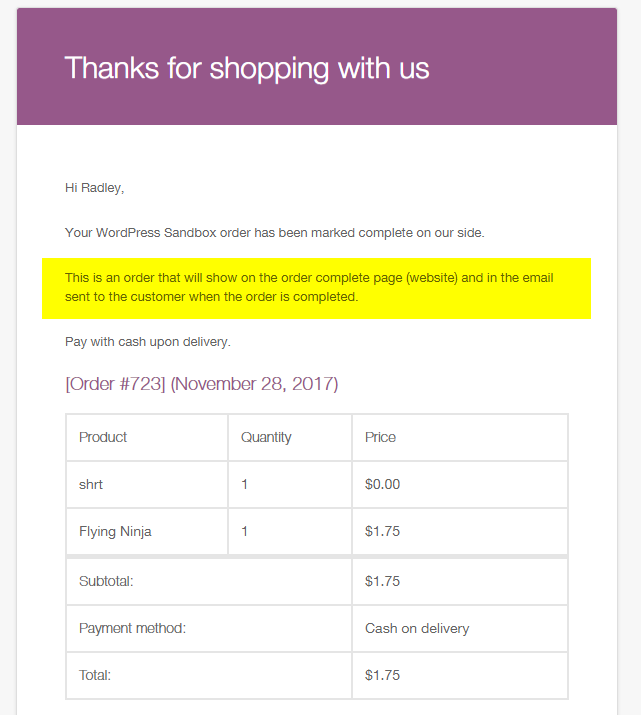
[WordPress Plugin] Allows you to add one or more messages to your WooCommerce products. These messages can be displayed on the order email and thank you page.
Install
Upload it under Plugins → Add New Plugin → Upload Plugin, then activate.
Install straight from GitHub with WP-CLI:
wp plugin install https://github.com/radgh/rs-woocommerce-order-messages/releases/download/v1.2.1/RS-WooCommerce-Order-Messages.zipRS WooCommerce Order Messages
This plugin allows you to add one or more messages to your products which are displayed on the order email and thank you page.
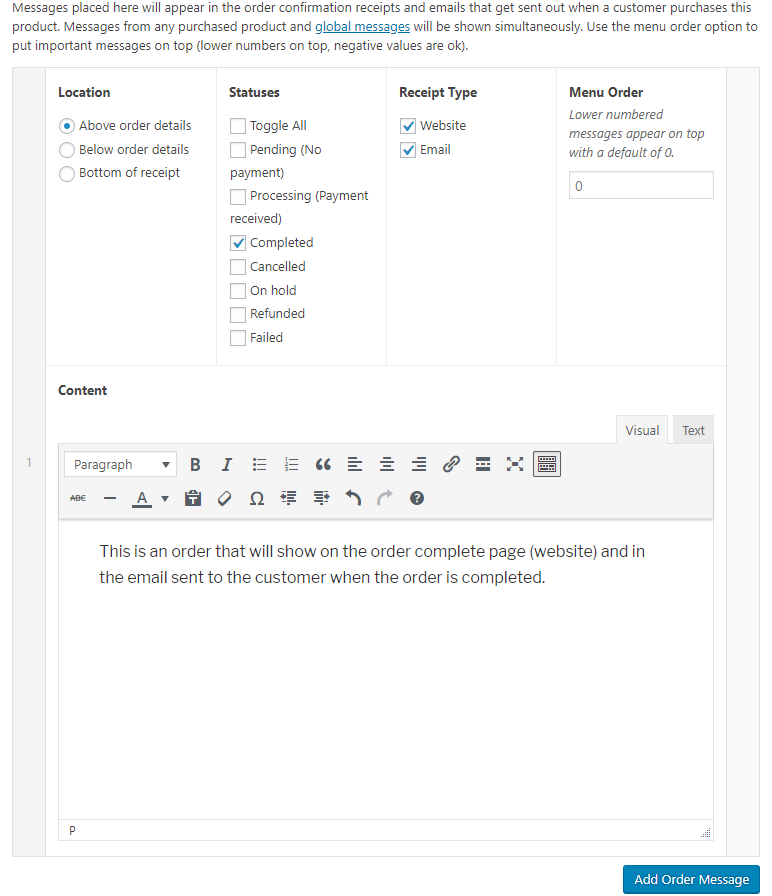
Supports multiple products, and each product can have multiple messages. Messages can be set to display only for certain order statuses.
Author: Radley Sustaire
Author URI: https://radleysustaire.com/
Contributors: radgh
Donate link: https://paypal.me/radgh
Tags: woocommerce, email
Requires at least: 3.2
Tested up to: 6.2
Stable tag: 1.1.1
License: GPLv3
License URI: http://www.gnu.org/licenses/gpl-3.0.txt
Installation
- Upload the plugin files to
/wp-content/plugins/rs-woocommerce-order-messages/, or install the plugin through the WordPress plugins screen. - Activate the plugin through the 'Plugins' screen in WordPress
- Find global settings in WooCommerce > Order Messages or find per-product settings when editing a product under WooCommerce Order Messages
- Add one or more messages.
- View your message by viewing an order results page, or sending a customer email.
Frequently Asked Questions
What is Menu Order?
The menu order is used when multiple messages are displayed in the same location. Lower numbers appear first, and negative numbers are allowed.
Can multiple products use the same message without showing duplicate content?
Yes! Since version 1.1.0, messages with duplicate content are only shown once per location.
Screenshots
Changelog
1.2.1
- Updated language to "WooCommerce Order Messages" instead of "Product Order Messages", for consistency
1.2.0
- Added support for Git Updater, allowing this plugin to automatically receive updates
1.1.1
- Removed unnecessary classes from message items (use parent container instead)
- HTML and trailing whitespace is now ignored when checking for duplicate messages
- Now sorts items before removing duplicates, which keeps high priority messages on top
1.1.0
- Improved code style, naming conventions, and comments
- Removed inconsistent filters
- Replaced "AA" references with "RS"
- Added a new filter to modify messages before being displayed:
$messages = apply_filters( 'wom/messages', $messages, $order, $location, $type );
1.0.1
- Fixed PHP warning when menu order was blank
- Set menu order default value to 0
1.0
- First release
Upgrade Notice
None yet.
Releases
3 releases. Each count is every asset in that release; expand a row for the breakdown.
Active-site estimate ≈10 comes from the median of recent superseded releases. Method.