WP Manifestindependent plugin directory
manifest / editor / rs-utility-blocks

RS Utility Blocks WP Registry grade D+. High-severity findings · 3 findingsWP RegistryHigh-severity findings · 3 findingsOpen the reportD+

[WordPress Plugin] Adds several blocks and utilities to the block editor, including visibility conditions and blocks to display the current user's information.

★ 2stars
31release downloads
≈10active sites
v1.3.6latest · 1 year ago

Install

Download RS-Utility-Blocks.zip From the v1.3.6 release on GitHub, Jan 30, 2025

Upload it under Plugins → Add New Plugin → Upload Plugin, then activate.

Install straight from GitHub with WP-CLI:

wp plugin install https://github.com/radgh/rs-utility-blocks/releases/download/v1.3.6/RS-Utility-Blocks.zip
No built-in updater. New versions won't appear under Dashboard → Updates. Install new releases yourself, or let Git Updater track the repository.

RS Utility Blocks (WordPress Plugin)

Adds custom blocks and utilities to the block editor, including visibility conditions and blocks to display the current user's information.

Contributors: radgh
Requires at least: 6.0
Tested up to: 6.5.2
Requires PHP: 8.0
License: GPLv3
License URI: http://www.gnu.org/licenses/gpl-3.0.txt

Description

This plugin adds several blocks and utilities to the block editor, including visibility conditions and blocks to display the current user's information.

Block Settings

  • Visibility - Allows you to control the visibility of a block based on if the user is logged in, on a desktop or mobile, or if the user is an administrator. Available to most blocks.
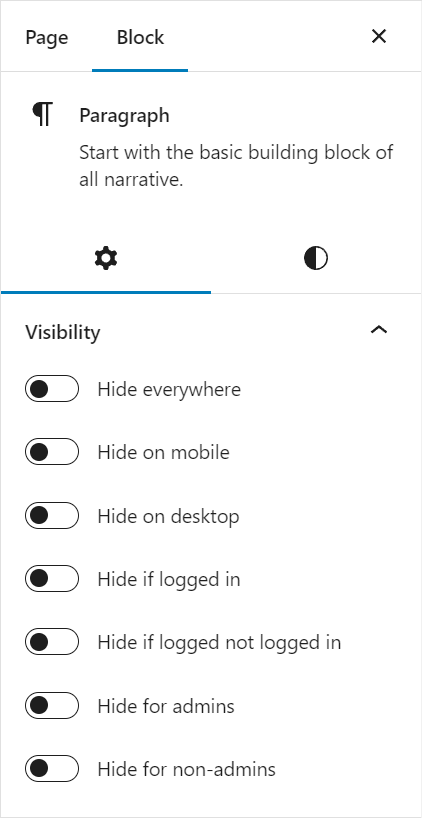
Screenshot of the "Visibility" blocks settings including toggles to hide on mobile, desktop, if logged in or out, or if admin or not an admin.

Custom Blocks

  • Post Field - Allows you to display fields for a post including: Post title, content, excerpt, date, author, and more.
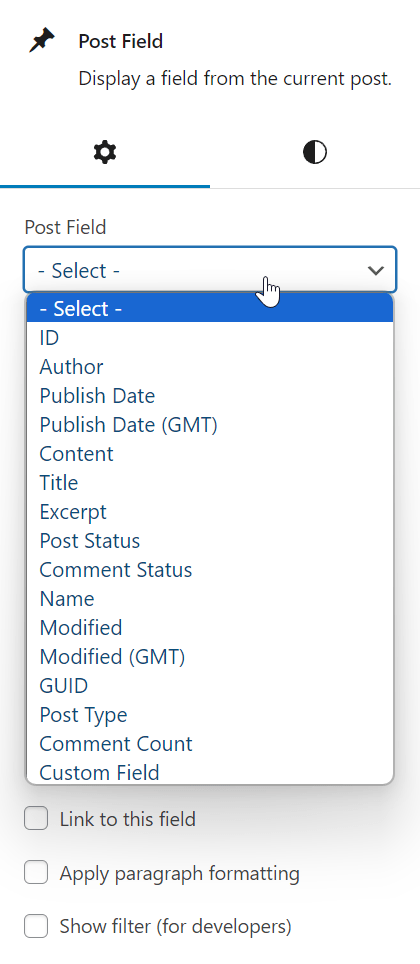
Screenshot of the "Post Field" block showing available options

  • User Field - Allows you to display a field from a user's profile, including their name, email, logout url, and other fields.
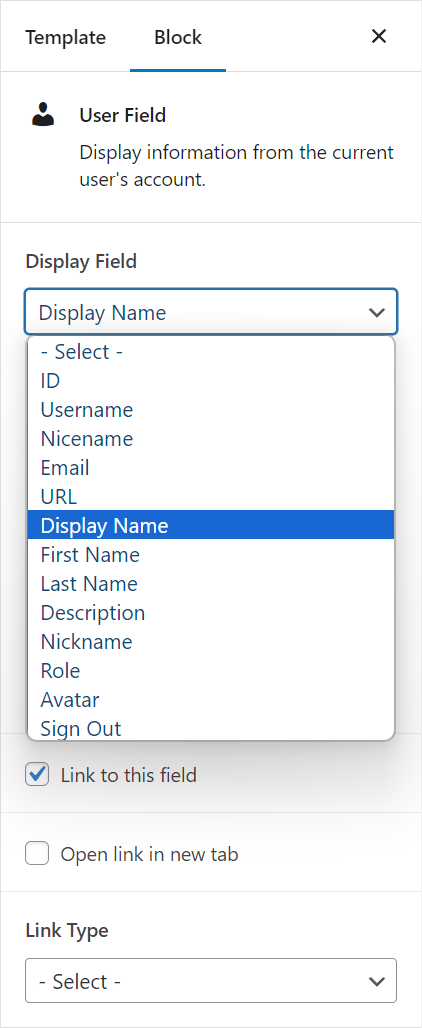
Screenshot of the "User Field" block showing available options

  • Edit Profile - Display a form to allow users to edit their name, email, password, website, and bio.
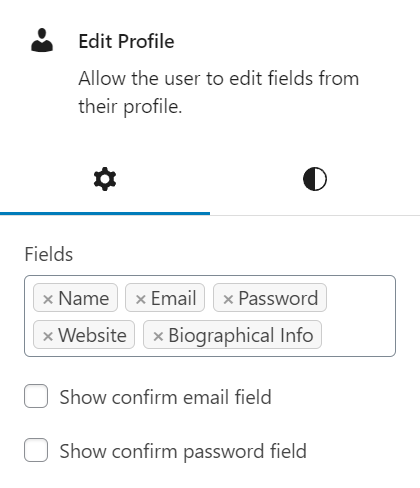
Screenshot of the "Edit Profile" block showing available options

Here is the edit profile form, as it appears on the front-end:
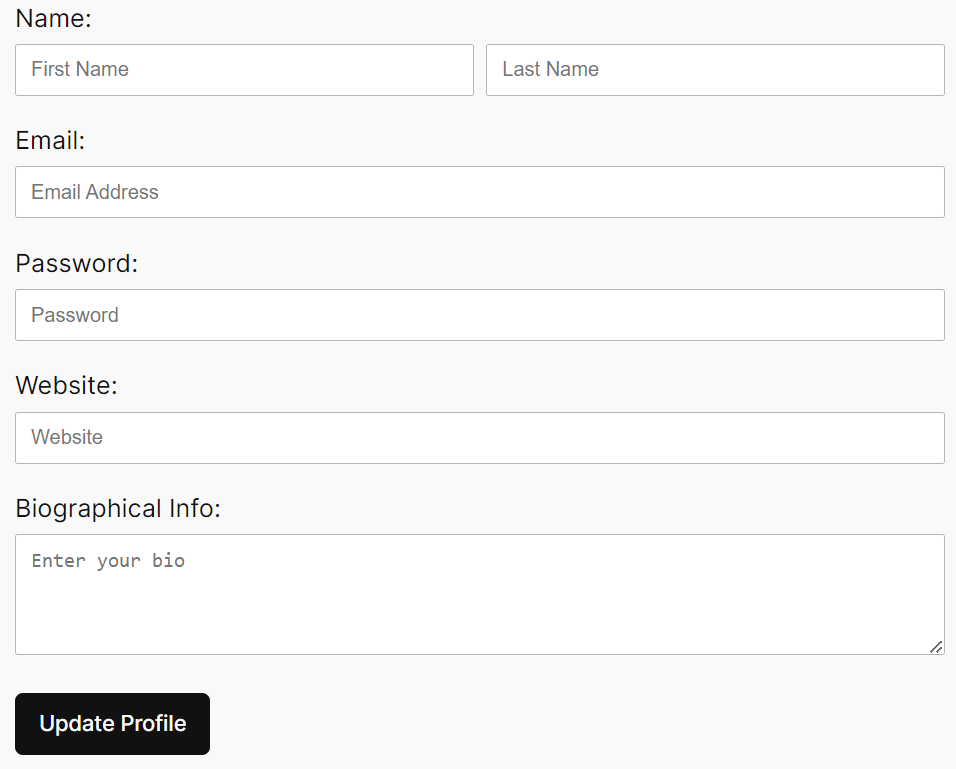
Screenshot of the "Edit Profile" form fields as they appear on the front-end

  • Link Block - Allows you to create a link with custom text and URL, containing any blocks of your choice.
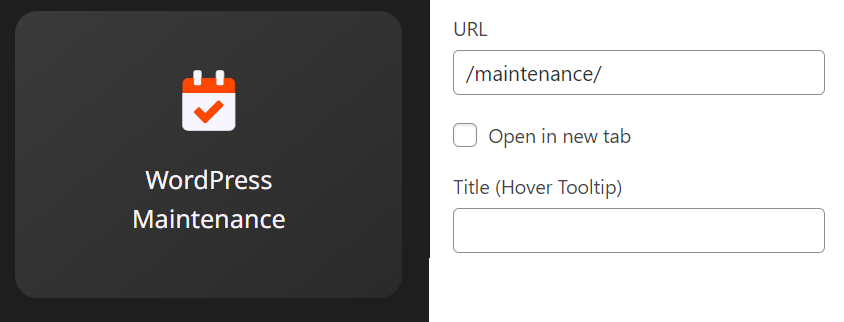
Screenshot of the "Link Block" block showing available options

  • Mobile Menu Button - Displays a button that toggles the visibility of a container block when clicked.
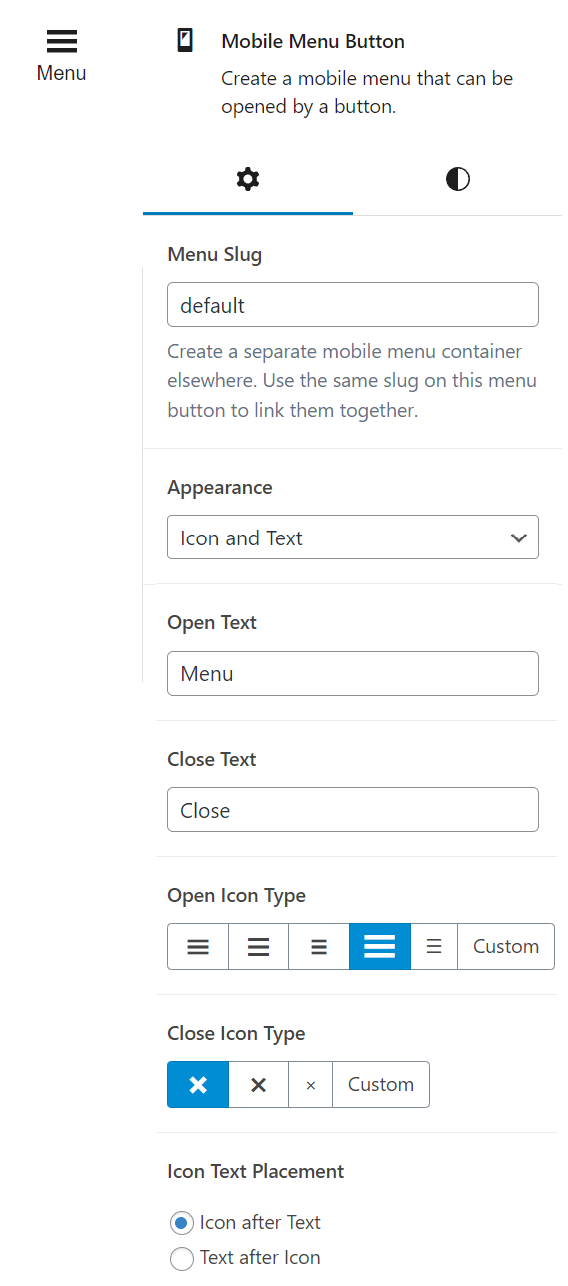
Screenshot of the "Mobile Menu Button" block showing available options

  • Mobile Menu Container - Displays a container block that is hidden by default and shown when the mobile menu button is clicked.
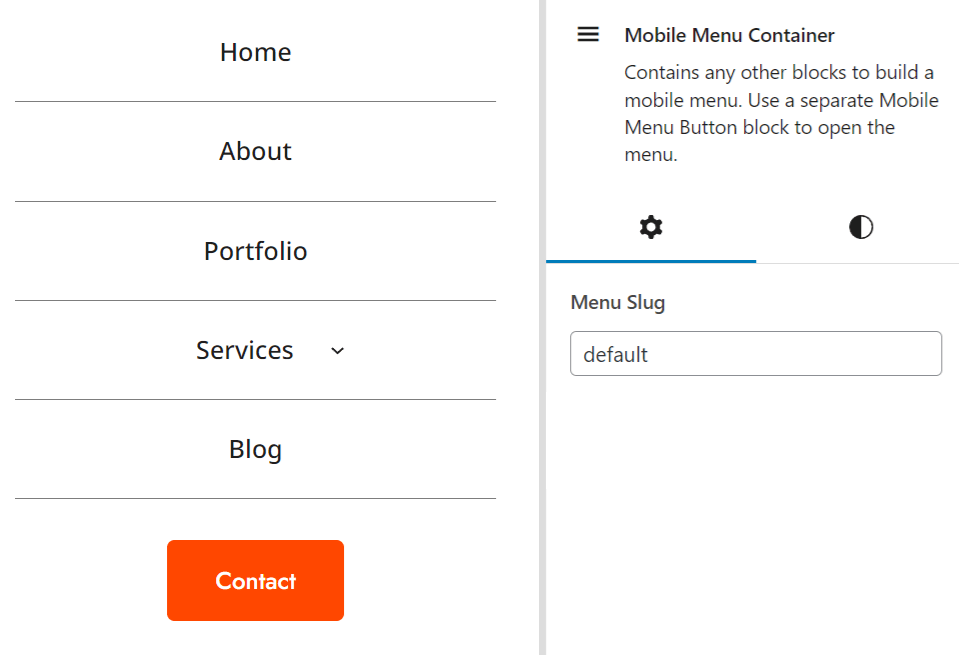
Screenshot of the "Mobile Menu Container" block showing available options

Plugin Updates

This plugin is hosted on GitHub. To enable automatic plugin updates you can use the plugin Git Updater.

Development Setup

To use Javascript to compile the file in /assets/scripts/src/block-editor.js you must first install NPM, then follow these steps:

Automatic: Install dependencies from package.json:

npm install

Expanded: Install dependencies by script names:

npm install @wordpress/scripts @wordpress/block-editor @wordpress/blocks @wordpress/components @wordpress/compose @wordpress/dom-ready @wordpress/edit-post @wordpress/element @wordpress/hooks @wordpress/icons @wordpress/plugins @wordpress/rich-text --save-dev

Compile scripts:

npm run build

Watch scripts:

npm run start

Developer Actions and Filters

1. Login form args

In this example, we can disable the "Remember Me" checkbox within the Login Form block. Place this code in your theme's functions.php. To see available args, refer to wp_login_form().

function my_theme_login_form_args( $args, $action = 'login' ) {
    // Disable the "Remember Me" checkbox
    $args['remember'] = false;

    return $args;
}
add_filter( 'rs/login_form/args', 'my_theme_login_form_args', 10, 2 );

2. User field value fallback

In this example, a user field displays the user's first name. If it is blank, it falls back to the username instead.

Default: (empty)

Formatted: radgh

function my_theme_user_first_name_fallback( $value, $user_id, $display_field, $custom_field_key ) {
    if ( $display_field === 'first_name' && empty( $value ) ) {
        $user = get_user_by( 'ID', $user_id );
        if ( $user && $user->ID > 0 ) {
            $value = $user->get('first_name') ?: $user->get('user_login');
        }
    }

    return $value;
}
add_filter( 'rs/user_field', 'my_theme_user_first_name_fallback', 10, 4 );

3. Post field with formatted date

In this example, a post field displays the post's date as a relative date along with a formatted date.

Default: 2024-04-07 11:05:47

Formatted: "Posted 1 week ago at 11:05 am"

function my_theme_post_field_date_formatting( $value, $post_id, $display_field, $custom_field_key, $block ) {
    if ( $display_field === 'post_date' && empty( $value ) ) {
        $timestamp = get_post_time( 'U', false, $post_id );
        if ( $timestamp ) {
            $diff = human_time_diff( $timestamp );
            $date = get_the_time( get_option( 'time_format' ), $value );
            $value = 'Posted '. $diff .' ago at ' . $date;
        }
    }

    return $value;
}
add_filter( 'rs/post_field', 'my_theme_post_field_date_formatting', 10, 5 );

Changelog

1.3.6

  • Changed the block editor script to only be included on the block editor (back-end). This indirectly fixes a JavaScript error: Uncaught (in promise) {code: 'rest_not_logged_in'}"`

1.3.5

  • Added fallback for post_excerpt if blank, to use 55 words from post_content.
  • Enabled date format to apply to custom fields.
  • Added class to User and Post field blocks if paragraph formatting is enabled: has-p-formatting.
  • Remove trailing margin on Post Field and User Field blocks if paragraph formatting is enabled

1.3.4

  • Improved block editor display for the breadcrumb and post field blocks. For singular and archive templates, it should now use the correct post type based on the page template.

1.3.3

  • Hide mobile menu on desktop if opened before screen size change
  • Added Breadcrumbs block

1.3.2

  • Fit visibility tooltips to left
  • Added color support to Post Field block
  • Hide mobile menu on desktop if opened before screen size change

1.3.1

  • Upgraded post field to include date formatting, featured image, image size, author links, and post modified time
  • Post field filters now support a 5th argument $block which contains the block settings.

1.3.0

  • Added mobile menu button and mobile menu container blocks

1.2.9

  • Fixed toolbar covered by visibility tooltip on backend
  • Added Link Block

1.2.8

  • Fixed visibility appearance on block editor

1.2.7

  • Added better description to each included ACF field
  • Updated readme with more example filters and better descriptions

1.2.6

  • Added edit profile block.

1.2.3

  • Added GitHub Plugin URI to enable plugin updates using Git Updater.

1.2.2

  • Added rs/login_form/args filter to modify the login form args.

1.0.0

  • Initial release

Releases

6 releases. Each count is every asset in that release; expand a row for the breakdown.

Tag
Published
Assets
Downloads
v1.3.6 latest
Jan 30, 2025 1 year ago
RS-Utility-Blocks.zip
11
Jul 12, 2024 2 years ago
RS-Utility-Blocks.zip
5
May 23, 2024 2 years ago
RS-Utility-Blocks.zip
1
May 16, 2024 2 years ago
RS-Utility-Blocks.zip
5
May 9, 2024 2 years ago
rs-utility-blocks.zip
4
Mar 19, 2024 2 years ago
rs-utility-blocks.zip
5

Active-site estimate ≈10 comes from the median of recent superseded releases. Method.

D+ grade

Security

RS Utility Blocks 1.3.6 · audited by WP Registry

High-severity findings.

2 high 1 medium
Audited release
1.3.6
Findings
3
Worst severity
high
Content hash
0d91586c1c3ed88515d0af52…

Findings

  • high Contributor+ stored XSS via Post Field custom date format (PHP date() kses bypass)

    xss_stored

    The Post Field block applies an editor-supplied PHP date format through date_i18n() and then echoes the result with no escaping (post-field.php echo $value / wpautop($value)). date_format_custom is an ACF text attribute stored in block JSON. WordPress kses for users without unfiltered_html only strips HTML tags/protocols from string attributes; a format such as \<\i\m\g\ \s\r\c\=x\ \o\n\e\r\r\o\r\=\a\l\e\r\t\(1\)\> contains no tags, so it is saved intact. PHP date() treats backslash as an escape and copies the next character literally, so date_i18n() emits an <img ... onerror=...> (empirically confirmed: the format above renders <img src=... onerror=alert(1)>). The block.json acf.mode is preview, so the PHP template runs in the editor iframe — an administrator opening a Contributor's pending post executes the payload in wp-admin — and again for every frontend visitor once published. The same apply_date_format() path runs for post_date, post_date_gmt, post_modified, post_modified_gmt, and any custom_field when date_format is set. Prefix/suffix/default_value are also concatenated and echoed unescaped, but those strings are HTML at rest and are largely reduced by kses; the date-format path is the kses bypass.

    includes/setup.php:459-526,873-886

    Recommendation

    Do not pass attacker-controlled strings to date_i18n() as the format. Allowlist known format tokens (or date() format letters plus separators) and reject backslashes. Escape the formatted date with esc_html() on output unless the field is documented HTML (featured_image). Contributors should not be able to supply a raw PHP date format that is later interpreted as HTML.

  • high Post Field specific_post discloses arbitrary posts (private, draft, password-protected) and post meta with no read_post check

    auth_bypass

    When selection is specific_post, the block does $p = get_field('specific_post'); $target_post = get_post($p) with no current_user_can('read_post'), post_status, or post_password check. get_post_field() then reads $post->{$display_field} (including post_content) or get_post_meta($post_id, $custom_field_key, true), runs do_shortcode, and echoes the value on the frontend. An Author (or anyone who can publish a post containing this block) can set the stored ID via the block code editor or REST body to any post they can guess — another author's draft, a private page, a password-protected post (bypassing the password), trash, or a custom post type such as a WooCommerce shop_order — and choose custom_field_key to dump arbitrary meta. Unauthenticated visitors to the Author's published post then receive that content. The ACF post_object UI may hide IDs the user cannot query, but the render path trusts the saved ID unconditionally.

    blocks/post-field/post-field.php:42-63,103-120

    Recommendation

    Before rendering, require current_user_can('read_post', $target_post->ID) (or, for the public site, only output posts that are published, not password-protected, and publicly queryable). For custom_field, restrict keys or at least do not print meta the current viewer could not read through the REST API. Do not call get_post() as a capability check.

  • medium Contributor+ stored XSS via javascript: URLs in Link, Post Field, User Field, and Login Form blocks

    xss_stored

    Several blocks take an ACF text URL and emit it as an href. get_block_wrapper_attributes() / esc_attr() encode quotes but do not reject the javascript: protocol (that is esc_url()'s job). A Contributor without unfiltered_html can save a tag-free attribute value javascript:alert(document.cookie) — wp_kses leaves it because it is not HTML. On the published page (or when a user clicks the login-form register link), the browser executes the JS. Affected sinks: Link Block $atts['href'] = $url; Post Field and User Field create_link + link_type=custom ($href = 'href="'. esc_attr($url) .'"'); Login Form create_account_url interpolated into <a href="%1$s"> via esc_attr. Core allowed_protocols would have stripped this if the value had been run through esc_url() or kses as an HTML href.

    blocks/link-block/link-block.php:13-60

    Recommendation

    Pass every href through esc_url() (which uses wp_allowed_protocols and drops javascript:). Prefer ACF type=url over type=text for these fields. Do not emit an <a> when esc_url() returns empty.

WP Registry hashes the installable build and reports on that exact bytes-for-bytes copy. Embargoed findings are withheld until they are disclosed, so a clean verdict means nothing public is outstanding. WP Manifest does not audit code itself.