Install
Upload it under Plugins → Add New Plugin → Upload Plugin, then activate.
Install straight from GitHub with WP-CLI:
wp plugin install https://github.com/radgh/rs-schedules/releases/download/v1.0.1/RS-Schedules-1.0.1.zipAdds a schedule post type, allowing you to create standard and recurring events. The events can be seen on a Calendar page which uses the FullCalendar API with the RRule integration. On the day of each event, a cron action is triggered, allowing you to run custom code or send notifications on a customizable schedule.
Required Plugins
How to Use
- Install the plugin and activate it.
- Use the "Schedule > Add New Schedule" link to create a new scheduled event.
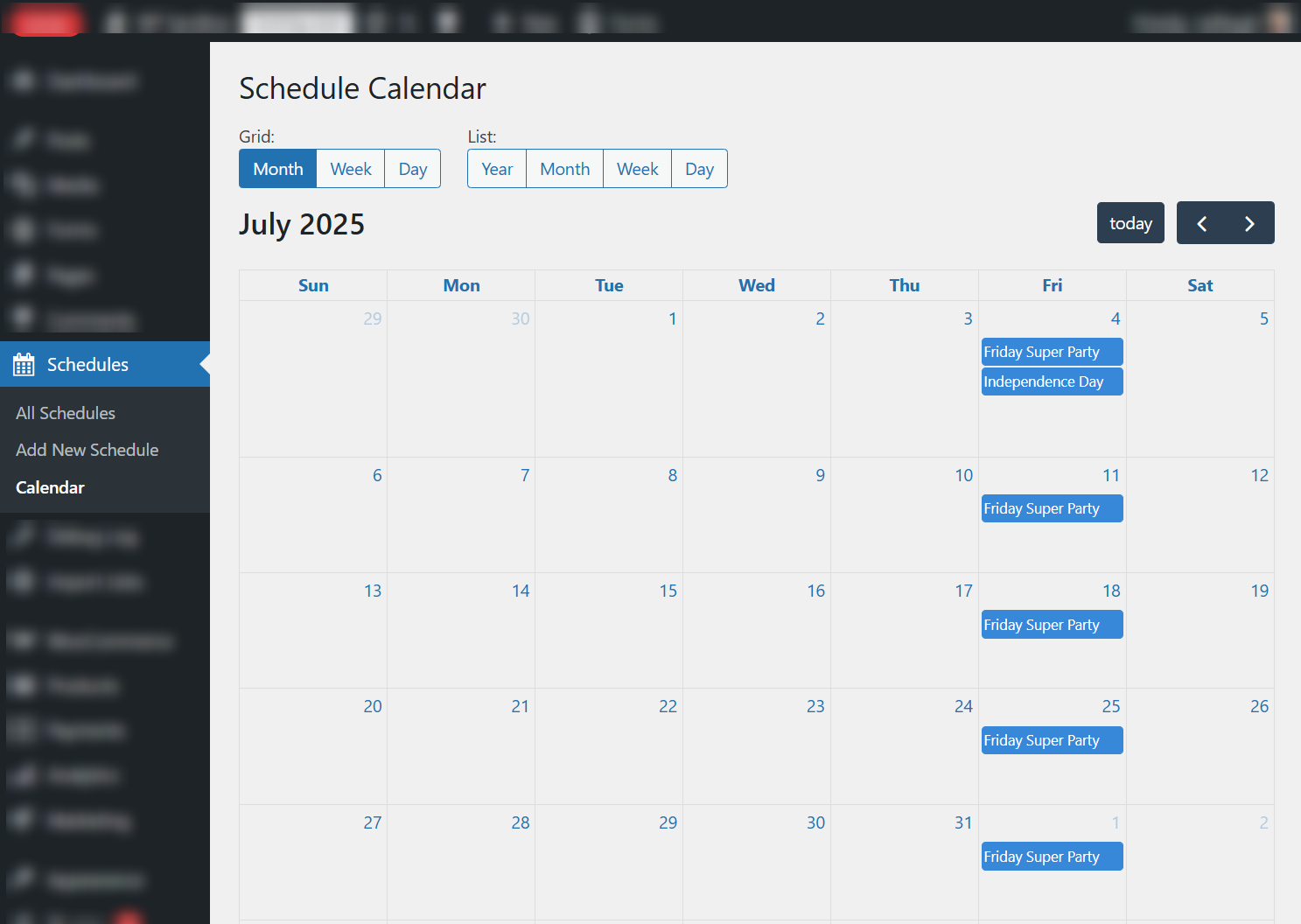
- Use the "Schedule > Calendar" to display current events in a calendar format.
The event will be triggered once per day by triggering the action rs_schedule/event. The schedule Post ID will be passed as the first parameter.
Frequently Asked Questions
Q: How do I run custom code on the day of an event?
Use the action rs_schedule/event which is called once per each event occurrence.
function my_custom_event_handler( $post_id, $today ) {
      // Your custom code here
      error_log( "Event triggered for post ID: $post_id on $today" );
}
add_action( 'rs_schedule/event', 'my_custom_event_handler', 10, 2 );
Q: Can I add custom events to the calendar?
Yes, you can add events to the calendar using the file: rs_schedule/get_calendar_events
However, this should only be used to display events. Events added using this filter do not trigger the rs_schedule/event action.
Example of adding a custom event:
/**
    * Add custom events to the calendar.
    *
    * @param array $events {
    *     @param string $id                - Unique identifier based for the event. Default: "schedule_" . $post_id
    *     @param string $title             - The title of the event.
    *     @param array|null $rrule         - Recurrence rule settings, if the event is recurring. {
    *         @param string $freq          -     - Frequency of recurrence (e.g., 'daily', 'weekly', 'monthly', 'yearly').
    *         @param int $interval         -     - Interval for recurrence (e.g., every 2 weeks).
    *         @param string $dtstart       -     - Start date/time of the event in ISO format (Y-m-d\TH:i:s).
    *         @param array|null $byweekday -     - Days of the week for recurrence (e.g., ['mo', 'we']).
    *         @param string|null $until    -     - End date for recurrence in ISO format (Y-m-d), if applicable.
    *     }
    *     @param string|null $start        - Start date/time of the event in ISO format (Y-m-d\TH:i:s), if the event is non-recurring.
    *     @param bool $allDay              - Whether the event is an all-day event.
    * }
    *
    * @return array
    */
function my_custom_calendar_events( $events ) {
    $events[] = [
        'title' => 'Custom Event',
        'start' => '2023-10-01T10:00:00',
        'end'   => '2023-10-01T12:00:00',
        'url'   => 'https://example.com/custom-event',
    ];
    return $events;
}
add_filter( 'rs_schedule/get_calendar_events', 'my_custom_calendar_events' );
Screenshots
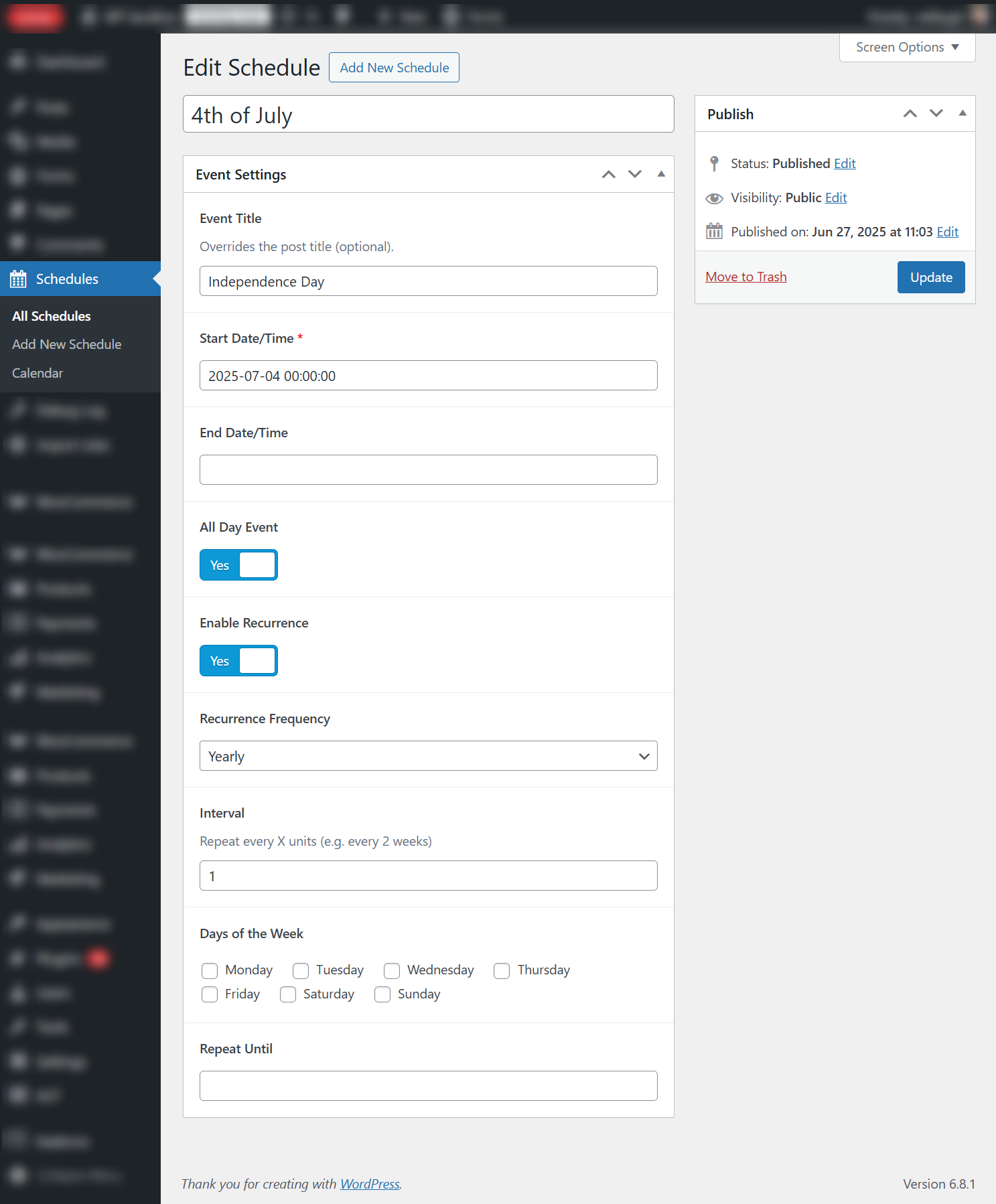
Preview of the Schedule post type and custom fields
Preview of the Calendar page
Development Setup
This plugin uses the @rlanvin/php-rrule library for RRule support within PHP. It is installed using the following Composer command:
composer require rlanvin/php-rrule(Developers-Only) How to publish updates
Updates are managed by the Alchemy Updater script. To publish a new version, upload the latest version to the server at:
Changelog
1.0.3
- Updated alchemy updater script to reduce unnecessary requests
1.0.2
- Added support for Alchemy Updater to provide automatic updates
1.0.1
- Added an action after the calendar, used to display ical feeds by other plugins
1.0.0
- Initial release
Releases
1 release. Each count is every asset in that release; expand a row for the breakdown.