RS Entry Archives for Gravity Forms WP Registry grade C-. High-severity findings · 1 findingWP RegistryHigh-severity findings · 1 findingOpen the reportC-
[WordPress Plugin] Adds the ability to move Gravity Form entries to an archive, hiding those entries from the regular view.
Install
Upload it under Plugins → Add New Plugin → Upload Plugin, then activate.
Install straight from GitHub with WP-CLI:
wp plugin install https://github.com/radgh/rs-gf-entry-archives/releases/download/v1.4.3/RS-GF-Entry-Archives.zipRS Entry Archives for Gravity Forms (WordPress Plugin)
This plugin adds the ability to archive Gravity Forms entries, which are hidden from the default entry view.
Description
This plugin allows you to mark entries as archived, similar to how you would mark them as read or unread. Archived entries only show under the Entries list when you select the "Archived" filter.
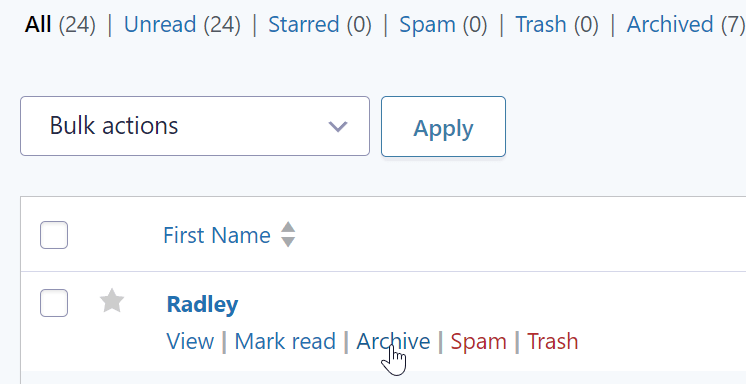
Here you can see the archive functionality from the Entry list screen:

Screenshots
On the entry list screen, a filter for "Archived" will appear allowing you to view the archived entries.

On the entry list, an "Archive" or "Unarchive" link will appear next to the "Spam" or "Trash" links.

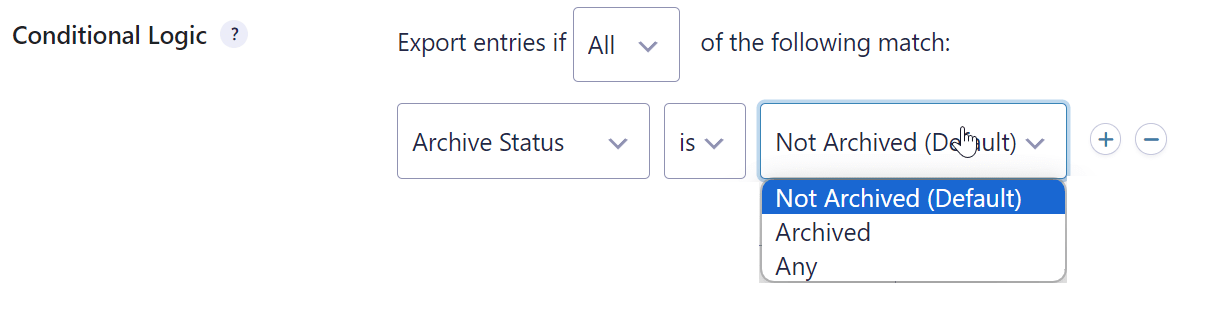
When exporting entries, you can use conditional logic to get only archived or unarchived entries, or both.
A message appears to indicate when an entry has been archived.

Changelog
1.4.3
- Added the filter
rs_entry_archives/show_archived_entries, if set to true, the entries displayed on the current page will show archived entries instead of active ones.
1.4.2
- Moved separator before archive link
1.4.1
- Added Git Updater support
- Updated Readme
1.2.0
- Added to GitHub
1.1.0
- First release
Releases
3 releases. Each count is every asset in that release; expand a row for the breakdown.
Active-site estimate ≈10 comes from the median of recent superseded releases. Method.