Install
This is the repository archive. It installs, but the folder name will carry the branch suffix and updates will not flow.
Install straight from GitHub with WP-CLI:
wp plugin install https://github.com/radgh/rs-block-patterns/archive/refs/heads/master.zipObsolete – Please read
As of WordPress 6.3, WordPress added support for block patterns natively, with the option to sync them globally or use them as templates.
For more information, see: Synced Patterns: The Evolution of Reusable Blocks.
This plugin is no longer necessary, except for preserving your existing patterns registered through this plugin.
RS Block Patterns (WordPress Plugin)
This plugin allows you to create block patterns as a custom post type. They are automatically available as block pattern templates which can be used as blocks in any other post type.
Did you know WordPress already supports Synced Patterns? The key difference is that when you add an RS Block Pattern, you're adding the original blocks, without any reusable/synced behavior. This lets you stamp out new templates quickly without worrying about updating a global block by accident.
Requires ACF in order to categorize each block pattern. However, ACF is only required if you want the option to assign your block patterns to multiple categories. By default, all RS Block Patterns are added to a custom pattern category called RS Block Patterns, even without ACF.
Author: Radley Sustaire
Author URI: https://radleysustaire.com/
Contributors: radgh
Donate link: https://paypal.me/radgh
Tags: blocks, synced patterns, Gutenberg
Requires at least: 6.3
Tested up to: 6.3
Stable tag: 1.0.1
Installation
- Upload the plugin zip file through the WordPress plugins screen, or upload the extracted plugin files to
/wp-content/plugins/rs-block-patterns/. - Activate the plugin through the 'Plugins' screen.
- Use the new "Block Patterns" menu to create new patterns.
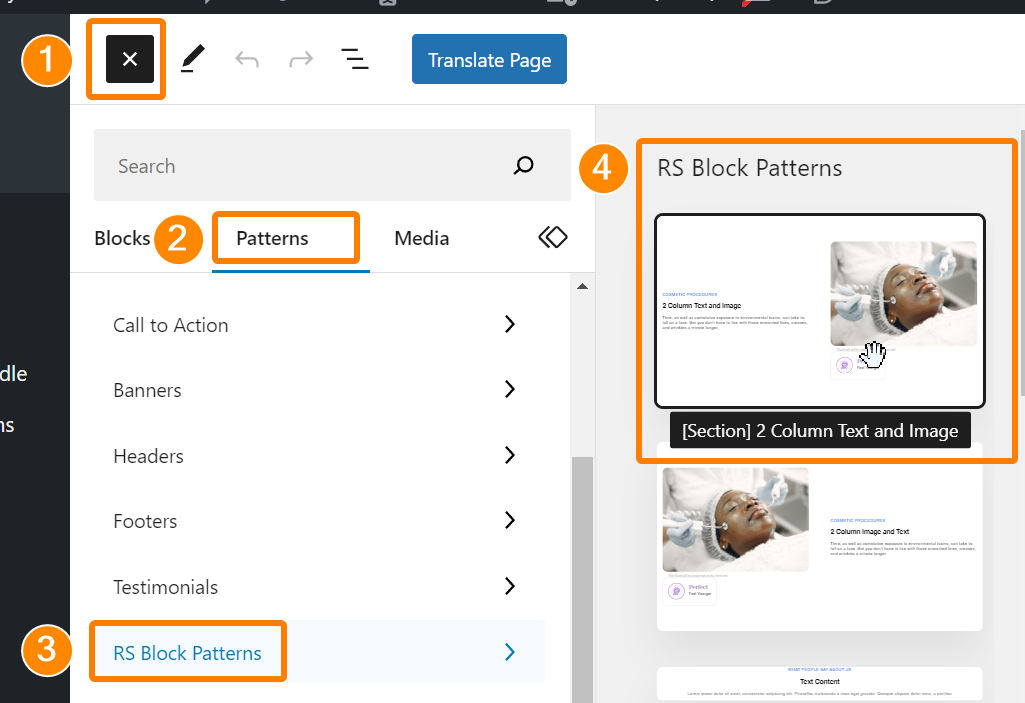
- To add patterns, insert a new block and use the "Patterns" tab on the block sidebar panel.
- Find your patterns under the "RS Block Patterns" category.
Frequently Asked Questions
Does this work with full-site editing?
Probably, but I haven't built an FSE theme and haven't tested it.
Does this work with Synced Patterns? (formerly Reusable Blocks)
Yes, it should work with Synced Patterns if you use them within an RS Block Pattern.
Screenshots
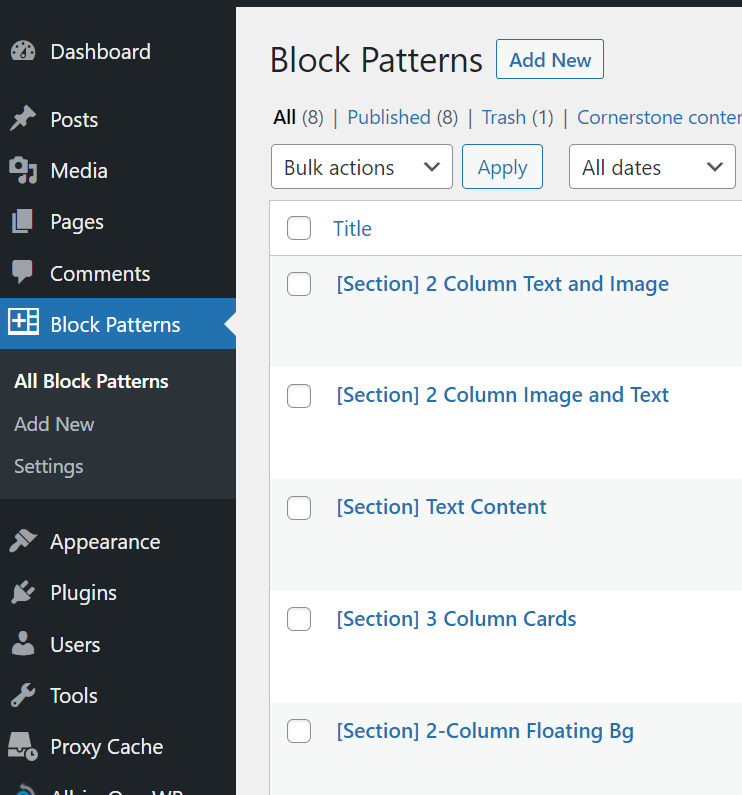
Here is the post type screen, showing a few patterns that I created:
Here is the menu to add a new block, shown as a sidebar. The menu has a "Patterns" tab between Blocks and Media. The RS Block Patterns menu contains all of the registered items:
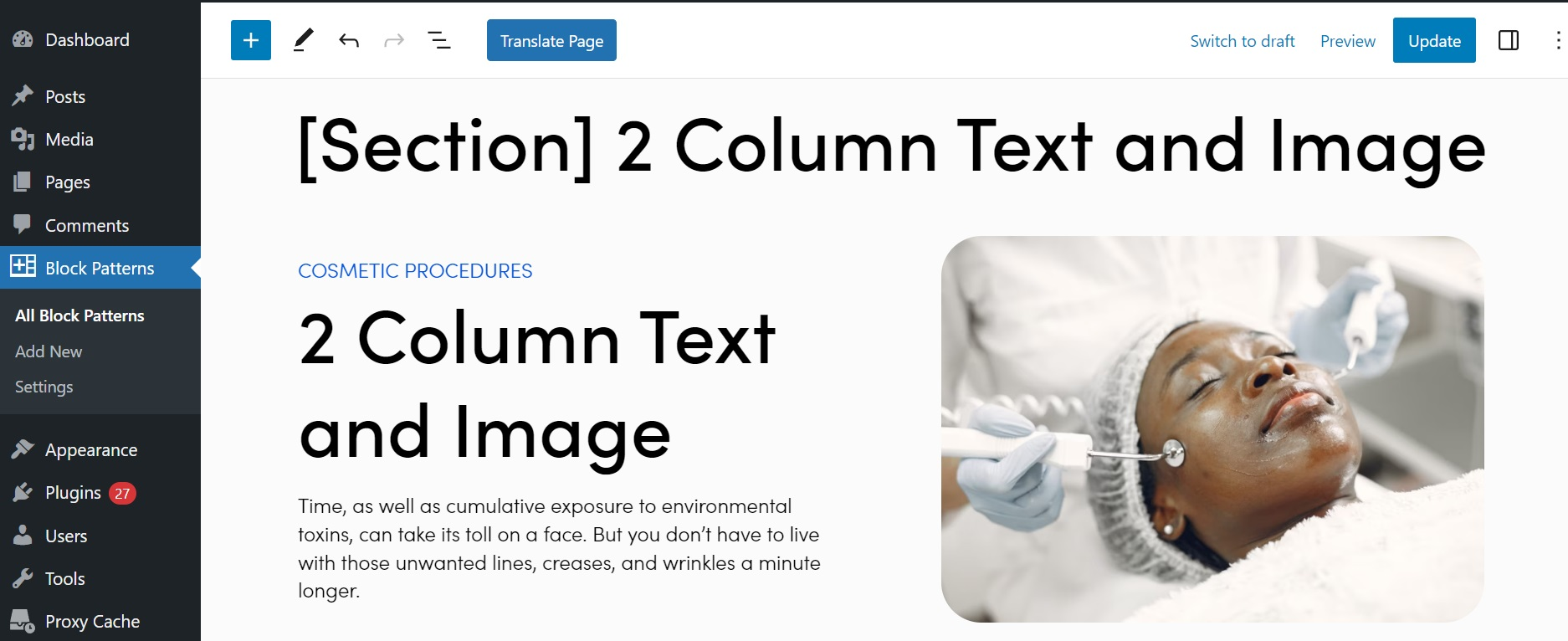
Here is what a block pattern looks like. It will look the same when added to another post type:
Changelog
1.0.1
- Fixed Yoast sitemap issue. Block patterns will not be included in sitemaps.
1.0.0
- First release
Upgrade Notice
None