Install
Upload it under Plugins → Add New Plugin → Upload Plugin, then activate.
Install straight from GitHub with WP-CLI:
wp plugin install https://github.com/raa-org/meeting-scheduler/releases/download/v1.2/apexianlab-meeting-scheduler-1.2.zipSelf-hosted meeting scheduling for WordPress — Google Calendar, guest booking on your domain, and an optional AI assistant. Built by Right&Above, LLC.
Live demo · White paper · Security policy
Screenshots
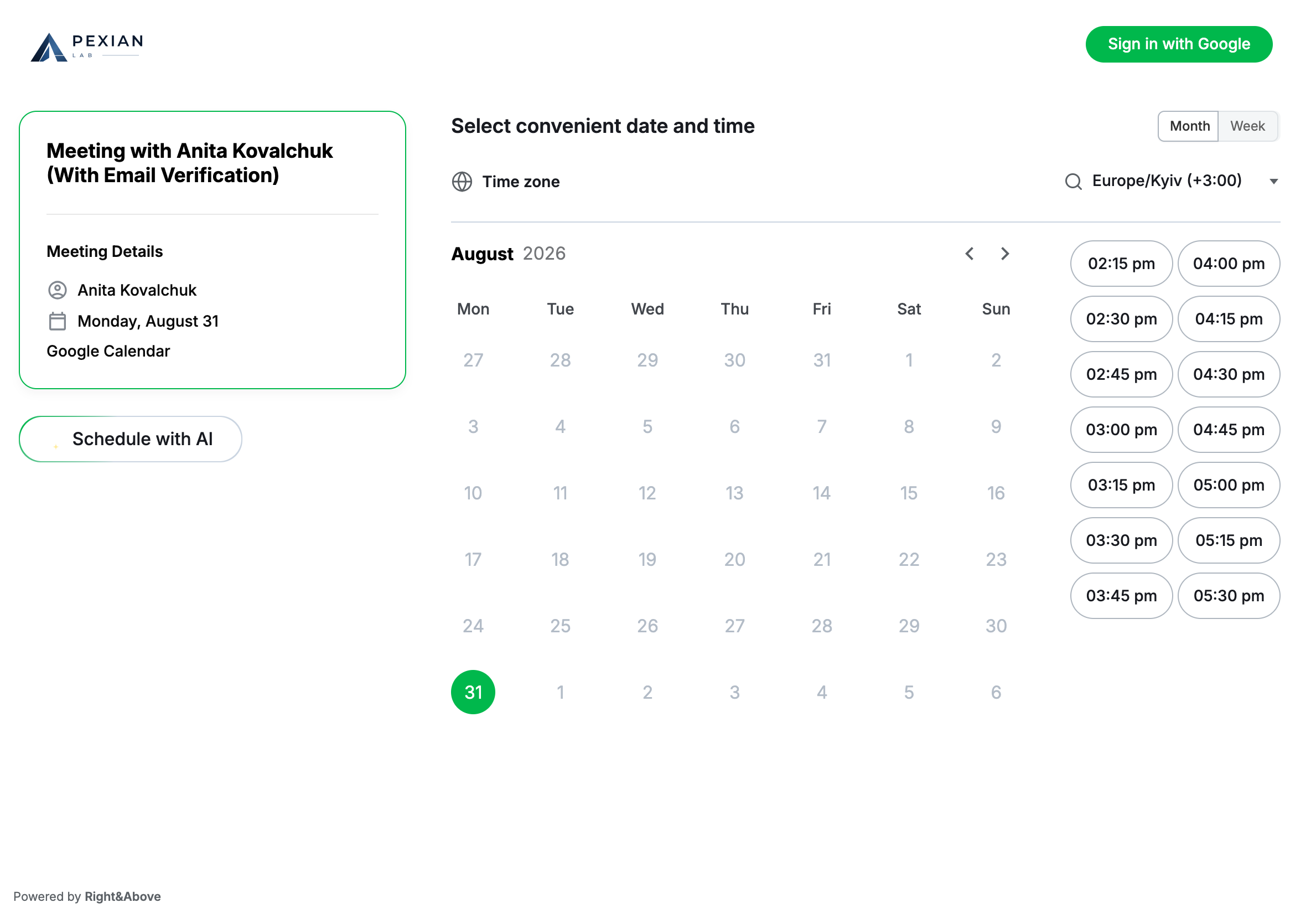
Public booking
Guests pick a date and time against the organiser’s real Google Calendar availability.
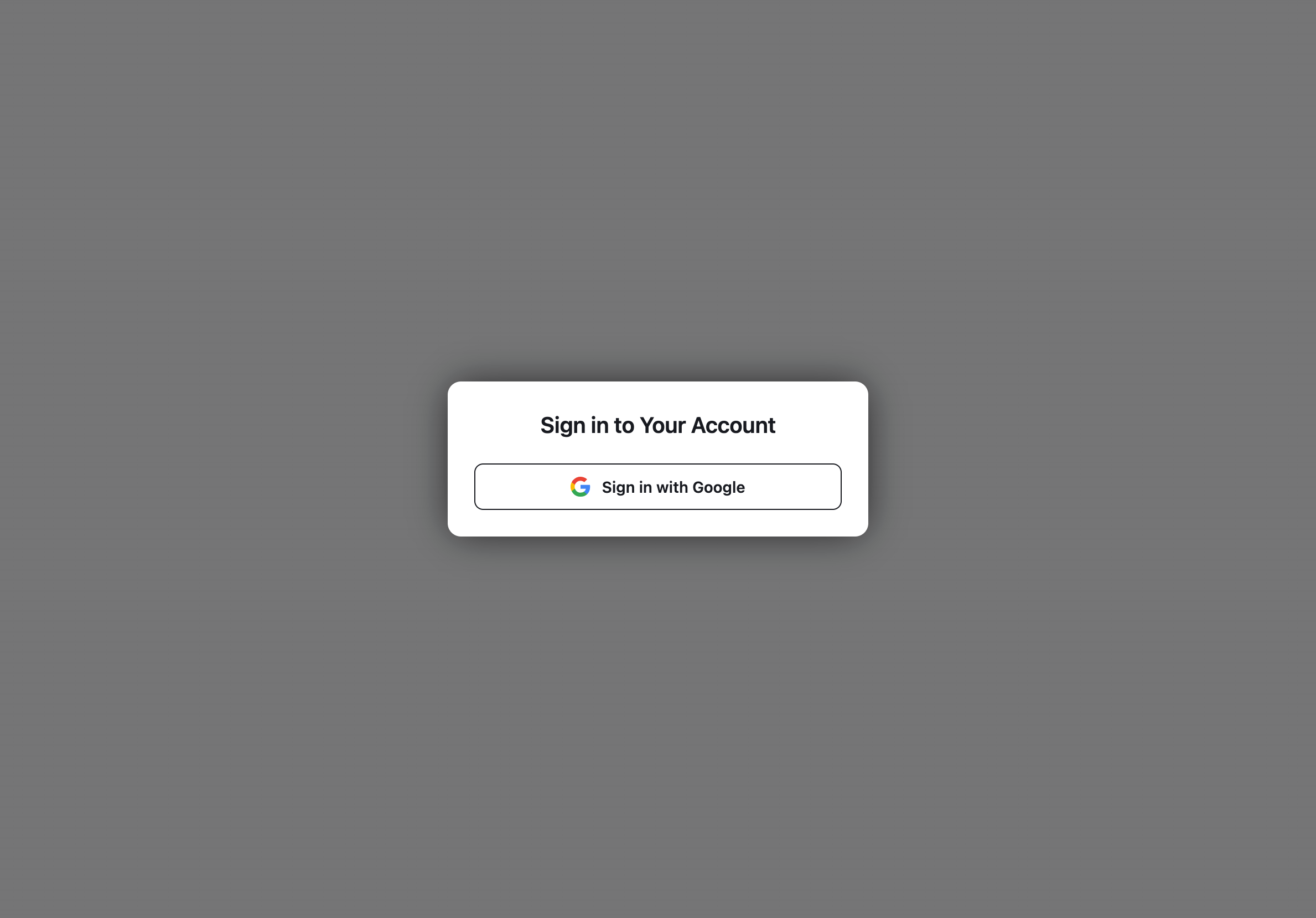
Organiser sign-in
Schedule owners connect with Google — the same OAuth grant powers Calendar access.
Highlights
- On your WordPress — no Calendly-style SaaS for the booking UI
- Google Calendar — FreeBusy availability, events + Meet links
- Google sign-in — OAuth with PKCE for organisers
- Email flows — confirm, cancel, reschedule (SMTP or Gmail API)
- Short links — owner slug URLs for admin and public booking
- AI assistant (optional) — chat to find slots, book, reschedule, cancel
- Any theme — page templates and captcha ship inside the plugin
Requirements
- PHP 8.2+ (
matchexpressions, readonly properties) - WordPress 6.0+
- PostgreSQL 13+ database (uses
gen_random_uuid()) - A Google Cloud OAuth 2.0 client (Calendar API enabled) — used for both sign-in and calendar access
- An SMTP server for outbound mail (optional but recommended)
- A real cron hitting
wp-cron.php(see Background jobs)
Installation
- Copy the plugin to:
wp-content/plugins/apexianlab-meeting-scheduler/-
Activate the plugin. It creates the
cal,schedule, andai-assistantpages (with the correct templates) and flushes rewrite rules. -
Add the required constants to
wp-config.php(see Configuration). -
Under Settings → Permalinks, use a pretty permalink structure (e.g. Post name) if you are not already.
-
Disable WordPress' internal cron and run a real cron — see Background jobs.
Features
- Meeting Scheduling — recurring weekly schedules, custom-interval schedules, non-repeating date lists.
- Google sign-in — schedule owners sign in with their Google account; the same OAuth grant provides calendar access.
- Google Calendar — creates Calendar events (with Google Meet links) in the organiser's
primarycalendar and reads FreeBusy for availability. - Email Notifications — confirmation + organiser emails. The
Fromaddress is the schedule owner's mailbox; the display name comes from the schedule'sname_format. - Email verification toggle (per schedule) —
Require email verification. Off (default): every booking is auto-confirmed immediately. On: the attendee must click a link emailed to them before the booking is finalised. - Google access guard — if the schedule owner declined any required Google permission at consent time, schedule create/update is blocked (server-side) and a banner with a Reconnect button is shown, so a non-functional schedule cannot be shared.
- Short links —
/cal/<id>/URLs with base62 IDs. - AI Assistant (optional) — LLM-backed chat agent that can find slots, book, reschedule, and cancel.
Usage
Creating a Schedule
Created via the create-schedule.php template page (owner must sign in with
Google). Owners define working hours, time slots, communication type,
reminders, and connect their Google Calendar.
Booking a Meeting
Booked via the meeting-booking.php template page. The system checks
availability against the owner's Google Calendar (FreeBusy), creates the
Calendar event, and sends confirmation emails.
Configuration
All settings live in wp-config.php.
Required — PostgreSQL
define('CALENDAR_HOST',   'enabled');   // any non-empty value; gates the calendar module
define('CALENDAR_PRODID', 'Apexianlab');

define('POSTGRESQL_HOST',     'db.example.com');
define('POSTGRESQL_DBNAME',   'calendar');
define('POSTGRESQL_USER',     'calendar_user');
define('POSTGRESQL_PASSWORD', 'your-db-password');
Required — Google OAuth (sign-in + calendar)
Create an OAuth 2.0 client in Google Cloud (Calendar API enabled). Register
the redirect URI https://your-site.example/?google_calendar_callback=1.
define('GOOGLE_CALENDAR_CLIENT_ID',     '<client-id>.apps.googleusercontent.com');
define('GOOGLE_CALENDAR_CLIENT_SECRET', '…');
// Optional overrides:
define('GOOGLE_CALENDAR_SCOPES',        'openid email profile https://www.googleapis.com/auth/calendar https://www.googleapis.com/auth/calendar.events https://www.googleapis.com/auth/gmail.send');
define('GOOGLE_CALENDAR_REDIRECT_URI',  'https://your-site.example/?google_calendar_callback=1');
Sign-in flow: the login entry point (?apexianlab_google_login=1, or requireAuth()
on gated pages) redirects to Google; the callback stores the user identity in
the session and persists the OAuth token for background calendar work.
Required permissions. Google's consent screen lets the user untick individual
scopes. Every granular scope in GOOGLE_CALENDAR_SCOPES (calendar + gmail.send)
must be granted, otherwise bookings cannot create calendar events or send mail.
The plugin records the granted scope set (calendar_google_credentials.granted_scopes)
and blocks schedule create/update until the owner reconnects and grants
everything (a banner with a Reconnect button is shown in the modal). Declining
consent (error=access_denied, no code) is handled gracefully — the user is
bounced back to /schedule/, not an error page.
Unverified app / Testing mode. While the OAuth consent screen is in Testing
(unverified), only accounts added under Test users in Google Cloud Console
can sign in; others get access_denied.
Admin access
Restrict the /schedule/ admin area to one email domain:
define('SCHEDULE_LOGIN_DOMAIN', 'example.com');If SCHEDULE_LOGIN_DOMAIN is unset/empty, domain checks do not match any
mailbox (safe default for public installs). Demo deployments can open admin to
every signed-in Google account:
define('SCHEDULE_ALLOW_ANY_ACCOUNT', true);This only lifts the gate on /schedule/ (ScheduleAdminRouter,
requireAuthorizedAdmin()). isAdminEmailAllowed() keeps its domain meaning, so
the privilege to cancel any meeting without email confirmation stays with
SCHEDULE_LOGIN_DOMAIN accounts and the schedule owner.
Pages (created automatically)
On activation (and once on upgrade) the plugin creates / publishes:
| Slug | Template | Role |
|---|---|---|
cal |
Meeting Booking | Public booking shell (also used by slug URLs) |
schedule |
Create Schedule | Owner admin shell |
ai-assistant |
AI Assistant | Optional AI UI |
You do not need to pick a special theme: captcha and page templates ship inside the plugin. After activation, set Settings → Permalinks to a pretty structure (Post name) once if pretty URLs are not already enabled — the plugin also flushes rewrite rules on activation.
Outbound mail (SMTP)
wp_mail() is routed through SMTP when SMTP_HOST is defined:
define('SMTP_HOST',   'smtp.example.com');
define('SMTP_PORT',   587);
define('SMTP_EMAIL',  'no-reply@example.com'); // SMTP auth user (optional)
define('SMTP_PASS',   '…');                    // optional
define('SMTP_SECURE', 'tls');                  // optional
The per-email From header is set to the schedule owner's address + name_format
display name (see NotificationService::buildFromHeader).
Background work — required in production
define('DISABLE_WP_CRON', true);See Background jobs.
AI assistant (optional)
define('APEXIANLAB_LLM_BASE_URL', 'https://llm.example.com/v1');
define('APEXIANLAB_LLM_MODEL',    'llama3.1');
define('APEXIANLAB_LLM_API_KEY',  '…');                          // optional
define('APEXIANLAB_STT_BASE_URL', 'https://stt.example.com/v1'); // optional, falls back to APEXIANLAB_LLM_BASE_URL
define('APEXIANLAB_STT_MODEL',    'whisper-1');                  // optional
Database Schema
Key tables created by the migrator:
calendar_schedule— meeting schedules (incl.is_public,require_email_verification)calendar_booking— meeting bookingscalendar_means_of_communication— communication typescalendar_google_credentials— Google OAuth tokens (per schedule owner; incl.granted_scopes)ai_chats/ai_chat_*— AI assistant state (optional)
Security
- All inputs sanitized and validated; all outputs escaped.
- Nonces on AJAX requests; OAuth
state+ PKCE on the Google sign-in flow. - Google tokens stored encrypted (AES-256-GCM).
Architecture
includes/Plugin.php— bootstrap, hook registration, asset enqueueincludes/Autoloader.php— autoloader for theApexianlab\Calendar\namespaceincludes/Config.php— configuration (constants)includes/MeetingBookingTemplate.php— booking page template handlerincludes/Database/Connection.php— PostgreSQL PDO connectionincludes/Migration/Migrator.php— schema migrations runnerincludes/Ajax/— AJAX handlers (booking, availability, schedule)includes/Auth/GoogleOAuthHandler.php— Google sign-in + calendar OAuthincludes/Repository/— PDO repositories (booking, schedule, means, credentials)includes/Service/— domain services (booking, availability, integration, notification, Google Calendar)includes/Helper/— display/time/color helpersincludes/Dto/— data transfer objectsincludes/AiAssistant/— AI assistant chat agenttemplates/— page + email templatesassets/— CSS, JavaScript, images
Error Handling
Graceful degradation: missing dependencies show admin notices but don't break the site; Google API failures don't break the booking flow; all errors are logged.
Background jobs (WP-Cron) — production setup
Long-running work is deferred to WP-Cron so the user-facing response stays fast:
| Hook | Triggered by | Work |
|---|---|---|
apexianlab_send_confirmed_emails |
After a booking is confirmed | Sends attendee + organiser confirmation emails |
apexianlab_cleanup_cancelled_meeting |
After cancel | Deletes the Google Calendar event + sends cancellation emails |
apexianlab_sync_schedule_google |
After schedule create/update | Mirrors availability windows into the owner's Google calendar |
apexianlab_delete_schedule_google |
After schedule delete | Removes the mirrored availability events |
In WordPress' default "internal" mode WP-Cron only runs when a visitor hits the site. Configure a real cron in production.
1. Disable WordPress' internal cron
define('DISABLE_WP_CRON', true);2. Run a real cron that hits wp-cron.php
Pick one option.
Option A — System cron (recommended)
* * * * * curl -s -o /dev/null -m 60 https://your-site.example/wp-cron.phpOption B — Hosted cron services
Any provider that hits a URL on a schedule (cron-job.org, EasyCron, Cloudflare Cron Triggers, GitHub Actions, etc.).
Notes:
- Do not pass
?doing_wp_cron=…in the URL —wp-cron.phpwould compare it to thedoing_crontransient and exit on mismatch. - The default lock TTL is 60 s (
WP_CRON_LOCK_TIMEOUT).
3. Verifying
With WP-CLI on the server:
wp cron event list
wp transient delete doing_cron
Or from PHP in a one-off shell (path to WordPress may differ):
php -r "require 'wp-load.php'; print_r(_get_cron_array());"
php -r "require 'wp-load.php'; delete_transient('doing_cron');"
Documentation
- White paper — problem analysis, industry context, and architecture
- Security policy — how to report vulnerabilities
License
Releases
1 release. Each count is every asset in that release; expand a row for the breakdown.