Associated Links WP Registry grade A. No security issues foundWP RegistryNo security issues foundOpen the reportA
Add associated links to your WordPress posts/pages.
Install
Upload it under Plugins → Add New Plugin → Upload Plugin, then activate.
Install straight from GitHub with WP-CLI:
wp plugin install https://github.com/qubits-tech/wordpress-associated-links-plugin/releases/download/v0.2.0/associated-links.zipA block-based WordPress plugin to add associated links to a post/page.
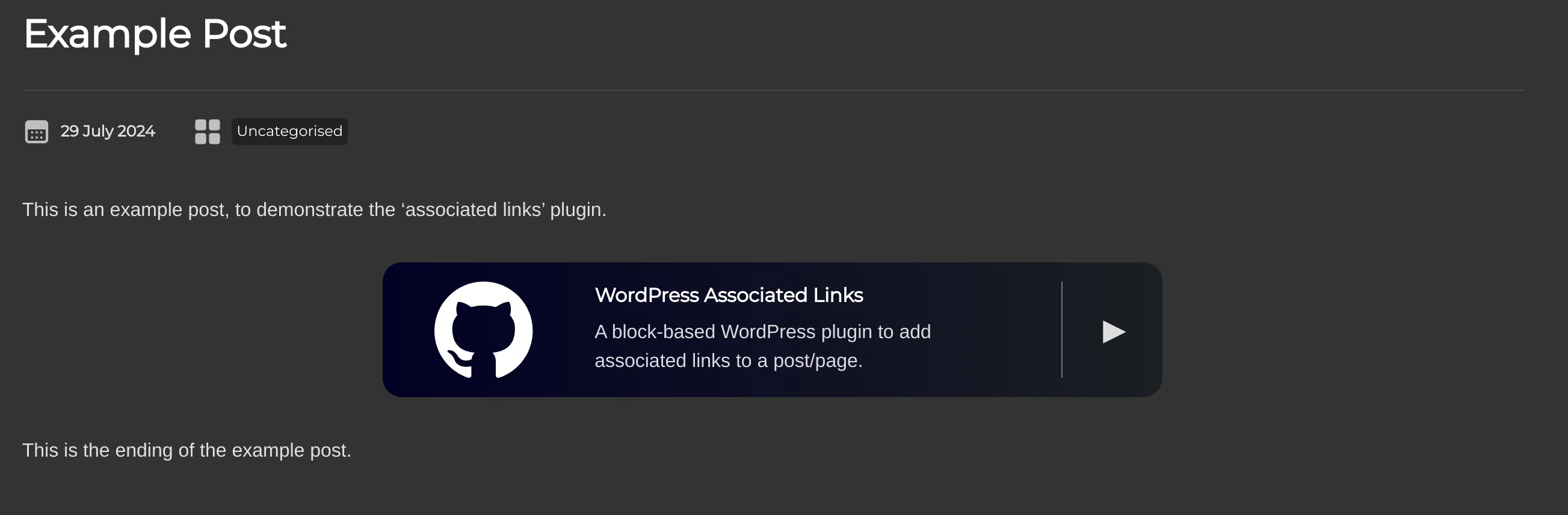
Adds a new block named 'Associated Links', which can be inserted anywhere in a page. Links are styled to stand out against the page content, making them useful for adding important links to a page.
Note that this is still in active development, and therefore the current feature-set is limited.
How To Use
Download the .zip file from releases, and install it through the WordPress 'Upload Plugin' feature. If you want to clone the repository, you'll need to build the extension before it will run.
The release tagged 'latest' is considered the current version, with a second release (labelled pre-release) reflecting the latest state of the repository. Builds are automated on each commit.
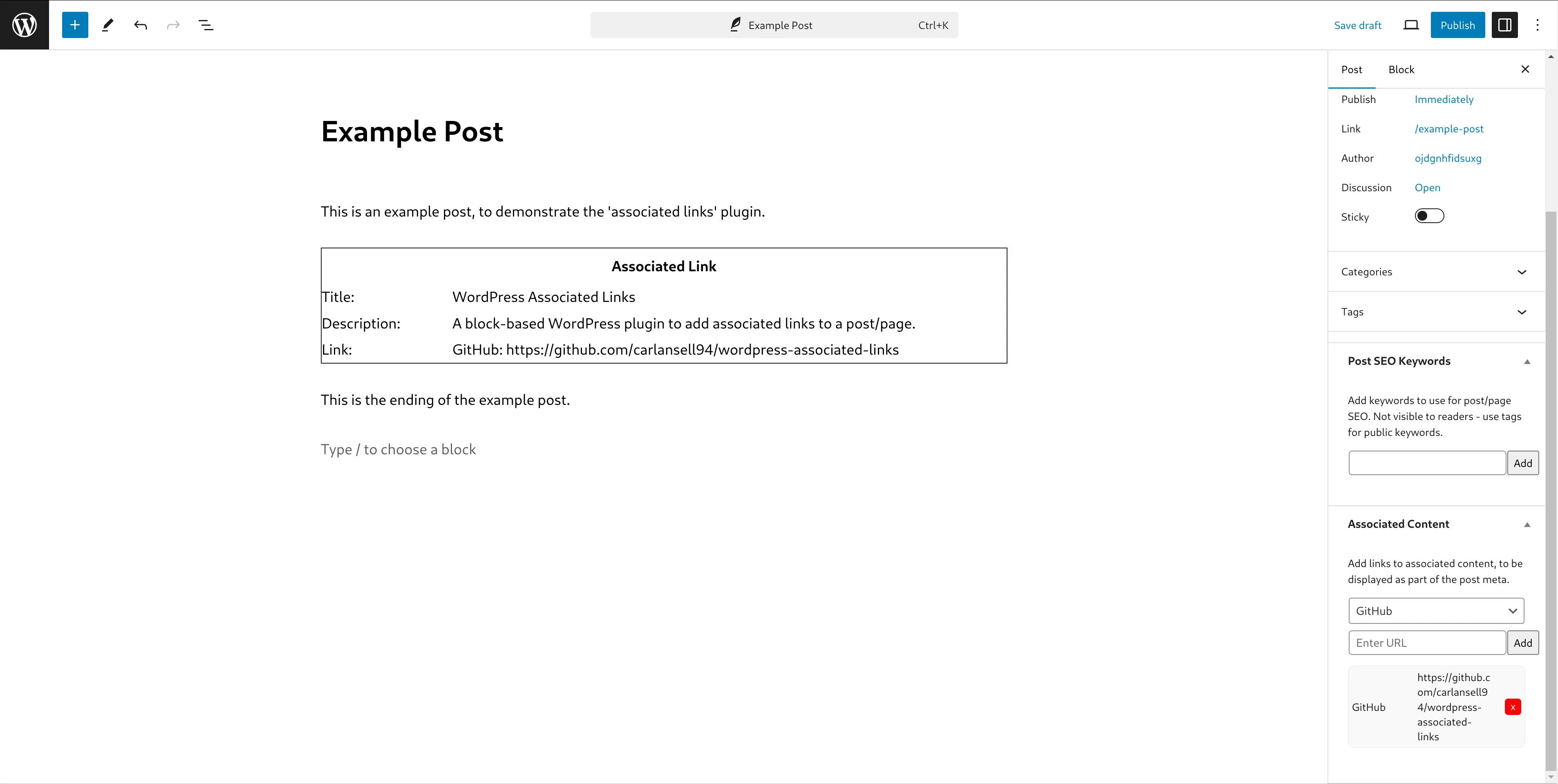
In the editor, a new 'Associated Links' section is added to the sidebar. Here, you can add links to your page. Added links are listed below the input box.
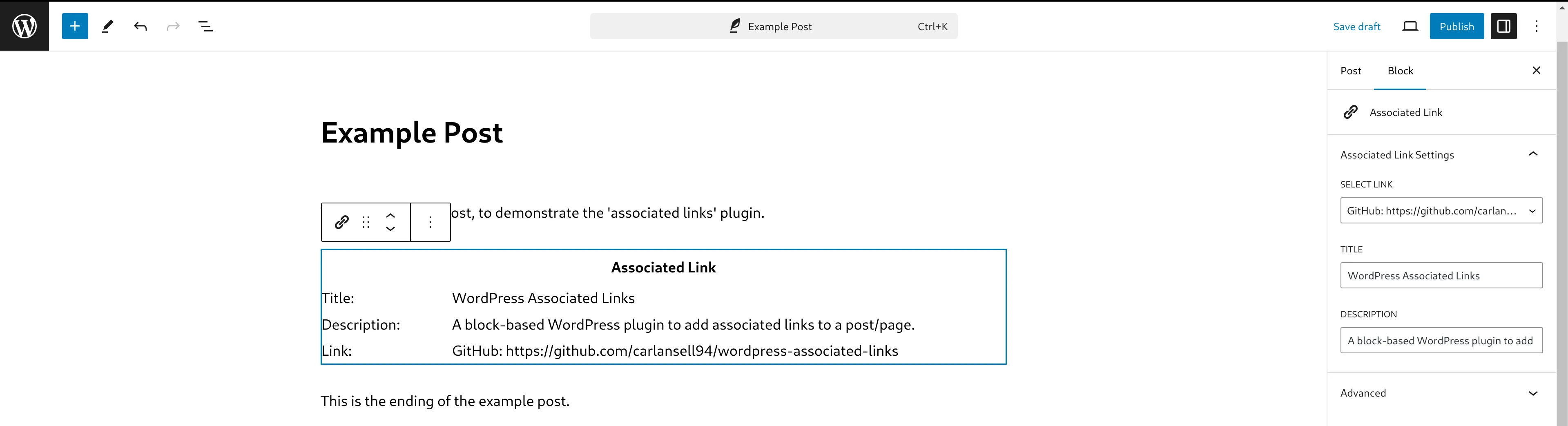
To show the link on the page, add an 'Associated Links' block. Select the intended link from the drop-down in the sidebar, and add a title and description to display inside the link box.
Supported Link Types
Currently includes support for the following link types:
- Internal (display in the editor using the name of your site)
- GitHub
- YouTube
- Ko-Fi
- OSH Park
- Other
Also includes an additional 'Download' option, which is intended for use with direct downloads from your site.
Adding New Link Types
Link types are stored in src/sources.json. Adding a new link is as simple as adding an entry to this file, which should be self-explanatory. Ensure the record key does not contain spaces, as this is used to load the correct CSS class for the link type.
Icons should be saved to /assets, though there is a default file (/assets/default.svg) which will be used if an icon is not set.
To customise the background colour, add a new entry to /src/style.scss, using the record key for the link type as the class name.
Future Development
The following features are planned for future versions of the plugin:
- Option to choose the size/position of the link
- Option to override built-in background colours in the editor
- Option to display a summary of attached URLs in the post metadata
- Option to toggle title/description/logo display on a per-link basis
- Validation/limitations on link type values to ensure URLs are valid
Screenshots
Editor Sidebar Meta Box:
Editor Block Settings:
Front End:
Logos
Several logos are bundled with this extension to match the selected link type.
The following files were created from scratch, and are subject to the same licence conditions as the rest of the extension.
- assets/default.svg
- assets/download.svg
- assets/other.svg
Third-party logos are bundled with this application, and copyright is held by the respective owners.
- assets/github.svg
- assets/kofi.png
- assets/oshpark.webp
- assets/youtube.png
If you are using a pre-built version of the extension, the assets folder can be found in /build.
Releases
2 releases. Each count is every asset in that release; expand a row for the breakdown.
Active-site estimate ≈10 comes from the median of recent superseded releases. Method.