WP Manifestindependent plugin directory
manifest / admin / disciple-tools-quick-comments

Disciple.Tools - Quick Comments WP Registry grade C-. High-severity findings · 1 findingWP RegistryHigh-severity findings · 1 findingOpen the reportC-

★ 0stars
108release downloads
≈10active sites
1.2.2latest · 3 years ago

Install

Download disciple-tools-quick-comments.zip From the 1.2.2 release on GitHub, Apr 4, 2023

Upload it under Plugins → Add New Plugin → Upload Plugin, then activate.

Install straight from GitHub with WP-CLI:

wp plugin install https://github.com/prykon/disciple-tools-quick-comments/releases/download/1.2.2/disciple-tools-quick-comments.zip

Updates itself. It ships its own updater (Plugin Update Checker), so new versions appear under Dashboard → Updates.

Plugin Banner

Disciple.Tools - Quick Comments

Tired of writing the same old comments every day? The Quick Comments plugin will help you speed up the process!

Purpose

The Quick Comments plugin allows users to post quickly without having to manually type in repetitive comments. It helps save time and encourages posting updates.

Usage

Go into any post page (contacts, groups, etc.) and you'll see a new dropdown menu named 'Quick Comments'. At first it'll appear as empty, so you'll have to quicken existing comments by clicking on the quicken button next to it.

Will Do

  • Create quick comments
  • Remove quick comments
  • Forwards compatible with new post page types

Will Not Do

  • Will not delete posted comments upon unquickening a quick comment
  • Will not allow you to add quick comments from other post types

Requirements

  • Disciple.Tools Theme

Installing

  • Install as a standard Disciple.Tools/Wordpress plugin in the system Admin/Plugins area.
  • Requires the user role of Administrator.

Contribution

Contributions welcome. You can report issues and bugs in the Issues section of the repo. You can present ideas in the Discussions section of the repo. And code contributions are welcome using the Pull Request system for git. For a more details on contribution see the contribution guidelines.

Screenshots
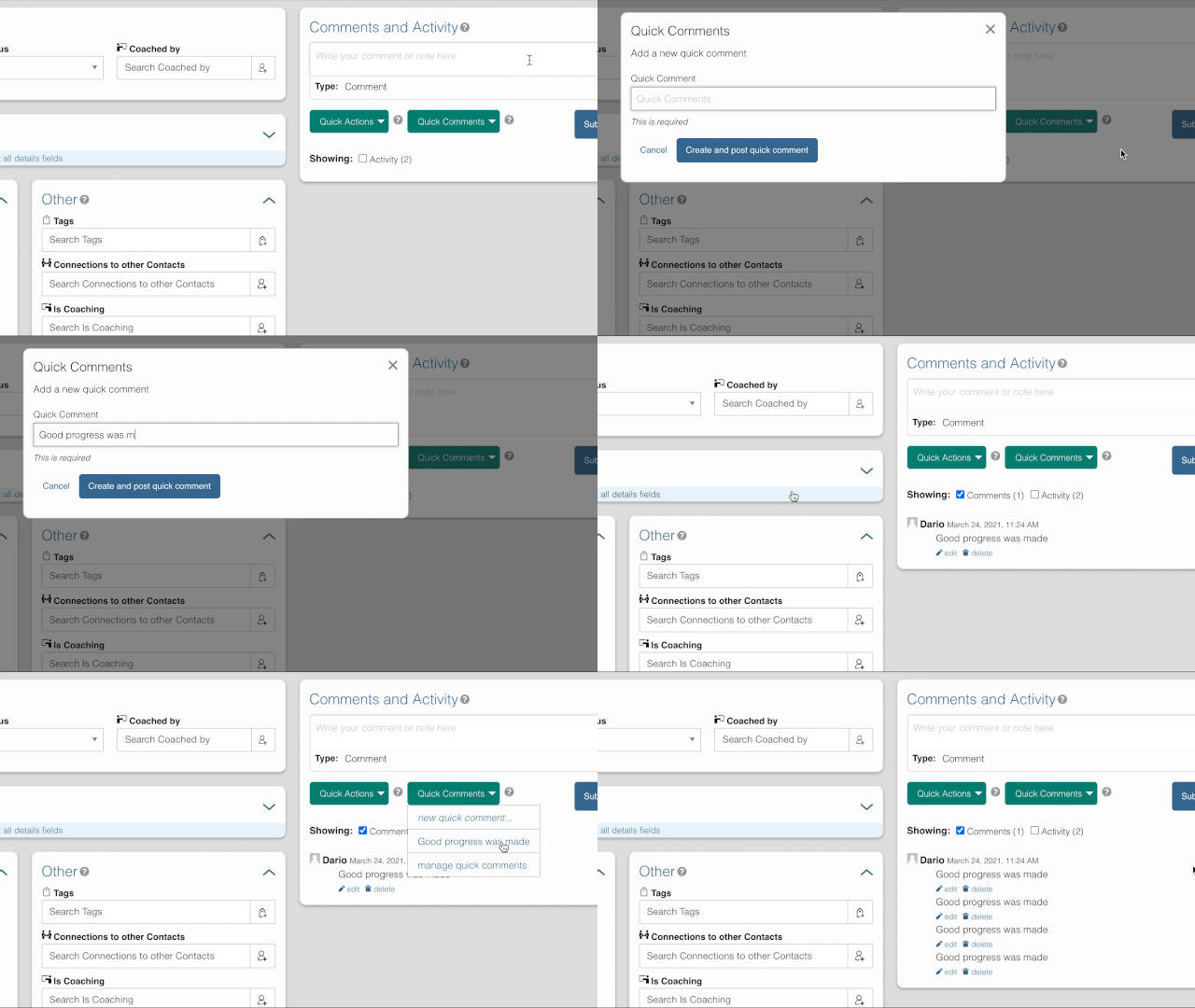
screenshot

Releases

5 releases. Each count is every asset in that release; expand a row for the breakdown.

Tag
Published
Assets
Downloads
1.2.2 latest
Apr 4, 2023 3 years ago
disciple-tools-quick-comments.zip
53
Feb 16, 2023 3 years ago
disciple-tools-quick-comments.zip
12
1.2
Aug 11, 2021 5 years ago
disciple-tools-quick-comments.zip
26
1.1
Apr 30, 2021 5 years ago
disciple-tools-quick-comments.zip
5
1.0
Mar 23, 2021 5 years ago
disciple-tools-quick-comments.zip
12

Active-site estimate ≈10 comes from the median of recent superseded releases. Method.

C- grade

Security

Disciple.Tools - Quick Comments 1.2.2 · audited by WP Registry

High-severity findings.

1 high
Audited release
1.2.2
Findings
1
Worst severity
high
Content hash
0406909c2ca8763be04c6833…

Findings

  • high Unauthenticated REST IDOR: read arbitrary comments via quick-comment endpoints

    missing_permission_callback

    Four REST routes under disciple_tools_quick_comments/v1 register with permission_callback __return_true. Class defines has_permission() for DT caps but never invokes it. update_quick_comments (GET) adds any numeric comment_id to the current user's (including uid 0) dt_quick_comments meta; get_quick_comments_endpoint / get_all_quick_comments then call get_comment() and return comment_content. Unauthenticated attackers can therefore read any site comment by ID (sensitive on Disciple.Tools contact records). Methods are also CSRF-friendly (state change via GET).

    rest-api/rest-api.php:15-45

    Recommendation

    Set permission_callback to [$this,'has_permission'] (or current_user_can checks). Verify the user may view the comment's post before returning content. Use POST for state changes with a REST nonce.

WP Registry hashes the installable build and reports on that exact bytes-for-bytes copy. Embargoed findings are withheld until they are disclosed, so a clean verdict means nothing public is outstanding. WP Manifest does not audit code itself.