Disciple.Tools - Availability WP Registry grade A. No security issues foundWP RegistryNo security issues foundOpen the reportA
Find out when your group has available time in the week to meet
Install
Upload it under Plugins → Add New Plugin → Upload Plugin, then activate.
Install straight from GitHub with WP-CLI:
wp plugin install https://github.com/prykon/disciple-tools-availability-plugin/releases/download/1.1.4/disciple-tools-availability-plugin.zip
Disciple.Tools Availability Plugin
Ever struggle with finding a time slot for your group that everyone is ok with? With the DT Availability Plugin you can easily set each group member availability and see the time slot with the most amount of overlap.
Screenshots
-
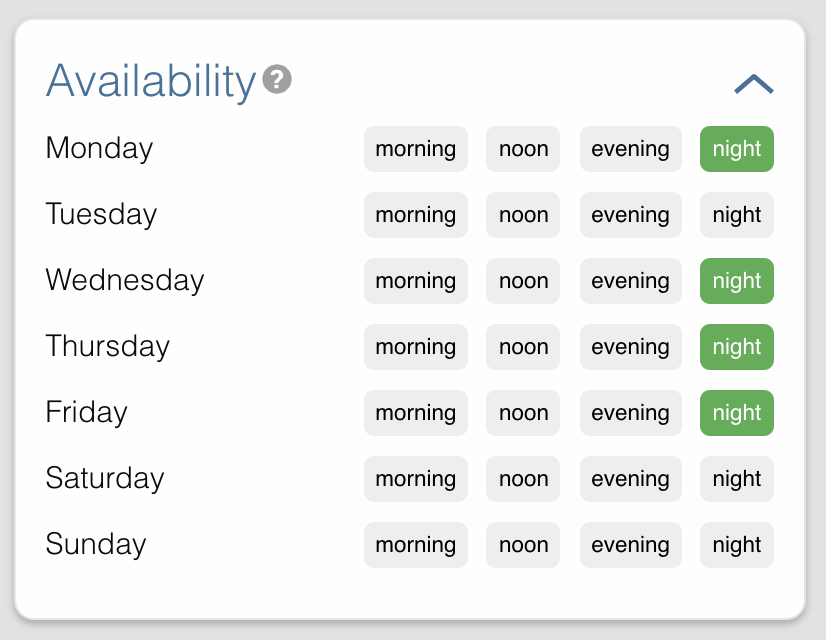
Choose the availability for each contact.
-
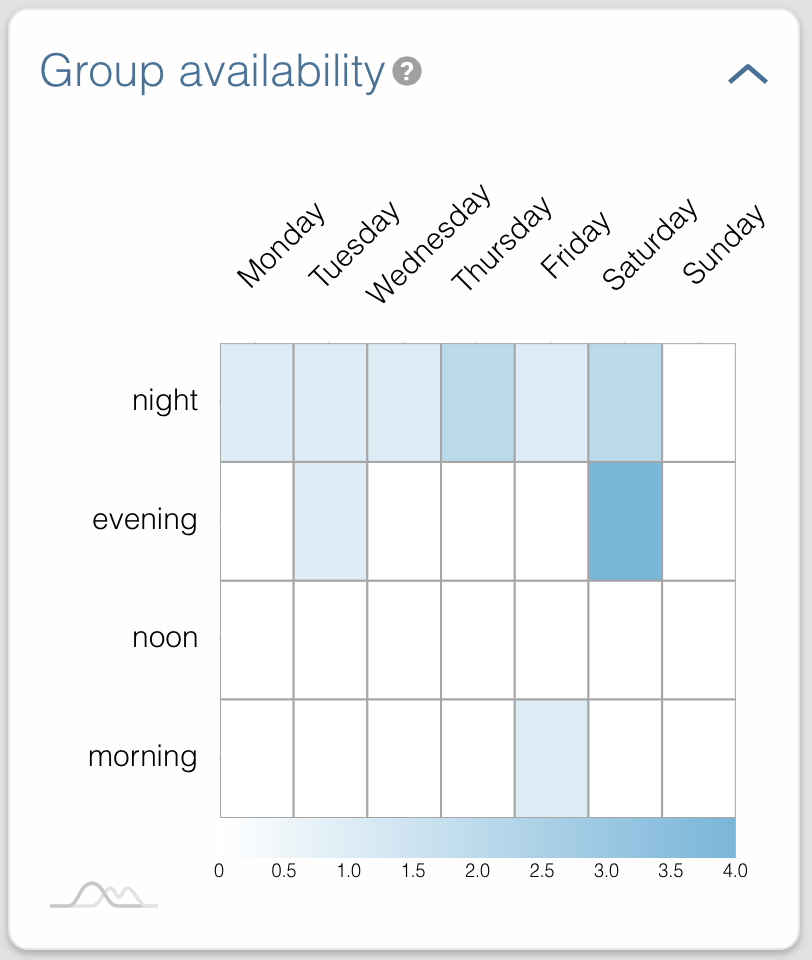
Go into the 'Groups' page and see a heatmap of overlapping availabilities.
-
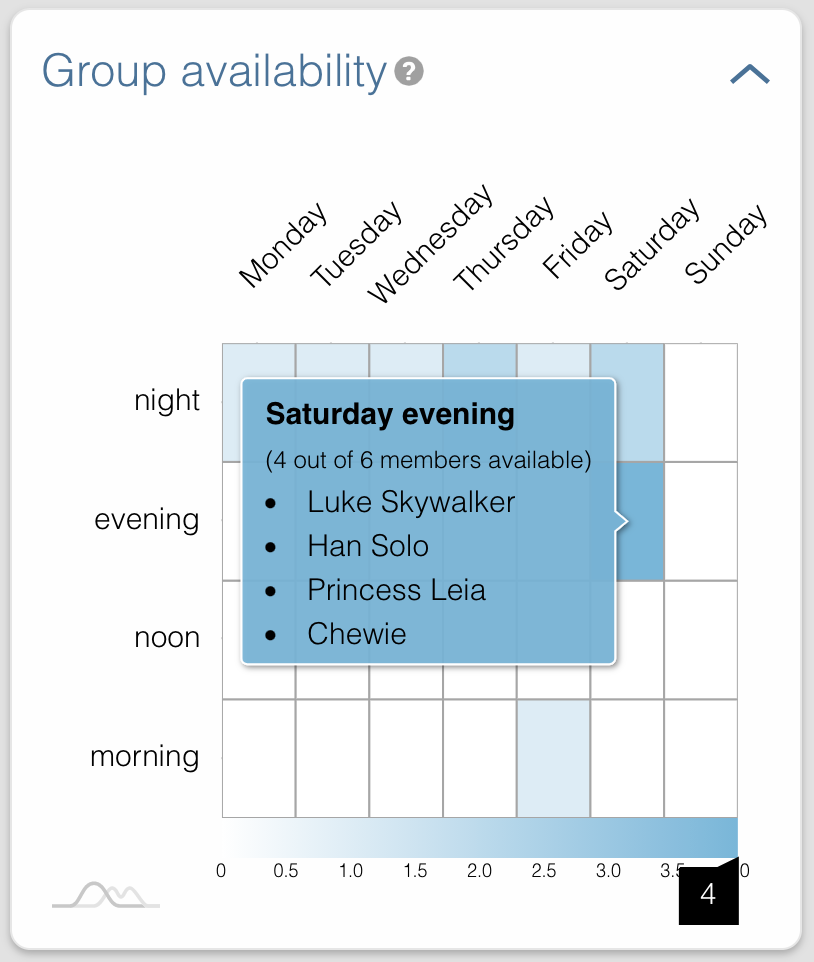
Hover over the heatmap to see the members that have that time slot available.
-
You can contact the rest of the members to see if they're ok with moving things around in order to make it on the most popular time slot.
Releases
6 releases. Each count is every asset in that release; expand a row for the breakdown.
Active-site estimate ≈10 comes from the median of recent superseded releases. Method.