Install
This is the repository archive. It installs, but the folder name will carry the branch suffix and updates will not flow.
Install straight from GitHub with WP-CLI:
wp plugin install https://github.com/pratik-londhe4/pratiks-login-shield/archive/refs/heads/main.zip
Pratiks Login Shield







Protect WordPress from brute force attacks with custom login URLs, rate limiting lockouts, and emergency anti-lockout recovery.
WordPress sites face non-stop automated bot attacks probing /wp-login.php with credential stuffing and dictionary attacks. These bot scans waste server bandwidth, overwhelm error logs, and expose site accounts to brute-force compromise.
While URL-hiding plugins like WPS Hide Login exist, they suffer from a dangerous flaw: if you forget your slug or a rewrite rule breaks, you are permanently locked out and forced to access cPanel or FTP to rename the plugin folder. Moreover, URL hiding alone provides zero rate limiting once the page is found or if attackers probe XML-RPC.
Pratiks Login Shield provides a complete, modern, zero-bloat security shield:
- Custom Login URL: Mask
/wp-login.phpbehind any secret slug (e.g.https://example.com/secret-portal/). Direct requests to/wp-login.phpreturn a standard404 Not Found. - Brute Force Rate Limiting: Automatically track failed authentication attempts per IP address. When failed attempts reach your limit (default: 4 attempts), the IP is temporarily locked out for your chosen window (default: 20 minutes).
- Anti-Lockout Emergency Key: Every site generates a private rescue URL token (
https://example.com/wp-login.php?shield_rescue=<key>) that immediately bypasses the shield, ensuring administrators are never locked out. - XML-RPC Multicall Protection: Block XML-RPC authentication and strip pingback headers with one click to stop brute-force amplification attacks.
[!NOTE] Free and open source under GPLv2+. No pro version, no upsells, no ads, no telemetry. Clean, lightweight, and accessible.
Features
- Custom Login URL: Change your login address with live preview. Preserves
action=postpassfor password-protected posts and filters core login URLs seamlessly. - Brute force rate limiting: Shows visitors how many attempts remain on incorrect passwords before lockout, and displays remaining lockout minutes when blocked.
- Anti-lockout guarantees: Bookmark your secret Emergency Rescue URL, run
wp pratiks-login-shield resetfrom terminal, or setPRATIKS_LOGIN_SHIELD_DISABLEinwp-config.php. - XML-RPC protection: Easily toggle XML-RPC off to prevent automated bots from bypassing the login page via
xmlrpc.php. - Active lockouts dashboard: Under Settings > Login Shield, inspect locked IPs, failed attempts, targeted usernames, and unlock any IP in one click.
- WP-CLI support: Inspect status, unlock individual IPs, or reset all settings to defaults directly from the command line.
- WordPress 6.9+ Abilities API: Register security status check and unlock abilities for autonomous AI agents and MCP workflows.
- Privacy & GDPR compliance: Failed attempts and lockouts automatically expire and clear. Full integration with WordPress Core Personal Data Exporter and Eraser.
- Accessibility: 100% WCAG 2.1 AA compliant, tested with axe-core.
Installation
- Download
pratiks-login-shield.zipfrom the latest release. - In WordPress, go to Plugins > Add New Plugin > Upload Plugin, choose the zip and activate it.
- Navigate to Settings > Login Shield to choose your custom login slug and rate limiting rules.
- Bookmark your secret Emergency Rescue URL.
Or with WP-CLI:
wp plugin install https://github.com/pratik-londhe4/pratiks-login-shield/releases/latest/download/pratiks-login-shield.zip --activateRequires WordPress 6.6+ and PHP 7.4+. The Try in WordPress Playground badge opens a throwaway WordPress site directly in your browser with the plugin active and ready to test.
WP-CLI
Manage Login Shield settings, lockouts, and emergency recovery from the terminal:
# View current status, custom login URL, and active lockouts
wp pratiks-login-shield status

# Unlock a specific IP address
wp pratiks-login-shield unlock 192.168.1.100

# Emergency reset: restore default /wp-login.php and clear all lockouts
wp pratiks-login-shield reset
Anti-Lockout Guarantees
Getting locked out of your site is the #1 risk with login hiding tools. Login Shield guarantees 3 fail-safe recovery methods:
- Rescue URL: Visit your secret emergency bookmark (
/wp-login.php?shield_rescue=<secret_key>). - WP-CLI Command: Run
wp pratiks-login-shield resetfrom SSH or server terminal. - wp-config.php Constant: Add
define( 'PRATIKS_LOGIN_SHIELD_DISABLE', true );to bypass shielding instantly.
Screenshots
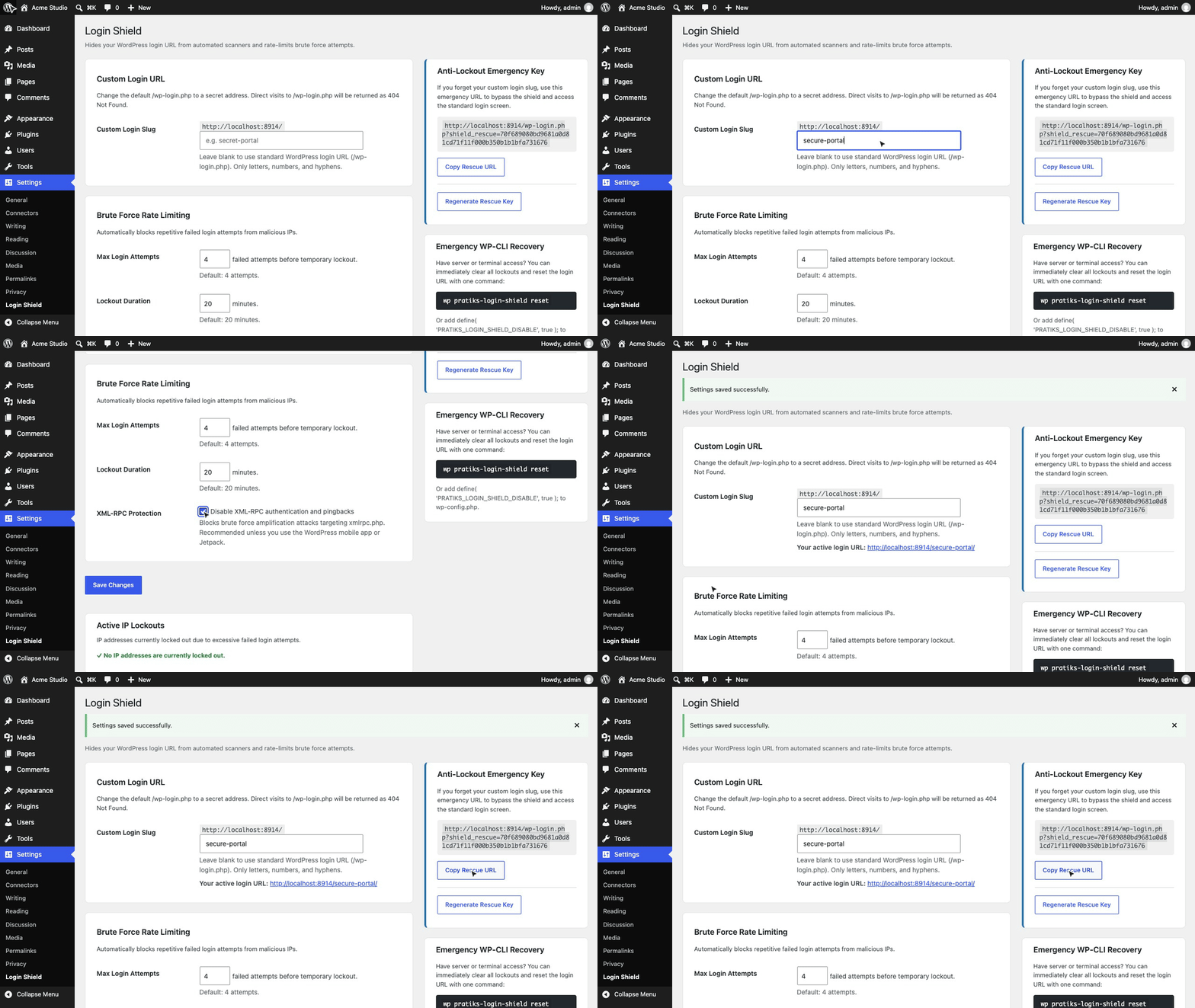
1. Settings screen with custom slug, rate limiting, and active lockouts table |
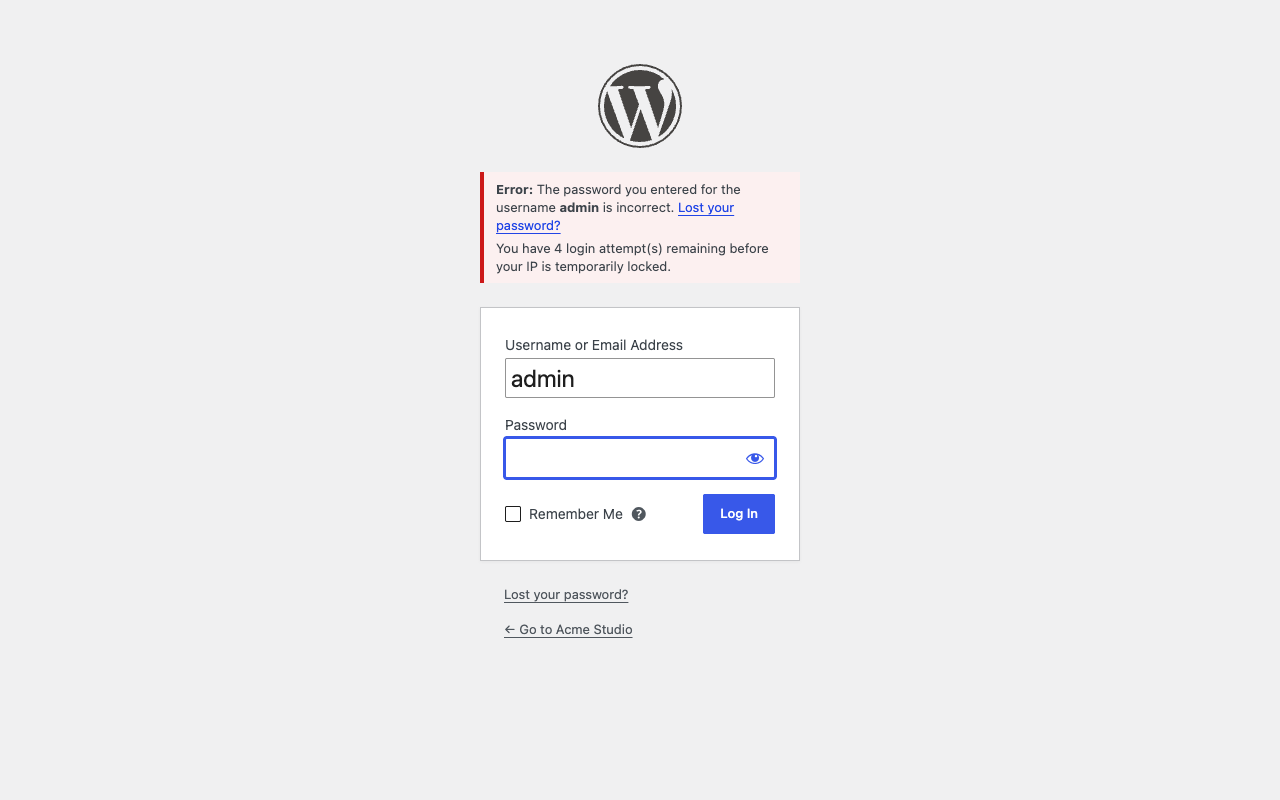 2. Custom login URL with remaining failed attempts notice |
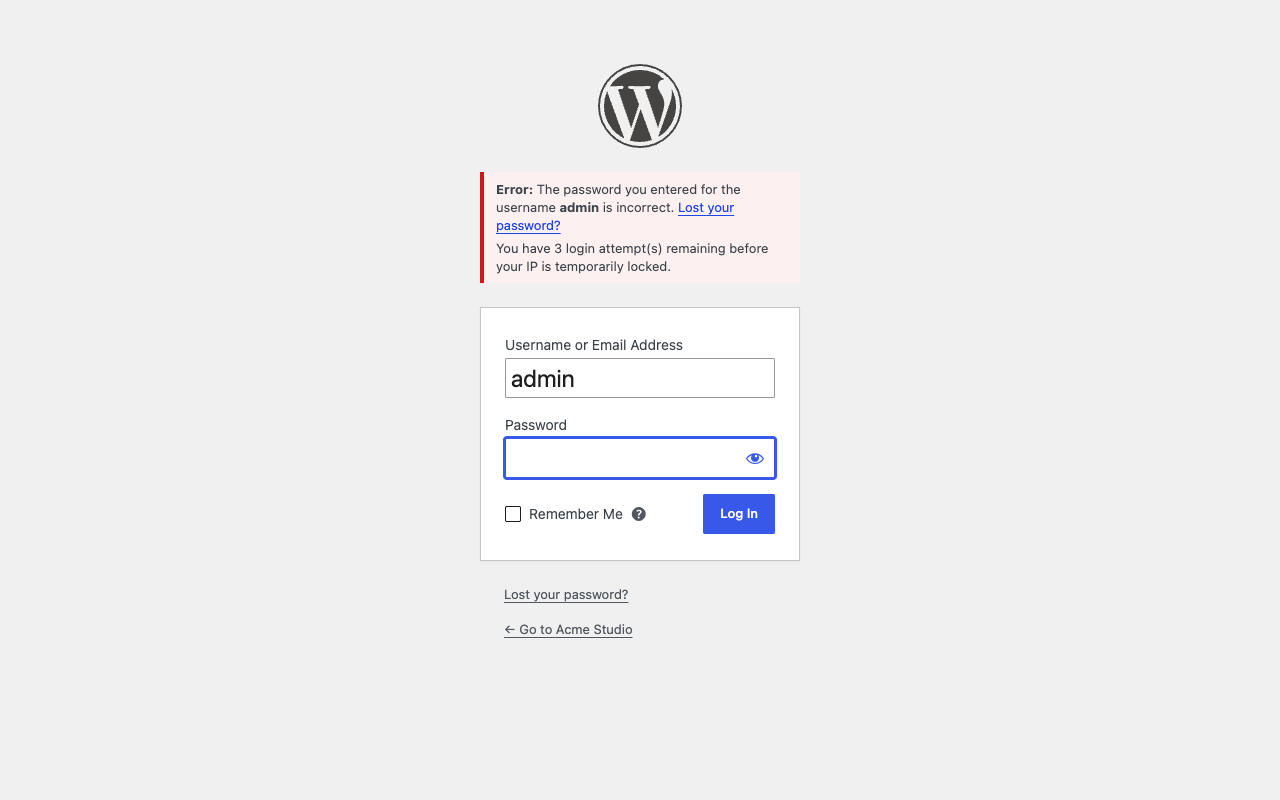 3. Temporary IP lockout screen with remaining duration countdown |
Documentation
| Doc | What it covers |
|---|---|
| Reference | Actions, constants, WP-CLI commands, and Abilities API |
| Development | Local environment, commands, PHPCS, PHPStan, and tests |
| Contributing | Pull requests, required checks, and PR titles |
| Releasing | How Conventional Commits and pull requests become releases |
| Security | Reporting a security vulnerability |
| readme.txt | WordPress.org plugin directory description, FAQ, and changelog |
Project structure
pratiks-login-shield.php          plugin header, autoloader, activation & boot
uninstall.php                    clean removal of options and transient data
src/
├── Plugin.php                   service container and lifecycle bootstrap
├── Service.php                  service contract interface
├── Auth/
│   ├── LoginUrlHandler.php      custom login slug rewriting and /wp-login.php blocking
│   ├── RateLimiter.php          IP-based brute-force tracking and lockout enforcement
│   └── XmlRpcBlocker.php        XML-RPC method blocking and pingback header removal
├── Settings/
│   └── SettingsPage.php         admin settings controller under Settings > Login Shield
├── Cli/
│   └── Command.php              WP-CLI command suite (status, reset, unlock)
├── Abilities.php                WordPress 6.9+ Abilities API and agent definitions
└── Privacy.php                  GDPR personal data exporter, eraser, and privacy text
tests/
├── Unit/                        PHPUnit test cases with Brain Monkey isolation
└── e2e/                         Playwright test harness and Docker multi-version matrix
scripts/                         brand assets and icon generator
docs/                            reference, development, contributing, releasing
More free plugins
| Plugin | What it does | |
|---|---|---|
 |
Pratiks Block Grammar Editor | Inspect, copy, format, validate, and edit Gutenberg block comment grammar for individual blocks in the editor |
 |
Pratiks Options Revisions | Track settings changes, compare unified diffs, and roll back any WordPress or plugin option with one click |
 |
Pratiks 3D Model Embedder | Upload GLB, glTF, STL and OBJ files and show them in posts as interactive 3D models visitors can rotate |
License
Copyright (c) Pratik Londhe. Licensed under GPL-2.0-or-later.