Install
This is the repository archive. It installs, but the folder name will carry the branch suffix and updates will not flow.
Install straight from GitHub with WP-CLI:
wp plugin install https://github.com/prangishviliabe/cardmap-for-wp/archive/refs/heads/main.zipUpdates itself. It ships its own updater (Plugin Update Checker), so new versions appear under Dashboard → Updates.
CardMap for WP
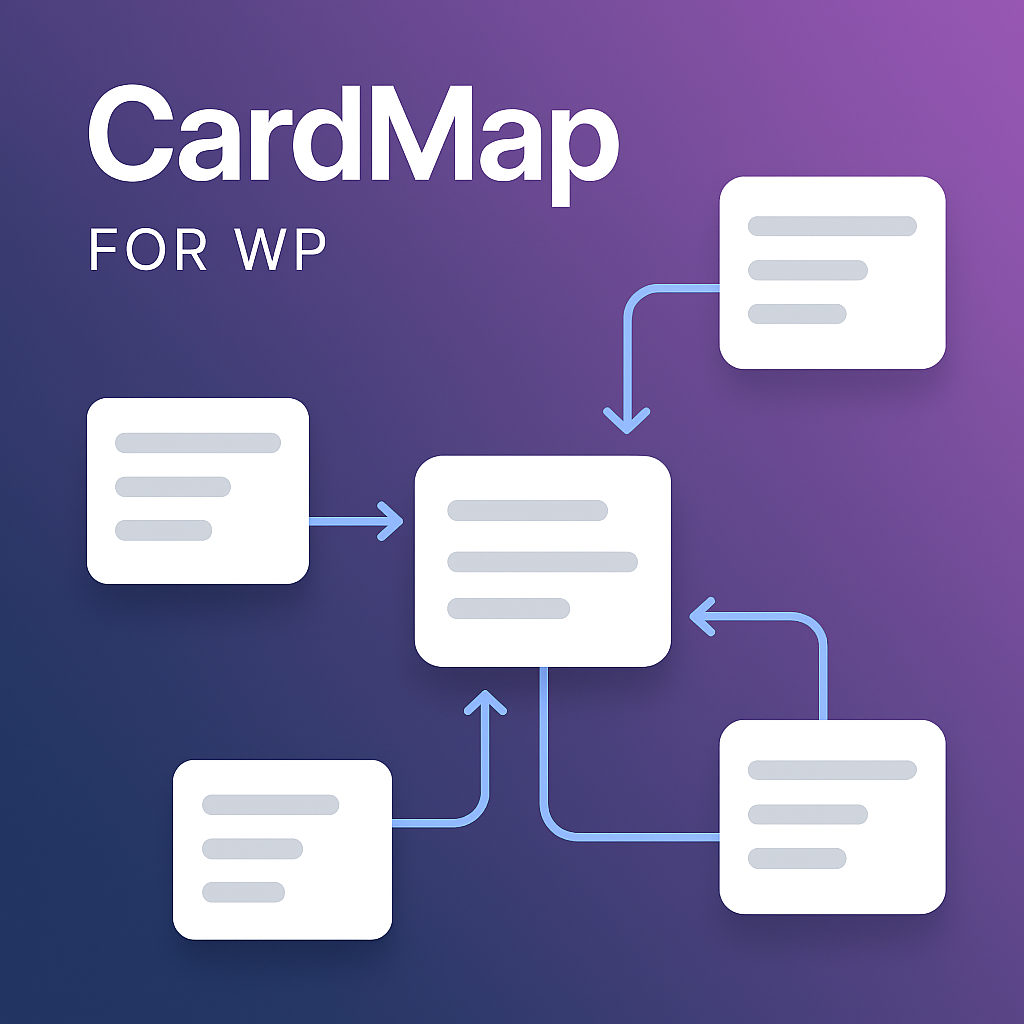
A WordPress plugin for creating interactive, node-based maps with connections. Built with jsPlumb, this plugin allows you to visually design and display complex diagrams, flowcharts, or maps on your WordPress site using a simple shortcode.
Features
- Custom Post Type: Adds a "CardMaps" post type to your WordPress admin for easy management.
- Visual Editor: A drag-and-drop interface to add, position, and connect nodes (cards).
- Node Customization: Add titles, captions, images, and links to each card.
- Connection Styling: Customize the color, thickness, and style of the connecting lines.
- Rails System: Add horizontal or vertical rails to align nodes neatly.
- Frontend Rendering: Display your map on any page or post with the
[cardmap id="..."]shortcode. - Interactive Frontend: Users can pan and zoom the map for better viewing.
- Fullscreen Mode: A dedicated button to view the map in fullscreen.
Installation
- Download the plugin as a
.zipfile from the GitHub repository. - In your WordPress admin dashboard, navigate to Plugins > Add New.
- Click Upload Plugin and select the
.zipfile you downloaded. - Click Install Now and then Activate Plugin.
How to Use
- After activating the plugin, a new CardMaps menu will appear in your WordPress admin sidebar.
- Click CardMaps > Add New to create a new map.
- Give your map a title and use the visual editor on the page to build your map:
- Add Node: Creates a new card on the canvas.
- Add Rail: Adds a horizontal or vertical rail for alignment.
- Connect Mode: Click this, then click two nodes to draw a connection between them.
- Delete Mode: Click this, then click a node to delete it.
- Double-click any node to edit its content (title, caption, image, link).
- Click the Save Map button in the editor toolbar to save your progress.
- Once you are finished, click the main Publish or Update button for the post.
- To display the map, copy the shortcode provided in the "Shortcode" meta box (e.g.,
[cardmap id="123"]) and paste it into any post or page.
Changelog
v2.1.0 (2025-10-17)
- ✨ New Feature: Custom background image support for frontend maps
- ✨ New Feature: Background size control (Auto, Cover, Contain, Stretch)
- ✨ New Feature: Background repeat options (Repeat, No-repeat, Repeat-x, Repeat-y)
- 🎨 Improvement: WordPress Media Library integration for easy image selection
- 🎨 Improvement: Live image preview in settings page
- 📦 Improvement: Background settings included in export/import functionality
- 🔧 Enhancement: Backward compatible - existing maps work without modification
v2.0.0 (2025-10-14)
- 🚀 Major Feature: Dynamic Rail Connection System - connections now intelligently slide along rails as cards move
- ✨ New Feature: Real-time connection anchor updates during drag - smooth visual feedback while dragging
- ✨ New Feature: Smart anchor positioning on rails based on card position relative to rail
- ✨ New Feature: Automatic anchor recalculation on page load - connections display correctly without manual adjustment
- 🎯 Improvement: Precise connection alignment to rail edges (left/right for vertical rails, top/bottom for horizontal rails)
- 🎯 Improvement: Connection points maintain optimal position along rail length based on card position
- 🔧 Fix: Proper jsPlumb v2.15.6 API usage with endpoints[].setAnchor() for dynamic updates
- 🔧 Fix: Real-time position tracking during drag using current element position instead of stale data
- 🔧 Fix: Immediate visual updates with connection.repaint() after anchor changes
- ⚡ Technical: Added updateAllRailAnchors() method for batch anchor recalculation
- ⚡ Technical: Improved coordinate system handling for accurate rail-node positioning
- 🗑️ Removed: Story mode feature completely removed from plugin (editor, JavaScript, CSS)
v1.10.8 (2025-10-13)
- 🔧 Critical Fix: Arrow overlays now properly visible on all arrow-styled connections (straight, flowchart, dashed, dotted)
- 🔧 Critical Fix: Context menu now works multiple times without requiring page refresh
- 🔧 Critical Fix: Style overlap issue resolved - styles now switch cleanly without remnants of previous style
- ✨ New Feature: Added arrow support for dashed and dotted connection styles
- ✨ New Feature: Added "Dashed with Arrows" style option
- ✨ New Feature: Added "Dotted with Arrows" style option
- ✨ New Feature: Added "Bezier with Arrows" style option
- ✨ New Feature: Automatic migration system to update settings to modern standards
- � Improvement: Removed "Default Connection Line Style" global setting (now uses per-connection styling only)
- 🔄 Improvement: Added backwards compatibility for legacy style names (rounded-flowchart, curved-bezier, parallel, etc.)
- 🔄 Improvement: Enhanced arrow overlay rendering with proper fill, stroke, and foldback properties
- 🔄 Improvement: Improved style normalization for old/incorrect naming conventions
- 🔄 Improvement: Better event handler cleanup to prevent duplicate listeners
- ⚡ Technical: Version-based migration system for automatic settings updates
- ⚡ Technical: Proper paint style reset to prevent style overlap
- ⚡ Technical: Multiple delayed repaints for reliable arrow rendering
- ⚡ Technical: Re-attach context menu after connector changes to maintain functionality
v1.10.7 (2025-10-10)
- 🐛 Critical Bug Fix: Fixed JavaScript syntax errors in frontend.js caused by console.log removal process
- 🔧 Code Repair: Removed orphaned object literals that were left behind from automated cleanup
- ✅ Stability Restored: All JavaScript files are now error-free and fully functional
- 🎯 Quality Improvement: Enhanced cleanup process to prevent similar issues in the future
- 🚀 Production Ready: Plugin is stable and ready for deployment
v1.10.6 (2025-10-10)
- 🧹 Code Cleanup: Removed all development console.log statements from JavaScript files for production readiness
- 🗑️ Feature Removal: Completely removed ruler overlay functionality from the plugin
- ⚡ Performance Boost: Cleaner codebase with reduced console output improves performance
- 🔧 Settings Cleanup: Removed unused ruler settings from admin panel and configuration
- 📦 Optimized Bundle: Smaller JavaScript bundle size after removing ruler code and debug logs
- 💡 Production Ready: Professional, clean code without development artifacts
- 🎯 Streamlined: Focused feature set without unnecessary complexity
v1.10.5 (2025-10-10)
- 🎨 Major UI Enhancement: Completely redesigned card settings panel with sophisticated modern visuals
- ✨ Enhanced Settings Toggle: Beautiful gradient background with smooth rotation animations and color transitions
- 💫 Animated Panel: Settings panel now slides down smoothly with elegant cubic-bezier easing
- 🎯 Premium Form Styling: All inputs and selects feature modern styling with focus states, shadows, and hover effects
- 📝 Clear Labeling: Added professional uppercase labels for all card settings fields
- 🔵 Enhanced Image Button: Select Image button features primary gradient color and icon for better visibility
- 🌟 Custom Dropdowns: Styled select boxes with custom arrows and improved user experience
- 🎨 Sophisticated Colors: Modern gradient schemes, subtle shadows, and refined color palette throughout
- ⚡ Smooth Animations: Transform effects, hover states, and transitions on all interactive elements
- 💡 Better UX: Enhanced visual feedback and accessibility across the entire settings interface
v1.10.4 (2025-10-10)
- ✨ New Feature: Intelligent Auto-Align button for effortless card organization.
- 🎯 Smart Detection: Automatically identifies cards positioned within 80px proximity for grouping.
- 📏 Horizontal Alignment: Aligns cards with similar Y-positions to their proportional average for perfect rows.
- 📐 Vertical Alignment: Aligns cards with similar X-positions to their proportional average for perfect columns.
- ⚙️ Customizable: Enable/disable the Auto-Align button via Settings → Editor Settings.
- 💾 Full Undo Support: Integrated with history system - press Ctrl+Z to undo any alignment.
- 📢 User-Friendly Feedback: Toast notifications show how many card groups were aligned.
- 🎨 One-Click Operation: Single button press creates clean, organized layouts instantly.
- 🔧 Non-Destructive: All alignment operations are reversible and work alongside manual positioning.
v1.10.3 (2025-10-10)
- 🔧 Critical Fix: Resolved card link styling rendering issues on frontend.
- ✅ Dashed Lines Fix: Dashed connection lines now properly display as dashed instead of being invisible or appearing as straight lines.
- ✅ Dotted Lines Fix: Dotted connection lines now properly display as dotted instead of being invisible or appearing as straight lines.
- 🎨 CSS Enhancement: Removed default animation from connection paths to allow custom dash/dot styles to render correctly.
- ⚡ SVG Attributes: Added proper
strokeDasharraySVG attribute support alongside jsPlumb'sdashstyleproperty. - 🔍 Animation Control: Connection animations now only apply when explicitly enabled via the
cardmap-connection-animclass. - 💡 Technical Fix: Resolved CSS animation conflict where
stroke-dasharrayused for animation was overriding intentional dash/dot styling. - 🚀 Style Application: Improved connection style application with manual SVG attribute setting after connection creation.
- 📋 Consistency: All connection styles (straight, dashed, dotted, rail-based) now render consistently on frontend and admin.
v1.10.2 (2025-10-10)
- 🐛 Critical Bug Fix: Individual connection styles now display correctly on frontend - fixed rail styling override issue
- 🔧 Enhanced Context Menu: Right-click context menu now works properly on all connections with proper event handling
- 🎯 Complete Workflow: Verified end-to-end individual connection styling from admin panel to frontend display
- ⚡ Performance: Cleaned up debugging logs and optimized connection style application
- ✅ Fully Working: Individual connection styling feature now 100% functional across admin and frontend
v1.10.0 (2025-10-10)
- 🎨 Individual Connection Styling: Revolutionary new feature allowing each connection to have its own independent style settings, separate from card settings.
- 🖱️ Right-Click Context Menu: Intuitive right-click interface on connections to instantly change their style (normal, dashed, dotted, arrows, etc.).
- 🎯 Smart Priority System: Complete implementation of connection style priority: individual connection > source node > target node > global default.
- ✨ Enhanced User Experience: Immediate visual feedback when changing connection styles with real-time preview.
- 🔧 Fixed Style Application: Resolved issues where connection style changes in the panel weren't taking effect properly.
- 📋 Improved Data Structure: Connection data now properly stores and manages individual style properties.
- ⚡ Performance Optimized: Streamlined style rendering and repaint operations for better responsiveness.
- 🎨 Professional UI: Clean, contextual menu design that integrates seamlessly with the existing interface.
- 🌐 Full Compatibility: Both admin editor and frontend display now fully support individual connection styling.
v1.9.1 (2025-10-09)
- 🐛 Critical Bug Fix: Fixed connection style rendering issue where normal/solid lines were incorrectly displayed with dashed styles on the frontend.
- ✨ New Connection Style: Added 'Normal' connection style option for clean solid lines without arrows, providing better visual clarity.
- 🎯 Enhanced Consistency: Improved consistency between admin editor and frontend connection style rendering for all line types.
- 🔧 Better Defaults: Updated default connection style handling to properly support normal, dashed, dotted, and arrow styles.
- 📋 Improved Compatibility: Enhanced connection style fallback behavior for existing maps to ensure proper rendering.
- ⚡ Performance: Optimized connection style configuration for faster rendering and better user experience.
v1.9.0 (2025-10-09)
- 🎯 Enhanced History System: Complete overhaul of undo/redo functionality with proper state management and UI feedback.
- 📋 Interactive History Panel: New history dropdown showing all actions with timestamps and the ability to jump to any point in history.
- 🔄 Smart History Tracking: Automatic history saving for all major actions including node creation, connection creation, deletions, and modifications.
- ⚡ Improved Performance: Better connection rendering with reduced gaps and improved SVG positioning accuracy.
- 🎨 Better UI/UX: Disabled state indicators for undo/redo buttons, better visual feedback, and cleaner interface.
- 🔧 Fixed Rail Connections: Resolved issues with frontend connection gaps and improved rail-to-node connection accuracy.
- ⌨️ Keyboard Shortcuts: Enhanced Ctrl+Z (undo) and Ctrl+Y (redo) support with proper state management.
- 💾 Persistent History: History state properly maintained across editor sessions with smart cleanup.
- 🚀 Performance Optimizations: Reduced unnecessary repaints and improved connection calculation speed.
v1.8.3 (2025-10-09)
- Major Enhancement: Completely redesigned connection precision system for pixel-perfect accuracy.
- Smart Anchoring: Connections to cards now automatically snap to the nearest edge center (top, bottom, left, right) for perfect alignment regardless of where you click.
- Precise Rail Connections: Connections to rails maintain exact pixel positioning where you click for maximum flexibility.
- Unified Coordinate System: Fixed inconsistencies between node-to-rail and rail-to-node connections ensuring both directions work perfectly.
- Improved User Experience: Eliminated pixel-level positioning errors on cards while maintaining precise control on rails.
- Technical: Completely rewrote anchor calculation functions with unified coordinate handling and better error management.
v1.8.2 (2025-10-09)
- Fix: Improved clicking precision for rail connections - connections now anchor exactly where you click instead of connecting to a different location.
- Enhancement: Updated default card size to 192px × 240px for better visual balance and consistency.
- Technical: Fixed coordinate transformation logic in anchor calculation functions for more accurate positioning.
v1.8.1 (2025-10-07)
- Improvement: Moved fullscreen link generation from frontend to admin panel for cleaner user experience.
- Feature: Added automatic fullscreen mode when accessing cardmap links with fullscreen parameter.
v1.8.0 (2025-10-07)
- New Feature: Added visible Undo/Redo buttons (↶ ↷) in the toolbar for easy access to history navigation.
- New Feature: Added Auto-Align button (📐) that proportionally distributes cards evenly within their current area.
- Enhancement: Dynamic connection anchors - connections to rails now move smoothly along the rail as you drag connected cards.
- Enhancement: Improved frontend connection rendering to match admin panel appearance exactly.
- Enhancement: Better anchor handling for rail connections with proper saved anchor support.
- Enhancement: Connections now properly process saved precise anchors from the admin panel.
- Removed: Grid snap and ruler features removed for simplified, cleaner interface.
- Fix: Connections now properly reach rails without gaps on the frontend.
- Fix: Connection styling now matches perfectly between admin panel and frontend display.
- Fix: Added initialization delays to ensure rails are fully set up before connections are created.
v1.7.0 (2025-10-07)
- New Feature: Added comprehensive export/import functionality for plugin settings. Users can now backup their settings or transfer them between sites.
- Export: Download all plugin settings as a JSON file for backup or migration purposes.
- Import: Upload and restore settings from a previously exported JSON file.
- User-Friendly: Added intuitive UI controls in the settings page with progress feedback and error handling.
- New Feature: Added ruler overlay functionality in the editor for precise element alignment.
- Ruler: Toggle-able ruler overlay with customizable color and opacity for accurate positioning.
- Keyboard Shortcut: Press 'R' key to quickly toggle ruler on/off.
v1.6.2 (2025-10-07)
- Fixed: Connection style selection now updates visually in real-time. Previously, selecting different connection styles (straight, bezier, dashed, etc.) from the dropdown had no visual effect on existing connections.
- Technical: Removed CSS
!importantdeclarations that were preventing JavaScript from updating connection styles dynamically. - Enhanced: Added proper repaint calls and improved error handling for connection style changes.
- Improved: Added user feedback via toast notifications when connection styles are updated.
- Debugging: Enhanced console logging to help identify connection style issues in the future.
v1.5.0 (2025-10-03)
- Added rail appearance controls in the admin editor: rail style (solid/dashed/dotted), color picker, and thickness.
- Improved rail settings panel positioning: panel now appears adjacent to the hovered rail and respects pan/zoom.
- Fixed plugin update checker slug and published release tags so WordPress can detect updates.
v1.5.1 (2025-10-03)
- Added additional rail appearance styles (dash-heavy, dash-subtle, double-line, striped, gradient, embossed) and improved dashed rendering for better visibility.
v1.5.2 (2025-10-03)
- Bugfix: Ensure rail appearance changes persist across save/load in the editor and reflect immediately on existing connections. Added extra debug logging to assist with persistence issues.