Install
Upload it under Plugins → Add New Plugin → Upload Plugin, then activate.
Install straight from GitHub with WP-CLI:
wp plugin install https://github.com/pooyanshabani/woocommerce-telegram-notifier/releases/download/WooCommerceNotification/woocommerce-telegram-notifier-1.0.0.zip🚀 Real-time Telegram notifications for WooCommerce.
Receive instant notifications for new orders, order updates, inventory changes, and customer activity directly in your Telegram group or private chat.




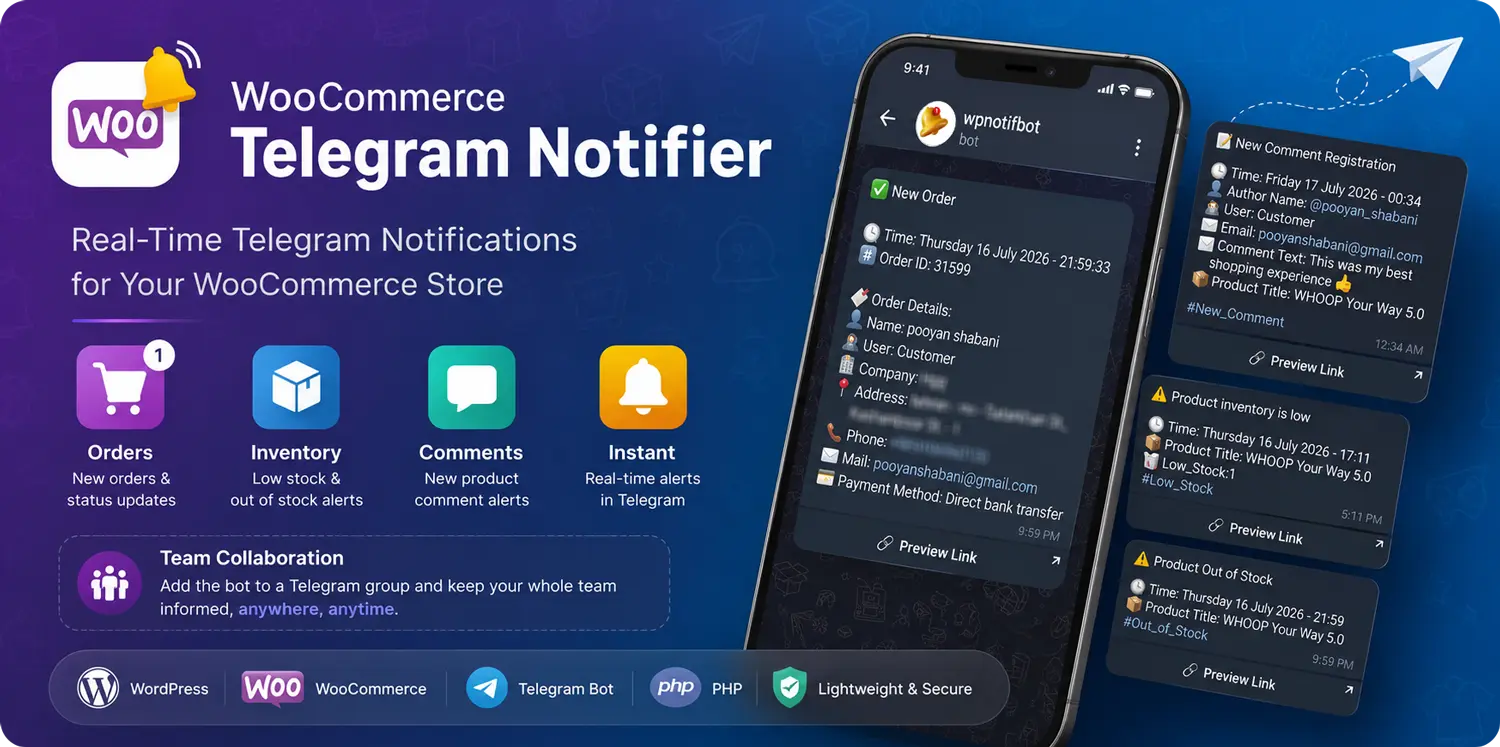
Why WooCommerce Telegram Notifier?
Managing an online store means constantly checking your dashboard for new orders, stock changes, and customer activity.
WooCommerce Telegram Notifier keeps your entire team informed in real time by sending important WooCommerce events directly to Telegram.
No need to keep your WordPress dashboard open.
Perfect for:
- 🛍 Store Owners
- 👨💼 Store Managers
- 📦 Warehouse Teams
- 💬 Customer Support
- 👨💻 Developers
- 📱 Remote Teams
✨ Features
🛒 WooCommerce Notifications
- ✅ New Order Notifications
- ✅ Order Status Updates
- ✅ Product Low Stock Alerts
- ✅ Product Out of Stock Alerts
- ✅ New Product Comment Notifications
🤖 Telegram Integration
- Telegram Bot API
- Private Chat Support
- Telegram Group Support
- Multiple Team Members Receive Notifications
- Real-Time Delivery
Simply add your Telegram Bot to a group and everyone in your team will receive store notifications instantly.
🔗 Smart Quick Links
Every notification contains useful shortcuts such as:
- View Order
- View Product
- View Customer Comment
This allows administrators to access the related page with a single click.
😀 Rich Message Formatting
Notifications are designed for readability.
Each message includes:
- Emoji Icons
- Clean Sections
- Organized Information
- Clickable Links
- Highlighted Important Data
⚡ Lightweight
- Native WooCommerce Hooks
- Optimized Performance
- No External Services Required
- Minimal Server Resources
📷 Screenshots
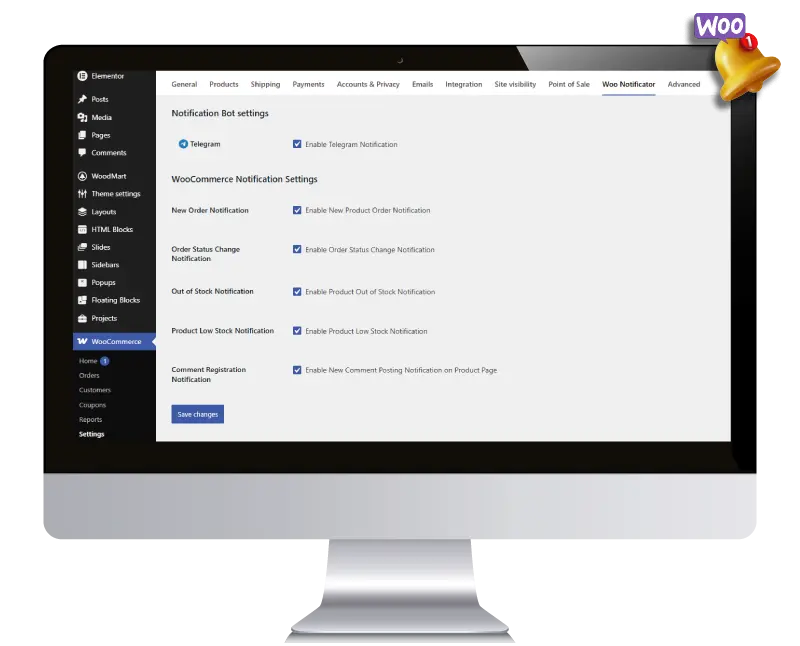
Plugin Settings
Configure your Telegram Bot and choose which events should trigger notifications.
📱 Telegram Notifications
Receive beautiful real-time notifications directly inside Telegram.
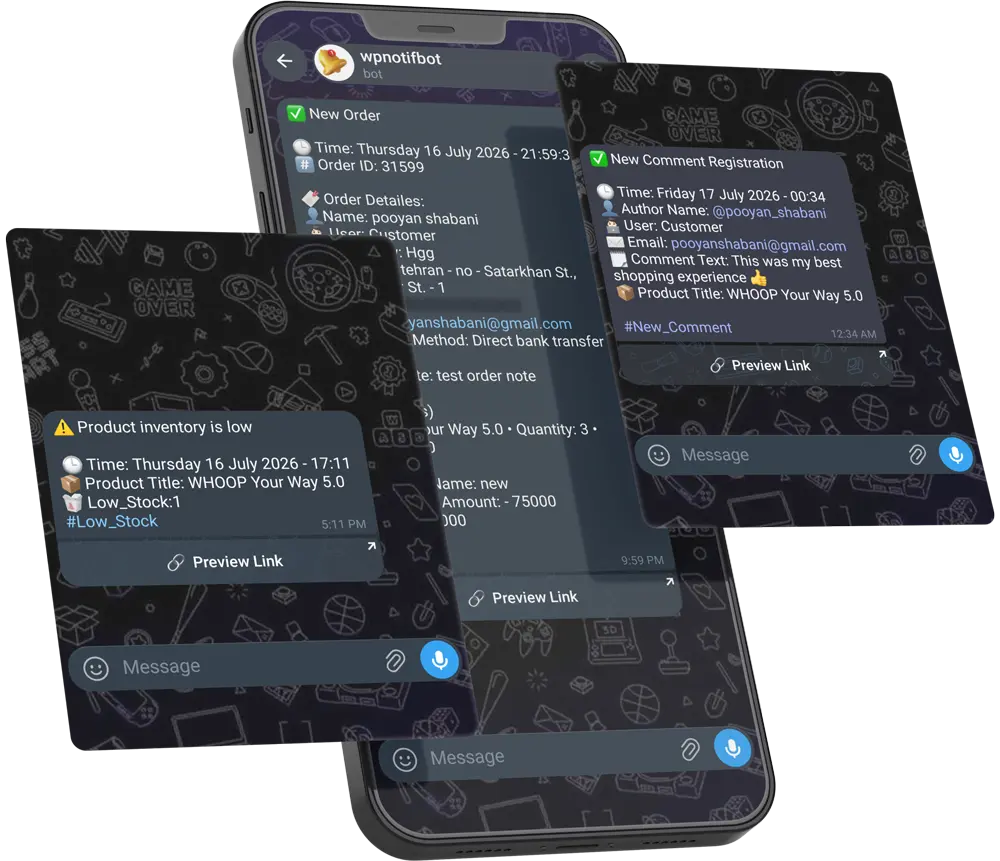
New Order Notification
Receive complete order information immediately after a customer places an order.
Included information:
- Customer Details
- Company
- Address
- Phone Number
- Payment Method
- Order Notes
- Purchased Products
- Coupon Details
- Order Total
- Direct Order Link
Order Status Notification
Receive instant updates whenever the order status changes.
Low Stock Alert
Know before products run out.
Receive an alert when stock reaches the configured threshold.
Out of Stock Notification
Receive an instant notification when a product becomes unavailable.
A direct link to the product page is included.
Product Comment Notification
Receive customer comments immediately after submission.
Includes a direct link to the comment for moderation.
👥 Team Collaboration
WooCommerce Telegram Notifier was designed for teams.
Instead of sending notifications to only one administrator, your Telegram Bot can be added to a group where multiple team members receive updates simultaneously.
Ideal for:
- Store Managers
- Sales Teams
- Warehouse Staff
- Customer Support
- Business Owners
Everyone stays informed without logging into WordPress.
🚀 Installation
- Upload the plugin to WordPress.
- Activate the plugin.
- Navigate to:
WooCommerce → Settings → Woo Notifier- Create a Telegram Bot using @BotFather.
- Copy your Bot Token.
- Paste the token into the plugin settings.
- Enable the notification types you need.
- Save your settings.
You're ready to receive notifications 🎉
🤖 Telegram Setup
- Open @BotFather
- Create a new Bot
- Copy the Bot Token
- Add the Bot to your Telegram Group (or use a private chat)
- Grant the Bot permission to send messages
- Save the Bot Token inside the plugin
💻 Requirements
- WordPress 6.0+
- WooCommerce
- PHP 7.2+
- Telegram Bot
🏗️ Built With
- PHP
- WordPress Plugin API
- WooCommerce Hooks
- WordPress Settings API
- Telegram Bot API
🛣️ Roadmap
✅ Current
- WooCommerce Notifications
- Telegram Bot Integration
- Telegram Group Support
- Rich Emoji Messages
- Smart Quick Links
- Stock Monitoring
- Product Comment Notifications
🚧 Coming Soon
Forms Integration
- Elementor Forms Notifications
- Contact Form 7 Notifications
- Fluent Forms Notifications
- Gravity Forms Notifications
WordPress Events
- New User Registration
- User Login Notifications
- Password Reset Notifications
- Admin Activity Alerts
WooCommerce
- Refund Notifications
- Failed Payment Alerts
- Customer Registration
- Coupon Usage Notifications
- Product Review Notifications
Advanced Features
- Custom Notification Templates
- Conditional Notifications
- Multiple Telegram Groups
- Role-based Notifications
- Scheduled Reports
- Daily Sales Report
- Weekly Sales Report
Future Integrations
- Slack
- Discord
- Microsoft Teams
- REST API
- Webhooks
🤝 Contributing
Contributions, feature requests and bug reports are always welcome.
If you have ideas to improve this project, feel free to open an Issue or submit a Pull Request.
👨💻 Author
Pooyan Shabani
Senior WordPress Engineer
GitHub
https://github.com/pooyanshabani
Website
https://linkedin.com/in/pooyan-shabani
📄 License
GPL v2 or later
Releases
1 release. Each count is every asset in that release; expand a row for the breakdown.