Install
This is the repository archive. It installs, but the folder name will carry the branch suffix and updates will not flow.
Install straight from GitHub with WP-CLI:
wp plugin install https://github.com/pooyanshabani/smart-discount-for-woocommerce/archive/refs/heads/main.zip
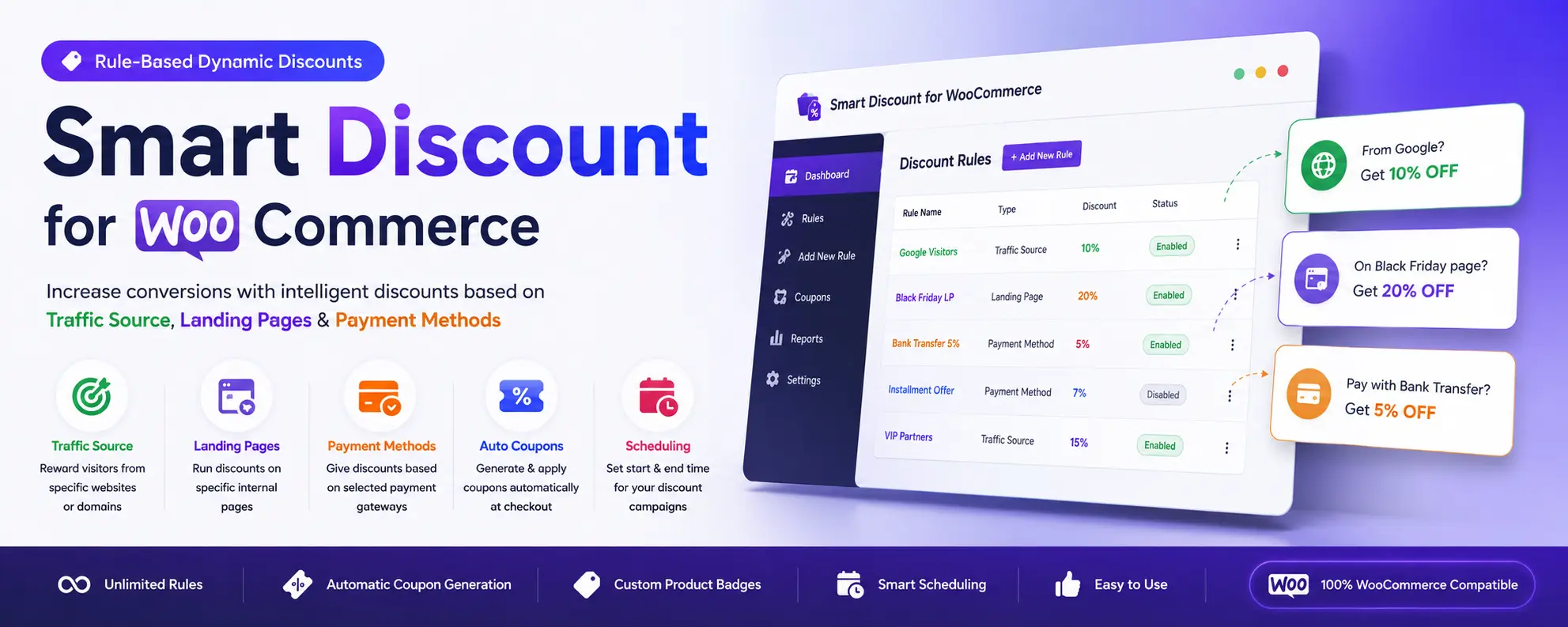
Smart Discount for WooCommerce
Rule-Based Dynamic Discounts for WooCommerce based on Traffic Source, Landing Pages and Payment Methods.




✨ Overview
Smart Discount for WooCommerce lets you create intelligent discount rules based on how visitors reach your website or how they pay.
Instead of creating dozens of coupons manually, the plugin automatically generates temporary WooCommerce coupons when your conditions are matched.
Perfect for:
- Google Ads campaigns
- Facebook & Instagram campaigns
- Landing pages
- Bank transfer discounts
- Installment payment discounts
- Seasonal promotions
- Marketing campaigns
🚀 Features
Unlimited Discount Rules
Create as many independent discount rules as you need.
Each rule can be:
- Enabled
- Disabled
- Scheduled
- Edited later
without deleting anything.
Traffic Source Discounts
Reward visitors coming from specific websites.
Examples:
- google.com
- facebook.com
- instagram.com
- reddit.com
- partner websites
Supports unlimited domains.
Internal Landing Page Rules
Run discounts only when customers visit specific pages.
Examples
/black-friday

/summer-sale

/lp/*
Wildcard supported.
Payment Method Discounts
Create automatic discounts based on selected WooCommerce payment gateways.
Example
- Direct Bank Transfer
- Cash on Delivery
- Installment Gateway
- Stripe
- PayPal
Supports selecting one or multiple payment gateways.
Automatic Coupon Generation
The plugin automatically creates WooCommerce coupons.
Supports:
- Percentage Discount
- Fixed Discount
- Minimum Order Amount
- Coupon Prefix
- Coupon Expiration
- Auto Apply
No manual coupon management required.
Product Page Discount Message
Display a fully customizable message directly on the product page.
Customize:
- Text
- Position
- Background Color
- Text Color
- Border Color
Available variables:
{discount}

{discount_amount}

{original_price}

{final_price}
Scheduling
Activate rules only during specific periods.
Examples
Black Friday
Weekend Sale
Christmas
Summer Campaign
No need to manually enable or disable promotions.
Rule Management
Every rule can be
- Enabled
- Disabled
- Edited
- Deleted
Disabled rules remain saved for future campaigns.
📷 Screenshots
Dashboard
Manage unlimited smart discount rules.

Rule Editor
Create traffic source or payment method based discount rules.

Automatic Coupon
Coupons are generated automatically and managed by WooCommerce.

Product Page
Customers instantly see the discount message before purchasing.

Checkout
Generated coupons are automatically applied during checkout.

💡 Example Use Cases
Google Ads
Visitor arrives from
google.com↓
Automatically receives
10% DiscountLanding Page Campaign
Visitor lands on
/black-friday↓
Automatically receives
20% DiscountInstallment Payment
Customer selects
Installment Gateway↓
Receives
5% DiscountDirect Bank Transfer
Customer selects
Direct Bank Transfer↓
Receives
Extra Discount⚙️ Requirements
- WordPress 6.0+
- WooCommerce
- PHP 7.2+
🛣️ Roadmap
Version 1
- Traffic Source Rules
- Landing Page Rules
- Payment Method Rules
- Automatic Coupons
- Product Messages
- Scheduling
Planned
- UTM Campaign Rules
- Country Rules
- Device Rules
- User Role Rules
- Multiple Conditions
- Rule Priority
- Analytics
🤝 Contributing
Contributions, feature requests and bug reports are always welcome.
⭐ Support the Project
If you find this project useful, please consider giving it a ⭐ on GitHub.
It really helps open-source projects grow.