Invites & Access Control for WooCommerce
control access to store with invites
by K5SMJ · github.com/pocketmidi/invites-access-control-for-woocommerce
Install
No release zip yet. The repository archive installs, but the folder name will carry the branch suffix and updates will not flow:
wp plugin install https://github.com/pocketmidi/invites-access-control-for-woocommerce/archive/refs/heads/main.zipA lightweight invite-only access system for WooCommerce.
Free software. No subscription. No license fee. No nonsense.
Requirements
- WordPress
- WooCommerce
- A working WordPress mail configuration
WooCommerce is required. The plugin uses WooCommerce's purchasing and customer-account functionality.
Installation
- Upload the plugin through Plugins → Add New → Upload Plugin, or place it in
wp-content/plugins/. - Activate Invites & Access Control for WooCommerce.
- Open WooCommerce → Invites & Access Control in the WordPress admin menu.
Using the Plugin
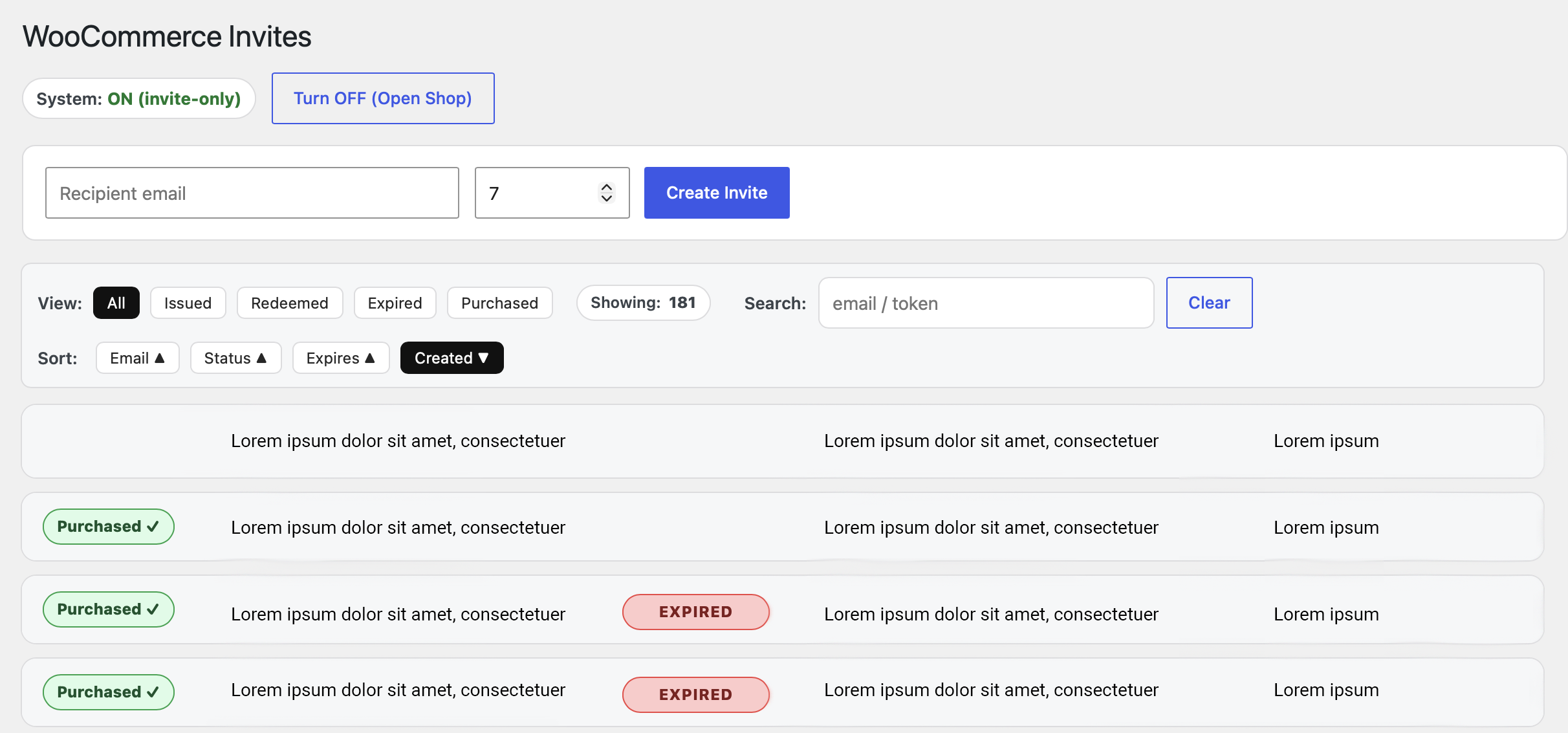
Invite Only
Turn the system ON to require an invite before customers can purchase.
Create an invite by entering:
- The customer's email address
- The number of days the invite should remain valid
The plugin generates a unique invite link that can be sent to the customer.
The default invite duration is 7 days, with a maximum of 365 days.
Redeeming an Invite
The customer follows the invite link and creates an account or logs in.
The email address must match the address associated with the invite. Once successfully redeemed, the account receives purchasing access for the duration of the invite.
Each invite is single-use.
Open Store
Turn the system OFF to return the store to normal WooCommerce purchasing.
This makes the plugin useful for limited releases, early access, private sales, beta programs, or controlled inventory releases.
Invite Management
The admin interface lets you view and manage invites, including their status and expiration.
Invites can be:
- Issued
- Redeemed
- Expired
- Marked as purchased
Invite emails are sent through WordPress wp_mail().
The plugin includes configurable branding for the email:
- Site/brand name
- Website URL
- From name
- From email
- Logo
- Footer text
For reliable delivery, a properly configured SMTP/mail service is recommended.
Important Notes
Invites are tied to specific email addresses. Expired invites cannot be used to obtain purchasing access.
Administrators retain access while invite-only mode is enabled.
Public invite links use their unique token as the authorization mechanism; WordPress admin nonces are not applicable to these logged-out customer links.
You are responsible for configuring and using the plugin in accordance with your site's policies and applicable laws.
A Note from the Author
I made this because I needed a simple solution to a simple problem. I couldn't see any good reason for a tool like this to require a subscription or license fee.
So I'm giving it away.
Use it. Modify it. Improve it. Fork it. Share it.
The GPL permits people to charge for distributing GPL software, and that is their right. But please understand that selling this plugin is not what this project is intended for, and it is not something I endorse.
I'd much rather see someone improve a useful little tool and give those improvements back to the community than turn it into another subscription.
License
This plugin is licensed under the GNU General Public License v3.0 (GPL-3.0-only).
See the LICENSE file for the full license.
Contributing
Bug fixes, security improvements, WooCommerce compatibility fixes, and sensible improvements are welcome. Please keep the plugin simple and focused.