Translation Watchdog for TranslatePress self-updates
Finds text that was never translated on a TranslatePress site — for any language combination.
by Patrick O'Brien · github.com/pobrien333/translation-watchdog-for-translatepress
Install
No release zip yet. The repository archive installs, but the folder name will carry the branch suffix and updates will not flow:
wp plugin install https://github.com/pobrien333/translation-watchdog-for-translatepress/archive/refs/heads/main.zipShips its own WordPress updater (built-in updater), so new versions show up under Dashboard → Updates.

Translation Watchdog for TranslatePress
Finds text that was never translated on a TranslatePress site — for any language combination.
It adds a Watchdog tab to the TranslatePress settings. On demand, it fetches every public page twice — the original and each translation, as a logged-out visitor sees them — and lists every piece of text that is still identical. TranslatePress' own string tables then tell it why:
| Badge | Meaning |
|---|---|
| Not translated | TranslatePress knows the text but has no translation. |
| Translated, not shown | A translation exists, but the page still shows the original — usually a spelling difference (curly quotes, dashes, HTML entities) between the stored string and the page. |
| Not in TranslatePress | The text isn't in TranslatePress' string list — it may come from JavaScript, an image or a plugin TranslatePress doesn't see. |
Text that was deliberately translated to the same words (brand names, "FAQ") is recognised and hidden automatically.
Status: 0.x — in testing. Expect changes.
How it looks
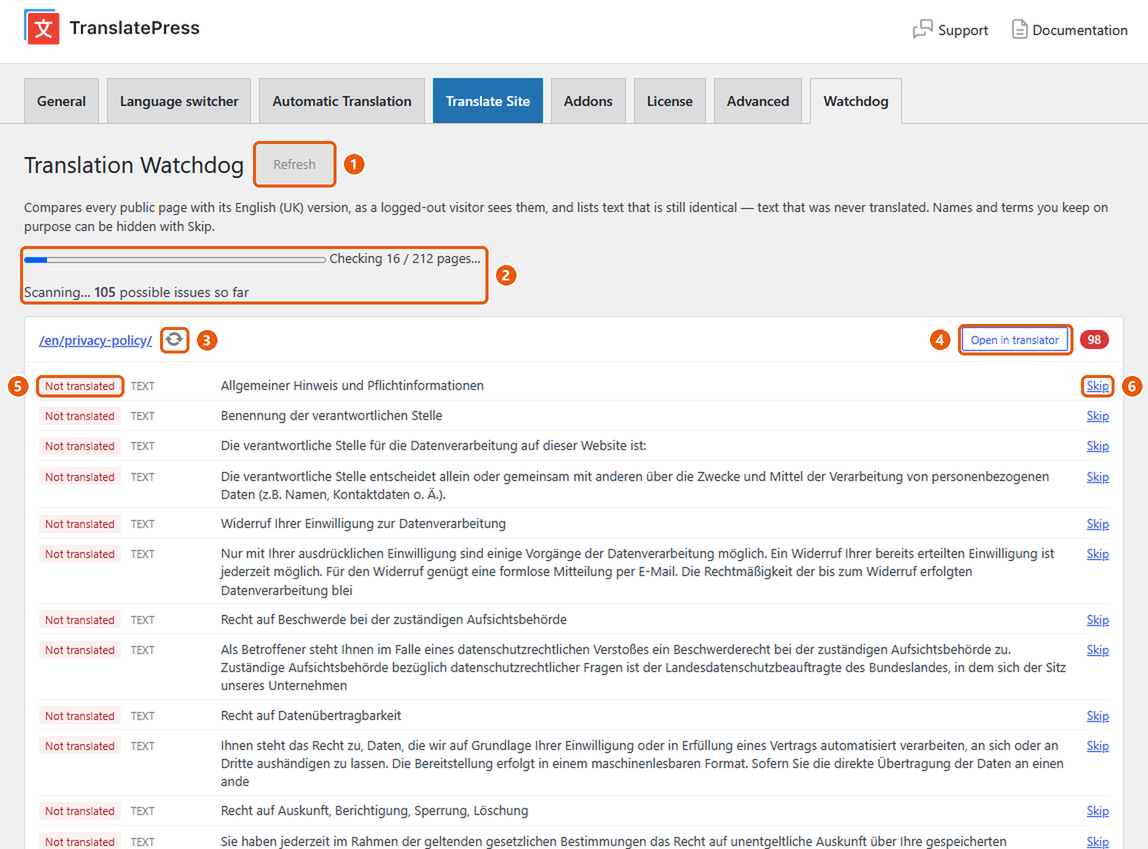
- Refresh — scans the whole site again. Runs automatically when you open the tab.
- Progress — results appear while the scan runs, with a running count.
- Re-check — checks just this page again after you fixed it.
- Open in translator — opens the page straight in the TranslatePress editor.
- Status — why the text is untranslated (see the table above).
- Skip — hides a false positive, such as a name that stays the same in every language.
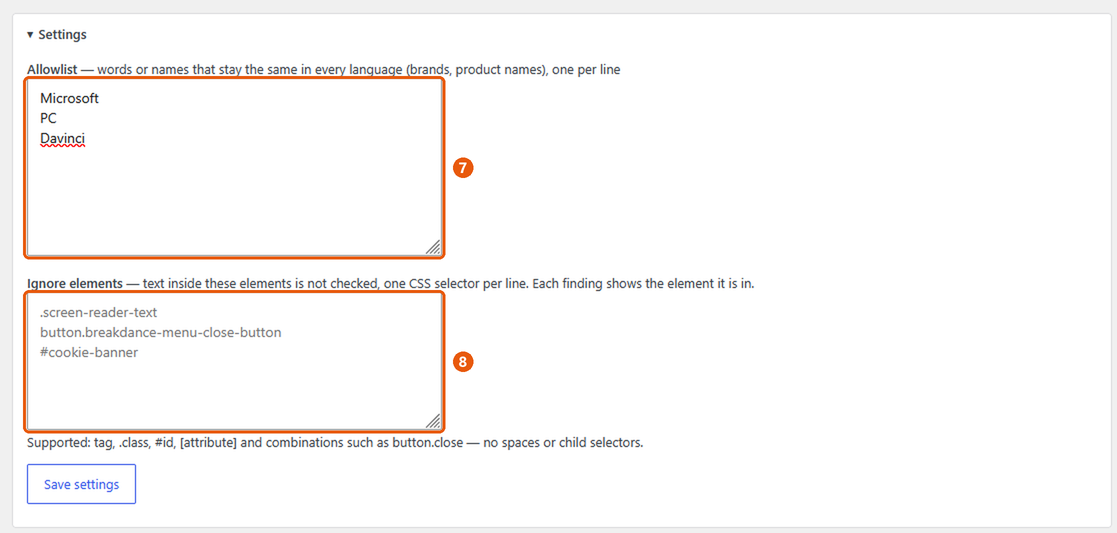
- Allowlist — words and names that stay the same in every language (brands, product names). They are ignored inside any text.
- Ignore elements — CSS selectors for whole components that should not be checked, such as a cookie banner. Every finding shows the element it sits in, ready to copy.
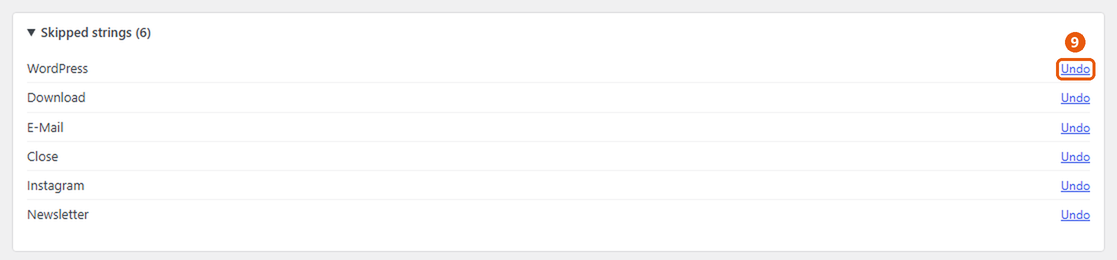
- Undo — brings a skipped string back; it shows again on the next scan.
Why does this exist?
If you translate your site by hand to keep its quality and tone consistent, it's easy to miss a string — a button label, an image's alt text, a line somewhere. And every time you change the design, new strings appear that you might forget to translate.
TranslatePress shows you a page at a time, so there is no quick way to see what's still missing across the whole site. This plugin does exactly that: one scan, and you get a list of every untranslated piece of text, page by page, with a link straight into the TranslatePress editor. So you know your visitors don't see a mix of languages.
Features
- Checks visible text, image
alt,title,placeholder,aria-label, the page title and the meta description. - Runs only when you open the tab or click Refresh — nothing in the background.
- Results appear while the scan runs; requests are made in parallel.
- Every finding links to the translated page and straight into the TranslatePress editor.
- Re-check (↻) a single page after fixing it, without a full scan — work through the list page by page.
- Header/footer/popup strings are grouped once under Sitewide.
- Skip hides false positives, Undo brings them back; an allowlist ignores brand and product names.
- Ignore elements: CSS selectors for whole components that should not be checked (hidden screen-reader text, a cookie banner…). Every finding shows the element it is in.
- Ignore page leaves a page out of future scans (an unpublished popup, a seasonal page); Undo brings it back.
- Retry rescans only the pages that could not be fetched.
- Several translation languages: choose which ones to check.
Requirements
WordPress 6.5+, PHP 8.0+, TranslatePress (free or paid).
Installation
Download the zip from the latest release, then Plugins → Add New → Upload Plugin. Open Settings → TranslatePress → Watchdog.
Updates appear in the WordPress admin like any other plugin (from GitHub releases).
Filters
| Filter | Purpose |
|---|---|
trwatch_urls |
Array of source-language URLs to check. |
trwatch_post_types |
Post types whose entries are scanned (default: public types that are not excluded from search — page-builder template libraries are left out). |
trwatch_sslverify |
Whether to verify SSL certificates when fetching your own pages (default: off on local hosts such as *.test, on everywhere else). |
Development
composer install
composer lint     # PHP syntax
composer phpcs    # WordPress security/i18n sniffs
Releases: bump the version in the plugin header and TRWATCH_VERSION, add a CHANGELOG.md entry, then push a tag vX.Y.Z. The release workflow builds the zip (with the .pot file) and attaches it to a GitHub release.
License
GPL-2.0-or-later.