Outstand Instagram Feed WP Registry grade A. No security issues foundWP RegistryNo security issues foundOpen the reportA
Display Instagram posts using a customizable Gutenberg block with list and grid layouts.
Install
Upload it under Plugins → Add New Plugin → Upload Plugin, then activate.
Install straight from GitHub with WP-CLI:
wp plugin install https://github.com/pixelalbatross/outstand-instagram-feed/releases/download/1.1.2/outstand-instagram-feed-1.1.2.zipOn Packagist as outstand/instagram-feed:
composer require outstand/instagram-feedDisplay Instagram posts using a customizable Gutenberg block with list and grid layouts.
Description
A WordPress plugin that connects to the Instagram API to display your Instagram posts in the block editor. It handles OAuth authentication, automatic token refresh, and provides modular blocks for media and captions with full layout and styling controls.
The icons are from Themify Icons.
Features
- OAuth Authentication: Connects to the Instagram API with automatic long-lived token refresh
- List and Grid Layouts: Choose how your feed is displayed
- Modular Blocks: Separate blocks for media, captions, and post templates
- Full Styling Support: Colors, typography, spacing, borders, and overlay controls
- Built-in Caching: 5-minute transient cache for optimal performance
Installation
Manual Installation
- Download the latest release ZIP from the Releases page.
- Go to Plugins > Add New > Upload Plugin in your WordPress admin area.
- Upload the ZIP file and click Install Now.
- Activate the plugin.
Install with Composer
To include this plugin as a dependency in your Composer-managed WordPress project:
- Add the plugin to your project using the following command:
composer require outstand/instagram-feed- Run
composer install. - Activate the plugin from your WordPress admin area or using WP-CLI.
Setup
You'll connect your Instagram Business or Creator account to your website using a Facebook App. This allows the plugin to fetch and display your Instagram feed securely.
Account Requirements
- Your Instagram account must be a Business or Creator account
- To convert your account: How to switch to a professional Instagram account
Step 1: Register a Facebook App
All Instagram API access goes through the Facebook Developers platform. You'll create a Facebook App, connect it to your Instagram Business or Creator account, and configure an OAuth redirect URL for this plugin.
See docs/application-setup.md for a step-by-step, screenshot-by-screenshot walk-through. When you finish that doc you will have an Instagram App ID, an Instagram App Secret, and an accepted Instagram Tester invitation — return here and continue below.
Step 2: Configure Plugin
- Go to Settings > Outstand Instagram Feed in your WordPress admin
- Enter your Instagram App ID and Instagram App Secret and click Save
- Click Connect Instagram Account
- You will be redirected to Instagram where you can log in with your username and password
- After login, you will see a permissions window. The only permission required is View profile and access media. All others you can leave unchanged or toggle off.
- Click Allow
- You'll be redirected back to WordPress. Your connection will appear as Connected in the plugin settings.
Step 3: Add the Block
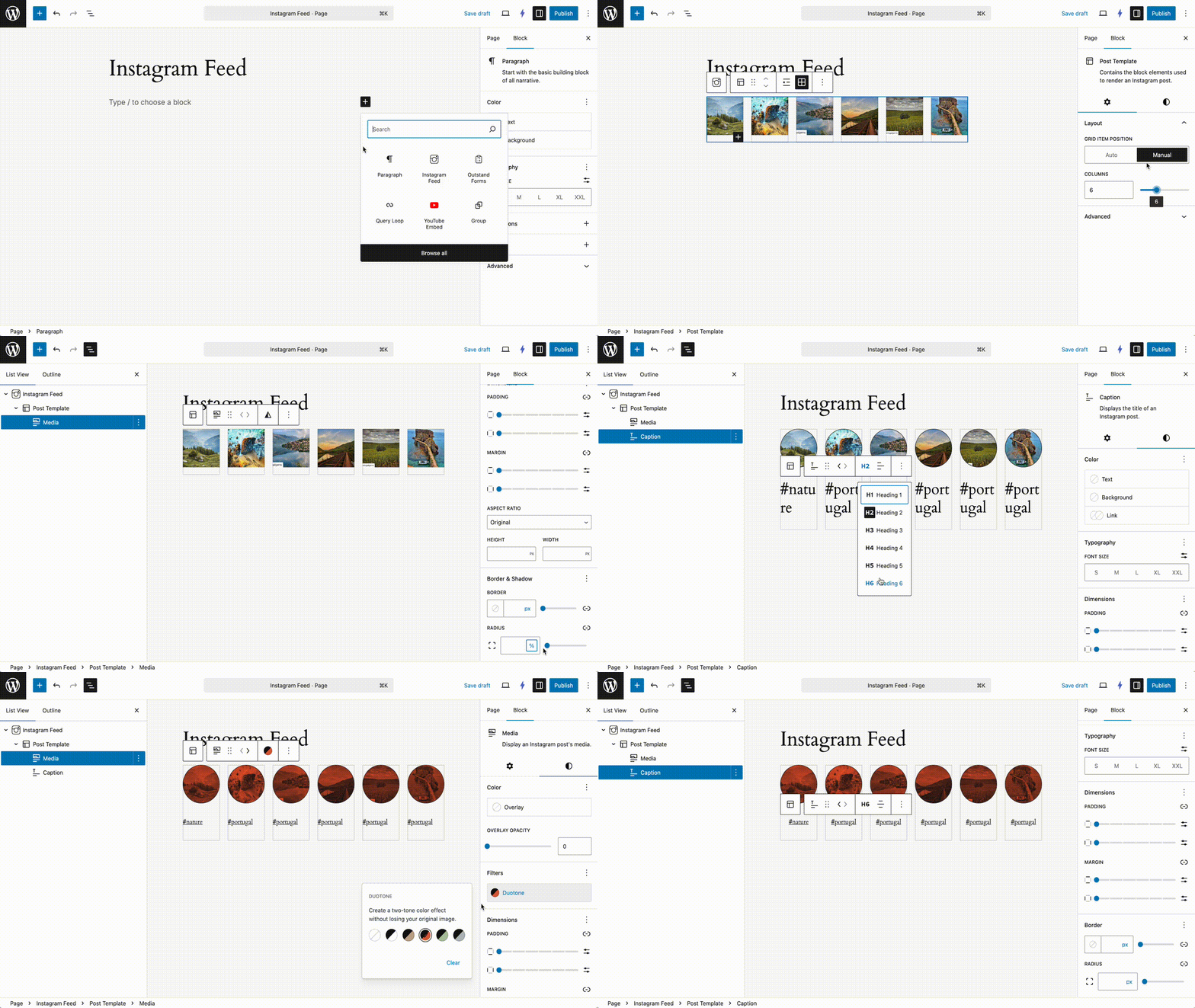
- In the block editor, search for "Instagram Feed"
- Add the block to your page or post
- Configure the number of posts to display
- Choose your preferred layout (list or grid)
Usage
Instagram Feed
The main block controls the overall feed settings:
- Number of Posts: Set how many Instagram posts to display (1-50)
- Layout: Choose between list and grid layouts
- Alignment: Support for wide and full-width alignments
Child Blocks
- Post Template: Container for individual Instagram posts with full layout and styling support
- Post Media: Displays the Instagram image with link, dimension, overlay, border, and shadow controls
- Post Caption: Shows the post caption with heading level, alignment, link, and typography options
Requirements
- WordPress 6.7 or higher
- PHP 8.2 or higher
- Instagram Business or Creator account
- Facebook Developer account with Instagram product configured
Changelog
All notable changes to this project are documented in CHANGELOG.md.
License
This project is licensed under the GPL-3.0-or-later.
Releases
4 releases. Each count is every asset in that release; expand a row for the breakdown.