Poetry Convert to WebP
A simple and efficient WordPress plugin to convert your images to the WebP format for better performance and reduced bandwidth.
Install
This is the repository archive. It installs, but the folder name will carry the branch suffix and updates will not flow.
Install straight from GitHub with WP-CLI:
wp plugin install https://github.com/pierrehunout/poetry-convert-to-webp/archive/refs/heads/main.zip
A simple and efficient WordPress plugin to convert your images to the WebP format for better performance and reduced bandwidth.
Screenshots
Plugin Settings Page
Configure WebP quality settings (0-100%), enable picture tag mode for automatic browser fallback, toggle debug mode for troubleshooting. The clean interface makes it easy to customize the plugin behavior to your needs.
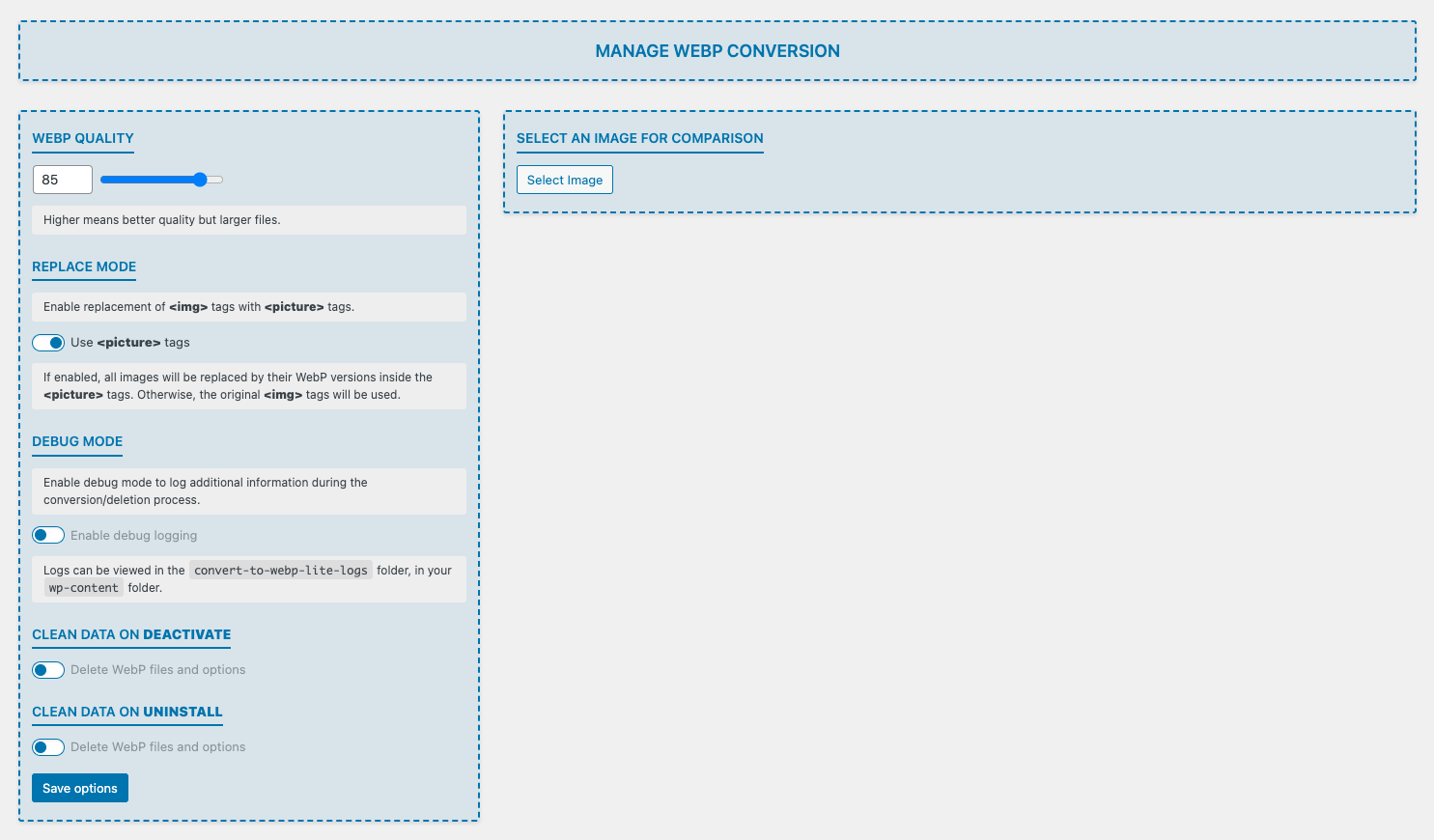
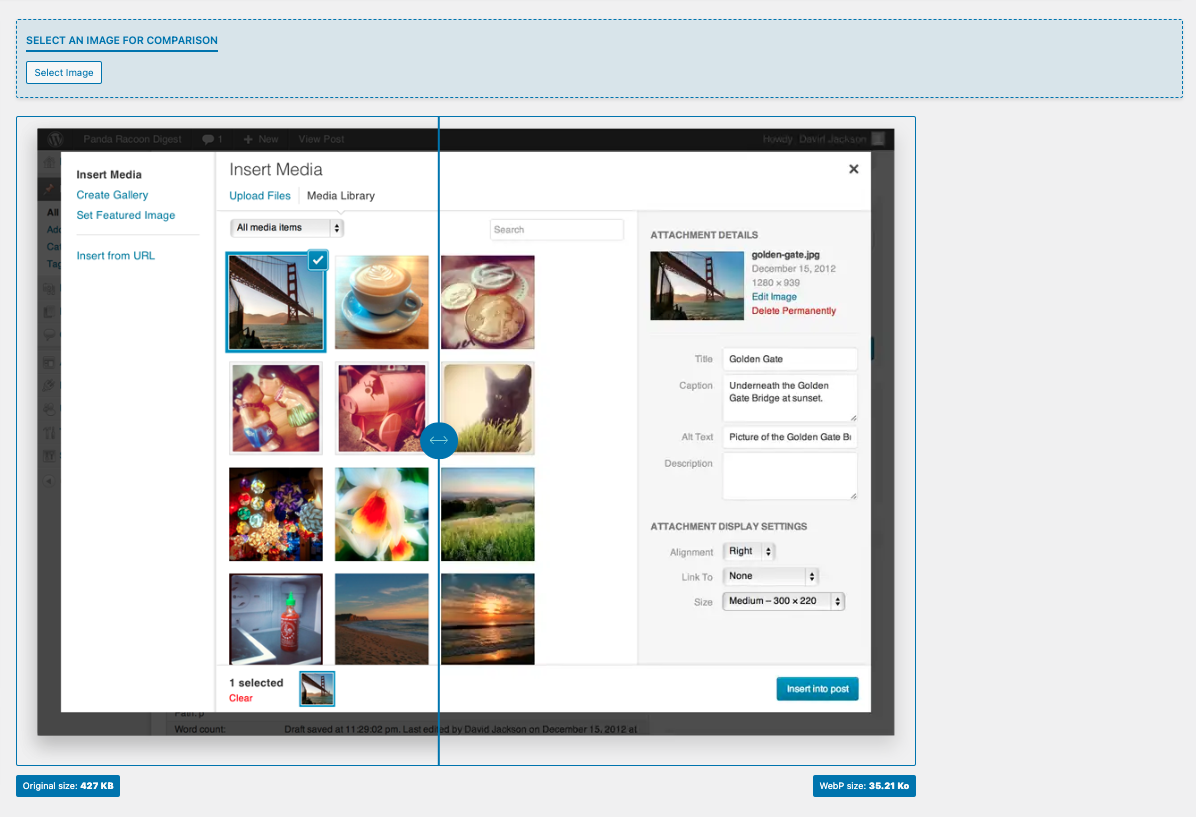
Image Quality Comparison
Preview the difference between original and WebP images before bulk conversion. Side-by-side comparison helps you choose the optimal quality setting that balances file size reduction with visual quality for your specific needs.
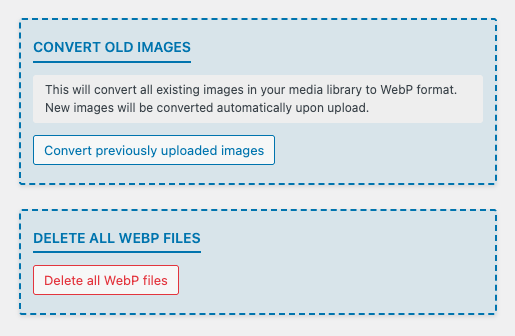
Bulk Operations Tool
Convert your entire media library to WebP format with one click or safely delete all previously converted WebP images in a single operation.
Features
- Automatically converts uploaded images from JPG, PNG or GIF to WebP format
- Supports bulk conversion of existing images in the media library
- Keeps original images as backup
- Seamless integration with WordPress media management
- Lightweight and easy to use
Installation
- Clone or download this repository to your
wp-content/pluginsdirectory. - Install the dependencies using Composer.
- Activate the plugin from the WordPress admin dashboard.
Development
This plugin uses Composer for dependency management and provides several useful scripts for development:
# Navigate to the plugin directory
cd wp-content/plugins/poetry-convert-to-webp

# Install dependencies
composer install
This will install development dependencies including:
- PHPUnit - Unit testing framework (v9.6+)
- Brain Monkey - WordPress function mocking for tests
- Mockery - Advanced object mocking
- Yoast PHPUnit Polyfills - Cross-version PHPUnit compatibility
- PHP CodeSniffer (PHPCS) - Code quality and WordPress coding standards
- Variable Analysis - Additional code analysis
Testing
The plugin includes a comprehensive test suite with unit tests and integration tests to ensure code quality and reliability.
The test suite uses:
- PHPUnit 9.6+ for the testing framework
- Brain Monkey for mocking WordPress functions in unit tests
- WordPress Test Suite for integration tests with real WordPress environment
- Mockery for advanced object mocking
- Xdebug for code coverage analysis
All tests follow WordPress coding standards and use the Yoast PHPUnit Polyfills for cross-version compatibility.
# Run all tests (unit + integration)
composer run test

# Run only unit tests (262 tests)
composer run phpunit:unit

# Run only integration tests (40 tests)
composer run phpunit:integration

# Generate code coverage report (HTML format)
composer run phpunit:coverage

# Quick test run (unit tests without coverage)
composer run test:quick
The code coverage report is generated in tests/coverage-html/index.html and can be viewed in your browser.
Test Structure:
tests/unit/- Unit tests for individual classes and methodstests/integration/- Integration tests for WordPress functionalitytests/TestCase.php- Base test class with Brain Monkey setup for unit teststests/IntegrationTestCase.php- Base test class extending WP_UnitTestCase for integration teststests/bootstrap.php- Smart test environment initialization (auto-detects test type)
WordPress Test Suite:
Integration tests require the WordPress Test Suite. To install it:
# Run the installation script
bash tests/bin/install-wp-tests.sh wordpress_test root 'root' localhost latest
The installation script will download the WordPress test framework and create a test database.
Code Quality
# Run PHP CodeSniffer to check coding standards
composer run phpcs

# Automatically fix coding standards issues
composer run phpcs:fix

# Generate a summary report
composer run phpcs:report
Autoloading
The plugin uses PSR-4 autoloading for better code organization:
- Namespace:
PoetryConvertToWebp\ - Classes are located in the
includes/directory
Usage
- New images uploaded to the media library will be automatically converted to WebP.
- To convert existing images, go to the plugin settings page and use the bulk conversion tool.
- The original images are preserved for compatibility purpose
Requirements
End Users
- PHP 7.4 or higher
- WordPress 5.0 or higher
- The PHP GD or Imagick extension with WebP support enabled
Contributors & Developers
- PHP 7.4 or higher
- Composer for dependency management
- WordPress 5.0 or higher
- The PHP GD or Imagick extension with WebP support enabled
- Xdebug for code coverage (optional but recommended)
- MySQL or MariaDB for integration tests
- Subversion (SVN) for WordPress Test Suite installation
License
This project is open source and available under the GPL-3.0 License.
Special thanks to Romain Preston for his help, code review and insightful comments
Developed by Pierre Hunout
Email: pierre.hunout@gmail.com
Support: Buy me a coffee ☕